
8 Best No-Code Website Builders Offers (Oct. 2026)
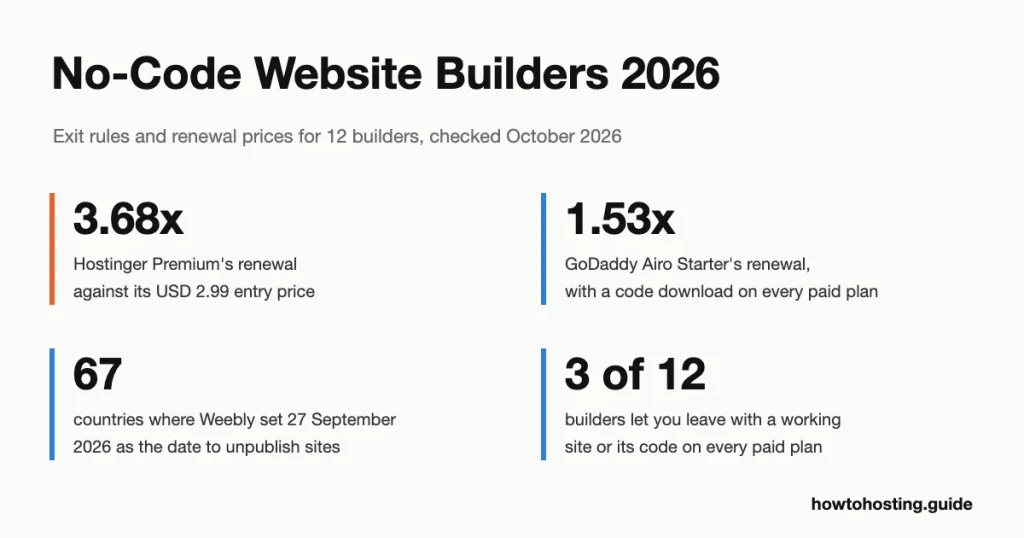
Square gave Weebly owners in 67 countries, from Singapore to Nigeria to Colombia, 90 days to move their sites before unpublishing them. Picking a no-code builder by its editor misses the question that matters: what can you take with you when you go?
Quick answer: Wix is the best no-code builder for most people: Core costs USD 29/month on a yearly plan, takes payments and has no teaser rate. If you may want to leave one day, pick GoDaddy Airo. Every paid plan lets you download your site's code, and Starter renews at just 1.53x its first-year price. Shopify is the pick for a real store. Webflow is the pick for designers who need a big CMS (content management system).
| Builder | Best for | Entry price | Renewal price |
|---|---|---|---|
| Hostinger AI Builder | Lowest four-year outlay | USD 2.99/mo (48-month prepay) | USD 10.99/mo |
| SiteGround Website Builder | Flat pricing with a free trial | USD 10/mo (12-month prepay) | USD 10/mo |
| Bluehost AI Website Builder | A WordPress site without learning WordPress | USD 9.99/mo (1 or 2 years) | No separate rate printed |
| 10Web | AI-built WordPress for agencies | USD 10/mo (first year) | USD 20/mo regular price |
| GoDaddy Airo AI Builder | Taking your code with you | EUR 8.49/mo (first year, Irish store) | EUR 12.99/mo |
| Jimdo | Small EU shops with no sales commission | EUR 12.40/mo (1 year, incl. VAT) | EUR 12.40/mo |
| Shopify | Stores that plan to grow | EUR 24/mo (yearly) | EUR 24/mo |
| Weebly | Existing users in supported countries | EUR 11/mo (yearly) | EUR 11/mo |
| Wix | Most beginners and small businesses | USD 17/mo (yearly) | USD 17/mo |
| Squarespace | Polished portfolio and service sites | EUR 12/mo (yearly) | EUR 12/mo |
| Webflow | Designers who need a large CMS | USD 15/mo (yearly) | USD 15/mo |
| Framer | Fast, animated landing pages | USD 10/mo (yearly) | USD 10/mo |
Last reviewed: October 2026. Prices and features verified.
Jump to: Hostinger | SiteGround | Bluehost | 10Web | GoDaddy | Jimdo | Shopify | Weebly | Wix | Squarespace | Webflow | Framer | Exit test | How to choose | FAQ
Weebly's support page set 27 September 2026 as the day sites in 67 countries would be unpublished, with logins ending on 26 December 2026. Publishing new pages had already stopped on 29 June. That left affected owners three months to move sites nobody had planned to move, and it's the risk every no-code buyer should check first.
The pages that rank for this topic compare editors and templates. None of them says what each builder lets you export, and most skip renewal prices. So we read each provider's own export documentation and worked out a renewal-to-entry multiplier for every builder below. The spread runs from 1.0x to 3.68x, and the export rules range from "take the code" to "take nothing".
How We Selected These Builders
We started from the eight builders the old version of this page listed, and we kept all of them. Weebly is a borderline case. Square has pulled it from 67 countries. It's still on sale in the US, the UK, Canada, Australia and elsewhere, so it stays with a clear warning.
We then added the four builders that appeared on almost every ranking page and were missing here: Wix, Squarespace, Webflow and Framer. That brings the list to 12, our cap.
Three questions carried most of the weight. First, can you leave, and what do you lose when you do? We answered that from each provider's own help pages, not from reviews.
Second, does the advertised price survive renewal? We divided the renewal price by the entry price for each builder's cheapest paid plan. Third, does the entry plan do the job, or is the feature people buy it for one tier higher? Template counts and AI gimmicks counted for little, because you can judge both in ten minutes on a free trial.
Every price comes from the provider's own pricing page, plan data or cart on 1 October 2026. Our connection was served European storefronts by several providers, so some prices appear in EUR and others in USD. We quote each one exactly as the page showed it and never convert. Unless we say otherwise, prices exclude VAT. Hostinger, SiteGround and 10Web showed no tax line, so their prices are as listed.
Honest limits: we didn't build twelve sites, so you'll find no speed tests of our own here. We didn't measure latency either, because every builder here serves sites from a global network rather than one country. Community views come from Reddit threads we read in full, dated where they matter.
| Hosting Provider | Reviews | Overall Rating | Website Builder from |
|---|---|---|---|
1  Hostinger Hostinger
|
63.2k+ |

|
$1.95 / mo. 80% Off |
2  SiteGround SiteGround
|
29.1k+ |

|
No data / mo. NOW -81% |
3  Bluehost Bluehost
|
28.1k+ |

|
$2.95 / mo. -70% NOW |
4  GoDaddy GoDaddy
|
126k+ |
|
$19.99 / mo. WB Free Trial |
5  Jimdo Jimdo
|
5.6k+ |
|
$12.89 / mo. |
6  Shopify Shopify
|
4.2k+ |

|
$29.00 / mo. $1/month |
7  Weebly Weebly
|
728 |

|
$5.00 / mo. |
8  Wix Hosting Wix Hosting
|
25.1k+ |
|
No data / mo. |
9  Squarespace Squarespace
|
2.3k+ |

|
$16.00 / mo. |
1. Hostinger
 63.2k+
4.6
Positive
Positive
63.2k+
4.6
Positive
Positive









| Storage | Bandwidth | Price | |
|---|---|---|---|
| Unlimited | Unlimited | $1.95 / mo. | View Plan |
| Unlimited | Unlimited | $2.95 / mo. | View Plan |
Hostinger AI Builder - Best for the lowest four-year outlay
Stats: Premium USD 2.99/mo on a 48-month prepay (USD 143.52 up front) | renews at USD 10.99/mo | 3 websites | 30-day money-back guarantee
USD 143.52 is the real entry fee. That's what Hostinger charges up front for 48 months of Premium, and it's the cheapest four years of any builder here. Month 49 then bills at USD 10.99/month, a 3.68x jump and the steepest renewal step in this guide. Unlimited works the same way: USD 3.99 now, USD 16.99 later (4.26x).
Premium is thinner than the price suggests. It covers three websites, a free domain for one year and two mailboxes per site. It also includes five AI credits as a one-time gift. The card mentions managing a store with the AI assistant, but the "Ecommerce available" line first appears on Unlimited.
The exit story now depends on how you build. Hostinger's builder has two modes. Manual mode is the drag-and-drop editor. For sites built there, Hostinger's help page (updated 24 September 2026) lists what stays behind. That's styles and layout, the online store, forms, form submissions, integrations and SEO settings. You leave with text and images.
Build in agentic mode (the AI chat) and you can download the whole project as a code ZIP, a React app, minus any backend data. That's useful only if you, or someone you pay, can run a Node.js project.
Compare it with Bluehost, whose builder costs USD 9.99/month on a one- or two-year term. Hostinger's renewal is USD 1.00 a month higher, and Bluehost's site is WordPress you can move.
Pros:
- Lowest four-year cost here at USD 143.52
- Agentic-mode projects export as a full code ZIP
- Ecommerce on Unlimited at USD 3.99/mo
Cons:
- Renewal is 3.68x the entry price
- Manual-mode export drops layout, store, forms and SEO settings
- Only five AI credits on Premium, once
Best for: a small site you expect to keep on Hostinger for four years. Skip if: you'll want to move a drag-and-drop site later.
Verdict: Buy Premium if the four-year price is what matters most and you build in agentic mode. If you want a drag-and-drop site you can actually move, Bluehost is the better buy.
2. SiteGround
 29.1k+
4.8
Positive
Positive
29.1k+
4.8
Positive
Positive




SiteGround Website Builder - Best for flat pricing with a free trial
Stats: Build USD 10/mo (12-month prepay) | renews at USD 10/mo | 14-day free trial, no card | 5 GB storage
Here's a builder most comparison pages still describe wrongly. SiteGround's builder used to be a free extra for hosting customers. Its own page said "free with all SiteGround hosting plans" in a capture from 2 February 2026. By a capture from 12 March 2026, the same page sold four paid plans. That's a dated change older guides haven't caught.
The plans are Build at USD 10, Sell at USD 18, Grow at USD 24 and Scale at USD 36 a month. Each is prepaid for 12 months. Every card says the renewal price is the same as the entry price. That's a 1.0x multiplier, against 6.02x for SiteGround's own StartUp hosting (USD 2.99, then USD 17.99), the priciest renewal in our shared hosting comparison.
Hosting customers can still set the builder up under a hosting plan, according to SiteGround's knowledge base, updated 9 June 2026.
There's one fee to watch. Build can't take payments at all. Sell takes them but charges a 3% platform fee on sales, and Grow drops that to 0%. On USD 1,000 of monthly sales, Sell's fee costs USD 30, five times the USD 6 gap to Grow. So treat Grow as the real store plan.
On price, Build's USD 10 undercuts Wix Light's USD 17 by USD 7 a month, and Build renews at the same rate. The weak spot is the exit. We found no export route in SiteGround's documentation for builder sites, while GoDaddy's paid plans include a code download.
Pros:
- Renewal matches entry on every plan
- 14-day trial with no credit card
- Native store and a built-in blog
Cons:
- 3% platform fee on the Sell plan
- No documented export for builder sites
- Build plan can't accept payments
Best for: a service business that wants one predictable yearly bill. Skip if: you might need to move the site later.
Verdict: Build is honest value at USD 10 a month with no renewal jump, and Grow is the store plan to buy. If owning your work matters, GoDaddy Airo costs less and hands you the code.
3. Bluehost
 28.1k+
4.1
Positive
28.1k+
4.1
Positive
 Neutral
| Storage | Bandwidth | Price | |
|---|---|---|---|
| 10 GB | Unlimited | $2.95 / mo. | View Plan |
| 40 GB | Unlimited | $5.45 / mo. | View Plan |
| 40 GB | Unlimited | $9.95 / mo. | View Plan |
Bluehost AI Website Builder - Best for a WordPress site without learning WordPress
Stats: Get Online USD 9.99/mo on a 1- or 2-year term (USD 15.99 monthly) | 14-day free trial | WordPress output | free domain for 1 year
What if your builder site could move to any host? That's Bluehost's pitch, and its help article backs it up. The AI builds a standard WordPress site, and Bluehost says you can move it "to any other WordPress-compatible host". In this guide only Bluehost and 10Web build on WordPress.
The plan is called Get Online. It costs USD 9.99/month on a one- or two-year term, or USD 15.99 month to month. Bluehost prints no separate renewal rate for it, and its renewal price list doesn't include the builder. We'll call that unconfirmed rather than flat.
Paid plans get 20 AI edits a month, plus 10 bonus edits in the first month. Yoast SEO Premium comes pre-installed.
Two catches matter. First, the free domain and domain privacy apply only if you skip the free trial and buy the plan directly. Second, inside the WordPress dashboard you can't install or remove plugins, or change the theme. So the site is portable, but it's locked down while it lives at Bluehost.
Against 10Web's AI Starter, Bluehost costs about half the regular price: USD 9.99 against USD 20. 10Web's extra money buys Figma and page-cloning agents on a full WordPress CMS.
Pros:
- Standard WordPress you can migrate
- 14-day trial with no card
- Yoast SEO Premium on paid plans
Cons:
- No plugin installs or theme changes while hosted
- Trial users lose the free domain
- Renewal rate not printed
Best for: a small business that wants WordPress underneath without touching WordPress. Skip if: you already know WordPress and want your own plugins.
Verdict: Buy it directly, not through the trial, if portability is the reason you're here. If you need more control over the WordPress side, 10Web runs a full WordPress CMS.
10Web - Best for AI-built WordPress for agencies
Stats: AI Starter USD 120 for the first year (USD 10/mo) | regular price USD 240/year | 10,000 monthly visitors | 30-day money-back guarantee
10Web's cheapest plan is generous on AI and stingy on traffic. AI Starter includes 100 AI credits a month, 10 GB of storage and one website. It also caps you at 10,000 monthly visitors. Under the hood it's a full WordPress install, and the plan page includes a Figma-to-page agent and a page-cloning agent.
The first year costs USD 120. 10Web prints a regular price of USD 240 beside it, which is exactly 2.0x. Every annual tier follows the same rule: AI Premium is USD 180 against USD 360, and AI Ultimate USD 270 against USD 540. Month to month, AI Starter costs USD 20. So budget USD 20 a month from year two, because the page prints no other renewal figure.
There's a refund trap in small print. The 30-day money-back guarantee "applies until you claim your free domain." Claim the domain on day one and you've given up the refund. Cloudflare's CDN (content delivery network, servers that cache your pages near visitors) arrives only on AI Ultimate, and only for one site.
Against Bluehost, both builders hand you WordPress. 10Web's regular USD 20 is twice Bluehost's USD 9.99. The extra buys you more AI tools and the full WordPress dashboard.
Pros:
- Full WordPress CMS on every plan
- Figma and page-cloning agents included
- Same 2.0x rule on every tier, easy to budget
Cons:
- 10,000-visitor cap on AI Starter
- Refund ends once you claim the domain
- CDN only on the USD 22.50 tier
Best for: designers and agencies who hand finished WordPress sites to clients. Skip if: you expect more than 10,000 visitors a month on one site.
Verdict: 10Web is the right buy when the site has to be WordPress and you want AI speed. Owners of one small site should take Bluehost and save about USD 10 a month.
4. GoDaddy
 126k+
4.5
Positive
Positive
126k+
4.5
Positive
Positive
| Storage | Bandwidth | Price | |
|---|---|---|---|
| 100 GB | Unlimited | $19.99 / mo. | View Plan |
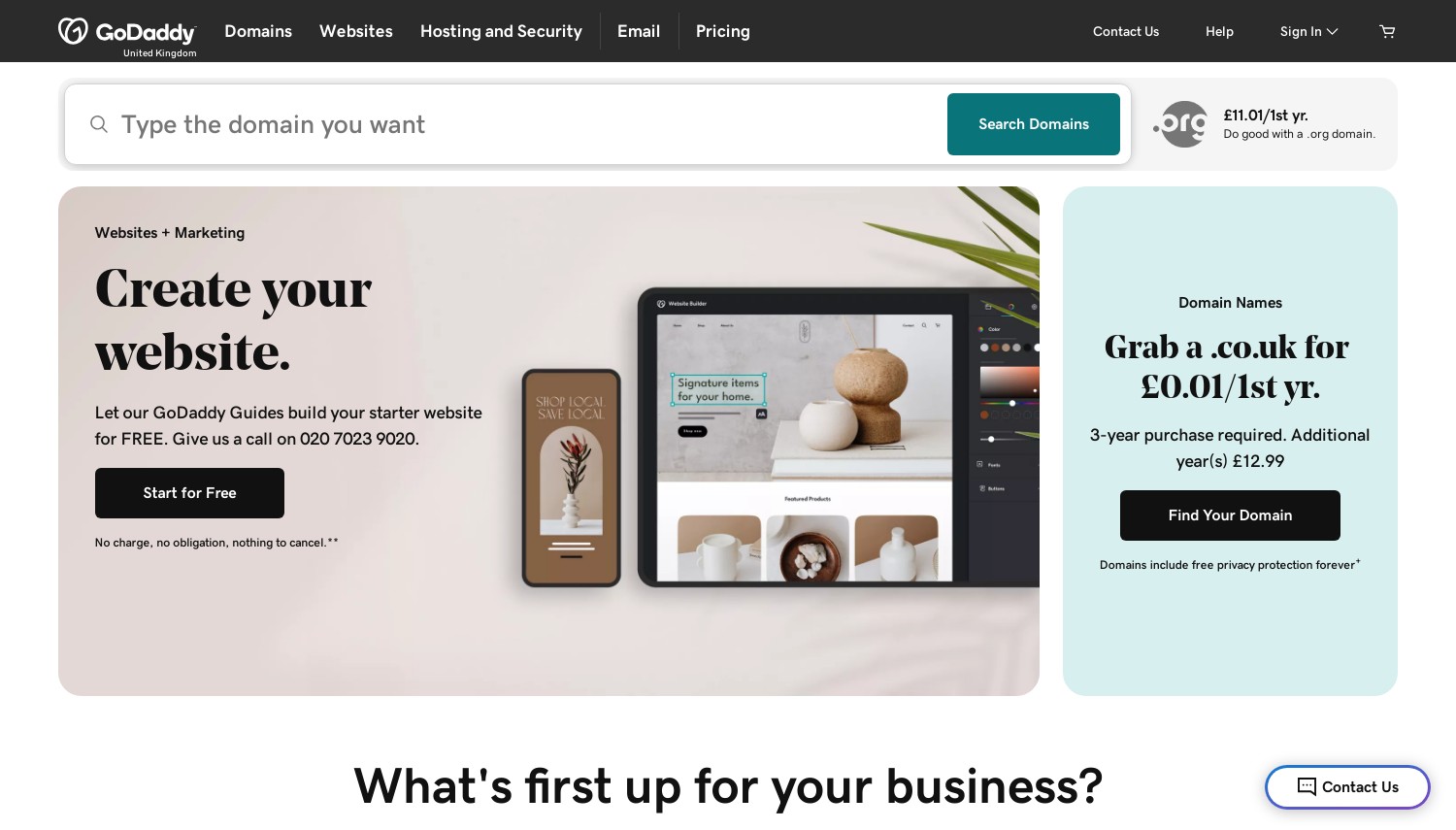
GoDaddy Airo AI Builder - Best for taking your code with you
Stats: Starter EUR 8.49/mo first year (EUR 101.88, Irish storefront) | renews at EUR 155.88/year | code download on all paid plans | free plan for previews
The builder people assume locks you in hardest is the one that hands you the code. GoDaddy lists "Download your code anytime" under the features included in every paid Airo plan. Ultimate goes further and syncs your project through GitHub. No other builder here puts a code download on every paid plan.
We read prices from GoDaddy's Irish storefront, which was the one served to us; other countries see local prices. Starter costs EUR 8.49 a month on an annual plan. The cart showed EUR 101.88 for 12 months and "Renews October 2027 for EUR 155.88", taxes excluded. That's EUR 12.99 a month at renewal, a 1.53x step.
Professional runs EUR 19.99 a month, and Ultimate EUR 84.99, both first-year annual prices. Annual plans include a free domain. Month to month, Starter costs EUR 16.99 and the domain line disappears.
Airo is a prompt-first builder that writes real code behind the scenes. Starter publishes one site and includes 150 AI credits a month. It can take payments through shared links and QR codes. Online payments, bookings and a product catalogue start on Professional. The free plan lets you build and preview, but you can't publish from it.
Set Starter's 1.53x against Hostinger's 3.68x. GoDaddy costs more in year one, far less of a jump at renewal, and you can leave with the code.
Pros:
- Code download on every paid plan
- GitHub sync on Ultimate
- Free domain on annual plans
Cons:
- Product catalogue starts at Professional
- Free plan can't publish
- Monthly billing nearly doubles Starter's cost
Best for: anyone who wants an AI head start and a way out. Skip if: you need a product catalogue on the cheapest plan.
Verdict: Airo Starter is the best exit-friendly buy here. For a store on a small budget, Hostinger Unlimited includes ecommerce for less up front.
5. Jimdo
 5.6k+
4.0
Positive
Positive
5.6k+
4.0
Positive
Positive

| Storage | Bandwidth | Price | |
|---|---|---|---|
| Unlimited | Unlimited | $12.89 / mo. | View Plan |
| Unlimited | Unlimited | $20.41 / mo. | View Plan |
| Unlimited | Unlimited | $52.63 / mo. | View Plan |
Jimdo - Best for small EU shops with no sales commission
Stats: Start EUR 12.40/mo on a 1-year term (incl. 23% Irish VAT) | store plans from EUR 20.67/mo | 0% transaction fees | support response times stated per plan
Jimdo takes no cut of your sales on any store plan. That's the reason to choose it. Its price list also states a support response time for each plan. Start gets a reply within one to two working days, Grow within 24 hours, Unlimited within 12.
Prices come from Jimdo's Irish storefront and include Irish VAT at 23%. Start costs EUR 12.40 a month on a one-year term, or EUR 120.98 a year before VAT. Grow costs EUR 20.67 and Unlimited EUR 51.68.
Store plans run Basic at EUR 20.67, Business at EUR 29.97 and VIP at EUR 51.68. There's no teaser rate, so renewal matches entry. The domain is the exception: Jimdo's price data lists it as free for the first contract period only.
The store ladder hides a gate. Product variants, discount codes and sale prices are missing from Basic and start on Business at EUR 29.97. Sell one T-shirt in three sizes and Basic can't list it properly. Also note the withdrawal right: 14 days for consumers, and none for businesses.
Against Shopify Basic, the fee math favours Jimdo for small shops. Shopify adds 2% on orders paid through an outside payment provider. On EUR 2,000 a month in sales, that's EUR 40, more than Jimdo Business costs.
Pros:
- 0% transaction fees on every store plan
- Published support response times
- No teaser rate, so year two costs the same
Cons:
- Variants and discounts start at EUR 29.97
- No withdrawal right for business buyers
- Start allows only 10 pages
Best for: a European small business selling a modest catalogue. Skip if: you plan to scale into thousands of products.
Verdict: Jimdo Business is the small-shop pick when sales commissions would hurt. Stores aiming to grow fast should take Shopify and accept the fees.
6. Shopify
 4.2k+
1.4
Negative
Negative
4.2k+
1.4
Negative
Negative

| Storage | Bandwidth | Price | |
|---|---|---|---|
| Unlimited | Unlimited | $29.00 / mo. | View Plan |
| Unlimited | Unlimited | $79.00 / mo. | View Plan |
Shopify - Best for stores that plan to grow
Stats: Basic EUR 24/mo yearly or EUR 32 monthly | 3-day trial, then EUR 1/mo for 3 months | 2% fee on outside payment providers (Basic)
Shopify charges for freedom of choice. Use any payment provider other than Shopify Payments and Basic adds a 2% transaction fee on top of what that provider charges. The fee drops to 1% on Grow, 0.6% on Advanced and 0.2% on Plus.
Shopify's storefront served us EUR prices. Basic costs EUR 24 a month on yearly billing or EUR 32 monthly. Grow costs EUR 69 or EUR 92, and Advanced EUR 289 or EUR 384. Plus starts at EUR 2,100.
New stores get three free days, then three months at EUR 1 a month. Card rates on Basic start at 2% plus EUR 0.25, excluding VAT.
One trap catches readers of older guides. The cheap Starter plan is gone for newcomers. Shopify's help centre says plainly that it "isn't available to new stores." Any page still recommending it describes something you can't buy.
Against Jimdo, Shopify Basic's EUR 24 yearly rate looks cheaper than Jimdo Business at EUR 29.97. But Jimdo's figure includes VAT and carries no outside-provider fee. Shopify is built around stock, checkout and selling channels, while builders like Wix are built around pages with a store attached. Prefer WooCommerce on your own host? Our WordPress ecommerce hosting roundup compares the options.
Pros:
- Scales from a first sale to a large catalogue
- Outside-provider fee shrinks as you upgrade
- EUR 1 months soften the start
Cons:
- 2% fee on Basic without Shopify Payments
- Only a three-day free trial
- Starter plan closed to new stores
Best for: a store with dozens of products and plans to grow. Skip if: you sell a few items alongside a content site.
Verdict: Shopify is the right call when selling is the business. Small European shops that won't use Shopify Payments should take Jimdo Business and keep the 2%.
7. Weebly
 728
2.9
Neutral
728
2.9
Neutral
 Neutral
| Storage | Bandwidth | Price | |
|---|---|---|---|
| 512 MB | Unlimited | $5.00 / mo. | View Plan |
| Unlimited | Unlimited | $25.00 / mo. | View Plan |
Weebly - Best for existing users in supported countries
Stats: Personal EUR 11/mo yearly or EUR 14 monthly (Irish storefront) | withdrawn from 67 countries | free plan with Square ads
Weebly is still on sale, but its owner doesn't want you to start there. Square's support page says it has "no plans to discontinue" Weebly. The same page then encourages new sites to use Square Online instead.
In 67 countries, the decision has already been made. Weebly's support page lists them, including Singapore, Malaysia, the UAE, Saudi Arabia, Nigeria, Kenya, Turkey, Colombia, Chile, Ukraine and Pakistan. Sites there were set to be unpublished on 27 September 2026, and logins end on 26 December 2026. The US, the UK, Canada and Australia aren't on the list.
Prices on the Irish storefront are EUR 11 a month for Personal billed yearly, EUR 17 for Professional and EUR 30 for Performance. Month to month, they rise to EUR 14, EUR 22 and EUR 40. Weebly does have one exit feature that most rivals lack. You can download your account data, and each site has an Archive download.
Reddit's Weebly community reads like a moving queue. In a July 2026 thread, US users who weren't affected said they were leaving anyway. Compare Weebly's EUR 17 Professional plan with Squarespace Core at EUR 18. For one euro more, you get a builder with no withdrawal notice hanging over it.
Pros:
- Site archive download available
- Free plan still exists
- Low annual prices
Cons:
- Withdrawn from 67 countries in 2026
- Square steers new sites to Square Online
- No AI features on the plan list
Best for: a current Weebly owner in an unaffected country who isn't ready to move. Skip if: you're starting a new site anywhere.
Verdict: Don't start a new site on Weebly. Existing owners should download their Archive now and plan a move to Wix or Squarespace.
8. Wix Hosting
 25.1k+
4.1
Positive
Positive
25.1k+
4.1
Positive
Positive
Wix - Best for most beginners and small businesses
Stats: Light USD 17/mo, Core USD 29/mo (yearly, taxes excluded) | free plan | 14-day money-back guarantee | no external hosting
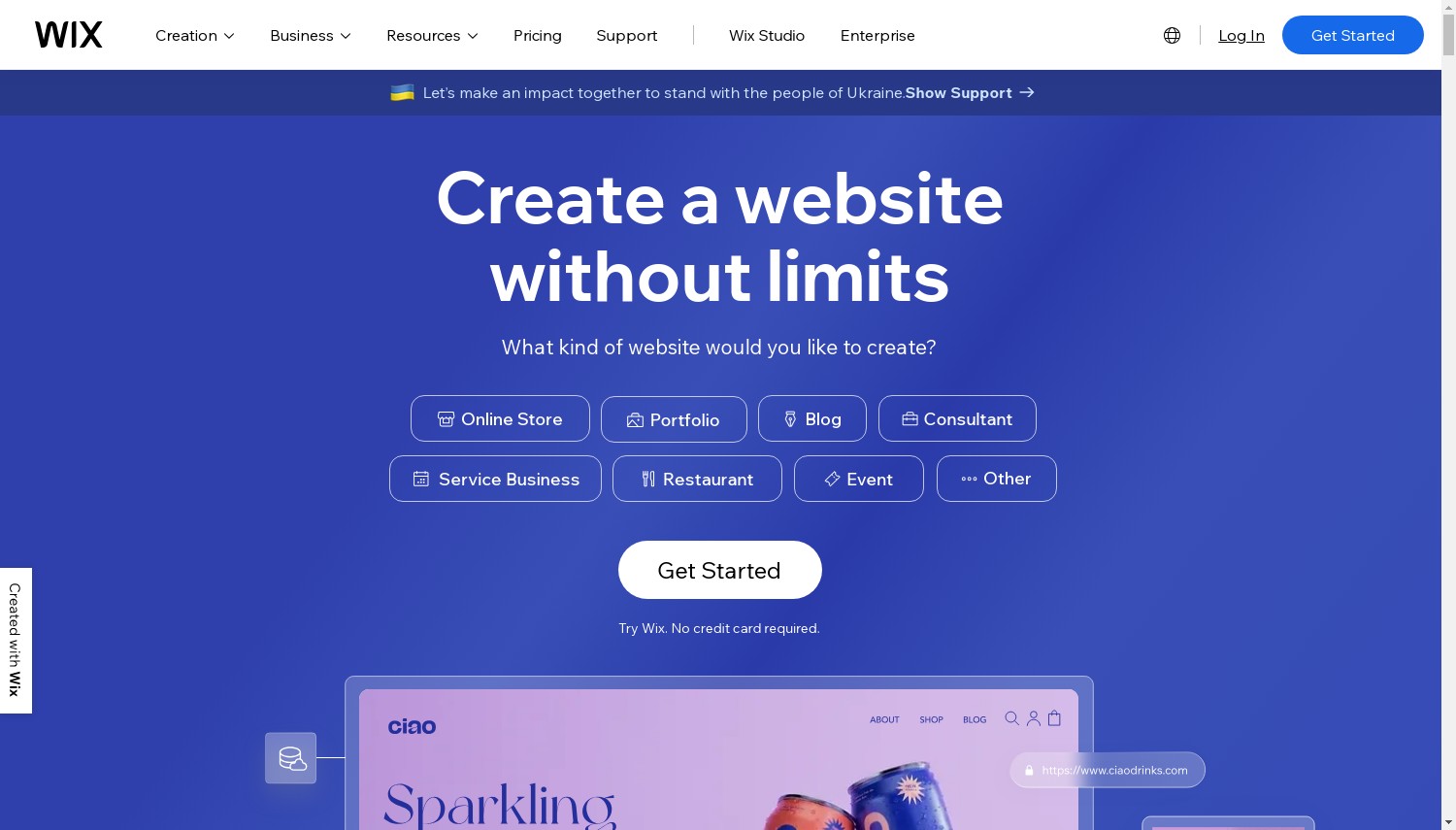
Wix is the easiest builder on this list to start with and the hardest to leave. Both halves of that sentence come from Wix itself. Its pricing is simple: Light at USD 17 a month, Core at USD 29, Business at USD 39 and Business Elite at USD 159. All are yearly plans, paid up front. There's no teaser rate to expire.
Read the plan cards closely, though. Light has no "Accept payments" line and just 2 GB of storage. Anyone selling anything should start at Core, USD 29, which adds payments and 50 GB. Every paid plan includes a free domain for a year. The money-back guarantee lasts 14 days and covers the first upgrade only.
Now the exit. Wix's support centre says you can't use another host for a Wix site, because its platform "does not support external hosting". Blog posts can't be exported to other platforms either.
If you leave, you rebuild. All of it.
Against Webflow, Wix Core costs USD 4 more than Webflow Premium's USD 25 a month. Wix includes payments and a far gentler learning curve. Webflow includes a 20,000-item CMS but no store on that plan.
Pros:
- Free plan to learn on before paying
- No teaser rate, so year two costs the same
- Payments and 50 GB from Core
Cons:
- No export and no external hosting
- Light plan can't take payments
- Blog posts can't be exported
Best for: a first website for a local business, club or freelancer. Skip if: you might need to move the site one day.
Verdict: Wix Core is the best all-round choice for people who'll stay put. If leaving is on the cards, GoDaddy Airo gives you the code.
9. Squarespace
 2.3k+
1.8
Negative
Negative
2.3k+
1.8
Negative
Negative
| Storage | Bandwidth | Price | |
|---|---|---|---|
| Unlimited | Unlimited | $16.00 / mo. | View Plan |
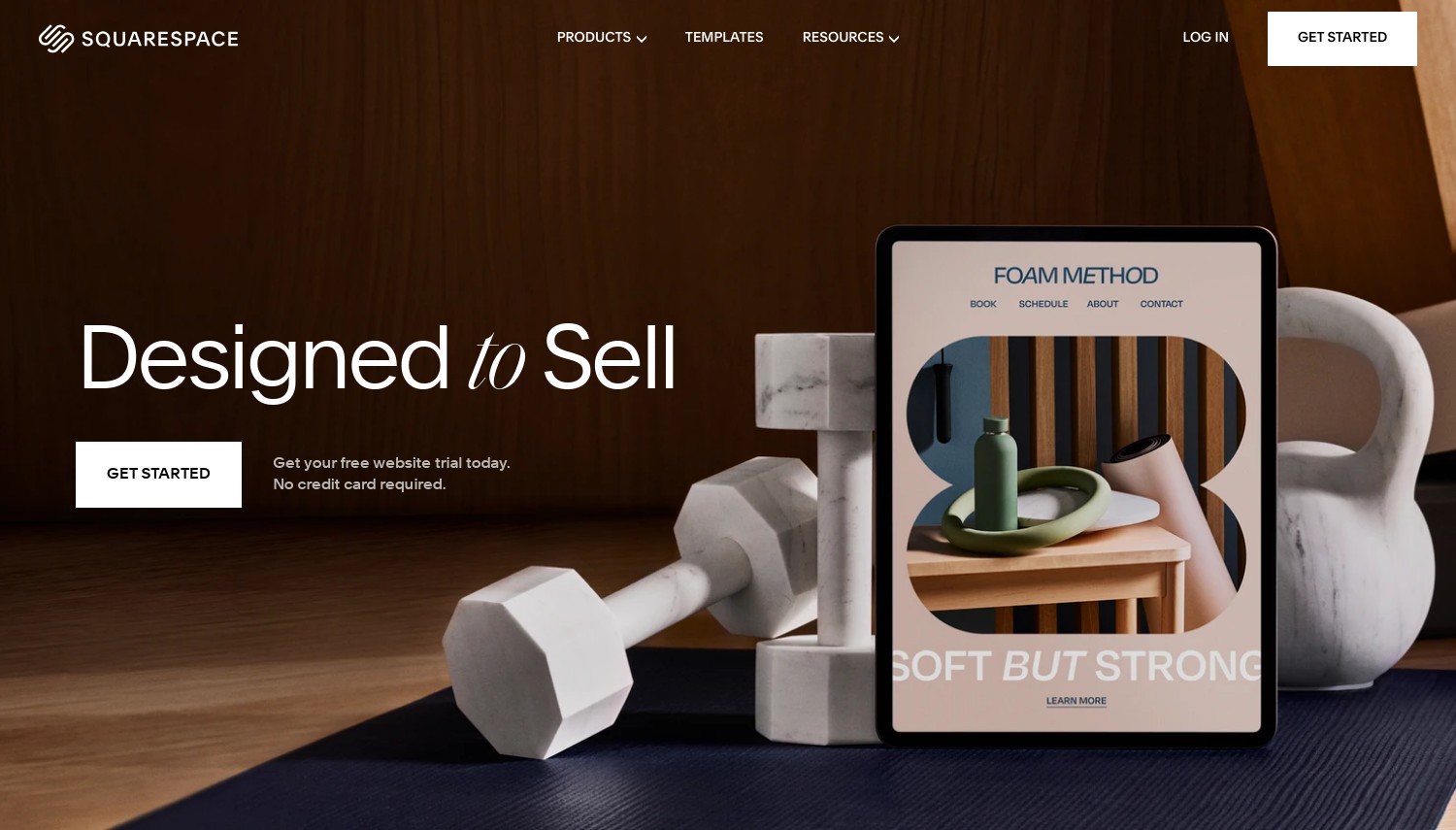
Squarespace - Best for polished portfolio and service sites
Stats: Basic EUR 12/mo, Core EUR 18/mo (yearly, EUR storefront) | 14-day free trial | 2% store fee on Basic | partial WordPress export
Squarespace's price story in 2026 isn't great. PetaPixel reported on 17 July 2026 that Squarespace had raised US yearly prices that month. Core went from USD 23 to USD 29 a month, and Plus from USD 39 to USD 49. Squarespace published no announcement and told customers by email.
A week later, Reddit users posted a "correction" email that called some new renewal prices an error. One user's renewal fell from USD 348 to USD 331.
Our connection was served the EUR storefront. There, Basic costs EUR 12 a month on yearly billing, Core EUR 18, Plus EUR 32 and Advanced EUR 69. Month to month they cost EUR 17, EUR 24, EUR 42 and EUR 79. Basic charges a 2% fee on store sales; Core and up charge none. Core also unlocks custom CSS and JavaScript.
The exit is partial. Squarespace exports a WordPress import file (an XML file) containing layout pages, one blog, and text and image blocks. Its help page lists what stays behind: store pages, product blocks, video and audio blocks, extra blogs, style settings and custom CSS. You can't download images in bulk, either.
Against Weebly, Squarespace Basic costs EUR 12 a month against Weebly Personal's EUR 11 on yearly billing. That one euro buys a platform whose owner still wants new customers on it. Compared with Wix, Squarespace also lets you take some content with you, though neither lets you take the design.
Pros:
- Consistent, well-designed templates
- 0% store fee from Core
- Partial export of pages and one blog
Cons:
- Unannounced US price rise in July 2026
- Store pages and design don't export
- 2% store fee on Basic
Best for: photographers, designers and service firms who want a polished site with little effort. Skip if: you're price-sensitive about renewals.
Verdict: Squarespace Core still makes the best-looking sites with the least effort. Buyers burned by the 2026 rise should look at Wix, whose pricing didn't move.
Webflow - Best for designers who need a large CMS
Stats: Basic USD 15/mo, Premium USD 25/mo (yearly, plus tax) | 20,000 CMS items on Premium | code export needs a USD 19 Workspace plan
Webflow's headline price hides two traps. Basic costs USD 15 a month and has no CMS at all. Webflow describes it as being "for simple sites that don't need a CMS", so no blog, no collections and no dynamic pages. The real entry point for a content site is Premium at USD 25 a month. It holds 20,000 CMS items (individual entries such as blog posts).
The second trap is the export. Webflow can export clean HTML and CSS, but that feature belongs to a Workspace plan, not the site plan. The cheapest one with "Code export" is Core at USD 19 a month, billed yearly. So a portable Premium site really costs USD 44 a month. Even then, Webflow says dynamic CMS content "can't be exported."
Webflow is low-code rather than strictly no-code. It accepts custom code, and Premium adds code components. That's an advantage the day a client asks for something the visual editor can't do.
Against Framer Pro at USD 30, Webflow Premium at USD 25 holds 8 times as many CMS items: 20,000 against 2,500. For a big blog or directory, that gap decides it.
Pros:
- 20,000 CMS items on Premium
- HTML and CSS export with Workspace Core
- Custom code supported
Cons:
- Basic plan has no CMS
- Export costs an extra USD 19 a month
- CMS content never exports
Best for: freelance designers and agencies building content-heavy sites. Skip if: you've never touched a layout tool and just want a site this weekend.
Verdict: Webflow Premium is the most capable CMS here for the money. Beginners should start on Wix instead, because Webflow's learning curve is real.
Framer - Best for fast, animated landing pages
Stats: Basic USD 10/mo, Pro USD 30/mo (yearly) | 30 pages and 1,000 CMS items on Basic | no HTML export on any plan
Framer is the most locked-in builder here, and it says so itself. Its help article states that Framer "does not offer HTML export for self-hosting". That's true on every plan, because the platform relies on Framer's own servers to render and optimise each page. No upgrade unlocks it.
In return you get a design canvas that feels like a design tool, not a form. Basic costs USD 10 a month on yearly billing and covers 30 pages, two CMS collections, 1,000 CMS items and 50 GB of bandwidth. Pro costs USD 30 and raises those to 150 pages, 10 collections and 2,500 items, with paid overages above that. Extra full editors cost USD 20 a month each.
Reddit's Framer community keeps returning to the export question. An August 2026 thread titled "Framer website export is a lie" drew replies pointing to third-party scrapers. A burst of near-identical posts promoting a scraping tool appeared in seven subreddits between 25 and 27 August. We read that as self-promotion, not independent praise.
Against Webflow, Framer's Pro plan costs USD 5 more than Premium and holds 17,500 fewer CMS items. Framer wins on speed of design, not on content capacity.
Pros:
- Canvas that works like a design tool
- Basic covers a 30-page site for USD 10
- Staging and branching on Pro
Cons:
- No HTML export, on any plan
- Only 2,500 CMS items on Pro
- Editor seats add USD 20 a month each
Best for: designers launching landing pages and portfolios that need to look sharp. Skip if: the site holds content you'll want to keep for years.
Verdict: Framer is the best canvas for short-lived, high-polish pages. For a content site you'll keep, Webflow costs less and lets you export the design.
The Exit Test: What Each Builder Lets You Take
This table answers the question the ranking pages skip. Each row comes from the provider's own help pages or plan page, read on 1 October 2026. "Renewal multiplier" is the renewal price divided by the entry price on the cheapest paid plan.
| Builder | What you can take when you leave | Renewal multiplier |
|---|---|---|
| Hostinger | Manual mode: text and images only. Agentic mode: full code ZIP, no backend data | 3.68x |
| SiteGround | No export route documented | 1.00x |
| Bluehost | The whole WordPress site | Not printed |
| 10Web | The whole WordPress site | 2.00x |
| GoDaddy Airo | Code download on all paid plans; GitHub sync on Ultimate | 1.53x |
| Jimdo | No site export documented | 1.00x |
| Shopify | CSV exports of products, customers, inventory, orders and discounts | 1.00x after the trial months |
| Weebly | Account data download and per-site Archive | 1.00x |
| Wix | Nothing: no external hosting, no blog export | 1.00x |
| Squarespace | WordPress XML: pages, one blog, text and images | 1.00x |
| Webflow | HTML and CSS with a USD 19 Workspace plan; no CMS content | 1.00x |
| Framer | No HTML export | 1.00x |
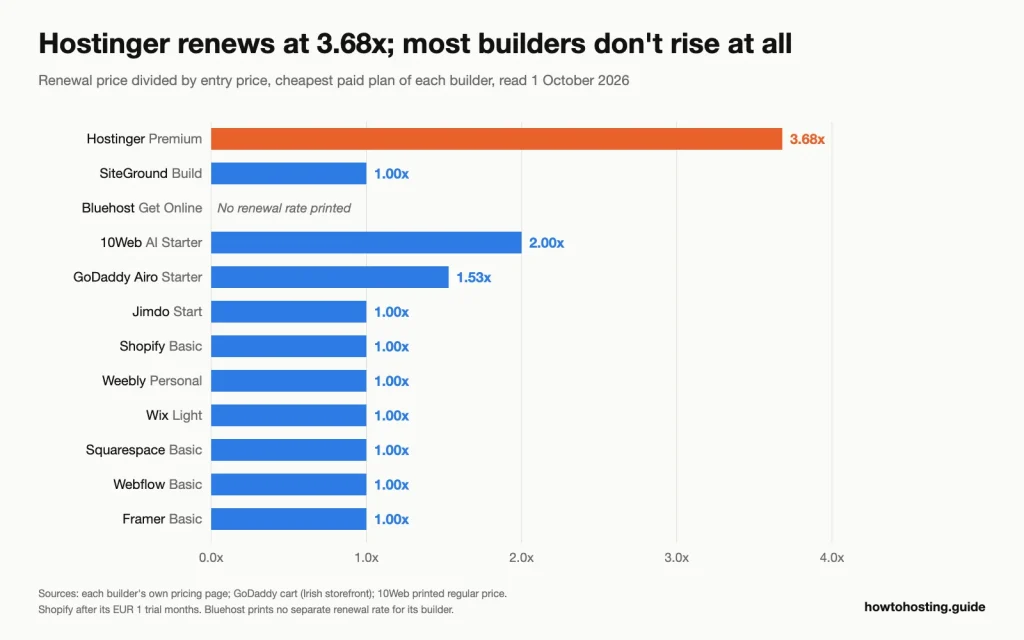 Only three builders charge more after the first term, and Hostinger's step is the largest. Source: each builder's pricing page and the GoDaddy cart, read 1 October 2026.
Two patterns stand out. Three of the five builders sold by hosting companies use first-term discounts: Hostinger, 10Web and GoDaddy. None of the seven platform builders does, apart from Shopify's EUR 1 trial months.
And the cheapest exit isn't always the cheapest plan. Hostinger is cheapest up front. Yet only three of the 12 builders let you leave with a working site or its code on every paid plan: GoDaddy, Bluehost and 10Web. Already stuck on Wix and planning a move? Our guide to hosts for moving from Wix to WordPress covers the rebuild.
How to Choose a No-Code Website Builder
Start with how long the site needs to live and whether you'll sell. Then match your situation to one of these.
First site, staying put, under USD 30 a month: take Wix Core at USD 29 a month on a yearly plan. It takes payments and has no teaser rate. Skip Hostinger Premium for this, because it has no store and renews 3.68x higher after four years.
Any chance you'll move within three years: take GoDaddy Airo Starter at EUR 8.49 a month in year one and EUR 12.99 after. Every paid plan lets you download the code. Skip Wix and Framer, because neither lets you take the site with you.
Want WordPress underneath, budget under USD 10 a month: take Bluehost Get Online at USD 9.99 on a one- or two-year term, and buy without the trial to keep the free domain. Skip 10Web unless you need its Figma and cloning agents, because its regular price is double.
Selling 50 or more products, or planning to: take Shopify Basic at EUR 24 a month yearly and use Shopify Payments to avoid the 2% fee. Skip SiteGround's Sell plan: above USD 200 of monthly sales, its 3% fee costs more than the USD 6 step up to Grow.
EU shop with variants, under EUR 2,000 a month in sales: take Jimdo Business at EUR 29.97 a month including VAT, with no sales commission. Skip Jimdo Basic, which can't list product variants.
Designer building a content site of 3,000 or more entries: take Webflow Premium at USD 25 a month, plus USD 19 for Workspace Core if the client needs the code. Skip Framer Pro, which caps at 2,500 CMS items before overages.
Still deciding between this route and a regular host? Our hosting finder narrows the field by budget and site type.
Frequently Asked Questions
What is the best free no-code website builder?
Wix's free plan is the most practical place to learn, though your site lives at a wixsite.com address. Framer's free plan suits a quick design test on a Framer domain. GoDaddy's free Airo plan lets you build and preview, but it can't publish. For a live site with your own domain, every builder here needs a paid plan.
Can I move my site off a no-code builder later?
It depends entirely on the builder, so check before you start. Bluehost and 10Web build WordPress sites that move like any WordPress site. GoDaddy Airo lets you download your code on every paid plan. Wix and Framer don't let you take the site at all.
Is GoDaddy Airo cheaper than Hostinger's builder over four years?
No, Hostinger is cheaper over four years at USD 143.52 up front. GoDaddy Airo Starter costs EUR 101.88 in year one and EUR 155.88 a year after that. From year five, Hostinger bills USD 10.99 a month, close to Airo's EUR 12.99. Airo is the better buy if you value the code download.
Should I pick Shopify or Jimdo for a small online store?
Pick Jimdo Business if you sell under about EUR 2,000 a month in Europe and want no sales commission. Pick Shopify if you plan to grow past a few hundred products or sell on several channels. Shopify Basic adds 2% on orders paid through outside providers, which Jimdo never charges.
Final Verdict
Wix is the best no-code builder for most people who'll stay put: Core at USD 29 a month, payments included, no teaser rate. GoDaddy Airo is the pick for anyone who wants an exit, with code download on every paid plan and a 1.53x renewal. Bluehost is the cheapest route to a portable WordPress site at USD 9.99 a month. Shopify wins for growing stores, and Jimdo for small EU shops that hate commissions. Webflow is the designer's choice for a large CMS.
SiteGround deserves a look for its flat USD 10 Build plan, and 10Web for agencies that want AI-built WordPress. Hostinger is the cheapest four years, but renewal costs 3.68x the entry price. Squarespace and Framer make beautiful sites you can't fully take with you. Weebly isn't a place to start anything new.
Related reading: for market share and revenue figures behind Wix, Squarespace and Shopify, see our website builder statistics. If you'd rather run WordPress on regular hosting, the shared hosting and WooCommerce guides linked above are the next step. Readers outside the US should check which storefront and currency a builder serves them before comparing prices.