
On This Page: [hide]
Is Squarespace worth the price? Short answer: it depends on what you need. For portfolios, small business sites, and creatives who prioritize design over customization, Squarespace delivers. For serious ecommerce or anyone who needs phone support, look elsewhere.
This review analyzes 6,800+ customer reviews across multiple platforms, plus candid community feedback from forums. Unlike affiliate-heavy reviews, we include the renewal pricing many sites skip and the Reddit complaints others ignore. We haven’t tested Squarespace ourselves, so everything here comes from verified data, aggregated user experiences, and official documentation.

Overall assessment: Squarespace scores 3.8/5 based on aggregated reviews, though Trustpilot shows a more polarized 3.0/5. Strengths include stunning templates, an intuitive editor, and solid uptime. The most common complaints involve customer support responsiveness, billing transparency, and ecommerce limitations. Best suited for design-focused small businesses and creatives who don’t need advanced selling tools.
 Visit Site
| Name | Squarespace |
| Total Reviews | 2316 |
| Average Score | 1.8 |
| Website | https://www.squarespace.com |
| Address | 225 Varick Street 12th Floor Monkton , NY 10014 US |
Number of Reviews
Avg. Review Score
Customer Support
Features and Services
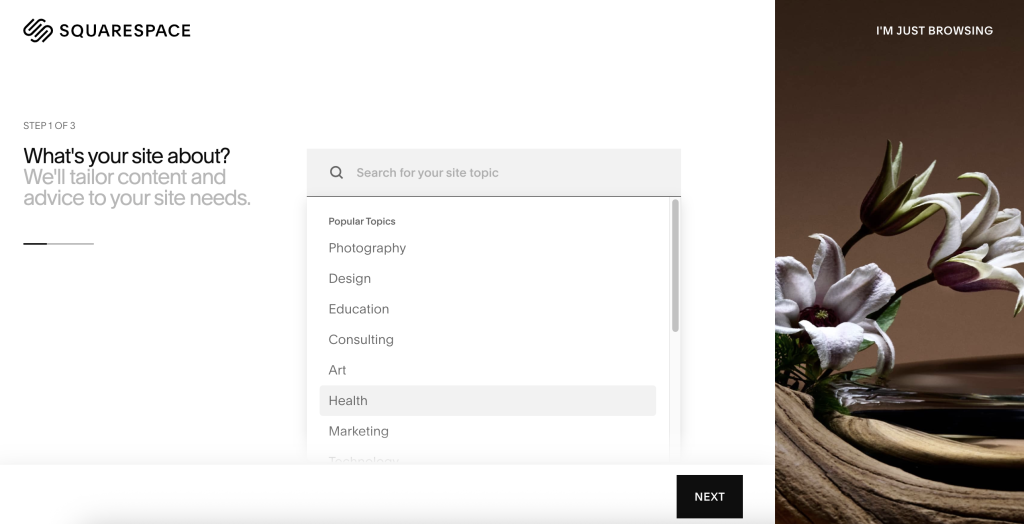
Squarespace is an all-in-one website builder, not traditional hosting. You don’t get server access or cPanel. Instead, you get a managed platform where design, hosting, and basic business tools come bundled together.
What You Get With Every Plan
- Unlimited storage and bandwidth – No caps on how much content you can add or how many visitors you can receive
- Free SSL certificate – Automatically enabled through Let’s Encrypt, no setup required
- Free domain for one year – With annual billing; renews at $10-20/year depending on extension
- WHOIS privacy – Keeps your personal contact info hidden from public domain lookups; included free
- Email forwarding – Up to 100 forwarding addresses at no extra cost
- Award-winning templates – Modern, mobile-responsive designs across industries
The Fluid Engine Editor
Squarespace’s drag-and-drop editor lets you build pages without touching code. You can position elements freely on a grid, add animations, and customize layouts. For most users, it works well. For users wanting pixel-perfect control or complex layouts, the constraints become noticeable.
Ecommerce Capabilities
All plans technically support selling, but the Basic plan charges a 2% transaction fee on top of payment processor fees. Core, Plus, and Advanced plans waive this fee. You can list up to 10,000 products, accept payments through Stripe, PayPal, or Square, and access features like abandoned cart recovery on higher tiers.
However, Squarespace’s ecommerce has gaps. Payment gateway options are limited to three processors. There’s no multi-currency support, which limits international selling. Subscription management lacks a pause feature, meaning customers must cancel entirely if they need a break.
Data Center Locations
Squarespace operates data centers in New York City and Dublin, Ireland. For visitors in North America and Europe, this provides solid performance. Users targeting Asia-Pacific audiences may experience slower load times compared to platforms with more distributed infrastructure.
Performance Expectations
Independent testing shows Squarespace achieving approximately 99.96% uptime. That’s reliable for a managed platform. According to 2025 Core Web Vitals data, 67.66% of Squarespace sites achieve good scores. Even better: 95.85% hit good INP (Interaction to Next Paint, a measure of how quickly sites respond to clicks). Squarespace doesn’t offer a formal SLA (Service Level Agreement, a guaranteed uptime commitment) with compensation for downtime, though.
Customer Experience
Aggregated reviews paint a mixed picture. The 3.8/5 average across 6,800+ reviews masks significant polarization. Trustpilot specifically shows 3.0/5 from 2,297 reviews, with 61% giving 1 star and 21% giving 5 stars. Users either love Squarespace or hate it. Here’s what drives both extremes.
What Customers Praise
Design quality stands out. Users consistently describe templates as “professional,” “modern,” and “beautiful without needing a designer.” The visual consistency across Squarespace sites is a recurring positive theme.
Ease of use for beginners. Non-technical users report building complete sites without frustration. The Fluid Engine editor gets credit for making design intuitive, even for first-time website creators.
Reliability. Site uptime rarely appears in complaints. Users trust that their sites stay online, even during traffic spikes. The platform handled massive traffic during Super Bowl ad campaigns without issues.
Common Complaints
Customer support responsiveness. This dominates negative reviews. With no phone support and live chat limited to weekday business hours, users facing urgent problems feel stuck. Multiple reviewers mention waiting 24+ hours for email responses.
Billing and renewal frustrations. Complaints about unclear auto-renewal policies appear frequently. Some users report unexpected charges, difficulty canceling, or confusion about domain billing (especially after Squarespace acquired Google Domains in 2023).
Limited customization without code. While the editor handles basics well, users wanting specific design tweaks hit walls. Custom CSS is possible but requires technical knowledge, which defeats the “no code needed” promise for many.
Community Feedback (Reddit and Forums)
Beyond official review platforms, community discussions reveal additional perspectives:
The Google Domains acquisition caused friction. Users with less common domain extensions (beyond .com, .net, .org) report problems with DNS settings after their domains transferred from Google. Forum threads show ongoing frustration with this transition.
Support quality varies by issue. Community members note that pre-sales support is excellent, but post-purchase technical help is hit or miss. Complex issues sometimes get blamed on “custom code” even when users haven’t added any.
Ecommerce users feel limited. Forum discussions frequently mention outgrowing Squarespace. The platform works for small stores, but sellers scaling up often migrate to Shopify or WooCommerce for more advanced inventory, shipping, and payment options.
Support Quality
Squarespace offers live chat (Monday-Friday, 4am-8pm EST), email support (response within 12-24 hours), and an AI-powered Support Assistant. Social media support through @SquarespaceHelp responds quickly during weekdays.
What they don’t offer: phone support. Squarespace explicitly states they won’t provide phone support, citing their ability to deliver better assistance through written channels. For some users, this is fine. For others, especially those running businesses, it’s a dealbreaker.
When to Use Squarespace
Squarespace is a strong choice in specific scenarios:
Ideal For
Creatives building portfolios: Photographers, designers, artists, and architects get templates purpose-built for showcasing visual work. The gallery options and image handling are excellent.
Small businesses wanting polish without a designer: If you need a professional site and don’t want to hire someone, Squarespace’s templates provide a shortcut. You’ll look more established than you might actually be.
Service providers who don’t sell products: Consultants, coaches, therapists, and professionals offering services (not physical goods) find everything they need. Scheduling integrations, contact forms, and simple booking work well.
You’ll Appreciate It If
- Design matters more than flexibility – You want a beautiful site and accept some constraints
- Minimal maintenance appeals to you – No plugins to update, no security patches to apply
- You’re comfortable with email support – Phone support isn’t important to you
- You’re selling simple products or services – Basic ecommerce meets your needs
When NOT to Use Squarespace
No platform fits everyone. Squarespace isn’t the right choice if:
Look Elsewhere If
You’re building a serious ecommerce operation: Limited payment gateways (only Stripe, PayPal, Square), no multi-currency support, and basic inventory management won’t scale. For growing stores, traditional hosting with WooCommerce or dedicated platforms like Shopify offer more flexibility.
You need phone support: If speaking to a human is essential when problems arise, Squarespace will frustrate you. Their chat-and-email-only policy isn’t changing.
International audiences are your target: No built-in multilingual support. No multi-currency transactions. Date formats stuck in US style (MM/DD/YYYY) even for non-US businesses. These limitations create friction for global operations.
Red Flags for Your Situation
- Monthly flexibility matters: Annual billing saves money but locks you in. Monthly rates are 36-56% higher.
- You need custom functionality: Without plugins or apps, you’re limited to what Squarespace provides plus custom code you write yourself.
- You’re migrating complex DNS: Especially if you transferred from Google Domains with uncommon extensions, community feedback suggests potential headaches.
- You need detailed shipping options: Carrier-calculated rates are US-focused. International sellers report workarounds and limitations.
If any of these apply, consider Wix for easier website building, WordPress for maximum flexibility, or Shopify for dedicated ecommerce (see Alternatives section below).
- Squarespace reviews from United States
| Average score | 1.94 |
| Number of reviews | 760 reviews |
- Squarespace reviews from United Kingdom
| Average score | 1.59 |
| Number of reviews | 429 reviews |
- Squarespace reviews from Australia
| Average score | 2.02 |
| Number of reviews | 98 reviews |
- Squarespace reviews from Germany
| Average score | 1.42 |
| Number of reviews | 69 reviews |
- Squarespace reviews from France
| Average score | 1.31 |
| Number of reviews | 64 reviews |
- Squarespace reviews from Canada
| Average score | 1.42 |
| Number of reviews | 57 reviews |
- Squarespace reviews from Netherlands
| Average score | 1.71 |
| Number of reviews | 34 reviews |
- Squarespace reviews from Denmark
| Average score | 2.66 |
| Number of reviews | 32 reviews |
- Squarespace reviews from Italy
| Average score | 1.57 |
| Number of reviews | 30 reviews |
- Squarespace reviews from Spain
| Average score | 1.41 |
| Number of reviews | 17 reviews |
- Squarespace reviews from Sweden
| Average score | 1.73 |
| Number of reviews | 15 reviews |
- Squarespace reviews from Belgium
| Average score | 1.62 |
| Number of reviews | 13 reviews |
- Squarespace reviews from India
| Average score | 1.67 |
| Number of reviews | 12 reviews |
- Squarespace reviews from South Africa
| Average score | 1.33 |
| Number of reviews | 12 reviews |
- Squarespace reviews from Ireland
| Average score | 1.42 |
| Number of reviews | 12 reviews |
- Squarespace reviews from Switzerland
| Average score | 1.64 |
| Number of reviews | 11 reviews |
- Squarespace reviews from Turkey
| Average score | 1.20 |
| Number of reviews | 10 reviews |
- Squarespace reviews from New Zealand
| Average score | 1.11 |
| Number of reviews | 9 reviews |
- Squarespace reviews from Finland
| Average score | 1.50 |
| Number of reviews | 8 reviews |
- Squarespace reviews from Poland
| Average score | 2.00 |
| Number of reviews | 8 reviews |
- Squarespace reviews from Singapore
| Average score | 1.50 |
| Number of reviews | 8 reviews |
- Squarespace reviews from Portugal
| Average score | 2.14 |
| Number of reviews | 7 reviews |
- Squarespace reviews from Mexico
| Average score | 1.67 |
| Number of reviews | 6 reviews |
- Squarespace reviews from Thailand
| Average score | 1.00 |
| Number of reviews | 6 reviews |
- Squarespace reviews from Malaysia
| Average score | 1.20 |
| Number of reviews | 5 reviews |
- Squarespace reviews from Vietnam
| Average score | 1.00 |
| Number of reviews | 5 reviews |
- Squarespace reviews from Brazil
| Average score | 1.00 |
| Number of reviews | 5 reviews |
- Squarespace reviews from Japan
| Average score | 1.20 |
| Number of reviews | 5 reviews |
- Squarespace reviews from Norway
| Average score | 2.00 |
| Number of reviews | 4 reviews |
- Squarespace reviews from Austria
| Average score | 1.25 |
| Number of reviews | 4 reviews |
Squarespace Plans and Pricing
Squarespace restructured its pricing in early 2026, replacing the old Personal/Business/Commerce tiers with four new plans: Basic, Core, Plus, and Advanced.
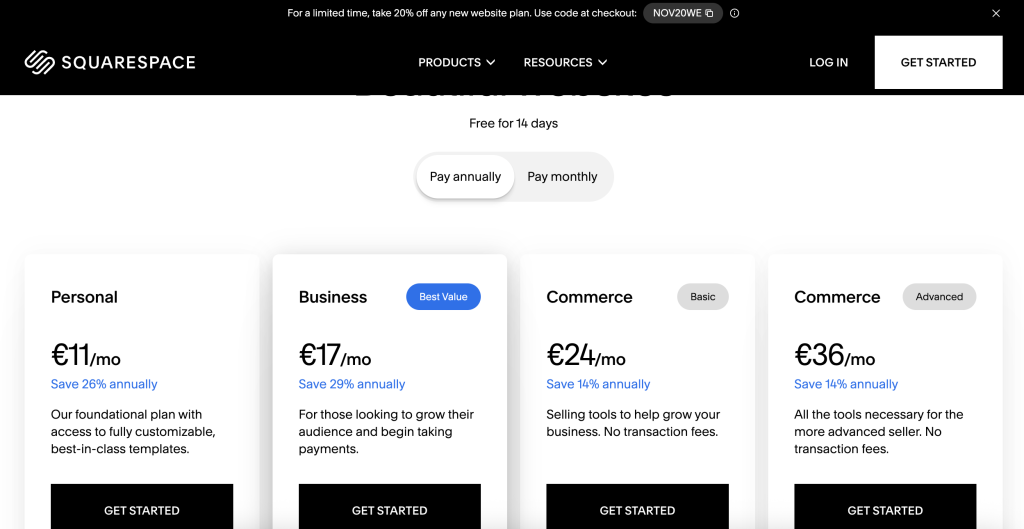
⚠️ Annual vs Monthly Warning: Squarespace’s headline prices require annual billing. Monthly billing costs 36-56% more. A Basic plan advertised at $16/month actually costs $192 upfront for the year. If you want month-to-month flexibility, you’ll pay $25/month instead.
Basic Plan
Annual price: $16/month ($192/year billed upfront)
Monthly price: $25/month
Best for portfolios, personal sites, and blogs. Includes a 2% transaction fee if you sell anything. Missing advanced analytics and marketing integrations.
Core Plan
Annual price: $23/month ($276/year billed upfront)
Monthly price: $34/month
The sweet spot for small businesses. Removes the 2% transaction fee, adds advanced analytics, and unlocks most integrations. Payment processing stays at 2.9% + $0.30 per transaction.
Plus Plan
Annual price: $39/month ($468/year billed upfront)
Monthly price: $56/month
For growing online stores. Reduces payment processing to 2.7% + $0.30 and adds features like abandoned cart recovery and advanced shipping options.
Advanced Plan
Annual price: $99/month ($1,188/year billed upfront)
Monthly price: $139/month
For scaling ecommerce operations. Processing drops to 2.5% + $0.30. Includes advanced automation, API access, and commerce APIs for larger catalogs.
Hidden Costs to Watch
- Domain renewal: Free first year with annual plans; $10-20/year afterward
- Professional email: Free first year; $7-22/user/month afterward
- Third-party apps: Many integrations require separate subscriptions
- Premium templates: Some designer templates cost extra
Pricing Verdict
Squarespace isn’t cheap. It sits above Wix’s entry pricing and far above budget shared hosting. But the comparison isn’t quite fair, since Squarespace includes hosting, design, and basic tools in one package. For users who value simplicity over price, the cost makes sense. For budget-conscious users willing to learn WordPress, you can get more for less elsewhere.
- Bandwidth Unlimited
- Panel cPanel
- Number of Sites Unlimited
- Bandwidth Unlimited
- Panel cPanel
- Number of Sites Unlimited
- Bandwidth Unlimited
- Panel cPanel
- Number of Sites Unlimited
- Bandwidth Unlimited
- Panel cPanel
- Number of Sites Unlimited
- Bandwidth Unlimited
Squarespace Transparency Score
We assess how upfront Squarespace is with important information:
- Company Information: Good – Headquarters, founding story, and basic company info are accessible. Since going private in 2024, financial details are no longer public.
- Pricing Transparency: Limited – Headline prices require annual commitment, which is disclosed but not emphasized. Transaction fees by plan are buried in documentation. Renewal pricing for domains and email requires digging.
- Technical Documentation: Good – Help center covers what you need. Features, limitations, and supported integrations are documented clearly.
- Terms and Policies: Good – Refund policy is clear: 14-day window for annual plans, no refunds on monthly or renewals. The no-phone-support policy is explained (not hidden).
Overall Transparency: Above average. Squarespace isn’t deceptive, but finding specific details (like transaction fees per plan or exact renewal costs) requires navigation. The annual/monthly pricing presentation is industry-standard but still catches users off guard.
Alternatives to Squarespace
If Squarespace doesn’t fit your needs, these alternatives address common gaps:
For Better Ecommerce: Shopify
If you’re selling more than a handful of products, Shopify’s inventory management, shipping integrations, and payment options outclass Squarespace. It’s built for selling first; Squarespace is built for design first.
For More Features at Similar Prices: Wix
Wix offers more built-in apps, better AI tools for beginners, and comparable pricing. Core Web Vitals scores improved dramatically in 2025. If Squarespace’s template constraints bother you, Wix provides more flexibility.
For Maximum Flexibility: WordPress
WordPress powers over 43% of the web. You’ll need separate hosting, more technical knowledge, and patience for maintenance. But you get unlimited customization, thousands of plugins, and complete control. Not for beginners, but unmatched for power users.
For Design Control Without Code: Webflow
Webflow bridges website builders and custom development. Designers and agencies love its precision. It’s more complex than Squarespace but produces cleaner code and offers more control. Pricing runs $14-39/month for sites, $29-212/month for ecommerce.
For a broader view of options, see our shared hosting guide or cloud hosting comparison.
Our Star Rating is optimally objective and precise, as it is based on detailed data for each hosting company.
Frequently Asked Questions
Is Squarespace good for beginners?
Yes. The drag-and-drop Fluid Engine editor requires no coding knowledge. Templates are professionally designed, so even first-time website creators can build polished sites. The learning curve is minimal compared to WordPress or Webflow.
Is Squarespace worth the price?
It depends on what you value. At $16-99/month (annual billing), you get hosting, design tools, and basic business features bundled together. That’s competitive for an all-in-one platform. But if you’re comfortable with more hands-on solutions, WordPress with shared hosting costs less and offers more flexibility.
What do customers complain about most?
Customer support tops the complaint list. With no phone support and limited chat hours, users facing urgent issues often wait 24+ hours for email responses. Billing transparency (especially around renewals and the Google Domains transition) is the second most common frustration.
How does Squarespace compare to Wix?
Both are website builders at similar price points. Squarespace edges ahead on design quality and template consistency. Wix offers more features, better AI tools, and improved performance scores in 2025. For design-focused users, Squarespace wins. For feature variety, Wix has the edge.
Is Squarespace good for ecommerce?
For small stores selling simple products, yes. You can list up to 10,000 products and accept payments through Stripe, PayPal, or Square. But limitations appear quickly: no multi-currency, no subscription pause feature, limited payment gateways, and basic inventory tools. Growing stores typically migrate to Shopify or WooCommerce.
Does Squarespace offer refunds?
Annual plans get a 14-day refund window after the first payment. Monthly plans don’t qualify for refunds. Renewal payments aren’t refundable either. Domain registrations have a separate 5-day refund window. The 14-day free trial lets you explore before committing any money.