
Top 11 Game Server Hosting (2026): Best Providers Compared
Multiplayer gaming on public servers means trusting someone else's hardware with your experience. When that hardware underperforms, you get rubber-banding, disconnects, and players who don't come back. The host you choose determines whether your ARK tribe survives a raid or watches their base despawn during a lag spike.
Quick answer: Host Havoc delivers the best combination of performance, game variety, and responsive support for serious gaming communities. Budget players should look at Shockbyte or ScalaCube for affordable entry points. If you want cloud flexibility without game-specific panels, Kamatera's 30-day free trial lets you test before spending anything. Below, we compare 12 providers with verified pricing and honest assessments.
Jump to: Kamatera | ScalaHosting | ZAP-Hosting | Apex Hosting | ScalaCube | PingPerfect | Nodecraft | Host Havoc | GameServers | Hostinger | Shockbyte | How to Choose | FAQ
Last reviewed: Aug 2026. Prices and features verified.
How We Selected These Providers
We evaluated game server hosts across three criteria: hardware performance (CPU generation, storage type, network capacity), game library breadth (number of supported titles and modpack availability), and support responsiveness (verified through user reviews and documented response times). Providers needed minimum 4.0/5 ratings from 100+ reviews, with exceptions noted. We cross-referenced official pricing with third-party sources and prioritized hosts with transparent renewal rates.
| Hosting Provider | Reviews | Overall Rating | Game Server Hosting |
|---|---|---|---|
1  Kamatera Kamatera
|
320 |

|
$4.00 / mo. 30 Days free |
2  ScalaHosting ScalaHosting
|
2.2k+ |

|
$14.95 / mo. -75% |
3  ZAP-Hosting.com ZAP-Hosting.com
|
16.6k+ |

|
No data / mo. |
4  Apex Hosting Apex Hosting
|
742 |
|
No data / mo. |
5  ScalaCube ScalaCube
|
4.8k+ |
|
No data / mo. |
6  PingPerfect PingPerfect
|
991 |
|
No data / mo. |
7  Nodecraft Nodecraft
|
1.6k+ |
|
No data / mo. |
8  Host Havoc Host Havoc
|
879 |
|
No data / mo. |
9  GameServers GameServers
|
177 |

|
No data / mo. |
10  Hostinger Hostinger
|
63.2k+ |
|
$7.59 / mo. 80% Off |
1. Kamatera
 320
4.2
Positive
Positive
320
4.2
Positive
Positive











| Storage | Cpu | Ram | Bandwidth | |
|---|---|---|---|---|
| 20 GB | 1 x 2.6GHz | 1 GB | 5 TB | View Plan |
| 50 GB | 4 cores | 4 GB | Unlimited | View Plan |
Kamatera: Best for Custom Cloud Infrastructure
Starting at USD 4.00/mo | 21+ data centers | 30-day free trial (USD 100 credit)
Kamatera sells raw cloud infrastructure, not preconfigured game servers. You won't find one-click installers or game-specific control panels here. What you will find is the ability to build exactly the server you need: pick your CPU cores (1 to 104), RAM (1GB to 524GB), storage type, and billing model (per-minute, hourly, or monthly). For admins who know what they're doing, this flexibility beats paying for fixed-plan resources you'll never use.
The 30-day free trial is the real draw. You get USD 100 in credit to test a fully configured server without risking any money. That's enough to run a capable game server for weeks. No other provider on this list offers anything close to this trial generosity.
Infrastructure spans 21 data centers across North America, Europe, Israel, Hong Kong, and more. Intel Xeon Platinum processors and SSD storage back every configuration. The 99.95% uptime SLA is contractually guaranteed.
The trade-off is work. Setting up a game server means installing the OS, configuring firewalls, installing game software manually, and handling updates yourself. If "SSH into a server" sounds intimidating, this isn't your provider. Costs also add up once you include backups, monitoring, and any management assistance.
Pros
- Fully customizable specs (CPU, RAM, storage individually configurable)
- 30-day free trial with USD 100 credit
- Pay-by-minute billing for temporary servers
- 21 global data center locations
Cons
- No game panels, modpack installers, or game-specific support
- Add-ons (backups, firewalls) inflate real costs
- Requires Linux server administration skills
Pricing: Starting at USD 4.00/mo for basic VPS. A gaming-capable server (4 vCPU, 8GB RAM, 100GB SSD) typically runs USD 30-50/mo with add-ons. Free trial includes USD 100 credit and 1TB traffic. No contract required.
Best for: Technical admins who want cloud-scale infrastructure with complete control.
Skip if: You want plug-and-play game server setup without touching a command line.
Kamatera works for a specific type of user: someone who already knows how to manage servers and wants maximum flexibility. The free trial removes the risk of testing whether this approach fits your workflow. Everyone else should stick with dedicated game hosts.
2. ScalaHosting
 2.2k+
4.9
Positive
Positive
2.2k+
4.9
Positive
Positive





| Storage | Cpu | Ram | Bandwidth | |
|---|---|---|---|---|
| 50 GB | 2 cores | 2 GB | $14.95 / mo. | View Plan |
| 50 GB | 2 x 3.6GHz | 4 GB | Unlimited | View Plan |
| 100 GB | 4 x 3.6GHz | 8 GB | Unlimited | View Plan |
ScalaHosting: Best Managed VPS for Minecraft
Starting at USD 14.95/mo | NVMe storage | 16+ server locations
ScalaHosting occupies an unusual niche: managed VPS hosting built specifically for Minecraft. You get dedicated resources (not shared hosting), but their team handles server maintenance, security patches, and technical optimization. For server owners who'd rather build worlds than troubleshoot configurations, this removes the overhead of raw VPS management.
Every plan runs on NVMe storage, which delivers faster read/write speeds than standard SSDs. This matters for games with large world files or frequent save operations. The proprietary SPanel control panel simplifies management without requiring cPanel fees. Sixteen server locations (plus AWS partnership options) provide reasonable geographic coverage.
Here's the limitation: ScalaHosting focuses almost exclusively on Minecraft for gaming. If you're hosting ARK, Rust, Valheim, or other titles, you'll need to set those up manually on their VPS. The managed support is tuned for Minecraft-specific issues. For multi-game communities, this specialization becomes a weakness.
Pricing runs higher than dedicated game hosts. The entry plan at USD 14.95/mo provides only 1 CPU core and 4GB RAM. A realistic gaming setup (Build #2 with 4 cores, 8GB RAM) costs USD 40.45/mo, renewing at USD 81.95/mo. Compared to hosts offering 8GB for USD 20-25/mo, ScalaHosting asks a premium for its managed layer.
Pros
- Fully managed infrastructure (security, updates handled)
- NVMe storage on all plans
- 16+ server locations with AWS expansion options
- Anytime money-back guarantee
Cons
- Gaming support limited to Minecraft specifically
- Higher pricing than dedicated game hosts
- Renewal prices jump 50-100% above promo rates
Pricing: Managed VPS starting at USD 14.95/mo (1 core, 4GB RAM, 50GB NVMe). Build #2 at USD 40.45/mo (4 cores, 8GB RAM). Build #3 at USD 66.95/mo (6 cores, 16GB RAM). All prices are promotional rates with higher renewals.
Best for: Minecraft server owners who want managed hosting without DIY administration.
Skip if: You're hosting non-Minecraft games or need budget-friendly pricing.
ScalaHosting makes sense if Minecraft is your only game and you value the managed experience enough to pay the premium. The NVMe storage and hands-off maintenance actually save time. For everything else, dedicated game hosts offer better value.
3. ZAP-Hosting.com
 16.6k+
4.7
Positive
Positive
16.6k+
4.7
Positive
Positive
ZAP-Hosting: Best for Flexible Configurations
Starting at ~USD 3.90/mo (EUR 3.90) | 100+ games | Game switching included
ZAP-Hosting operates differently from most game server providers. Instead of fixed plans with predetermined specs, you configure your server piece by piece: choose your game, player slots, RAM, and location separately. This prevents overpaying for resources you don't need. A 20-slot Minecraft server doesn't need the same specs as a 100-player ARK cluster.
The game library covers over 100 titles including Minecraft, ARK, Rust, Valheim, FiveM, Counter-Strike, and many others. The Game Switch feature lets you change which game your server runs at any time. For communities that rotate between games, this eliminates managing multiple hosting accounts.
One option that's uncommon in this industry: lifetime servers. Pay a one-time fee (starting around EUR 30-100 depending on game) and you own the server permanently. No monthly fees ever. For long-running communities, the math works out quickly. ZAP has been operating since 2010 with over a million players served, so the company has staying power.
Server locations span Europe, North America, Asia, and Australia. Setup is instant. The web panel handles most management tasks without requiring command-line work. Prepaid billing via "ZAP Coins" offers an alternative to traditional payment methods.
Support quality varies in user reports. Some praise quick responses; others report delays during peak periods. DDoS protection is included but has been criticized for not holding up against sustained attacks.
Pros
- Build-your-own configuration (pay only for needed resources)
- 100+ supported games with free switching
- Lifetime server option (one-time payment, no monthly fees)
- Instant setup in under 60 seconds
Cons
- DDoS protection inconsistent according to some reports
- Pricing harder to compare with fixed-plan providers
- Support response times variable
Pricing: Varies by configuration. Game servers from ~USD 3.90/mo (EUR 3.90). VPS from ~USD 7.80/mo (EUR 7.50). Dedicated servers from ~USD 41.60/mo (EUR 40). Lifetime servers from EUR 30 one-time. No long-term contracts required.
Best for: Server admins who want precise control over specs and billing.
Skip if: You prefer comparing simple, pre-packaged plans at a glance.
ZAP-Hosting rewards users who know exactly what they need. The configurator model and lifetime option offer value that fixed-plan hosts can't match. Just set realistic expectations about support during busy periods.
4. Apex Hosting
 742
4.7
Positive
Positive
742
4.7
Positive
Positive


Apex Hosting: Best Global Server Network
Starting at USD 4.49/mo | 18 server locations | 200+ modpack installs
Apex Hosting built its reputation in the Minecraft community but has expanded to support over 20 games including ARK, Rust, Valheim, Terraria, and more. The focus remains on one-click simplicity: pick a game, choose a plan, click install, and you're running. No configuration files to edit manually.
Where Apex stands out is geographic coverage. Eighteen data center locations across six US cities, plus Canada, Brazil, UK, France, Poland, Germany, Israel, Russia, Singapore, Australia, Turkey, and Hong Kong. For player bases spread across multiple continents, finding a low-latency server location is easy.
The modpack library includes 200+ options from FTB, ATLauncher, CurseForge, and Technic with one-click installation. All plans include unlimited player slots and automatic backups. The EX Series offers premium hardware: dedicated Ryzen 9 5900X cores, 16GB RAM, and NVMe SSDs for demanding modded servers.
Pricing sits in the mid-range. Entry at USD 4.49/mo for 1GB RAM, scaling to USD 37.49/mo for 10GB. A 50% first-payment discount often applies. Compared to Shockbyte at USD 2.50/GB or Host Havoc at USD 3.75/mo starting, Apex charges slightly more per GB of RAM.
Premium support (USD 5/mo extra) provides hands-on help with plugin installation and mod configuration. That's worth considering if you're new to server management. Dedicated IP addresses cost an additional USD 4/mo.
Pros
- 18 global server locations (widest on this list)
- 200+ one-click modpack installs
- Unlimited player slots on all plans
- EX Series with dedicated Ryzen 9 cores available
Cons
- Higher per-GB pricing than budget alternatives
- Premium support and dedicated IP cost extra
- Some games have limited modding support compared to Minecraft
Pricing: Starting at USD 4.49/mo (1GB RAM). 4GB plan at ~USD 14.99/mo. 8GB plan at ~USD 29.99/mo. 10GB plan at USD 37.49/mo. EX Series from USD 79.99/mo (16GB dedicated). 50% off first payment available. 7-day money-back guarantee.
Best for: Communities needing global reach with easy modpack installation.
Skip if: You're optimizing purely for lowest cost per GB of RAM.
Apex Hosting wins on coverage and convenience. The 18-location network solves latency problems for international communities. One-click modpacks remove setup friction. You pay a slight premium for this polish, but the experience justifies it for many server owners.
5. ScalaCube
 4.8k+
4.3
Positive
4.8k+
4.3
Positive
 Neutral
ScalaCube: Best Free Tier for Testing
Starting at USD 2.00/mo | Free plan available | 14 server locations
ScalaCube offers something rare: a genuinely free game server. The free Minecraft plan includes 6GB RAM for Java Edition (limited to 2 concurrent players) or 3GB for Bedrock (1 player). It's not meant for communities, but it costs nothing to test modpack performance, learn server configuration, or play with a single friend.
Paid plans scale from 768MB RAM at USD 2/mo up to 32GB at USD 96/mo. Nine pricing tiers cover almost every budget. Player slot recommendations range from 10 to 300+, though actual capacity depends heavily on mods and game type. A 50% first-month discount sweetens initial commitment.
Beyond Minecraft, ScalaCube supports ARK, Rust, Valheim, Terraria, and other popular titles. Fourteen server locations span North America, Europe, South America, Asia, and Australia. The panel includes 1,000+ modpack installers with one-click setup.
Support is the weak point. ScalaCube provides ticket-only support through their control panel. No live chat, no phone line. User reviews mention slow response times, especially on weekends. The interface also feels dated compared to modern competitors like Nodecraft. For hosts targeting gamers specifically, these friction points stand out.
Pros
- Free plan with 6GB RAM (2-player limit)
- Nine paid tiers from USD 2/mo to USD 96/mo
- 1,000+ one-click modpack installs
- Supports Minecraft, ARK, Rust, Valheim, more
Cons
- Ticket-only support (no live chat)
- Interface feels dated compared to competitors
- Free plan limited to 1-2 players
Pricing: Free plan: 6GB RAM, 2 players max (Java). Paid plans: 768MB at USD 2/mo, 3GB at USD 10/mo, 6GB at USD 18/mo, 8GB at USD 24/mo, 16GB at USD 48/mo, 32GB at USD 96/mo. 50% off first month.
Best for: New server owners who want to test for free before spending money.
Skip if: You need responsive live support when problems arise.
ScalaCube's free tier removes all risk from testing. Paid plans offer reasonable value at scale. Just factor in the ticket-only support limitation. For anything public-facing where quick issue resolution matters, consider hosts with live chat options.
6. PingPerfect
 991
4.7
Positive
Positive
991
4.7
Positive
Positive
PingPerfect: Best for Game Variety
90+ supported games | 20+ global locations | Game switching included
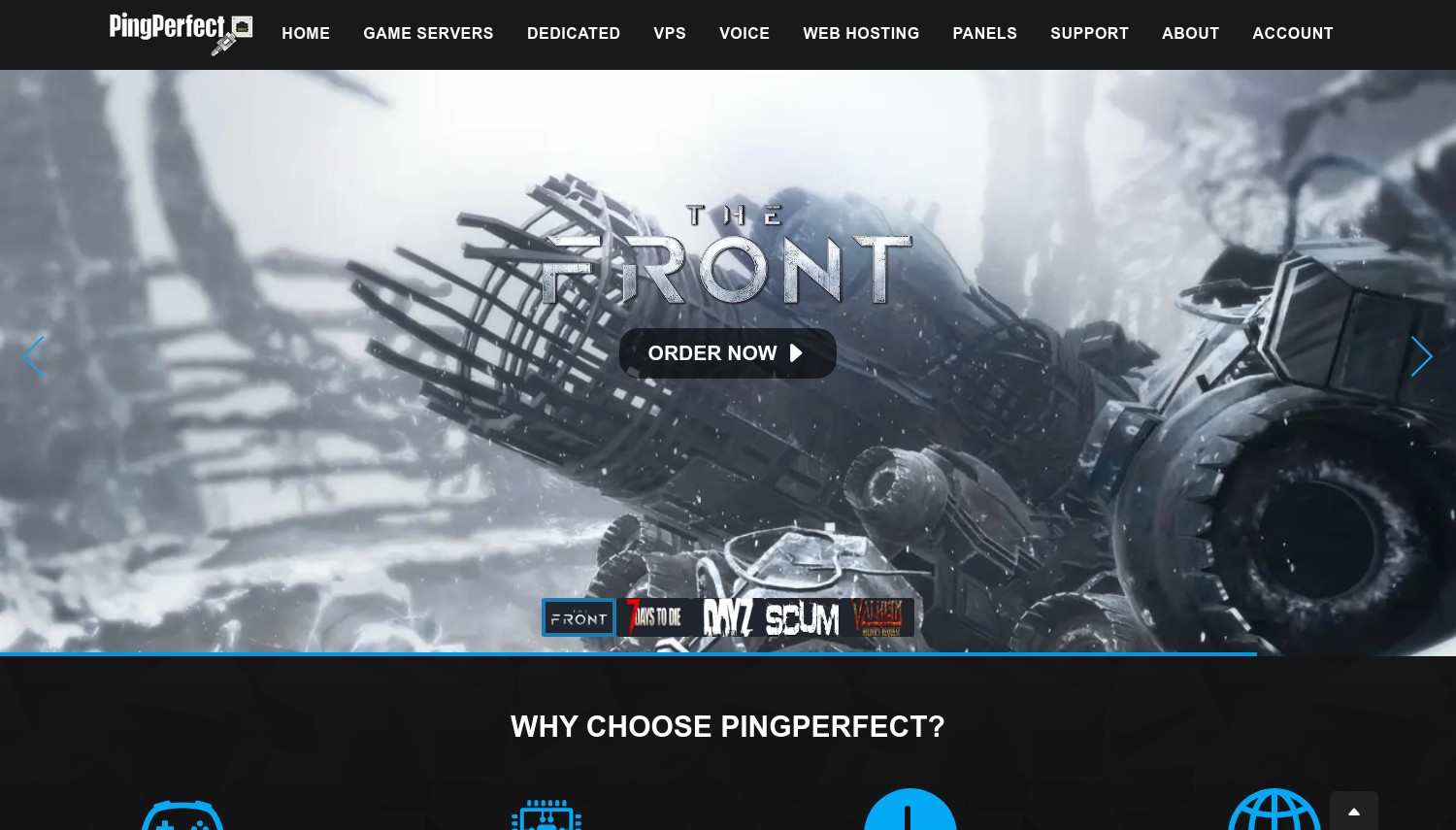
PingPerfect focuses on breadth. With support for over 90 games, including niche titles that larger hosts skip, communities playing less mainstream games often find PingPerfect as their only managed option. ARK, Valheim, Minecraft, Rust, and FiveM are all covered, but so are titles like Hytale (ready for its January 2026 early access), Enshrouded, and older games that other hosts have dropped.
The game switching feature lets you change which game your server runs without ordering a new server. Your configuration and any purchased add-ons carry over. For groups that move between games seasonally, this prevents the hassle of canceling and re-ordering.
Twenty-plus server locations span Europe, North America, Asia, Australia, South America, and South Africa. Hardware runs on AMD Ryzen processors with NVMe storage. Offsite backups happen automatically at 4 AM local server time, and the company can restore up to 95% of progression if saves corrupt.
All game servers include free web hosting (1GB storage, 10GB traffic/month) and a free subdomain. Discount tiers apply for longer commitments: 5% quarterly, 10% semi-annual, 15% annual.
Pricing varies significantly by game and slot count. A 50-slot Rust server runs around USD 48/mo with 9GB RAM and NVMe. The slot-based pricing model means costs scale with community size, which can get expensive for large servers.
Pros
- 90+ supported games including niche titles
- 20+ global server locations
- Free game switching between supported titles
- Automatic offsite backups included
Cons
- Slot-based pricing can get expensive at scale
- Pricing varies significantly by game
- Interface less polished than some competitors
Pricing: Varies by game and slots. Example: Rust 50 slots at ~USD 48/mo. Discounts: 5% quarterly, 10% semi-annual, 15% annual. Free subdomain and 1GB web hosting included.
Best for: Communities playing less mainstream games or switching between titles often.
Skip if: You need predictable flat-rate pricing for budget planning.
PingPerfect earns its spot through game variety. If your community plays something beyond the usual Minecraft/ARK/Rust trio, check whether PingPerfect supports it before settling on a more limited host. The switching feature adds flexibility for groups with evolving tastes.
7. Nodecraft
 1.6k+
4.4
Positive
Positive
1.6k+
4.4
Positive
Positive
Nodecraft: Best Control Panel Experience
Pro from USD 9.98/mo | Lite from USD 5.96/mo | 52+ games with Save & Swap
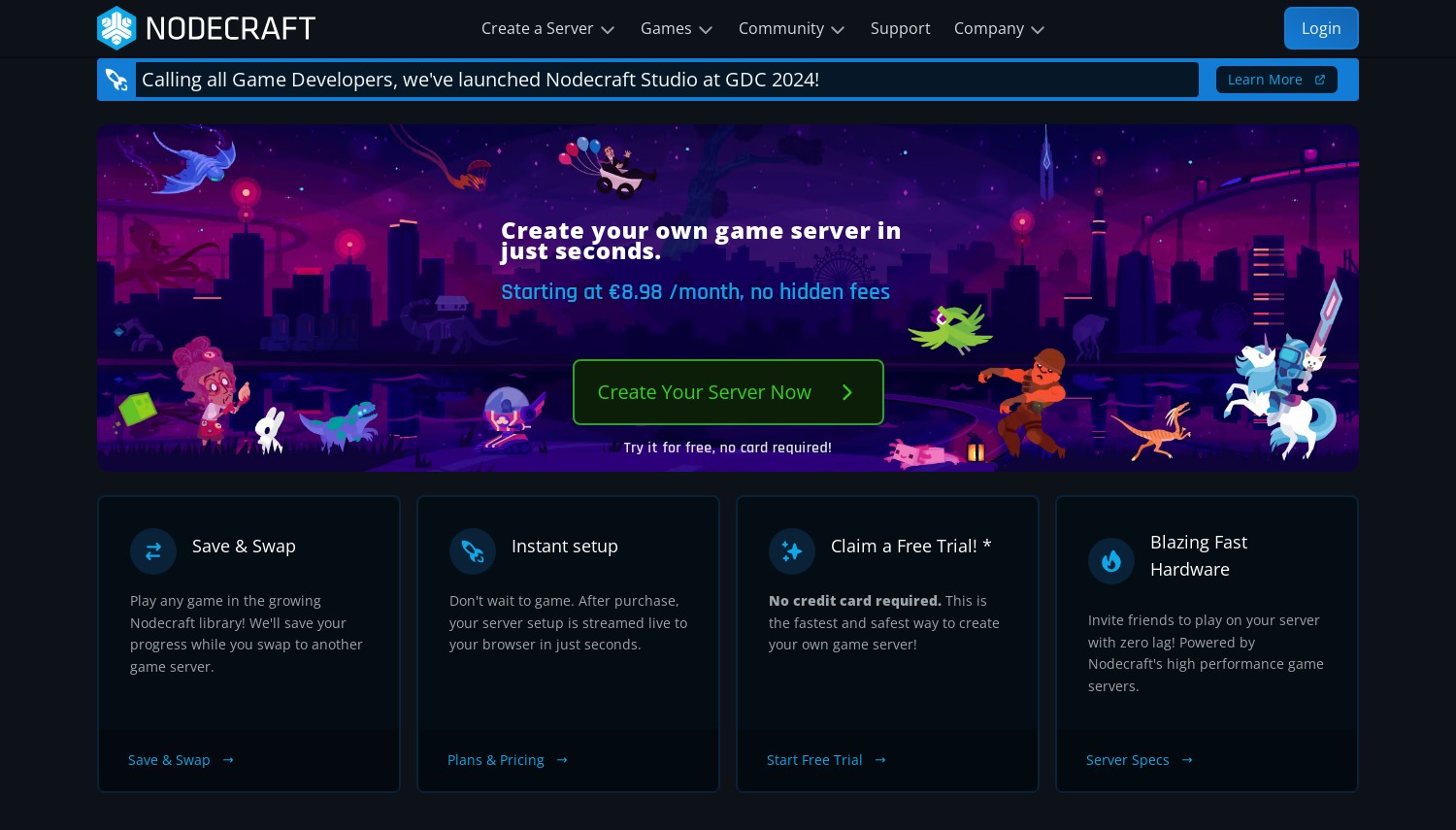
Nodecraft's NodePanel sets the benchmark for game server management interfaces. Where most hosts rely on generic control panels or decade-old software, NodePanel feels like a modern web application. File browsing, plugin installation, server configuration, and backup management all work through a clean, intuitive interface. If panel usability matters to you, Nodecraft leads this comparison.
The standout feature is Save & Swap. Each plan includes multiple server instances. Save your current game state, swap to a different game, play that for a while, then swap back. Your original save remains intact. For groups that rotate between Minecraft, Terraria, Rust, and Valheim, this eliminates juggling multiple hosting accounts. Over 52 games are supported.
Two tiers are available. Pro servers run 24/7 with dedicated IPs, automated backups, and priority support. Lite servers hibernate when empty and wake on demand, saving money for casual groups that don't need constant uptime. The Lite tier starts at USD 5.96/mo versus Pro's USD 9.98/mo for 2GB RAM.
Hardware runs on AMD Ryzen 9 7950X processors with NVMe storage. Performance handles most modpacks smoothly. Where Nodecraft falls short is raw power at scale. For massive modded servers with 50+ concurrent players, hosts like Host Havoc or Hostinger offer more processing power per dollar.
Pros
- NodePanel sets the standard for usability
- Save & Swap between 52+ games at no extra cost
- Lite tier for budget on-demand servers
- AMD Ryzen 9 7950X hardware
Cons
- Higher per-GB pricing (~USD 5/GB on Pro tier)
- Not suited for very large or heavily modded servers
- Lite tier has no automated backups or dedicated IP
Pricing: Pro: USD 9.98/mo (2GB), USD 19.98/mo (4GB), USD 39.98/mo (8GB). Lite: USD 5.96/mo (2GB), USD 11.92/mo (4GB). Build Your Own from USD 9.98/mo. Discounts up to 20% for annual billing.
Best for: Small to mid-sized groups who value interface quality and play multiple games.
Skip if: You need maximum specs per dollar for a large community server.
Nodecraft doesn't win on raw specs or rock-bottom pricing. It wins on experience. The panel, the game swapping, the Lite tier for casual play. These details matter more than pure hardware numbers for many server owners.
8. Host Havoc
 879
4.7
Positive
Positive
879
4.7
Positive
Positive
Host Havoc: Best Overall for Serious Communities
Starting at USD 3.75/mo | 25+ games | 13 data centers | 100% uptime SLA
Host Havoc has operated from Ottawa, Canada since 2014. Unlike many game hosts that resell infrastructure from larger providers, Host Havoc owns its server hardware. This means direct control over performance and the ability to back their 100% uptime SLA with real accountability.
Support is where Host Havoc distinguishes itself. Available 24/7 through tickets, live chat, and email, response times consistently earn praise in user reviews. The team knows gaming. You're not explaining what ARK clustering means to a generic support agent.
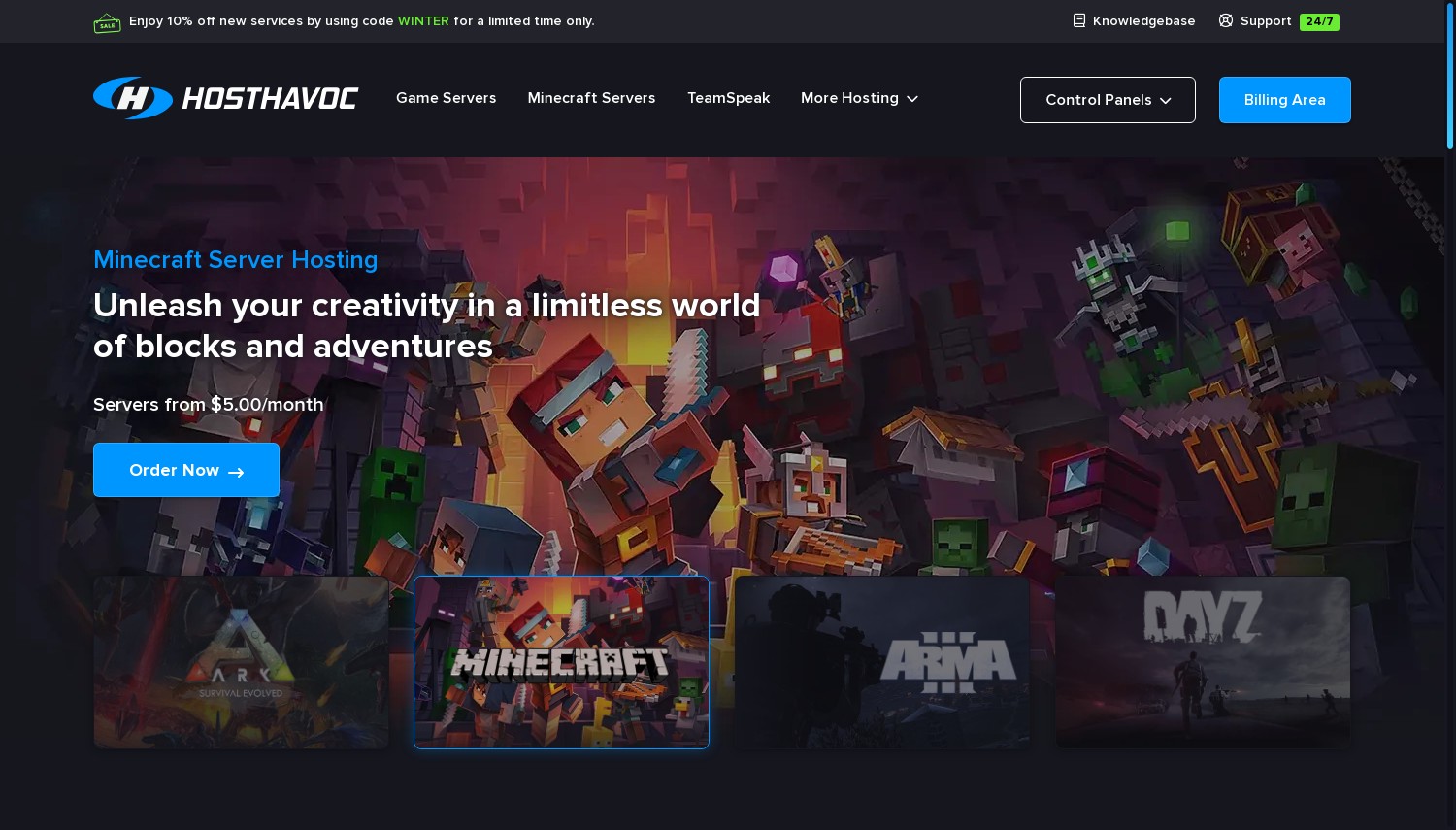
Twenty-five games are supported including Minecraft, ARK: Survival Evolved, Rust, Conan Exiles, 7 Days to Die, DayZ, Terraria, and more. The TCAdmin control panel handles one-click mod installation with automatic updates. For ARK specifically, clustering automation links multiple servers together for character and item transfers.
Hardware runs on Ryzen and Xeon E-series CPUs (up to 4.6GHz) with 100% NVMe storage. Thirteen data center locations across North America and other regions provide decent coverage, though the network isn't as wide as Apex Hosting's 18 locations.
Pricing is slot-based for most games. Minecraft starts at USD 3.75/mo. Rust ranges from USD 16/mo (30 slots) to USD 72/mo (400 slots). ARK runs USD 15-30/mo depending on configuration. RAM upgrades are available: free 8GB standard, 12GB for USD 7.50/mo, 16GB for USD 10/mo.
A 72-hour money-back guarantee gives you three days to test. Month-to-month billing with no contracts required.
Pros
- 100% uptime SLA backed by owned hardware
- Responsive 24/7 support with gaming expertise
- 100% NVMe storage, Ryzen/Xeon CPUs
- ARK clustering automation included
Cons
- 13 data centers (fewer than some competitors)
- Slot-based pricing can get expensive for large servers
- 72-hour refund shorter than 7-day alternatives
Pricing: Minecraft from USD 3.75/mo. Rust: USD 16/mo (30 slots) to USD 72/mo (400 slots). ARK: USD 15-30/mo. RAM upgrades: 12GB for USD 7.50/mo, 16GB for USD 10/mo. 72-hour money-back guarantee. No contracts.
Best for: Serious gaming communities that prioritize reliability and support quality.
Skip if: You need the absolute cheapest option or a longer testing period.
Host Havoc earns the "best overall" position through consistency. Owned hardware, expert support, solid performance, reasonable pricing. It's not the cheapest or the flashiest, but it's the host least likely to cause problems. For communities that can't afford downtime, that reliability matters.
9. GameServers
 177
3.0
Neutral
Neutral
177
3.0
Neutral
Neutral
GameServers: Best Established Global Network
36 global points of presence | 200+ mods | 5-day money-back guarantee
GameServers.com has been around since the early days of multiplayer hosting. They've partnered directly with major studios including Infinity Ward (Call of Duty Modern Warfare), Treyarch (Black Ops), Tripwire Interactive (Killing Floor), and Epic (Unreal series). That history means a mature network and established processes, though the trade-off is sometimes an older-feeling interface.
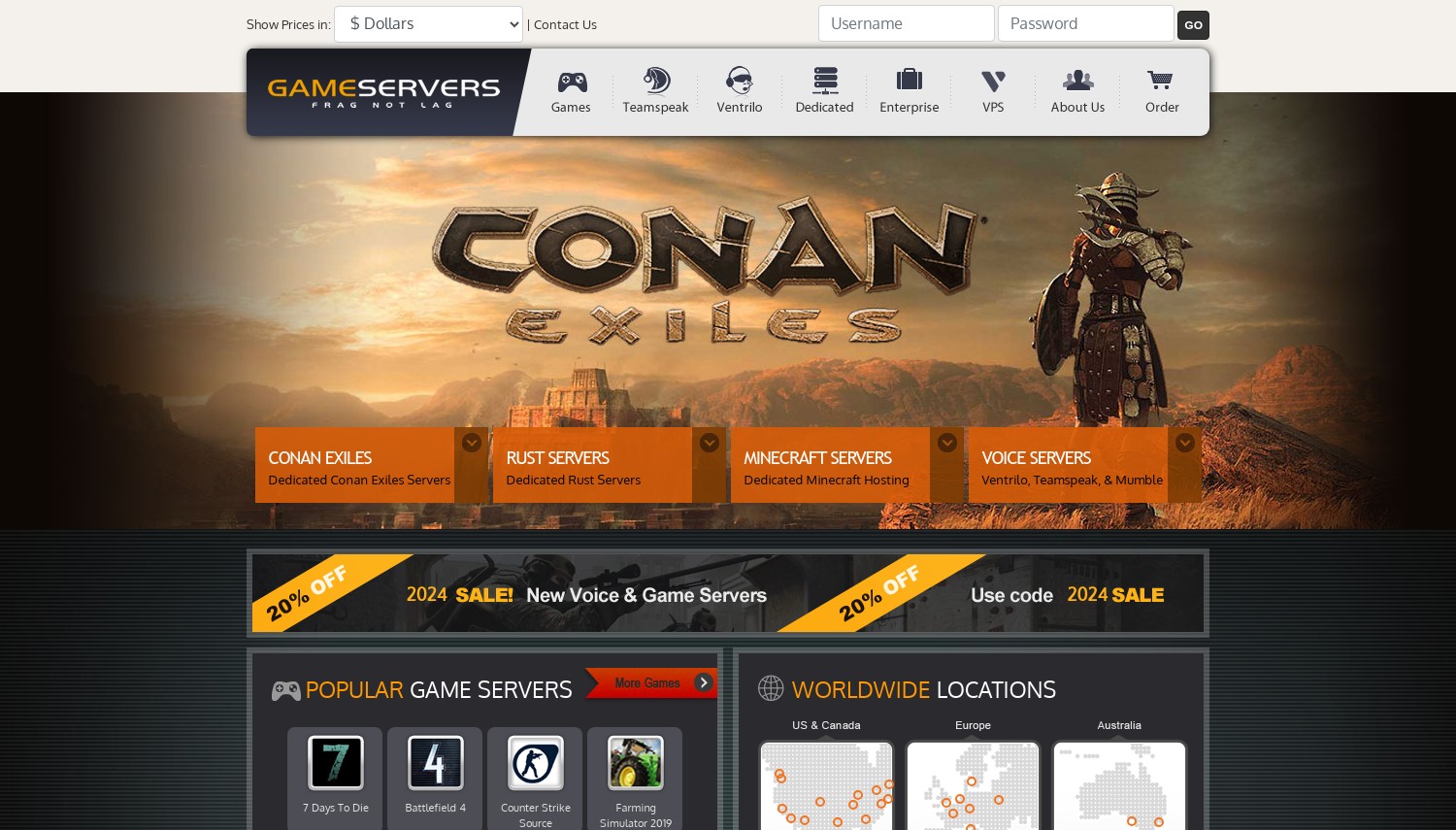
The network spans 36 points of presence across 6 continents: Adelaide, Montreal, Vancouver, Beijing, Hong Kong, Denmark, India, Turkey, multiple US cities, European capitals, Singapore, Tokyo, Johannesburg, Cape Town, Sao Paulo, and Sydney. Finding a low-latency location for any player base should be straightforward.
Beyond game servers, GameServers offers voice hosting for TeamSpeak, Ventrilo, and Mumble. The ClanPay feature lets community members contribute directly to hosting costs through a dedicated page. That's genuinely useful for clans splitting server expenses.
The control panel handles 200+ mod installations with click-to-install simplicity. Setup is instant. A 3-hour free trial lets you test the platform before paying.
User ratings are mixed. Trustpilot shows a 3.0/5 rating, lower than most competitors on this list. Complaints often cite outdated interfaces and support responsiveness. The company's longevity is a double-edged sword: reliable infrastructure, but less innovation than newer competitors. A 5-day money-back guarantee provides a reasonable testing window.
Pros
- 36 global locations across 6 continents
- Partnerships with major game studios
- ClanPay for shared community billing
- 3-hour free trial before purchase
Cons
- User rating of 3.0/5 (mixed reviews)
- Interface feels dated compared to modern hosts
- Support responsiveness varies
Pricing: Varies by game and configuration. Voice hosting available. Prices displayed in USD, EUR, GBP, CAD, or ZAR. 5-day money-back guarantee. 3-hour free trial available.
Best for: Clans needing global coverage and shared payment options.
Skip if: You prioritize modern interfaces and top-rated support experiences.
GameServers.com trades modern polish for established infrastructure. The global network and ClanPay feature serve specific needs well. Just go in with realistic expectations about the user experience based on those mixed reviews.
10. Hostinger
 63.2k+
4.6
Positive
Positive
63.2k+
4.6
Positive
Positive



| Storage | Cpu | Ram | Bandwidth | |
|---|---|---|---|---|
| 200 GB | 2 cores | 3 GB | Unlimited | View Plan |
| 250 GB | 4 cores | 6 GB | Unlimited | View Plan |
| 300 GB | 6 cores | 12 GB | Unlimited | View Plan |
Hostinger: Best Budget Game Panel VPS
Starting at USD 4.99/mo | 100+ games | AMD EPYC hardware
Hostinger bridges the gap between raw VPS hosting and dedicated game hosts. Their Game Panel plans give you the power of a VPS with the simplicity of preconfigured game servers. One-click installs for over 100 games, no command-line required, but root access is there if you want it.
Hardware is current generation. AMD EPYC processors and NVMe SSDs power every plan. The Game Panel 4 plan delivers 16GB RAM and 4 vCPUs for just USD 10.49/mo on promotional pricing. At that spec-to-price ratio, no dedicated game host matches Hostinger's value.
The AI assistant Kodee helps with server management: ask it to restart your game instance, configure settings, or troubleshoot issues. For users who find traditional server management intimidating, this removes friction. DDoS protection and weekly backups come standard. Seven server locations cover Europe, North America, Asia, and South America.
The catch is commitment. The USD 4.99/mo price requires a 24-month prepaid term. Monthly billing jumps to USD 8.99/mo. Renewal rates climb to USD 8.99-26.99/mo depending on plan. Calculate your total 2-year cost before comparing with month-to-month alternatives.
Pros
- AMD EPYC processors with NVMe storage
- 16GB RAM for USD 10.49/mo on promo (strongest value)
- 100+ games with one-click installs
- AI assistant for simplified management
Cons
- Promotional pricing requires 24-month commitment
- Renewal prices increase 80-150% above promo rates
- Not a gaming specialist (less community-focused support)
Pricing: Game Panel 1: USD 4.99/mo promo (4GB RAM, 1 vCPU). Game Panel 2: USD 7.49/mo (8GB, 2 vCPU). Game Panel 4: USD 10.49/mo (16GB, 4 vCPU). Game Panel 8: USD 21.99/mo (32GB, 8 vCPU). All prices based on 24-month billing. Renews higher. 30-day money-back guarantee.
Best for: Users who want serious hardware at budget prices and can commit to 2 years.
Skip if: You prefer month-to-month billing without renewal surprises.
Hostinger's promo pricing delivers exceptional hardware value. If you're confident about running a game server for two years, locking in that rate makes sense. Just budget for the renewal increase and factor in the commitment before deciding.
Shockbyte: Best for Beginners on a Budget
Starting at USD 2.50/mo | USD 2.50/GB pricing | AMD EPYC hardware
Shockbyte removes complexity from game server hosting. You pay USD 2.50 per GB of RAM. Every plan adds USD 2.50 and 1GB. No confusing tier names, no hidden resource limits, no "contact us for pricing" games. Twelve preset plans from 1GB (USD 2.50/mo) to 16GB (USD 40/mo) with identical features at every level.
The simplicity extends to what's included. Every plan gets unlimited NVMe storage, unlimited bandwidth, DDoS protection (up to 1 Tbps+), a free subdomain, and automatic backups. You're only paying for RAM. Hardware runs on AMD EPYC 4244P and 4464P processors (up to 5.40 GHz single-thread), which handles most games efficiently.
Over 45 games are supported including Minecraft (Java and Bedrock), ARK, Rust, Valheim, Terraria, and more. Modpack integration with CurseForge enables one-click installation. Server type switching between Vanilla, Spigot, Forge, and others is simple.
Budget plans are also available from USD 1.99/GB for users who want cheaper hardware. Over 7,000 five-star reviews back the company's track record since 2013.
The weak spot is support. Peak-time delays have been documented, with one case taking 12 days to resolve a downed server. Server hibernation (sleeping idle servers to save resources) can cause slow wake-up times when players reconnect. A 3-day self-service refund provides a brief testing window.
Pros
- Simple pricing: USD 2.50/GB with identical features all plans
- AMD EPYC processors up to 5.40 GHz
- 45+ games with unlimited storage and bandwidth
- 3-day self-service refund (no ticket needed)
Cons
- Support response times inconsistent (delays reported)
- Server hibernation causes slow wake-up for returning players
- Dedicated IP costs USD 5/mo extra
Pricing: Dirt: USD 2.50/mo (1GB). Sand: USD 5.00/mo (2GB). Gold: USD 12.50/mo (5GB). Emerald: USD 20.00/mo (8GB). Titan: USD 40.00/mo (16GB). Budget plans from USD 1.99/GB. Optional: Dedicated IP USD 5/mo.
Best for: First-time server owners who want transparent, predictable pricing.
Skip if: You need guaranteed fast support or run a public server that can't afford downtime.
Shockbyte's simplicity is its strength. No hidden fees, no confusing plans, no renewal surprises. For beginners spinning up their first game server, this clarity removes decision paralysis. Just set realistic expectations about support responsiveness during busy periods.
How to Choose Game Server Hosting
Selecting the right game server host comes down to matching your specific needs with provider strengths. Here's what matters most.
Know your game's requirements. Minecraft with 10 friends needs different resources than a 100-player ARK cluster with heavy mods. Check the specific game's recommended specs. Starting with slightly more RAM than minimum recommendations prevents performance issues as your community grows.
Match server location to players. A host with 30 global data centers means nothing if none are near your player base. Check ping times from your players' locations to each potential server location. 50ms feels instant; 200ms feels sluggish. For communities spanning multiple regions, consider hosts like GameServers (36 locations) or Apex Hosting (18 locations).
Understand pricing models. Some hosts charge per slot (players allowed); others charge per GB of RAM. Slot-based pricing can become expensive for large communities. Per-GB pricing is more predictable but may not account for CPU needs. Always check renewal prices, not just promotional rates.
Consider your technical comfort. Raw cloud VPS providers like Kamatera offer better specs per dollar but require Linux administration skills. Game-specific hosts like Host Havoc or Nodecraft include control panels and one-click installers. Know which category fits your abilities.
Check game support depth. Supporting a game and supporting it well are different things. Hosts specializing in specific games (ActiveGameHost for ARK, ScalaHosting for Minecraft) offer deeper expertise than generalists. Ask about mod support, clustering, and game-specific features before committing.
Frequently Asked Questions
How much does game server hosting cost?
Prices range from USD 2-3/mo for basic plans to USD 50-100+/mo for dedicated servers with premium hardware. Budget hosts like Shockbyte charge USD 2.50/GB of RAM. Mid-range hosts like Apex Hosting start around USD 4.49/mo. Cloud VPS options like Kamatera begin at USD 4/mo but require self-configuration. Costs scale with RAM, player slots, and game complexity. Heavily modded servers with large player counts need significantly more resources than vanilla servers with small groups.
What's the difference between a game panel host and a VPS?
Game panel hosts (Host Havoc, Nodecraft, Apex) provide preconfigured servers with control panels, one-click mod installation, and game-specific support. You can start playing within minutes of ordering. VPS providers (Kamatera, OVHcloud) give you a blank virtual server with full root access. You install everything yourself but get more power per dollar. Choose game panels for convenience; choose VPS for maximum control and value. If you're comfortable with command-line server management, VPS offers better specs per dollar. If not, game panels save significant time and frustration.
Do I need DDoS protection for my game server?
Yes. Game servers are frequent targets for DDoS attacks, especially public servers or those involved in competitive gaming. An unprotected server can be knocked offline by anyone with basic attack tools. Most reputable hosts include DDoS protection by default: Shockbyte offers 1+ Tbps mitigation, Host Havoc includes UDP flood protection, and Hostinger provides built-in DDoS filtering. Verify protection is included before signing up, as some budget hosts charge extra or offer minimal protection.
Can I run multiple games on one server?
Some hosts offer this capability through game switching features. Nodecraft's Save & Swap lets you save one game's state, switch to another game, and swap back later with your save intact. ZAP-Hosting and PingPerfect offer similar functionality. Raw VPS providers let you run anything you can install. However, running multiple games simultaneously (not switching between them) requires sufficient RAM and CPU for each game's needs. Most dedicated servers or high-tier VPS plans can handle multiple concurrent game servers if properly configured.
Final Verdict
For most gaming communities, Host Havoc provides the most reliable experience. Owned hardware, expert support, solid performance across 25+ games, and reasonable pricing make it the safest choice. The 100% uptime SLA actually means something when they control the infrastructure.
Hostinger wins on raw value if you can commit to 24 months. Sixteen GB of RAM for USD 10.49/mo on AMD EPYC hardware is a deal no dedicated game host matches. Calculate your total 2-year cost to see if the commitment makes sense.
Beginners should start with Shockbyte. The USD 2.50/GB pricing removes all confusion. Every plan includes the same features. You're up and running in minutes. For no-risk testing, ScalaCube's free tier or Kamatera's 30-day trial let you experiment without spending anything.
Communities playing multiple games should consider Nodecraft for its Save & Swap capability and excellent NodePanel interface. ZAP-Hosting offers similar flexibility plus lifetime server options for established communities. PingPerfect leads on game variety if you play less mainstream titles.
Apex Hosting serves global communities with its 18 server locations. ActiveGameHost is worth checking for dedicated ARK players in North America. GameServers suits clans needing its ClanPay shared billing feature.
If you're comparing options beyond dedicated game hosts, check our VPS hosting comparison for self-managed alternatives, or see our shared hosting guide if you also need website hosting alongside your game server.