
On This Page: [hide]
Is Kamatera the right cloud host for your project? Short answer: if you want full control over a customizable cloud server at fair pricing, yes. If you’re a beginner expecting a plug-and-play setup, probably not.
This review analyzes 460+ customer reviews from major platforms, official specs, community forum discussions, and independent benchmark data. Unlike affiliate-heavy reviews, we include candid forum feedback and flag every add-on cost that others tend to skip. Kamatera doesn’t offer shared hosting or bundled website builders. It’s a pure cloud infrastructure provider, and this review evaluates it on those terms.
 Visit Site
| Name | Kamatera |
| Total Reviews | 320 |
| Average Score | 4.2 |
| Website | https://www.kamatera.com/ |
| Address | 882 3rd ave. 8th Floor Brooklyn , NY 11232 US |
| Server Locations |  United States, United States,  Canada, Canada,  Netherlands, Netherlands,  Germany, Germany,  United Kingdom, United Kingdom,  Israel, Israel,  Hong Kong, Hong Kong,  France, France,  Indonesia, Indonesia,  Russia, Russia,  Australia, Australia,  South Africa, South Africa,  Italy, Italy,  Spain, Spain,  India, India,  Singapore, Singapore,  Malaysia, Malaysia,  Japan, Japan,  Thailand, Thailand,  Turkey, Turkey,  Vietnam, Vietnam,  Chile, Chile,  China, China,  Jordan, Jordan,  Brazil Brazil |
Number of Reviews
Avg. Review Score
Customer Support
Overall assessment: Kamatera scores 4.3/5 on Trustpilot from 320 reviews and 4.8/5 from 145 reviews on another major aggregator. Strengths include highly customizable configurations, solid uptime, and responsive support. The most common complaints involve billing disputes, IP blacklisting, and a steep learning curve. Best suited for developers, agencies, and businesses that want granular control over cloud resources.
Features and Services
Kamatera is a cloud-only provider. It doesn’t sell shared hosting, domain names, or website builders. Every service revolves around cloud infrastructure, which keeps the product focused but limits who it serves.
Cloud Services Offered
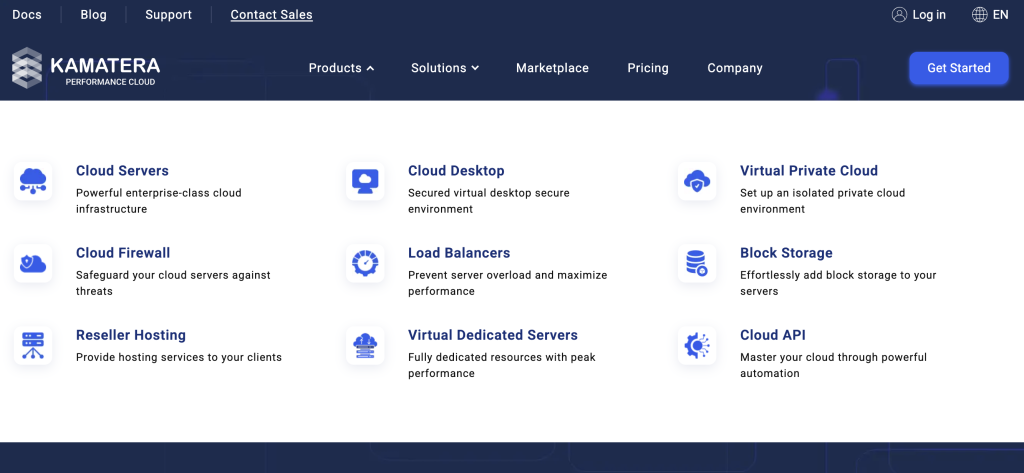
- Cloud VPS (Virtual Private Servers) – the core product. Fully customizable virtual machines with Linux or Windows.
- Managed Cloud – Kamatera’s team handles server admin, monitoring, and maintenance for an extra monthly fee.
- Cloud Block Storage – additional NVMe SSD (a faster type of SSD storage) volumes that attach to your servers.
- Cloud Firewall – built-in network filtering to control inbound and outbound traffic.
- Cloud Load Balancer – distributes traffic across multiple servers to prevent overload.
- Cloud Private Network – connects your servers through a private, isolated network.
Key Features Customers Highlight
Extreme customization. Kamatera offers over 1,100 server configurations. You pick the exact CPU type, core count, RAM, storage, and OS. Four CPU types are available, scaling up to 104 vCPUs (virtual CPU cores) and 512GB RAM. Few competitors match this level of granularity.
60+ operating systems. Linux distributions include Ubuntu, Debian, CentOS, Rocky Linux, and AlmaLinux. Windows Server editions are also available for an additional $19/month. This makes Kamatera one of the more versatile providers for OS choice.
Instant scaling. You can add or remove CPU, RAM, and storage without migrating to a new server. Resources adjust in minutes, not hours. Customers running variable-traffic applications call this a standout feature.
Data Center Locations
Kamatera operates 24 data center locations across four continents:
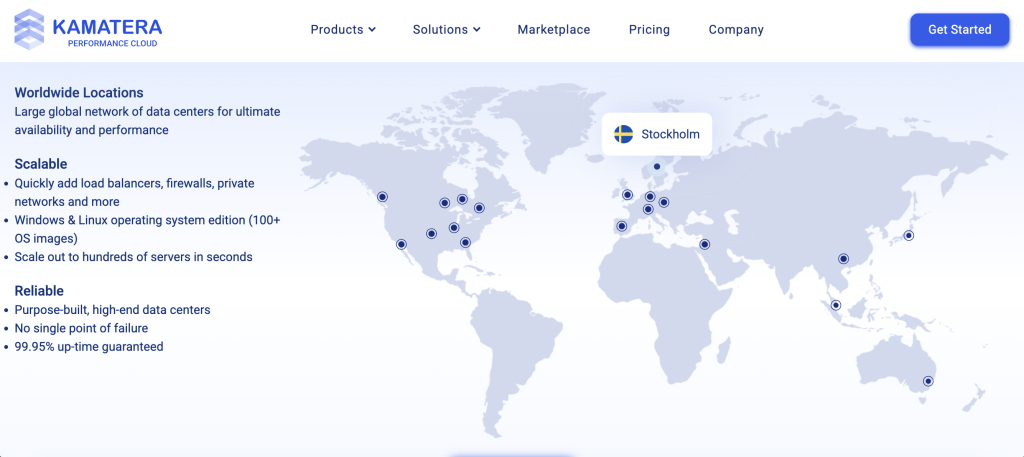
- North America (9): New York, Miami, Atlanta, Chicago, Dallas, Los Angeles, Santa Clara, Seattle, and Toronto
- Europe (6): London, Amsterdam, Frankfurt, Milan, Madrid, and Stockholm
- Asia-Pacific (4): Hong Kong, Singapore, Tokyo, and Sydney
- Middle East (5): Tel Aviv, Petah Tikva, Haifa, and two locations in Rosh HaAyin (Israel)
Coverage gaps exist in South America and Africa. If your audience is concentrated in those regions, latency could be an issue. For North America, Europe, and Asia-Pacific, the coverage is solid.
Performance Expectations
Independent benchmarks from VPSBenchmarks place Kamatera among the top performers in its price range. The provider earned “2nd Best Enterprise VPS 2025” and “1st Best VPS 2023 under $5” awards. Servers run on Intel Xeon Gold and Ice Lake processors with NVMe SSD storage and up to 10 Gbit/sec network connectivity.
The provider guarantees 99.95% uptime through its SLA (Service Level Agreement, a guaranteed uptime commitment). Does it deliver? Independent testing over 31 months recorded approximately 99.9% actual uptime. That’s close to the promise.
Customer Experience
What do actual customers say? Kamatera’s review profile is polarized. On Trustpilot, 65% of reviews are 5-star, but 25% are 1-star. Very few land in between. People either love the service or have serious complaints.
What Customers Praise
Server performance and stability. This is the most consistent positive theme. One long-term user reports running web, database, and email servers “with zero downtime” for over a year. Multiple reviewers describe performance as “top-notch” and “consistent.” Independent benchmarks support these claims.
Flexible configurations. Customers value the ability to build exactly the server they need. One reviewer highlighted choosing specific CPU cores and RAM amounts without being forced into a bundled plan. This granularity saves money for users who know their requirements.
Responsive support when it works. Several reviewers report near-instant live chat connections. One rated support responsiveness “10/10.” An eight-year customer describes the service as “the most compelling in terms of service and value.”
Common Complaints
Billing disputes. This is the most frequent negative theme. Multiple Trustpilot reviewers report being charged after stopping service. One claims charges continued “7 months after stopping.” Another describes a $20 charge labeled “random card verification” with no resolution after two support tickets. These reports surface repeatedly across platforms.
IP reputation problems. Several users report Kamatera IP addresses appearing on spam blacklists. This affects email deliverability. If you plan to run email services, this is a real concern. One reviewer warned that emails consistently landed in spam folders.
Not beginner-friendly. There’s no guided setup, no website builder, and no cPanel by default. One reviewer stated they “wouldn’t touch the service unless ready to get hands dirty in the command line.” Kamatera acknowledges this: it’s infrastructure, not managed hosting.
Community Feedback (Reddit and Forums)
Beyond official review platforms, community discussions reveal additional perspectives. Direct Reddit threads about Kamatera are limited, but the provider appears in curated VPS recommendation lists on Reddit, particularly for its free trial and scaling capabilities.
On WebHostingTalk, the largest hosting forum, Kamatera discussion is surprisingly sparse. A thread asking for user experiences received no substantive responses from actual customers, which suggests the provider has lower visibility in the traditional webhosting community.
Trustpilot’s candid reviews serve as the primary unfiltered feedback source. The most alarming reports? Account lockouts followed by server deletion without warning. Billing departments reportedly take 24+ hours to respond to payment disputes. One user described being “locked out for four days due to a holiday” while their servers sat inaccessible.
On the positive side, some users who escalated billing issues report professional resolution from account managers. The community consensus: strong infrastructure, but the billing and account management side needs improvement.
Support Quality
Support is available 24/7 through live chat, phone, email, and tickets. Technical support runs around the clock. However, billing and sales departments operate during business hours only, which frustrates users with urgent payment issues.
Support quality varies by channel. Live chat connections are generally fast (under a minute). But one expert reviewer testing live chat found the agent didn’t answer a billing question and went silent for 10+ minutes. Phone support is available for technical issues, with separate numbers for sales, tech, and billing departments.
Self-help resources are limited. There’s a basic FAQ and blog, but no real knowledge base, video tutorials, or setup guides. For a provider targeting technical users, this gap matters less. For anyone else, it’s a problem.
- Kamatera reviews from United States
| Average score | 4.20 |
| Number of reviews | 108 reviews |
- Kamatera reviews from United Kingdom
| Average score | 3.61 |
| Number of reviews | 43 reviews |
- Kamatera reviews from Israel
| Average score | 4.67 |
| Number of reviews | 30 reviews |
- Kamatera reviews from Canada
| Average score | 4.23 |
| Number of reviews | 28 reviews |
- Kamatera reviews from Germany
| Average score | 3.99 |
| Number of reviews | 16 reviews |
- Kamatera reviews from Italy
| Average score | 4.40 |
| Number of reviews | 16 reviews |
- Kamatera reviews from India
| Average score | 3.95 |
| Number of reviews | 13 reviews |
- Kamatera reviews from Poland
| Average score | 3.53 |
| Number of reviews | 12 reviews |
- Kamatera reviews from Ukraine
| Average score | 3.93 |
| Number of reviews | 9 reviews |
- Kamatera reviews from Netherlands
| Average score | 4.00 |
| Number of reviews | 9 reviews |
- Kamatera reviews from Russia
| Average score | 3.93 |
| Number of reviews | 9 reviews |
- Kamatera reviews from Spain
| Average score | 3.40 |
| Number of reviews | 9 reviews |
- Kamatera reviews from France
| Average score | 3.74 |
| Number of reviews | 7 reviews |
- Kamatera reviews from Australia
| Average score | 4.09 |
| Number of reviews | 7 reviews |
- Kamatera reviews from Turkey
| Average score | 4.33 |
| Number of reviews | 6 reviews |
- Kamatera reviews from Hong Kong
| Average score | 4.80 |
| Number of reviews | 6 reviews |
- Kamatera reviews from Sweden
| Average score | 3.67 |
| Number of reviews | 6 reviews |
- Kamatera reviews from New Zealand
| Average score | 3.87 |
| Number of reviews | 6 reviews |
- Kamatera reviews from Saudi Arabia
| Average score | 5.00 |
| Number of reviews | 5 reviews |
- Kamatera reviews from Pakistan
| Average score | 2.60 |
| Number of reviews | 5 reviews |
- Kamatera reviews from Thailand
| Average score | 3.08 |
| Number of reviews | 5 reviews |
- Kamatera reviews from Croatia
| Average score | 4.00 |
| Number of reviews | 4 reviews |
- Kamatera reviews from Austria
| Average score | 4.00 |
| Number of reviews | 4 reviews |
- Kamatera reviews from Finland
| Average score | 5.00 |
| Number of reviews | 4 reviews |
- Kamatera reviews from Vietnam
| Average score | 5.00 |
| Number of reviews | 4 reviews |
- Kamatera reviews from Bulgaria
| Average score | 3.75 |
| Number of reviews | 4 reviews |
- Kamatera reviews from Czech Republic
| Average score | 4.00 |
| Number of reviews | 4 reviews |
- Kamatera reviews from Brazil
| Average score | 2.40 |
| Number of reviews | 4 reviews |
- Kamatera reviews from South Africa
| Average score | 5.00 |
| Number of reviews | 4 reviews |
- Kamatera reviews from Denmark
| Average score | 3.00 |
| Number of reviews | 4 reviews |
Kamatera Plans and Pricing
Kamatera’s pricing model differs from traditional hosts. There are no “shared” or “premium” tiers with marketing names. You either pick a pre-configured server or build a custom one. Pricing is pay-as-you-go with no long-term contracts required.
Good news on renewals: Kamatera doesn’t play the promo-to-renewal price game. The price you see is the price you pay next month too. No 200% renewal shock.
Pre-Configured Cloud Servers
Nine ready-made plans cover most common needs:
- 1 vCPU, 1GB RAM, 20GB SSD: $4/month
- 1 vCPU, 2GB RAM, 20GB SSD: $6/month
- 2 vCPU, 2GB RAM, 30GB SSD: $12/month
- 2 vCPU, 4GB RAM, 40GB SSD: $19/month
- 2 vCPU, 8GB RAM, 50GB SSD: $32/month
- 4 vCPU, 4GB RAM, 50GB SSD: $28/month
- 4 vCPU, 8GB RAM, 50GB SSD: $40/month
- 4 vCPU, 12GB RAM, 100GB SSD: $56/month
- 4 vCPU, 16GB RAM, 100GB SSD: $80/month
All plans include 5,000GB (5TB) of monthly traffic on monthly billing. Hourly billing is also available, charged per minute.
Custom Configurations
The real power is in custom builds. You select exact CPU, RAM, storage, and OS. A server with 2 vCPUs, 4GB RAM, 40GB NVMe, and daily backups runs about $23.50/month. A 4 vCPU, 8GB RAM, 100GB SSD setup costs $30 to $50/month depending on add-ons.
Costs That Add Up
- Windows OS: $19/month per server
- cPanel or Plesk: paid add-on (price calculated during server setup, not publicly listed)
- Daily backups: paid service, 14-day retention (price varies by server size)
- Managed services: $50/month for Kamatera’s team to handle administration
- Additional storage: $0.05 per GB/month
- Additional traffic: $0.01 per GB beyond included allowance
- SSL certificates: not sold or included. You’ll need to install free Let’s Encrypt certificates yourself
- Free control panels: CyberPanel, VestaCP, Webmin, and ISPConfig are available at no extra cost
Important: Hourly billing changes the math on traffic. Monthly plans include 5TB of traffic. Hourly plans charge $0.01/GB, which adds up to $50 for that same 5TB. If you run servers 24/7, monthly billing is almost always the better deal.
Free Trial
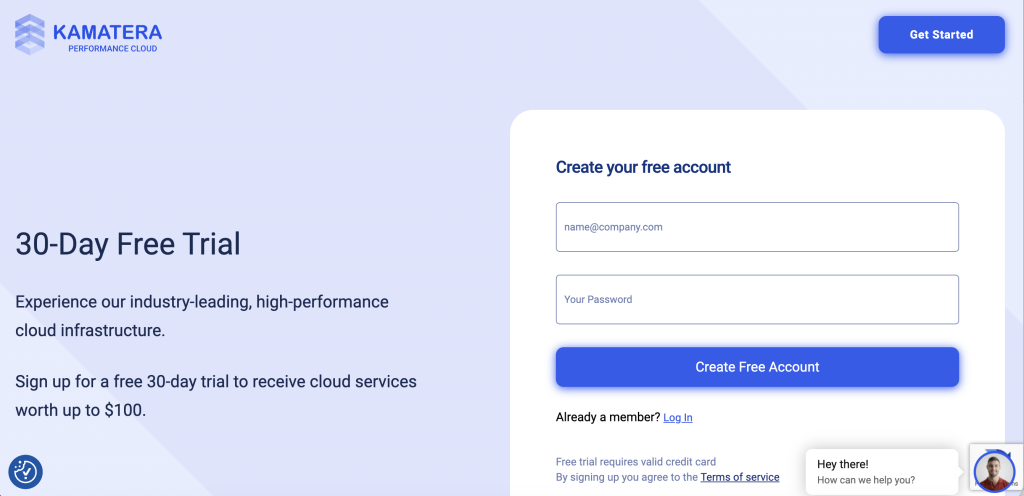
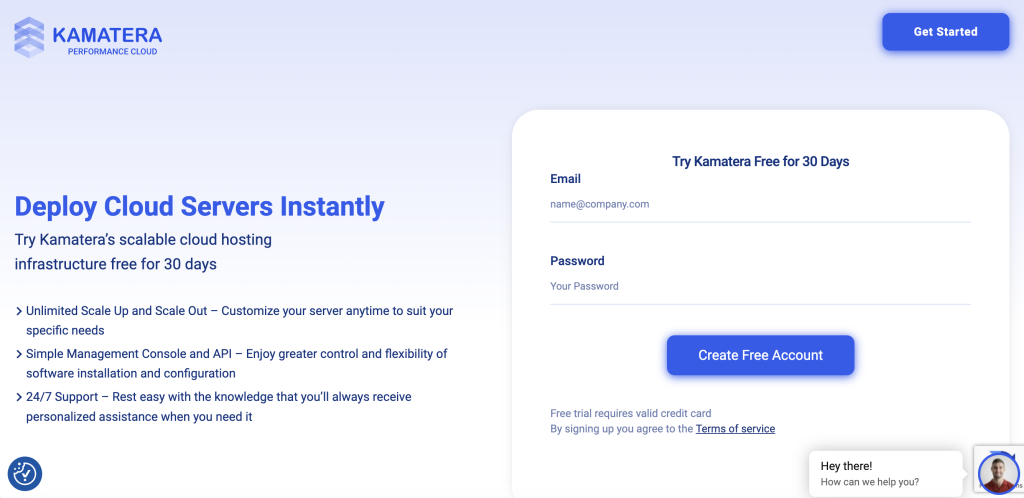
A 30-day free trial gives you up to $100 in credit on one server. You’ll need to provide a credit card, but you won’t be charged during the trial as long as your configuration stays under the $100 limit.
Pricing Verdict
Kamatera’s entry pricing is competitive but not the cheapest. Vultr starts at $2.50/month. DigitalOcean starts around $4 to $5/month. Where Kamatera wins is configurability. You can fine-tune resources to avoid paying for capacity you don’t need. The no-contract, no-renewal-increase model is refreshingly honest for the industry. Just watch the add-on costs, because they accumulate fast.
- Bandwidth Unlimited
- Panel cPanel Direct Admin ISP Manager Plesk
- Number of Sites N/A
- Bandwidth 5 TB
- Panel cPanel Direct Admin ISP Manager Plesk
- Number of Sites Unlimited
- Bandwidth 5 TB
- Panel cPanel Direct Admin ISP Manager Plesk
- Number of Sites Unlimited
- Bandwidth 5 TB
- Panel cPanel Direct Admin ISP Manager Plesk
- Number of Sites Unlimited
- CPU –
- CPU 1 x 2.6GHz
- RAM 1 GB
When to Use Kamatera
Kamatera is a strong choice in specific scenarios:
Ideal For
Developers and sysadmins who want full control: If you’re comfortable with the command line and want to configure every aspect of your server, Kamatera delivers. The 1,100+ configuration options and 60+ OS choices give you more flexibility than most competitors.
Businesses with variable traffic: The instant scaling and pay-as-you-go billing make Kamatera practical for projects where resource needs change. You can scale up for a product launch and scale back down after, without paying for idle capacity.
Teams needing global presence: With 24 data centers across four continents, Kamatera covers more regions than DigitalOcean (8+) or Linode (11+). If your users are spread across North America, Europe, and Asia-Pacific, you can deploy servers close to each audience.
Windows server workloads: Kamatera offers Windows Server as a first-class option. Many cloud VPS providers either don’t offer Windows or charge a premium. At $19/month extra, it’s competitively priced for Windows-based applications.
You’ll Appreciate It If
- You hate renewal price increases – Kamatera’s pay-as-you-go pricing doesn’t change after a promotional period
- You need specific resource ratios – want 8GB RAM but only 1 vCPU? You can configure that
- You run short-term projects – hourly billing means you only pay for actual usage, no annual commitment
- You want to test before paying – the 30-day, $100-credit free trial is generous by industry standards
When NOT to Use Kamatera
No host is perfect for everyone. Kamatera isn’t the right choice if:
Look Elsewhere If
You’re a beginner building your first website: Kamatera has no website builder, no one-click WordPress installer (unless you add cPanel), and no guided setup. If terms like “SSH” (secure remote server access) and “root access” are unfamiliar, you’ll struggle. Consider a shared hosting provider with built-in tools instead.
You need reliable email hosting: Multiple users report Kamatera IPs on spam blacklists. Setting up PTR/rDNS (reverse DNS, which links your IP to your domain for email trust) records has been problematic for some customers. If email deliverability is critical, a provider with clean IP pools or a dedicated email hosting service is safer.
You want a refund safety net: Kamatera has no money-back guarantee. All services are non-refundable. The 30-day free trial is your only risk-free window. If you value the ability to get your money back after trying a paid service, this is a dealbreaker.
Red Flags for Your Situation
- Budget-first buyers: the $4/month entry price looks cheap, but add backups, a control panel, and Windows, and you’re quickly at $30+/month
- Users in South America or Africa: no data centers in either region, meaning higher latency for local audiences
- Anyone needing 24/7 billing support: the billing team works business hours only, despite the “24/7” branding on technical support
- Users who prefer flat-rate, all-inclusive pricing: Kamatera’s a-la-carte model means costs depend heavily on configuration choices
If any of these apply, consider DigitalOcean, Vultr, or a managed hosting provider instead (see Alternatives section below).
Kamatera Transparency Score
We assess how upfront Kamatera is with important information:
- Company Information: Good – Kamatera lists its New York office address, names leadership (CEO Tal Holtzer, CTO Izhak Sabag), and provides phone numbers. The parent company (OMC Group, founded 1995) is documented. Israel ties are disclosed but not prominently featured.
- Pricing Transparency: Good – base pricing is clear and consistent. No promo-to-renewal tricks. However, add-on costs for cPanel, Plesk, and backups aren’t listed on the pricing page. You discover those during server configuration. The hourly vs. monthly traffic cost difference ($50 vs. included) isn’t obvious.
- Technical Documentation: Limited – server specs and data center locations are well-documented. But there’s no public knowledge base worth mentioning. The FAQ covers basics. Setup guides and tutorials are absent. For a developer-focused provider, this is a gap.
- Terms and Policies: Limited – the no-refund policy is buried in Terms of Service, not highlighted during signup. The free trial’s $100 limit and credit card requirement could be clearer. SLA details require navigating to a separate document.
Overall Transparency: Good but inconsistent. Pricing honesty is above average for the industry (no renewal tricks). But add-on pricing opacity, limited documentation, and a buried refund policy pull the score down.
Alternatives to Kamatera
If Kamatera doesn’t fit your needs, these alternatives address common gaps:
For Easier Setup and Management: DigitalOcean
DigitalOcean’s interface is cleaner, documentation is industry-leading, and managed databases plus app platforms reduce the need for server admin skills. Starting at $4 to $5/month with flat-rate pricing, it’s the go-to for developers who want simplicity alongside power. If Kamatera’s learning curve concerns you, DigitalOcean is the most natural alternative.
For Lower Entry Pricing: Vultr
Vultr starts at $2.50/month and operates 32+ data centers globally, more than Kamatera’s 24. Performance is competitive, and the interface is developer-friendly. If budget is your primary concern and you want broad geographic coverage, Vultr delivers. For a detailed comparison, see our VPS hosting guide.
For Managed WordPress and Shared Hosting: Hostinger
If you landed on this review looking for simple website hosting, Kamatera isn’t it. Hostinger offers shared hosting with one-click WordPress, free SSL, and a website builder starting under $3/month. It’s built for beginners. For WordPress-specific needs, check our WordPress hosting guide.
For a broader comparison of cloud infrastructure providers, see our cloud hosting guide.
Conclusion
After analyzing 460+ customer reviews, benchmark data, and community feedback, the verdict is clear. Kamatera is a capable cloud infrastructure provider with genuine strengths in customization, pricing honesty, and global reach. It’s not trying to be everything to everyone. That focus works in its favor.
The Bottom Line
With a 4.3/5 rating across 320 Trustpilot reviews and 4.8/5 from 145 reviews on another platform, Kamatera delivers reliable server performance and unmatched configuration flexibility. The no-contract, no-renewal-increase pricing model is a refreshing change from hosts that bait with promos and punish at renewal.
But the billing complaints can’t be ignored. A 25% one-star rate on Trustpilot is high, and most of those reviews cite payment disputes. The lack of a refund policy adds risk. And if you’re not comfortable managing servers, this isn’t the provider for you.
For developers, agencies, and technical teams who want granular control over cloud resources at fair prices, it’s a solid choice. It’s not for beginners, casual site owners, or anyone who needs email hosting on clean IPs. Use the 30-day free trial to test before committing real money.
Frequently Asked Questions
Is Kamatera good for beginners?
No. Kamatera is a cloud infrastructure provider, not a beginner hosting platform. There’s no website builder, no one-click WordPress setup (without adding a control panel), and no guided configuration. You’ll need command-line skills or willingness to learn them. Beginners should look at shared hosting providers with built-in tools.
Is Kamatera worth the price?
For technical users, yes. The $4/month entry is competitive, and the pay-as-you-go model means you only pay for what you use. There’s no renewal price jump, which is a genuine advantage. The catch is add-on costs: backups, control panels, and Windows licenses add up. Calculate your full configuration cost before committing.
What do customers complain about most?
Billing issues top the list. Multiple reviewers report charges continuing after they stopped using the service. IP addresses landing on spam blacklists is the second most common complaint. Third is the learning curve for users who expected a simpler setup process.
How does Kamatera compare to DigitalOcean?
Kamatera offers more server configurations, more data center locations (24 vs. 8+), and more OS options. DigitalOcean offers better documentation, managed services (databases, app platforms), and a simpler interface. Kamatera is more flexible; DigitalOcean is more accessible. Both start around $4 to $5/month.
Does Kamatera offer refunds?
No. All Kamatera services are non-refundable per their Terms of Service. There’s no money-back guarantee. The 30-day free trial (up to $100 credit on one server) is your only risk-free evaluation period. Cancel before the trial ends to avoid charges. You’ll need to provide a credit card to start the trial.
Is Kamatera good for WordPress?
It can host WordPress, but it’s not optimized for it out of the box. You’ll need to install WordPress manually or add a control panel like cPanel (paid add-on) or CyberPanel (free). There’s no managed WordPress hosting, no staging environments, and no WordPress-specific optimizations. If WordPress is your focus, a managed WordPress host will save you time and effort.
