
Best 8 AI Website Builders (2026) – Top Picks Compared
AI website builders promise to turn a text prompt into a finished site. Some actually deliver. Others spit out a generic template with placeholder text and call it "AI-powered." After researching dozens of platforms, reading hundreds of user reviews, and comparing real output quality, we narrowed it to eight. These builders genuinely use AI to speed up website creation, not just slap a chatbot onto a drag-and-drop editor.
Quick answer: For most users, Hostinger offers the strongest combination of AI tools and affordable hosting in one package. If you're already on WordPress and want AI added to your existing workflow, Elementor AI or Divi AI integrate directly into the editors millions of people already use. For a standalone builder with the deepest AI toolkit, Wix leads the pack.
Jump to: Hostinger · 10Web.io · Jimdo · Wix AI · Divi AI · Elementor AI · ZipWP · Squarespace
Last reviewed: March 2026. Prices and features verified.
How We Selected These Providers
We evaluated AI website builders by examining their actual AI capabilities (not just marketing claims), pricing transparency including renewal rates, user reviews from multiple platforms, and the quality of sites they produce. Our sources included each provider's official website, verified user reviews on platforms like Trustpilot and G2, and independent testing reports from 2025-2026. We didn't test these tools hands-on, so performance claims are based on published benchmarks and aggregated user feedback rather than our own speed tests.
| Hosting Provider | Reviews | Overall Rating | Website Builder from |
|---|---|---|---|
1  Hostinger Hostinger
|
63.2k+ |

|
$1.95 / mo. 80% Off |
2  10Web.io 10Web.io
|
2.3k+ |
|
No data / mo. 50% Off Now |
3  Jimdo Jimdo
|
5.6k+ |

|
$12.89 / mo. |
4  Wix Hosting Wix Hosting
|
25.1k+ |
|
No data / mo. |
5  Squarespace Squarespace
|
2.3k+ |

|
$16.00 / mo. |
1. Hostinger

 63.2k+
4.6
Positive
Positive
63.2k+
4.6
Positive
Positive










| Storage | Bandwidth | Price | |
|---|---|---|---|
| Unlimited | Unlimited | $1.95 / mo. | View Plan |
| Unlimited | Unlimited | $2.95 / mo. | View Plan |
Hostinger – Best for All-in-One AI Website Building on a Budget
From USD 1.99/mo (48-month plan) | Renews at USD 10.99/mo | 30-day money-back guarantee
Hostinger's website builder takes a different approach to AI than most competitors on this list. Rather than bolting AI features onto an existing editor, they built their entire builder around AI from the ground up. Answer three questions about your business, and the system generates a multi-page website with content, images, and layout in about a second. That's not an exaggeration: Hostinger claims a 1.2-second first preview, and user reports confirm this.
What makes Hostinger's approach interesting is the depth of AI integration beyond initial site generation. The Business plan unlocks a full suite: AI image generation (made free and unlimited in September 2025), an AI heatmap that predicts where visitors will focus their attention, AI-driven email marketing through Hostinger Reach, and a blog generator. The platform's AI assistant, available across all plans, handles everything from content rewrites to SEO suggestions. For anyone building a WordPress eCommerce store, the Business plan also supports up to 1,000 products.
The catch? That USD 1.99/mo price requires a 48-month commitment paid upfront (USD 95.52 total). And when renewal hits, you're looking at USD 10.99/mo for Premium or USD 16.99/mo for Business. That's a 5x jump. The Premium plan also limits you to 2 GB storage and one website, which feels tight once your site grows.
Compared to 10Web.io or Squarespace, Hostinger wins on entry price by a wide margin. Against Wix, it lacks the sheer variety of AI tools but bundles hosting and a builder together, something Wix charges separately for through third-party integrations.
- Pros
- Full AI website generation in seconds, not minutes
- Business plan includes unlimited AI image generation at no extra cost
- AI heatmap and email marketing tools rarely found in budget builders
- Cloudflare CDN with 330+ global locations included
- Cons
- Renewal prices jump 5x or more from promotional rates
- Premium plan limited to 2 GB storage and one site
- 48-month lock-in required for the lowest advertised price
Pricing breakdown: Premium starts at USD 1.99/mo (48 months), USD 2.99/mo (24 months), or USD 12.99/mo (monthly). Business starts at USD 2.99/mo (48 months), USD 3.99/mo (24 months), or USD 18.99/mo (monthly). Both plans renew at much higher rates: USD 10.99/mo (Premium) and USD 16.99/mo (Business). Free domain and SSL included on yearly plans.
Best for: Beginners who want a complete website with hosting, AI tools, and a builder in one affordable package.
Skip if: You need full design control or don't want a multi-year upfront commitment.
Hostinger makes AI website building genuinely accessible at its entry price. Just go in with your eyes open about what happens at renewal. The Business plan is the better value here since the Premium plan's 2 GB storage cap will frustrate anyone with more than a handful of pages.
2. 10Web.io
 2.3k+
4.7
Positive
Positive
2.3k+
4.7
Positive
Positive
10Web.io – Best for WordPress Sites with Managed AI Hosting
From USD 10/mo (annual) | 7-day free trial | No money-back guarantee
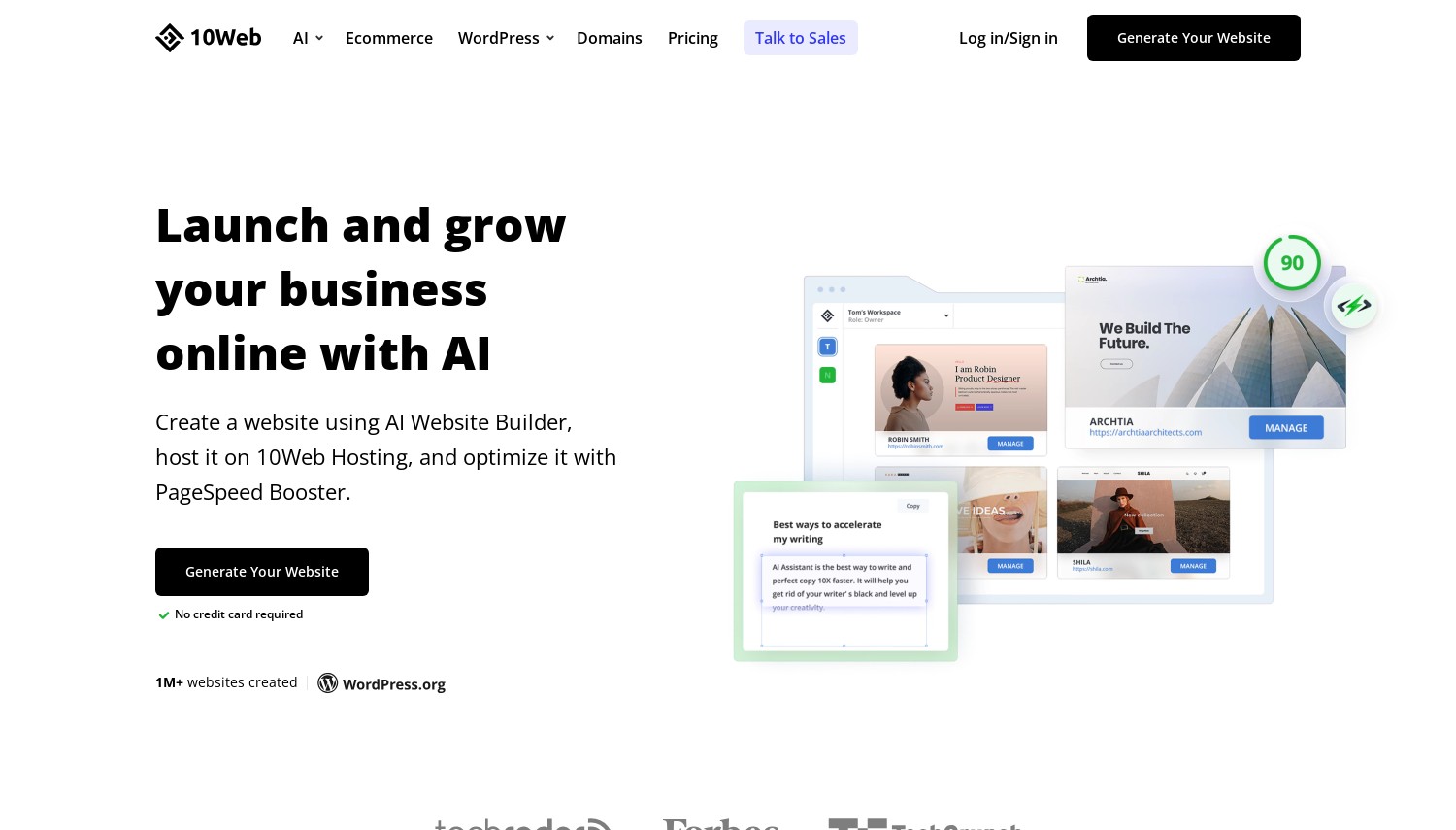
10Web occupies a unique spot in this list: it's the only platform that combines a dedicated AI website generator with fully managed WordPress hosting on Google Cloud infrastructure. You describe your business, and 10Web builds a functional WordPress site with up to five pages, complete with AI-generated content and images. The output uses Elementor as its page editor, so you're not locked into a proprietary system.
Where 10Web really pulls ahead is the AI Replicator feature. Point it at any existing website URL, and it recreates that site as an editable WordPress project. For agencies migrating clients or businesses switching platforms, that's a genuine time-saver. The AI Co-Pilot works inside the editor for ongoing content tweaks, image edits, and layout adjustments after the initial build.
Performance is a selling point too. 10Web's proprietary PageSpeed Booster targets 90+ scores on Google PageSpeed Insights, with users reporting 92-96 mobile scores according to independent reviews. Daily automated backups, security monitoring, and WordPress core updates all happen without you touching anything.
Fair warning though: the downsides are real. There's no money-back guarantee, only a 7-day free trial. Auto-renewal complaints show up frequently in user reviews, and the AI-generated content needs heavy editing before it's publication-ready. The AI Starter plan caps you at 5,000 AI words per month and 10 GB storage, which runs out fast.
Against Hostinger, 10Web costs more but gives you a real WordPress site with full plugin access. Compared to buying Elementor AI separately and finding your own hosting, 10Web bundles everything together but at a higher total cost.
- Pros
- AI Website Replicator clones existing sites into editable WordPress
- Google Cloud Premium hosting with 90+ PageSpeed scores
- Elementor-based editor (familiar to millions of WordPress users)
- Automated backups, security patches, and WordPress updates included
- Cons
- No money-back guarantee (7-day free trial only)
- AI-generated content often needs significant manual editing
- AI Builder limited to 5 pages per generation
Pricing breakdown: AI Starter at USD 10/mo (annual) or USD 20/mo (monthly) includes 1 website, 10 GB storage, 10K monthly visitors, and 5K AI words. AI Premium at USD 15/mo (annual) adds more storage and 20K AI words. AI Ultimate at USD 23/mo (annual) includes 40 GB storage and 50K AI words. Agency plans start at USD 24/mo for multi-site management. Additional websites cost USD 10/mo each.
Best for: WordPress users who want managed hosting and AI site generation in one platform, especially agencies using the Replicator tool.
Skip if: You need a money-back guarantee or want to generate more than 5 pages with AI in one go.
10Web delivers a solid all-in-one WordPress experience with genuine AI capabilities. The lack of a refund policy is a hard pill, but the 7-day trial should give you enough time to evaluate whether the AI output meets your standards.
3. Jimdo
 5.6k+
4.0
Positive
Positive
5.6k+
4.0
Positive
Positive
| Storage | Bandwidth | Price | |
|---|---|---|---|
| Unlimited | Unlimited | $12.89 / mo. | View Plan |
| Unlimited | Unlimited | $20.41 / mo. | View Plan |
| Unlimited | Unlimited | $52.63 / mo. | View Plan |
Jimdo – Best for Absolute Beginners Who Want a Simple Site Fast
From USD 11/mo (annual) | Free plan available | 14-day money-back guarantee
Here's something worth knowing upfront: Jimdo isn't a WordPress builder. It's a standalone platform with its own proprietary editor. The AI component, called Jimdo Dolphin, works by asking you a series of questions about your business, then generating a complete website from your answers. The whole process takes under three minutes.
Dolphin's simplicity is both its greatest strength and biggest limitation. The questionnaire-based approach means you don't need to know anything about web design. You answer questions, pick from the options Dolphin presents, and you've got a live site. It pulls in relevant stock images, applies a color scheme, and creates page sections that match your industry. If you're a photographer or designer wanting a portfolio site, Jimdo handles that use case well.
But the AI stops being helpful pretty quickly. Once Dolphin generates your site, customization options are limited. You can't freely drag and drop elements. There's no blogging capability in Dolphin mode at all. No app store, no HTML embedding, no digital product sales. The free plan comes with Jimdo ads, a subdomain, and just 500 MB storage. Even the Start plan at USD 11/mo only gives you 5 GB storage and 10 pages.
Jimdo's ratings tell the story. At 3.0-3.85 out of 5 across major review platforms, it trails every other builder on this list. Ratings have been trending downward. The platform feels like it's coasting on its ease-of-use reputation while competitors like Wix and Hostinger have lapped it on AI features.
Where Jimdo does hold its ground: renewal prices stay the same as entry prices (annual billing only, no monthly option). That's refreshingly honest in a market full of bait-and-switch pricing. The 14-day money-back guarantee adds a safety net.
- Pros
- Fastest path from zero to live website (under 3 minutes)
- Free plan available for testing
- No renewal price increases on any plan
- Mobile-responsive designs generated automatically
- Cons
- No blogging in Dolphin mode
- Very limited customization after AI generation
- Lowest ratings on this list (3.0-3.85/5 across platforms)
Pricing breakdown: Free plan (500 MB storage, Jimdo ads, subdomain). Start at USD 11/mo includes 5 GB storage, custom domain (first year free, then ~USD 20/yr). Grow at USD 15/mo adds 15 GB storage, 50 pages, and priority support. Unlimited at USD 39/mo provides unlimited storage, pages, and premium support. Online Store plans start at USD 18/mo (Basic). All plans are annual billing only.
Best for: Non-technical users who need a basic portfolio or small business site live in minutes and don't plan to scale it.
Skip if: You want a blog, need advanced customization, or plan to grow your site beyond a few pages.
Jimdo is the simplest tool on this list, and for some people that's exactly what they need. But if there's any chance you'll outgrow a basic site, you'll hit Jimdo's walls fast. Consider whether a WordPress-based solution would serve you better long-term.
4. Wix Hosting
 25.1k+
4.1
Positive
Positive
25.1k+
4.1
Positive
Positive
Wix AI – Best Standalone AI Builder with the Deepest Feature Set
Free plan available | From USD 17/mo (annual) | Renews at standard rate | 14-day money-back guarantee
Wix has gone all-in on AI, and it shows. Their current builder (Wix Harmony) uses a conversational interface: you describe what you want in plain language, and the AI generates a full multi-page site. But that's just the starting point. Wix packs over 15 distinct AI tools into the platform, more than any other builder we researched.
The AI toolkit covers every stage of running a website. Need product photos? There's an AI image generator with style selection. Writing blog posts? The AI Blog Writer handles full posts with images and keywords. Running Google Ads? Wix generates keyword-optimized ad copy from your dashboard. There's even an AI-powered customer chat that handles support queries 24/7. The AI Section Creator generates complete page sections with design, content, and images matching your site style.
The free plan is surprisingly functional for testing. You get access to most AI tools, 500 MB storage, and the full editor. The downside: Wix branding plastered on your site and no custom domain. Paid plans start at USD 17/mo (Light) on annual billing, but watch the promotional pricing. Wix frequently advertises Core at USD 11.75/mo, which renews at USD 29/mo, more than double. Business Elite at USD 159/mo is the only plan with unlimited storage.
Compared to Hostinger, Wix offers far more AI variety but doesn't include hosting separately (it's baked in). Against Squarespace, Wix wins on AI depth but templates can feel busier. The 2,700+ template library is the largest here, though you can't switch templates after publishing, which is a real limitation.
- Pros
- 15+ AI tools covering design, content, marketing, and ecommerce
- Functional free plan with access to most AI features
- Conversational AI builder generates sites from natural language prompts
- 2,700+ templates (largest library of any builder listed)
- Cons
- Promo-to-renewal price jumps are steep (Core: USD 11.75 to USD 29/mo)
- Can't switch templates after publishing your site
- Light plan has just 2 GB storage
Pricing breakdown: Free (500 MB, Wix ads). Light at USD 17/mo (annual) includes 2 GB storage. Core at USD 29/mo (annual) unlocks ecommerce and 50 GB storage. Business at USD 39/mo adds 100 GB and advanced ecommerce. Business Elite at USD 159/mo gives unlimited storage and priority support. Monthly billing runs 30-40% higher. Frequent promos cut first-term prices by up to 50%, but renewals jump to standard rates.
Best for: Users who want the widest AI toolkit in a single platform, especially for content-heavy sites and online stores.
Skip if: You're budget-sensitive about renewal prices or need WordPress compatibility.
Wix has the broadest AI feature set of any standalone builder available right now. The free plan lets you test everything before committing, which is smart. Just budget for the real renewal price, not the promotional one.
Divi AI – Best for WordPress Designers Who Want Unlimited AI Usage
From USD 277/yr (Divi Pro bundle) | 30-day money-back on Divi membership | Unlimited AI usage
Divi AI takes a fundamentally different approach than hosted builders like Hostinger or Wix. It's a WordPress plugin, not a standalone platform. You need your own WordPress hosting, the Divi theme installed, and then Divi AI layers on top as an add-on. That extra complexity comes with a significant advantage: unlimited AI generation with no credit caps or monthly word limits.
The AI works directly inside the Divi Builder interface. Describe what you want, and it generates full page layouts, writes content in 26+ languages, creates images via Stable Diffusion, and even writes custom CSS and JavaScript. Divi 5 (the latest version) added AI-powered full site generation: an AI agent creates an outline, builds template structures, writes copy, and generates images across your entire site. For freelancers and agencies building multiple client sites, the unlimited usage model means you won't hit a paywall mid-project.
Pricing needs some unpacking here. You can't just buy Divi AI standalone. You need an active Elegant Themes membership first: USD 89/year or USD 249 for lifetime access. Then Divi AI costs USD 18/mo (billed annually, USD 216/year) on top of that. The better deal is the Divi Pro bundle at USD 277/year, which includes everything: Divi theme, Divi AI unlimited, Divi Cloud, priority support with 30-minute response times, and team access for 4 members.
Image generation quality lands below what Elementor AI produces, according to side-by-side comparisons. The AI-generated text works well for drafts and brainstorming but usually needs a human edit before publishing. These are fair trade-offs for the unlimited usage model.
- Pros
- Unlimited AI text, image, and code generation (no credits or caps)
- Full site generation from a single prompt via AI agents
- Works in 26+ languages with translation to 100+
- Lifetime Divi license option (USD 249 one-time) reduces ongoing costs
- Cons
- Requires Divi theme and separate WordPress hosting (not all-in-one)
- AI image quality trails Elementor AI in comparisons
- Locked to the Divi ecosystem (can't use in other page builders)
Pricing breakdown: Divi membership: USD 89/year or USD 249 lifetime. Divi AI add-on: USD 24/mo (monthly) or USD 18/mo (annual, USD 216/year). Divi Pro bundle: USD 277/year includes Divi + AI unlimited + Cloud + VIP support + team access. Free trial offers 100 AI uses to test before committing. 30-day money-back guarantee on Divi membership.
Best for: WordPress designers and agencies building multiple sites who want unlimited AI without per-use costs.
Skip if: You don't already use WordPress, or you want an all-in-one solution with hosting included.
Divi AI is the power user's pick on this list. The unlimited model saves real money if you're generating content and images across multiple projects. The Divi Pro bundle at USD 277/year is where the value lives, just remember you still need to pay for WordPress hosting separately.
Elementor AI – Best for Adding AI to the World's Most Popular Page Builder
From USD 60/yr (Pro) + USD 3.99/mo (AI Starter) | 30-day money-back on Pro | Credit-based AI usage
With over 10 million active installations, Elementor is the page builder most WordPress users already know. Their AI add-on plugs directly into the familiar drag-and-drop editor, which means you don't need to learn a new tool or switch platforms. You highlight a text element, click the AI button, and get generated content that matches your page context. Same for images, code snippets, and full section layouts.
Image generation is where Elementor shines. Elementor AI supports 29+ art styles, generates 4 variations per prompt, and includes background removal, generative fill, and upscaling. Side-by-side, reviewers consistently rate Elementor's image AI above Divi's. The AI Site Planner (currently in free beta) generates full wireframes and sitemaps in under 20 minutes, which is useful for planning before you start building.
Here's the trade-off: Elementor uses a credit system. Every text prompt costs 1 credit. Every image costs 33 credits. Every layout generation costs 40 credits. The AI Starter plan gives you 24,000 credits per year. That sounds like a lot until you realize it's only about 727 images or 600 layouts for the entire year. Heavy users will burn through credits fast, and there are no refunds on AI subscriptions.
Costs add up quickly: Elementor Pro (USD 60/year minimum) plus AI Starter (USD 48/year) means you're in for at least USD 108/year before hosting. The Elementor One bundle at USD 168/year (USD 14/mo) combines Pro for one site with 25,000 monthly credits, which is better value for active users.
- Pros
- Plugs directly into 10M+ existing Elementor installations
- Best image AI on this list (29+ styles, gen fill, background removal)
- AI Site Planner (beta) generates wireframes for free
- Some basic AI features work with the free Elementor plugin
- Cons
- Credit-based system (images cost 33 credits each)
- No refunds on AI subscriptions
- Requires separate WordPress hosting (not included)
Pricing breakdown: Elementor Pro: Essential at USD 60/year (1 site), Advanced at USD 99/year (3 sites), Expert at USD 199/year (25 sites). AI add-on: Starter at USD 3.99/mo (24K credits/year), Power at USD 8.25/mo (50K credits), Visionary at USD 15.99/mo (100K credits). Elementor One bundle: USD 14/mo (USD 168/year) includes Pro + 25K monthly credits. Credit costs: 1 per text, 33 per image, 40 per layout.
Best for: Existing Elementor users who want AI capabilities added to their current WordPress workflow without switching tools.
Skip if: You generate lots of AI images (credits deplete fast) or want unlimited AI usage (consider Divi AI instead).
Elementor AI makes the most sense if you're already in the Elementor ecosystem. The image generation tools are the best of any WordPress AI option right now. But if you're starting fresh, the credit system and stacked costs make alternatives like Divi AI or 10Web more straightforward to budget for.
ZipWP – Best Free WordPress Site Generator for Quick Prototypes
Free plan available | Pro from USD 199/yr | Built by the Astra theme team
ZipWP comes from Brainstorm Force, the company behind the Astra theme (the most popular WordPress theme with millions of active installations). The pitch is simple: describe your business, and ZipWP generates a complete WordPress site in 60 seconds. Not a mockup. A real, functional WordPress site you can export to any hosting provider.
That hosting flexibility is ZipWP's standout feature. Unlike 10Web or Hostinger, you're not locked into their infrastructure. Generate a site, export it, and deploy it wherever you want. The Blueprints feature lets agencies save site templates for instant reuse across client projects. There's also a Chrome extension for one-click site generation, which is a nice touch for rapid prototyping.
The free plan has a critical limitation though: generated sites expire after 24 hours. That's fine for testing but useless for actual projects. You'll need the Pro plan at USD 199/year for persistent sites (up to 5 generations per day, 20,000 AI credits). The Business plan at USD 399/year adds team collaboration, white-label domains, and AI wireframe tools.
One big constraint: theme compatibility. ZipWP only works with Astra and Spectra themes. If you prefer a different theme, this tool isn't for you. User reviews are mixed, with some praising the speed and WordPress integration while others flag bugginess and generic AI output. The platform is actively maintained (last update February 2026), but it feels less polished than the bigger players on this list.
- Pros
- Export generated sites to any hosting provider (no lock-in)
- Free plan for testing AI site generation
- Blueprints feature for reusable agency templates
- Built by the team behind Astra (proven WordPress track record)
- Cons
- Free sites expire after 24 hours
- Only works with Astra and Spectra themes
- AI content quality inconsistent (needs manual editing)
Pricing breakdown: Free plan includes 1,000 AI credits, 2 site generations, but sites expire in 24 hours. Pay Per Use at USD 79 (one-time) gives 10,000 credits and 5 generations. Pro at USD 199/year includes 20,000 credits and 5 daily generations. Business at USD 399/year adds 100,000 credits, 10 daily generations, team collaboration (up to 10 members), and AI wireframe tools. Optional cloud hosting add-on at USD 119/year.
Best for: WordPress agencies and freelancers who need fast site prototyping with the freedom to host anywhere.
Skip if: You want a theme other than Astra/Spectra, or you need a polished, production-ready site from AI alone.
ZipWP fills a gap that other tools don't: rapid WordPress prototyping without hosting lock-in. The free plan's 24-hour expiry makes it a demo, not a real free tier. But for agencies already using Astra, the Pro plan at USD 199/year could save hours of setup time per project.
5. Squarespace
 2.3k+
1.8
Negative
Negative
2.3k+
1.8
Negative
Negative
| Storage | Bandwidth | Price | |
|---|---|---|---|
| Unlimited | Unlimited | $16.00 / mo. | View Plan |
Squarespace – Best for Design-First AI Website Building
From USD 16/mo (annual) | 14-day free trial | No renewal price increases
Squarespace's Blueprint AI earned a TIME Best Inventions of 2025 award, and the recognition is deserved. The system guides you through five interactive steps: business type, goals, brand style, layout preferences, and content needs. From those inputs, it draws on over 1.4 billion possible design combinations to generate a site that feels custom rather than templated. More than half of new Squarespace customers now start with Blueprint, according to the company.
Design quality is where Squarespace pulls ahead. Every AI-generated site looks polished out of the box, with typography, spacing, and color choices that feel intentional. The AI Text Generator matches your Brand Identity settings, so generated copy stays consistent across pages. You can even start building through ChatGPT via the Squarespace GPT integration, or use the Perplexity/Comet integration launched in October 2025.
Squarespace doesn't play the promo pricing game. The Basic plan costs USD 16/mo on annual billing, and it renews at the same USD 16/mo. No surprises. No 5x jumps. That transparency extends to ecommerce: Core (USD 23/mo) removes the 2% transaction fee on physical products, while Plus (USD 39/mo) drops it to zero across the board.
What you give up: there's no free plan, only a 14-day trial. And while the AI handles initial generation well, the output still needs work, especially the stock images it selects, which frequently miss the mark. Compared to Wix's 15+ AI tools, Squarespace's AI is narrower in scope but more refined in execution.
- Pros
- Blueprint AI with 1.4B+ design combinations (TIME Best Inventions 2025)
- No renewal price increases on any plan
- Highest baseline design quality of any AI builder on this list
- ChatGPT and Perplexity integrations for AI-assisted building
- Cons
- No free plan (14-day trial only)
- AI-selected images often need replacing manually
- Basic plan charges a 2% transaction fee on sales
Pricing breakdown: Basic at USD 16/mo (annual) or USD 25/mo (monthly) includes unlimited pages, bandwidth, and storage with 2 contributors. Core at USD 23/mo (annual) adds ecommerce, custom CSS/JS, and unlimited contributors. Plus at USD 39/mo (annual) removes all transaction fees. Advanced at USD 99/mo (annual) adds abandoned cart recovery and subscription products. All plans include free domain for the first year, SSL, and AI tools at no extra cost.
Best for: Design-conscious users who want beautiful results from AI generation without fighting the tool to fix ugly output.
Skip if: You want a free plan to test with, or you need WordPress flexibility and plugin access.
Squarespace won't give you the cheapest entry point or the most AI tools. What it gives you is the best-looking output and the most honest pricing on this list. For businesses where visual presentation matters more than raw feature count, that combination is hard to beat.
HowToHosting.Guide Selected Hostinger Reviews for Website builder
 Trustpilot User
from Germany
Trustpilot User
from Germany

 Trustpilot User
from United States
Trustpilot User
from Tunisia
Trustpilot User
from United States
Trustpilot User
from Tunisia

How to Choose the Right AI Website Builder
Are you building on WordPress or starting fresh?
This is the first fork in the road. If you already have a WordPress site, or you want the flexibility of WordPress plugins and themes, your options are 10Web, Divi AI, Elementor AI, or ZipWP. Each integrates with standard web hosting and gives you access to WordPress's full ecosystem. If you'd rather not deal with WordPress at all, Hostinger, Wix, Jimdo, and Squarespace offer self-contained platforms where hosting, builder, and AI tools live under one roof.
How much AI do you actually need?
There's a big difference between "generate my site once" and "use AI daily for content and images." Jimdo and ZipWP focus on initial site generation, with limited AI help afterward. Hostinger, Wix, and Squarespace offer ongoing AI tools for content, images, and marketing. Divi AI and Elementor AI are built for continuous use inside the editor. If you plan to use AI heavily, pay attention to whether usage is unlimited (Divi AI) or credit-based (Elementor AI, ZipWP, 10Web).
What's the real cost over two years?
Entry prices are marketing. Renewal prices are reality. Here's what two years actually costs for a mid-tier plan with each builder:
- Hostinger Business: ~USD 240 (first term) + ~USD 408 (renewal year) = ~USD 648
- 10Web AI Premium: USD 360 (USD 15/mo x 24 months, no price jump)
- Jimdo Grow: USD 360 (USD 15/mo x 24 months, no price jump)
- Wix Core: ~USD 141 (promo year) + ~USD 348 (renewal year) = ~USD 489
- Divi Pro bundle: USD 554 (USD 277/yr x 2, no price jump, hosting extra)
- Elementor One: USD 336 (USD 14/mo x 24 months, hosting extra)
- ZipWP Pro: USD 398 (USD 199/yr x 2, hosting extra)
- Squarespace Core: USD 552 (USD 23/mo x 24 months, no price jump)
Do you need ecommerce?
Not every AI builder handles online stores well. Wix (Core+), Squarespace (Core+), and Hostinger (Business) include ecommerce features. 10Web supports WooCommerce through WordPress. Divi AI and Elementor AI work with WooCommerce too, since they're WordPress plugins. Jimdo has store plans but with limited product management. ZipWP generates sites that can run WooCommerce but doesn't configure it for you.
Frequently Asked Questions
Can an AI builder create a complete, publish-ready website?
Not quite. Every AI builder on this list generates a functional site with layouts, content, and images, but none produce truly publish-ready results. Expect to spend 1-3 hours editing AI-generated text, replacing stock images, and adjusting layouts. The AI gets you 60-70% of the way there. Tools like Squarespace and Hostinger produce the most polished initial output, while ZipWP and 10Web require more post-generation work.
How much customization do AI-generated sites allow after creation?
It varies wildly. Wix and Squarespace give you full drag-and-drop editing with hundreds of design options. Divi AI and Elementor AI provide the deepest customization since they're full page builders with AI layered on top. Jimdo Dolphin is the most restrictive: you can edit content but can't freely move elements, embed HTML, or change the fundamental layout. 10Web uses Elementor as its editor, giving solid customization once the AI finishes generating.
Do AI-built websites perform well for SEO?
The site structure and technical SEO from most AI builders is decent. Wix, Squarespace, and Hostinger all generate proper heading hierarchies, meta tags, and mobile-responsive layouts. The weak point is AI-generated content: search engines can detect thin or generic text, so you'll want to rewrite AI copy in your own voice. 10Web's PageSpeed Booster helps with Core Web Vitals scores, and Elementor AI generates SEO-friendly content that reads more naturally than most competitors. For serious SEO, WordPress-based options (Divi, Elementor, 10Web) give you access to plugins like Yoast or RankMath that standalone builders can't match.
What's the difference between a standalone AI builder and a WordPress AI plugin?
Standalone builders (Hostinger, Wix, Jimdo, Squarespace) are all-in-one platforms. Hosting, editor, and AI tools come bundled together. You sign up and start building. WordPress AI plugins (Divi AI, Elementor AI, ZipWP) add AI capabilities to self-hosted WordPress sites. They offer more flexibility (any host, any plugin, full code access) but you'll need to set up and maintain WordPress yourself. 10Web sits in between: it's WordPress-based but manages the hosting for you. If you're comparing the two approaches, our WordPress vs website builders guide (linked earlier in this article) breaks down the broader trade-offs.
Final Verdict
Your best pick depends on what you're actually trying to accomplish.
Building your first website and want the easiest path? Hostinger bundles everything, AI builder, hosting, domain, and email, at a price point that's hard to argue with (just budget for the renewal jump). Squarespace costs more upfront but delivers the best-looking AI output and won't surprise you with price increases.
Already on WordPress and want AI added to your workflow? Elementor AI plugs into what 10 million sites already use, with the best image generation in the WordPress space. Divi AI is the better value for heavy users thanks to unlimited generation. 10Web makes sense if you want managed WordPress hosting and AI generation bundled together.
Need the most AI features in one place? Wix wins with 15+ tools covering design, content, marketing, and ecommerce. The free plan lets you test everything before committing money.
Jimdo works for absolute beginners who just need something live fast. ZipWP is the prototyping tool for agencies already in the Astra ecosystem.
If you're exploring other hosting options alongside these builders, our hosting finder tool can match you with the right provider. For WordPress-specific hosting recommendations and budget-friendly shared plans, we've published separate guides covering those topics in depth.