
Best WordPress Hosting with Free Migration (2026): 12 Providers Tested
Switching WordPress hosts shouldn't cost you extra. Yet many providers bury migration fees in checkout, charging USD 50-150 per site and more for WooCommerce stores with complex databases. The smarter move? Pick a host that migrates your WordPress site free, handles the database, preserves your plugins, and doesn't break your permalinks in the process.
Quick answer: Hostinger and Kinsta lead for different budgets. Hostinger provides unlimited automated WordPress migrations starting at USD 1.99/mo. Kinsta offers unlimited expert-handled transfers with post-migration testing from USD 30/mo. For self-service control, SiteGround's Migrator plugin lets you move unlimited WordPress sites on your own schedule.
Jump to: HostArmada | SiteGround | Hostinger | Bluehost | HostPapa | A2 Hosting | DreamHost | InMotion Hosting | FastComet | Kinsta | Cloudways | WPX Hosting | How to Choose | FAQ
Last reviewed: March 2026. Migration policies, pricing, and WordPress features verified.
Every provider below was evaluated specifically for WordPress migration: how they handle wp-content directories, database transfers, plugin compatibility checks, and whether they preserve your SEO-critical permalink structure. We also noted which hosts support WordPress Multisite migrations and which don't, since that's a common dealbreaker nobody mentions until you're mid-transfer. If you haven't chosen a platform yet, our hosting finder tool can narrow your options before you start comparing migration policies.
How We Selected These Providers
We researched migration policies directly from official provider documentation, filtering for WordPress-specific transfer capabilities rather than generic "free migration" marketing. Providers needed verified WordPress migration support (not just cPanel backup restores), active WordPress features like staging and caching, and transparent pricing including renewal rates. Ratings were cross-checked across aggregated review data with a 4.0/5 minimum. The final list ranges from budget shared hosts to premium managed platforms, all with genuine WordPress migration paths.
| Hosting Provider | Reviews | Overall Rating | Shared Plans from |
|---|---|---|---|
1  HostArmada HostArmada
|
1.1k+ |

|
$1.49 / mo. -85% NOW |
2  SiteGround SiteGround
|
29.1k+ |
|
$3.41 / mo. NOW -81% |
3  Hostinger Hostinger
|
63.2k+ |

|
$1.95 / mo. 80% Off |
4  Bluehost Bluehost
|
28.1k+ |

|
$2.95 / mo. -70% NOW |
5  HostPapa HostPapa
|
2.6k+ |
|
$2.95 / mo. -77% OFF |
6  A2 Hosting A2 Hosting
|
3.4k+ |
|
$1.95 / mo. NOW -76% |
7  DreamHost DreamHost
|
7.7k+ |
|
$2.59 / mo. Flash Sale |
8  InMotion Hosting InMotion Hosting
|
2.8k+ |
|
$1.99 / mo. -75% |
9  FastComet FastComet
|
3.5k+ |
|
$1.79 / mo. -80% OFF |
10  Kinsta Kinsta
|
1k+ |
|
No data / mo. |
11  Cloudways Cloudways
|
3.4k+ |
|
$11.00 / mo. |
12  WPX Hosting WPX Hosting
|
3.6k+ |
|
$24.99 / mo. 80% off now |
1. HostArmada
 1.1k+
4.9
Positive
Positive
1.1k+
4.9
Positive
Positive











| Storage | Bandwidth | Panel | Price | |
|---|---|---|---|---|
| 15 GB | Unlimited | cPanel | $1.49 / mo. | View Plan |
| 30 GB | Unlimited | cPanel | $2.47 / mo. | View Plan |
| 40 GB | Unlimited | cPanel | $2.96 / mo. | View Plan |
HostArmada: Best for Hands-Off WordPress Transfers
Starting at USD 1.99/mo | 1-5 Free Migrations by Plan | 45-day Guarantee
HostArmada assigns a real person to your WordPress migration. You submit a ticket with your old host's login details, and their team moves everything: files, databases, wp-config settings, the lot. No plugins to install, no tokens to generate. For site owners who don't want to touch migration tools, this removes every technical step from the equation.
The number of free transfers depends on your plan. WP Launcher gets 1 free migration, WP Evolver bumps to 3, and WP Speed Reaper includes 5. Their team uses cPanel-to-cPanel transfers when possible (fastest method), falling back to manual FTP and database imports for hosts without cPanel. Sites over 30GB may need the manual approach, which takes longer but still costs nothing.
WordPress performance runs on NGINX caching for the two lower tiers and LiteSpeed on Speed Reaper. All plans include WP-CLI, multiple PHP versions (5.6 through 8.3), Memcached, and Git integration. Eleven data centers span from Fremont to Osaka, so you can position your migrated site close to its audience. The 45-day money-back guarantee gives you more testing time than the industry-standard 30 days. Renewal pricing is reasonable too: USD 1.99/mo becomes USD 9.95/mo, a jump but far from the 6x increases other hosts pull.
Pros
- Human-handled migration removes all technical work from you
- LiteSpeed caching on Speed Reaper plan boosts post-migration performance
- 45-day money-back guarantee for extended testing
- 11 data centers across 4 continents
Cons
- Only 1 free migration on entry-level plan
- No self-service migration plugin available
- Sites exceeding 30GB require manual (slower) transfer method
Pricing: WP Launcher at USD 1.99/mo (36-month), renews at USD 9.95/mo. 1 website, 15GB NVMe. WP Evolver at USD 3.29/mo, renews at USD 16.45/mo, unlimited websites, 30GB. WP Speed Reaper at USD 3.95/mo, renews at USD 19.75/mo, unlimited websites, 40GB NVMe with LiteSpeed.
Best for: Site owners who want zero involvement in the migration process and value personal support.
Skip if: You're migrating more than 5 WordPress sites or prefer self-service control.
HostArmada's migration works best when you want someone competent handling the technical details. The tiered migration limits mean larger portfolios need a higher plan, but the transfer quality and support responsiveness compensate.
2. SiteGround
 29.1k+
4.8
Positive
Positive
29.1k+
4.8
Positive
Positive


| Storage | Bandwidth | Panel | Price | |
|---|---|---|---|---|
| 10 GB | Unlimited | cPanel | $3.41 / mo. | View Plan |
| 20 GB | Unlimited | cPanel | $5.69 / mo. | View Plan |
| 40 GB | Unlimited | cPanel | $9.11 / mo. | View Plan |
SiteGround: Best WordPress Migrator Plugin
Starting at USD 2.99/mo | Unlimited Plugin Migrations | 30-day Guarantee
SiteGround built a dedicated WordPress migration plugin, and it's the most polished self-service transfer tool any host offers. Install the SiteGround Migrator on your current WordPress site, generate a token from your new SiteGround dashboard, paste it in, and the plugin handles the rest. Files, database, themes, plugins, configurations. The entire process runs in the background with zero downtime on your existing site.
Here's what makes it better than generic migration plugins: SiteGround provides a 48-hour temporary URL for verification. Your migrated site runs on their servers under a temp address so you can check every page, test forms, verify WooCommerce checkout flows, and confirm plugin compatibility before touching DNS. Only when you're satisfied do you point your domain to SiteGround. This staging-like approach prevents the "migrate and pray" anxiety that plagues other transfers.
The plugin does have limits. WordPress Multisite networks won't transfer as a whole (individual subsites within Multisite can migrate). WordPress.com hosted sites and localhost development installs aren't supported either. For those edge cases, SiteGround includes one free expert migration on GrowBig and GoGeek plans. Their recent addition of an AI Agent for WordPress management adds post-migration value too, helping with optimization after the transfer. Renewal pricing remains the biggest drawback: USD 2.99/mo shoots to USD 17.99/mo, which eats into whatever you saved on migration fees.
Pros
- Unlimited WordPress migrations via self-service plugin with zero downtime
- 48-hour verification URL lets you test before DNS switch
- Google Cloud infrastructure across 11 data centers
- Speed Optimizer caching plugin included on all plans
Cons
- Renewal jumps to USD 17.99/mo (6x entry price)
- Cannot migrate full WordPress Multisite networks
- Expert migration only free on GrowBig/GoGeek, not StartUp
Pricing: StartUp at USD 2.99/mo (12-month), renews at USD 17.99/mo. 1 website, 10GB. GrowBig at USD 4.99/mo, renews at USD 29.99/mo, unlimited websites, 20GB. GoGeek at USD 7.99/mo, renews at USD 44.99/mo, 40GB with priority support and Git integration.
Best for: WordPress users who want full control over migration timing and the ability to verify before going live.
Skip if: You run WordPress Multisite or need long-term affordable pricing.
SiteGround's migration plugin gives you more control than any ticket-based service. The verification step alone prevents countless post-migration headaches. Just budget for that renewal increase when calculating your real costs.
3. Hostinger
 63.2k+
4.6
Positive
Positive
63.2k+
4.6
Positive
Positive



| Storage | Bandwidth | Panel | Price | |
|---|---|---|---|---|
| 100 GB | Unlimited | cPanel | $1.95 / mo. | View Plan |
| 200 GB | Unlimited | cPanel | $2.95 / mo. | View Plan |
| 200 GB | Unlimited | cPanel | $3.49 / mo. | View Plan |
Hostinger: Best for Migrating Multiple WordPress Sites
Starting at USD 1.99/mo | Unlimited Automated Migrations | 30-day Guarantee
Hostinger built an automated WordPress migration tool directly into their dashboard. No plugin installs needed on the source site. Enter your existing WordPress admin credentials and the tool pulls your site over, databases included. You can run up to 5 simultaneous transfers, which matters when you're consolidating multiple sites onto one hosting account.
The automation works reliably for standard WordPress installations. Themes, plugins, media uploads, database content, all transfer without manual intervention. Where it falls short: Multisite networks won't transfer, and sites running on proprietary platforms like Squarespace or Shopify can't be pulled. These limitations exist across most automated tools, so they're not unique to Hostinger.
Post-migration, Hostinger's WordPress stack includes their AI assistant Kodee for site management, automatic updates for core and plugins, and a built-in malware scanner. Staging environments unlock on the Business plan (USD 2.99/mo), which also adds object caching and daily backups. The entry Premium plan only includes weekly backups, a notable gap. Data centers span 12+ locations including France, Germany, USA, Singapore, India, and Brazil. Pricing requires honest examination: that USD 1.99/mo demands a 48-month commitment (USD 95.52 upfront). Monthly billing runs USD 12.99. Renewal hits USD 10.99/mo. Compared to HostArmada above, Hostinger's unlimited migrations win for portfolio owners, but the long lock-in is a trade-off.
Pros
- Unlimited automated WordPress migrations with 5 simultaneous transfers
- AI-powered WordPress management via Kodee assistant
- 12+ global data centers for flexible site positioning
- Lowest entry pricing among all providers listed here
Cons
- 48-month commitment required for USD 1.99/mo pricing
- No WordPress Multisite migration support
- Staging and daily backups locked behind Business plan
Pricing: Premium WordPress at USD 1.99/mo (48-month), renews at USD 10.99/mo. 100 websites, 100GB NVMe. Business WordPress at USD 2.99/mo, renews at USD 16.99/mo, adds staging and daily backups. Cloud Startup at USD 6.99/mo, renews at USD 18.99/mo, dedicated resources.
Best for: Anyone migrating 3+ WordPress sites who wants the simplest possible transfer process.
Skip if: You can't commit to 48 months or need staging on day one.
Hostinger makes the most sense when migration volume matters. Unlimited transfers, decent automation, competitive pricing. The catch is always that commitment length. Run the math on your total spend before clicking "buy."
4. Bluehost
 28.1k+
4.1
Positive
28.1k+
4.1
Positive
 Neutral
| Storage | Bandwidth | Panel | Price | |
|---|---|---|---|---|
| 10 GB | Unlimited | cPanel | $2.95 / mo. | View Plan |
| 50 GB | Unlimited | cPanel | $5.45 / mo. | View Plan |
| 50 GB | Unlimited | cPanel | $9.95 / mo. | View Plan |
Bluehost: Best Automated Plugin Migration
Starting at USD 3.99/mo | 1 Free Plugin Migration | 30-day Guarantee
Bluehost developed the Bluehost Site Migrator plugin (powered by InstaWP) specifically for WordPress transfers. Install it on your current site, let it scan for eligibility, and the plugin handles the rest. The tool checks your WordPress version, plugin compatibility, and database size before starting, which prevents failed migrations from wasting your time. Most transfers complete within a few hours, with complex sites taking up to 24 hours.
You get one free automated migration, and you need to claim it within 30 days of signing up. Miss that window and you'll need to contact support for manual assistance. Additional sites beyond the first require support intervention. This time pressure works against anyone who needs to prepare their site before migrating.
Bluehost's managed WordPress plans run on infrastructure spanning 9 locations: Virginia, Arizona, Mumbai, Frankfurt, Paris, Sao Paulo, Sydney, London, and Madrid. All plans include staging environments, automatic WordPress updates, NVMe SSD storage, and daily backups. The AI-powered website builder rounds out the managed experience. Entry pricing at USD 3.99/mo is higher than Hostinger or HostArmada, and renewal at USD 9.99/mo is actually one of the more modest jumps in this list. Their 99.99% uptime guarantee backs the infrastructure promise. Against Hostinger, Bluehost's migration is more limited (1 vs unlimited) but the pre-scan eligibility check reduces failed transfer risk.
Pros
- Pre-migration compatibility scan catches issues before transfer starts
- Staging environment on all managed WordPress plans
- 99.99% uptime SLA backed by infrastructure across 9 regions
- Moderate renewal increase (USD 3.99 to USD 9.99/mo)
Cons
- Only 1 free migration, must claim within 30 days
- Higher entry price than budget competitors
- Custom code and rare plugins may require manual migration
Pricing: Starter at USD 3.99/mo (36-month), renews at USD 9.99/mo. 1 website, 10GB NVMe. Business at USD 6.99/mo, renews at USD 13.99/mo, 3 websites, 30GB. Pro at USD 9.99/mo, renews at USD 16.99/mo, 10 websites, 100GB.
Best for: Single-site WordPress owners who want a guided migration with compatibility checking built in.
Skip if: You're migrating multiple sites or need more than 30 days to prepare.
Bluehost's migration plugin adds a safety layer that most hosts skip. The eligibility scan alone prevents the frustration of a migration that fails halfway through. One free transfer is limiting, but for a single WordPress site it's all you need.
5. HostPapa
 2.6k+
4.8
Positive
Positive
2.6k+
4.8
Positive
Positive


| Storage | Bandwidth | Panel | Price | |
|---|---|---|---|---|
| 100 GB | Unlimited | cPanel | $2.95 / mo. | View Plan |
| 100 GB | Unlimited | cPanel | $5.95 / mo. | View Plan |
| 100 GB | Unlimited | cPanel | $6.95 / mo. | View Plan |
HostPapa: Best for Migration with Email Preservation
Starting at USD 2.95/mo | Team-Handled Migration | 30-day Guarantee
HostPapa's "PapaSquad" support team takes over your WordPress migration end-to-end. What sets their service apart from other managed transfers: they replicate your email configuration alongside the website. If you host email on the same account as your WordPress site, HostPapa migrates both. Most competitors only transfer website files and databases, leaving you to reconfigure email separately.
The transfer process covers HTML files, images, media, scripts, MySQL databases, and nameserver modifications. Each migration request gets reviewed individually, which means no hard numerical cap on free transfers. However, "reviewed individually" also means no guaranteed acceptance for complex or oversized sites. The transfers are "as-is," meaning HostPapa won't redesign layouts or update plugins during the move.
WordPress tools include the WP Toolkit for one-click installs and centralized management, Jetpack Free on lower plans (Premium on higher tiers), and cPanel for server management. NVMe SSD storage ranges from 25GB to unmetered depending on plan level. Server locations cover the US extensively (Seattle, San Jose, LA, Chicago, Dallas, New York, and more) plus Toronto and Amsterdam. Renewal pricing hits hard: WP Essentials jumps from USD 2.95/mo to USD 18.99/mo, a 543% increase. The WP Growth plan leaps from USD 5.95 to USD 24.99/mo. Among providers in this list, HostPapa has the steepest renewal-to-promo ratios.
Pros
- Email configuration migrated alongside website (uncommon)
- Full-service transfer by PapaSquad (no self-service required)
- Extensive US server coverage with 7+ locations
- WP Toolkit with staging, maintenance mode, and bulk management
Cons
- Renewal at USD 18.99/mo is a 543% increase from promo
- Migration requests reviewed case-by-case (no guaranteed acceptance)
- Transfer is "as-is" only, no optimization included
Pricing: WP Essentials at USD 2.95/mo (36-month), renews at USD 18.99/mo. 2 websites, 25GB NVMe. WP Growth at USD 5.95/mo, renews at USD 24.99/mo. WP Premium at USD 6.95/mo, renews at USD 31.99/mo. WP Elite at USD 9.95/mo, renews at USD 45.99/mo.
Best for: WordPress sites that rely on same-host email and need both migrated together.
Skip if: You care about long-term pricing or need guaranteed migration acceptance.
HostPapa fills a niche for WordPress owners whose email lives on the same hosting account. The migration service handles both, which saves real headaches. Just don't ignore those renewal numbers when budgeting.
6. A2 Hosting
 3.4k+
4.5
Positive
Positive
3.4k+
4.5
Positive
Positive


| Storage | Bandwidth | Panel | Price | |
|---|---|---|---|---|
| 10 GB | Unlimited | cPanel | $1.95 / mo. | View Plan |
| Unlimited | Unlimited | cPanel | $3.95 / mo. | View Plan |
| Unlimited | Unlimited | cPanel | $4.95 / mo. | View Plan |
A2 Hosting: Best Anytime Refund Policy
Starting at USD 2.99/mo | 1 Free Migration (Shared) | Anytime Money-Back
A2 Hosting (now part of hosting.com following a 2025 rebrand) pairs WordPress migration with the most flexible refund policy in hosting. Their anytime money-back guarantee means prorated refunds regardless of when you cancel. Not 30 days, not 90 days. Anytime. This removes the pressure of deciding quickly whether a migration succeeded.
Shared WordPress hosting includes 1 free migration handled by their dedicated migration specialists. VPS and dedicated plans scale up to 25 free transfers with a 30GB data cap per site. The migration team handles the process manually rather than through automated tools, which works better for WordPress sites with custom configurations. Additional migrations on shared plans cost USD 10 each.
Their Turbo plans pair well with migrations of slow WordPress sites. LiteSpeed web servers, NVMe storage, and the pre-installed LiteSpeed Cache plugin (LSCWP) often produce noticeable speed improvements after transfer, without you touching any optimization settings. The "A2 Optimized" WordPress installation pre-configures Memcached object caching, GZIP compression, and full-page caching. Four server locations cover Michigan, Arizona, Amsterdam, and Singapore. Renewal pricing is transparent: Startup at USD 2.99/mo renews at USD 10.99/mo, and Turbo Boost at USD 6.99/mo renews at USD 20.99/mo. Worth noting: the a2hosting.com domain now redirects to hosting.com, but the service continues unchanged.
Pros
- Anytime prorated refund, not just a 30-day window
- Pre-optimized WordPress install with LiteSpeed Cache on Turbo plans
- 25 free migrations on VPS/Dedicated plans
- Migration handled by dedicated specialists, not generic support
Cons
- Only 1 free migration on shared hosting plans
- 30GB size cap per migration
- Rebranding to hosting.com may cause documentation confusion
Pricing: Startup at USD 2.99/mo (36-month), renews at USD 10.99/mo. 1 website, 50GB NVMe. Drive at USD 5.99/mo, renews at USD 12.99/mo, unlimited websites. Turbo Boost at USD 6.99/mo, renews at USD 20.99/mo, LiteSpeed + NVMe. Turbo Max at USD 12.99/mo, renews at USD 25.99/mo.
Best for: WordPress owners who want migration with zero commitment pressure and a speed upgrade on Turbo plans.
Skip if: You need to migrate multiple sites on a shared plan or want more than 4 server locations.
A2's migration offering isn't the most generous in volume, but pairing it with that anytime refund creates a low-risk migration path. If the transfer doesn't meet expectations, you leave with your money. No other host matches that flexibility.
7. DreamHost
 7.7k+
4.6
Positive
Positive
7.7k+
4.6
Positive
Positive

| Storage | Bandwidth | Panel | Price | |
|---|---|---|---|---|
| 50 GB | Unlimited | cPanel | $2.59 / mo. | View Plan |
| Unlimited | Unlimited | $3.95 / mo. | View Plan |
DreamHost: Best Money-Back Guarantee Period
Starting at USD 2.89/mo | Free Plugin Migration (All Plans) | 97-day Guarantee
DreamHost's 97-day money-back guarantee on shared WordPress hosting is the longest in the industry. Three full months to evaluate your migration, test performance, verify compatibility, and decide. For cautious site owners who've been burned by previous host switches, that runway is invaluable.
All WordPress plans include the DreamHost Automated Migration plugin (powered by BlogVault). Install it on your current WordPress site, enter your DreamHost credentials, and the plugin transfers everything. It handles files, databases, and configurations automatically. For their managed DreamPress plans, a free professional migration is included where the DreamHost team does the work. Standard professional migration turnaround is 3 business days, with expedited service completing in 1 business day. Shared hosting users wanting professional migration pay USD 99 per site.
DreamPress plans add NGINX-based caching, Jetpack Premium (Professional on higher tiers), BunnyCDN, failover protection, and dedicated WordPress expert support. Server locations include Ashburn, Hillsboro, Amsterdam, and a recently opened Singapore facility. The 100% uptime guarantee with credits for any downtime shows confidence in their infrastructure. Renewal prices follow the standard pattern: Launch shared at USD 2.89/mo rises to USD 10.99/mo. DreamPress managed WordPress starts at USD 14.99/mo and renews at USD 19.99/mo, one of the smaller managed hosting renewal gaps.
Pros
- 97-day money-back on shared plans (industry's longest)
- Free automated migration plugin on every plan, including shared
- 100% uptime guarantee with financial credits
- DreamPress managed plans include free professional migration
Cons
- Professional migration costs USD 99/site on shared plans
- Only 4 data center locations
- Shared hosting renewal jumps nearly 4x
Pricing: Launch shared at USD 2.89/mo (annual), renews at USD 10.99/mo. Growth at USD 3.99/mo, renews at USD 12.99/mo. DreamPress at USD 14.99/mo (annual), renews at USD 19.99/mo. DreamPress Plus at USD 17.99/mo, renews at USD 24.99/mo.
Best for: Risk-averse WordPress owners who want the longest possible evaluation period after migration.
Skip if: You need server locations in Asia-Pacific beyond Singapore or want professional migration on shared hosting without paying extra.
DreamHost's 97-day guarantee turns migration from a commitment into an extended test drive. The free plugin works for most WordPress sites. Reserve DreamPress for when you want hands-off migration plus managed performance.
8. InMotion Hosting
 2.8k+
4.0
Positive
Neutral
2.8k+
4.0
Positive
Neutral
| Storage | Bandwidth | Panel | Price | |
|---|---|---|---|---|
| 100 GB | Unlimited | cPanel | $1.99 / mo. | View Plan |
| Unlimited | Unlimited | cPanel | $3.79 / mo. | View Plan |
| Unlimited | Unlimited | cPanel | $9.79 / mo. | View Plan |
InMotion Hosting: Best Post-Migration Performance Stack
Starting at USD 3.49/mo | Free WordPress Migration | 90-day Guarantee
InMotion pairs free WordPress migration with their UltraStack infrastructure, and the performance difference often becomes apparent right after transfer. UltraStack combines NGINX reverse proxy, PHP-FPM, Redis object caching, and NVMe storage. WordPress sites that crawled on previous hosts frequently load noticeably faster on InMotion without any optimization changes. This makes migration feel like an upgrade rather than just a move.
Their Solutions team handles the migration after you provide either a full cPanel backup or a WordPress backup via UpdraftPlus, Total Upkeep, or All-in-One WP Migration. The service covers all WordPress hosting plans. A priority migration option exists for urgent transfers, though that carries a fee. The free tier doesn't specify a hard numerical limit on transfers, which is either flexible or ambiguous depending on your perspective.
The 90-day money-back guarantee ranks second only to DreamHost's 97-day window in this list. WordPress features include BoldGrid page builder (free), staging via BoldGrid Staging plugin, WP-CLI, Git, SSH access, and automatic updates for core, plugins, and themes. Three data centers cover Los Angeles, Ashburn, and Amsterdam. Jetpack Personal comes included on mid-tier plans, with Jetpack Professional on the top tier. Entry pricing at USD 3.49/mo renews at USD 11.49/mo, a 3.3x increase that's moderate by industry standards.
Pros
- UltraStack (NGINX + Redis + NVMe) often improves speed immediately after migration
- 90-day money-back guarantee for post-migration evaluation
- BoldGrid page builder included free on WordPress plans
- Automatic updates for WordPress core, themes, and plugins
Cons
- Only 3 data center locations
- Free migration count not explicitly documented
- Requires providing backup file (not a pull-based migration)
Pricing: WP Core at USD 3.49/mo (36-month), renews at USD 11.49/mo. 2 websites, 100GB NVMe. WP Launch at USD 5.49/mo, renews at USD 15.99/mo. WP Power at USD 7.99/mo, renews at USD 20.99/mo. WP Pro at USD 15.99/mo, renews at USD 29.99/mo, unlimited websites.
Best for: WordPress sites suffering from slow performance that want migration to double as a speed upgrade.
Skip if: You need data centers outside North America and Europe, or want pull-based automated migration.
InMotion's strength is what happens after migration. The UltraStack performance stack makes WordPress sites faster without optimization work on your part. That 90-day guarantee gives you three months to verify the improvement.
FastComet: Best Express Migration Speed
Starting at USD 1.79/mo | 1-3 Free Migrations | 30-day Guarantee
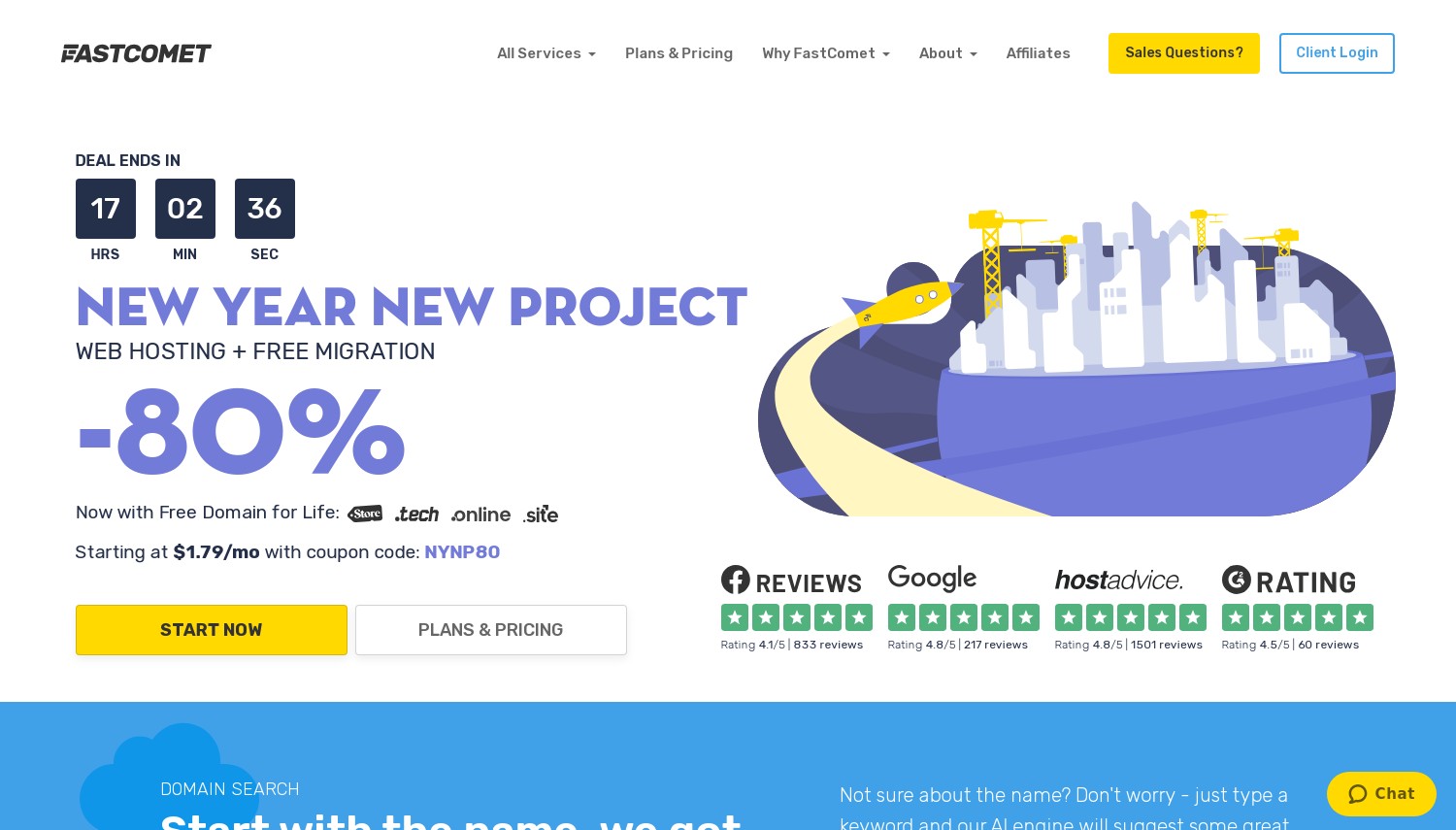
FastComet's headline feature is their Express Transfer service: 1-hour migration turnaround for eligible WordPress sites. Most hosts quote 24-96 hours for managed transfers. FastComet's team targets completion within 60 minutes on standard sites, making them the fastest human-handled migration in this comparison.
Free migration counts scale by plan: Starter and Essential get 1 transfer, Plus gets 2, Extra gets 3. VPS plans include up to 5 free transfers. The support team handles everything, not automated tools. They also offer a unique perk: free domain transfer with 1-year renewal compensation and up to 6 months of unused hosting time credit from your previous provider. No other host in this list reimburses leftover time on your old plan.
The WordPress stack runs on LiteSpeed Enterprise servers with the LSCWP cache plugin, NVMe SSD storage, and a staging environment for testing updates safely. Twelve data centers span Dallas, Newark, Fremont, Toronto, Sao Paulo, London, Frankfurt, Milan, Singapore, Tokyo, Mumbai, and Sydney. That's the widest geographic coverage in this list. Renewal pricing involves a notable jump: USD 1.79/mo to USD 8.95/mo. Storage starts tight at 10GB on the Starter plan, which fills quickly with media-heavy WordPress sites. Compared to Hostinger's unlimited migrations, FastComet's tiered limits are restrictive, but the 1-hour Express Transfer and leftover-time reimbursement add unique value.
Pros
- 1-hour Express Transfer for eligible sites (fastest in this list)
- Free domain transfer with 1-year renewal compensation
- Up to 6 months unused hosting time credit from previous host
- 12 data centers worldwide (widest coverage here)
Cons
- Only 1-3 free migrations depending on plan
- Entry storage limited to 10GB NVMe
- Renewal increase is ~400% on Starter plan
Pricing: Starter at USD 1.79/mo (36-month), renews at USD 8.95/mo. 1 website, 10GB NVMe. Essential at USD 2.39/mo, renews at USD 11.95/mo, 20GB. Plus at USD 3.59/mo, renews at USD 17.95/mo, unlimited websites, 30GB. Extra at USD 4.99/mo, renews at USD 24.95/mo, 40GB.
Best for: WordPress owners who need their site migrated fast and want credit for unused time at their old host.
Skip if: You're migrating 4+ sites on shared hosting or need generous entry-level storage.
FastComet wins on migration speed and unique financial perks. The 1-hour Express Transfer matters when downtime costs you business. The hosting-time reimbursement is money back in your pocket that nobody else offers.
9. FastComet
 3.5k+
4.8
Positive
Positive
3.5k+
4.8
Positive
Positive


| Storage | Bandwidth | Panel | Price | |
|---|---|---|---|---|
| 10 GB | Unlimited | cPanel | $1.79 / mo. | View Plan |
| 20 GB | Unlimited | cPanel | $2.39 / mo. | View Plan |
| 30 GB | Unlimited | cPanel | $3.59 / mo. | View Plan |
FastComet: Best Express Migration Speed
Starting at USD 1.79/mo | 1-3 Free Migrations | 30-day Guarantee
FastComet's headline feature is their Express Transfer service: 1-hour migration turnaround for eligible WordPress sites. Most hosts quote 24-96 hours for managed transfers. FastComet's team targets completion within 60 minutes on standard sites, making them the fastest human-handled migration in this comparison.
Free migration counts scale by plan: Starter and Essential get 1 transfer, Plus gets 2, Extra gets 3. VPS plans include up to 5 free transfers. The support team handles everything, not automated tools. They also offer a unique perk: free domain transfer with 1-year renewal compensation and up to 6 months of unused hosting time credit from your previous provider. No other host in this list reimburses leftover time on your old plan.
The WordPress stack runs on LiteSpeed Enterprise servers with the LSCWP cache plugin, NVMe SSD storage, and a staging environment for testing updates safely. Twelve data centers span Dallas, Newark, Fremont, Toronto, Sao Paulo, London, Frankfurt, Milan, Singapore, Tokyo, Mumbai, and Sydney. That's the widest geographic coverage in this list. Renewal pricing involves a notable jump: USD 1.79/mo to USD 8.95/mo. Storage starts tight at 10GB on the Starter plan, which fills quickly with media-heavy WordPress sites. Compared to Hostinger's unlimited migrations, FastComet's tiered limits are restrictive, but the 1-hour Express Transfer and leftover-time reimbursement add unique value.
Pros
- 1-hour Express Transfer for eligible sites (fastest in this list)
- Free domain transfer with 1-year renewal compensation
- Up to 6 months unused hosting time credit from previous host
- 12 data centers worldwide (widest coverage here)
Cons
- Only 1-3 free migrations depending on plan
- Entry storage limited to 10GB NVMe
- Renewal increase is ~400% on Starter plan
Pricing: Starter at USD 1.79/mo (36-month), renews at USD 8.95/mo. 1 website, 10GB NVMe. Essential at USD 2.39/mo, renews at USD 11.95/mo, 20GB. Plus at USD 3.59/mo, renews at USD 17.95/mo, unlimited websites, 30GB. Extra at USD 4.99/mo, renews at USD 24.95/mo, 40GB.
Best for: WordPress owners who need their site migrated fast and want credit for unused time at their old host.
Skip if: You're migrating 4+ sites on shared hosting or need generous entry-level storage.
FastComet wins on migration speed and unique financial perks. The 1-hour Express Transfer matters when downtime costs you business. The hosting-time reimbursement is money back in your pocket that nobody else offers.
10. Kinsta
 1k+
4.8
Positive
Positive
1k+
4.8
Positive
Positive


Kinsta: Best Expert Migration Quality
Starting at USD 30/mo | Unlimited Expert Migrations | 30-day Guarantee
Kinsta's migration team doesn't just move files. They verify functionality after every transfer. Forms get tested, checkout flows get confirmed, critical pages get checked, and broken elements get fixed before they tell you the migration is done. For WooCommerce stores and membership sites where migration errors mean lost revenue, this post-transfer verification is worth paying for.
Every Kinsta plan includes unlimited free migrations handled by their expert team. No self-service plugins, no automated tools. Humans do the work. Expedited migrations complete in as little as 8 hours. They'll transfer from any host, including complex moves from WP Engine, Flywheel, and GoDaddy's managed WordPress platforms. If malware is discovered during migration, Kinsta removes it free.
Infrastructure runs entirely on Google Cloud Platform with 37+ data center options globally. The MyKinsta dashboard provides staging environments, server-level caching, free APM tools, automatic daily backups, and a built-in CDN. WordPress-only hosting means every optimization is tuned for WordPress specifically. Pricing reflects the premium positioning: USD 30/mo for a single site, with annual plans offering 2 months free. No first-year promotional pricing that doubles on renewal, just consistent rates. Compared to HostArmada's 1-5 free migrations, Kinsta's unlimited expert transfers are in a different league, but so is the price. Against Cloudways below, Kinsta handles more of the migration work but costs roughly double.
Pros
- Unlimited expert migrations with post-transfer verification
- Free malware removal if discovered during migration
- Google Cloud with 37+ data centers
- Consistent pricing with no renewal surprises
Cons
- Premium pricing starting at USD 30/mo
- WordPress-only (no non-WP sites)
- Overkill for personal blogs or low-traffic sites
Pricing: Single 35k at USD 30/mo (annual: USD 300/year, first month free on select plans). Business plans from USD 70/mo for multiple sites. Agency plans from USD 340/mo. All include free SSL, CDN, staging, daily backups, and unlimited migrations.
Best for: Business WordPress sites and WooCommerce stores where migration errors have financial consequences.
Skip if: Budget is under USD 30/mo or your site doesn't justify premium managed hosting.
Kinsta costs more than everything else in this list. The migration quality, post-transfer testing, and ongoing managed performance justify that cost for business-critical WordPress sites. Personal blogs don't need this.
11. Cloudways
 3.4k+
4.5
Positive
Positive
3.4k+
4.5
Positive
Positive



| Storage | Bandwidth | Panel | Price | |
|---|---|---|---|---|
| 25 GB | 1 TB | cPanel | $11.00 / mo. | View Plan |
Cloudways: Best Cloud Infrastructure Migration
Starting at USD 14/mo | 1 Expert + Unlimited Plugin Migrations | Pay-as-You-Go
Cloudways (now owned by DigitalOcean) bridges the gap between self-managed cloud servers and traditional managed hosting. Their migration approach reflects this duality: 1 free expert-handled migration by their team, plus an unlimited-use WordPress Migrator plugin for self-service transfers. The plugin moves sites with minimal downtime and works across any WordPress installation.
The real draw is the infrastructure underneath. Choose between DigitalOcean, Google Cloud, or AWS as your server backend. Each offers different performance profiles and pricing. DigitalOcean provides the budget entry at USD 14/mo with 1GB RAM, 25GB storage, and 1TB bandwidth. Scaling happens in real time: add CPU, RAM, or storage without migration or downtime. For WordPress sites that outgrew shared hosting, Cloudways offers cloud power without requiring sysadmin skills.
WordPress features include Breeze caching plugin (their own), 1-click WordPress installs, staging URLs, free SSL, automated backups, and PHP version control. Server locations depend on your chosen cloud provider but collectively span dozens of global regions. Pay-as-you-go billing means no long-term contracts and no renewal price increases. Your rate stays the same month to month. Current promotions offer 30% off for the first 5 months. No cPanel or traditional hosting panel, instead Cloudways has their own dashboard which takes adjustment if you're coming from shared hosting.
Pros
- Choice of DigitalOcean, Google Cloud, or AWS infrastructure
- No renewal price increases (pay-as-you-go, same rate always)
- Real-time resource scaling without migration or downtime
- Self-service migration plugin plus 1 expert-handled transfer
Cons
- Only 1 free expert migration (additional cost USD 50 each)
- No cPanel (custom dashboard requires learning curve)
- Higher starting price than shared hosting options
Pricing: DigitalOcean tier from USD 14/mo (1GB RAM, 25GB SSD, 1TB bandwidth). Google Cloud from USD 37/mo. AWS from USD 38/mo. All pay-as-you-go, cancel anytime. Current promo: 30% off first 5 months.
Best for: WordPress sites ready to move from shared hosting to cloud infrastructure with flexible scaling.
Skip if: You want cPanel or need the lowest possible entry price.
Cloudways sits between budget shared hosts and premium managed WordPress. You get genuine cloud infrastructure at prices that don't shock. The migration plugin handles WordPress transfers smoothly, and that consistent pricing eliminates renewal anxiety.
12. WPX Hosting
 3.6k+
4.9
Positive
Positive
3.6k+
4.9
Positive
Positive
| Storage | Bandwidth | Price | |
|---|---|---|---|
| 10 GB | 100.04 GB | $24.99 / mo. | View Plan |
| 20 GB | 199.99 GB | $49.99 / mo. | View Plan |
| 40 GB | Unlimited | $99.00 / mo. | View Plan |
WPX Hosting: Best Migration Support Speed
Starting at USD 14.99/mo | Free Standard Migration | 30-day Guarantee
WPX built their reputation on support response times. Their average: under 30 seconds for live chat. When a migration hits a snag at 11pm, that response speed matters. WPX handles free standard WordPress migrations for all active customers, typically completing transfers within 24 hours.
The hosting stack is WordPress-exclusive, meaning every optimization targets WordPress specifically. Their custom-built CDN distributes content across 26 global locations. LiteSpeed servers handle the backend. All plans include automatic malware removal, free DDoS protection, and manual daily backups with 28-day retention. Site staging comes standard on every plan. You're not paying extra for features that other hosts lock behind higher tiers.
Migration is straightforward: submit a request through your WPX dashboard, provide access details, and their team handles the rest. Standard migrations are free. Domain-change migrations (where you're also changing your domain name during transfer) cost USD 98, and express migrations cost USD 100 for priority handling. Pricing starts at USD 14.99/mo for up to 5 websites, with the first month discounted to USD 7.20. Renewal runs at USD 17.99/mo, among the smallest promo-to-renewal gaps in this entire list. Compared to Kinsta, WPX offers similar WordPress-focused hosting at roughly half the price, though without the post-migration verification testing.
Pros
- Support responds in under 30 seconds on average
- Custom CDN with 26 global edge locations
- Free malware removal and DDoS protection on all plans
- Staging included on every plan (not locked to higher tiers)
Cons
- Domain-change migrations cost USD 98
- Express (priority) migrations cost USD 100
- Higher entry price than shared hosting alternatives
Pricing: Business at USD 14.99/mo (first month USD 7.20), renews at USD 17.99/mo. 5 websites, 10GB storage. Professional at USD 29.99/mo, 15 websites, 20GB. Elite at USD 49.99/mo, 35 websites, 40GB. Annual plans save 2 months (USD 179.90/year for Business).
Best for: WordPress owners who value rapid support response and want a WordPress-only optimized environment.
Skip if: You need the cheapest possible option or want to migrate while changing your domain name.
WPX fills the space between budget shared hosting and Kinsta's premium tier. The support speed is genuinely exceptional. For WordPress owners who've experienced slow hosting support during critical moments, that alone justifies the price difference over shared hosts.
How to Choose WordPress Hosting for Migration
Not all "free migration" is created equal. Here's a framework based on what actually varies between these 12 providers:
Self-service vs. managed transfers. SiteGround, Hostinger, DreamHost, Cloudways, and Bluehost offer plugin-based or automated migration where you initiate the process. HostArmada, HostPapa, FastComet, InMotion, Kinsta, and WPX assign staff to handle it. A2 Hosting uses dedicated specialists. If you're comfortable with WordPress admin dashboards, self-service is faster. If you'd rather not touch it, managed wins.
Migration volume. Moving one site? Every host here covers that free. Moving 5-10 sites? Hostinger (unlimited), Kinsta (unlimited), and SiteGround's plugin (unlimited) are the only options that don't charge extra. HostArmada caps at 5, FastComet at 3, Bluehost at 1. Volume matters for agencies and freelancers managing client sites.
WordPress Multisite. If you run Multisite networks, your options narrow. SiteGround's plugin can migrate individual subsites but not full networks. Hostinger doesn't support Multisite at all. For Multisite networks, managed migration services like Kinsta or InMotion's team can handle custom transfers.
Post-migration evaluation time. DreamHost gives you 97 days to decide. InMotion offers 90. HostArmada provides 45. A2 Hosting's anytime refund has no deadline. Everyone else sticks to 30 days. If you're nervous about committing, longer guarantees reduce the risk.
Renewal reality. Calculate your 2-year cost, not just the entry price. HostPapa's 543% renewal increase and SiteGround's 6x jump change the value equation drastically. Kinsta, Cloudways, and WPX have the most predictable long-term pricing.
Frequently Asked Questions
Will free WordPress migration preserve my SEO rankings?
A properly executed migration preserves your permalink structure, meta tags, and internal links, so search rankings shouldn't change. The risk comes from DNS propagation delays creating temporary downtime or from broken redirects during the switch. SiteGround's 48-hour temp URL approach and Kinsta's post-migration verification both minimize this risk. Keep your old hosting active for 48-72 hours after DNS changes to catch any stragglers.
Can I migrate a WooCommerce store for free?
Yes, but complexity matters. Standard WooCommerce installations transfer with the same free migration tools. Active orders, subscription data, and payment gateway configurations need extra care. Kinsta and InMotion's team-handled migrations are safest for stores processing live transactions. Automated tools from Hostinger or SiteGround work for smaller stores without active order processing during transfer.
What's the difference between cPanel migration and WordPress-specific migration?
cPanel migration copies your entire hosting account: all files, all databases, email, settings. WordPress-specific migration targets just the WordPress installation: wp-content, the database, and wp-config. WordPress migration is faster and less error-prone for single-site transfers. cPanel migration works better when you're moving multiple sites, email accounts, and non-WordPress content together. HostArmada and HostPapa use cPanel-based transfers. SiteGround, Hostinger, and DreamHost use WordPress-specific methods.
How do I prepare my WordPress site for migration?
Update WordPress core, themes, and plugins first. Deactivate security plugins (especially those with firewall rules that block file access) and caching plugins (they can interfere with database transfers). Create a full backup via UpdraftPlus or your existing host's backup tool. Note any custom .htaccess rules or wp-config modifications, as these sometimes don't transfer automatically. Test your backup by restoring it locally before initiating the migration.
Final Verdict
For most WordPress site owners, Hostinger delivers the best migration value with unlimited automated transfers at the lowest entry price. The 48-month commitment is the trade-off, but consolidating multiple sites makes the math work.
WordPress users who want control should pick SiteGround for its migration plugin with verification staging. Those willing to spend more for peace of mind should go straight to Kinsta, where expert teams verify every aspect of your migration before calling it done.
DreamHost and InMotion Hosting stand out for cautious migrators: 97 and 90-day guarantees respectively give you genuine evaluation time. FastComet's 1-hour Express Transfer wins when speed is the priority.
Budget-conscious owners migrating a single WordPress site can work with HostArmada (best support experience), Bluehost (smartest pre-migration scanning), or A2 Hosting (safest refund policy). Cloudways makes sense for sites graduating from shared hosting to cloud infrastructure. WPX Hosting fills the mid-tier gap with exceptional support speed and WordPress-exclusive optimization.
For more migration options beyond WordPress, see our general free migration hosting guide covering 12 additional providers. If you're considering VPS hosting with free migration, we've compared those separately. And if you're still weighing whether WordPress is the right platform, our WordPress vs website builders comparison can help you decide before committing to a host.