
Best SSD Hosting Providers (2026): 12 Fast Storage Options Compared
Storage speed determines how quickly your website responds. Traditional hard drives spin at 7,200 RPM and read data sequentially. SSDs access data electronically with no moving parts. NVMe drives communicate directly through PCIe lanes instead of bottlenecking through SATA controllers. The performance gap between these technologies is massive: NVMe delivers up to 6x faster read/write speeds than standard SSDs, and roughly 20x faster than spinning disks.
Quick answer: HostArmada delivers the best NVMe value for most users, with LiteSpeed servers and cloud failover starting at $1.49/mo. For fully customizable cloud infrastructure with NVMe storage, Kamatera lets you configure exact resources at $4/mo. Developers wanting raw performance should consider A2 Hosting's Turbo plans with 20x speed claims. Below, we compare 12 providers with verified February 2026 pricing and honest storage assessments.
Last reviewed: February 2026. Prices and features verified.
Jump to: ScalaHosting | SiteGround | Kamatera | HostArmada | Ultahost | ChemiCloud | InMotion Hosting | A2 Hosting | GreenGeeks | Hostwinds | Hostinger | Verpex | How to Choose | FAQ
Unlike most SSD hosting comparisons, we distinguish between SATA SSDs and NVMe storage throughout. The difference matters: budget plans often advertise "SSD" while using older SATA technology that runs 3-4x slower than NVMe. We've noted exactly what storage type each provider offers at each price tier.
How We Selected These Providers
Selection prioritized verified NVMe storage on at least some plan tiers, user ratings above 4.0/5 from aggregated reviews, and transparent pricing including renewal rates. We combined official provider specifications with user feedback to assess real-world storage performance. Providers advertising "SSD" without specifying NVMe were evaluated for actual storage technology used.
| Hosting Provider | Reviews | Overall Rating | SSD Shared Starts from |
|---|---|---|---|
1  ScalaHosting ScalaHosting
|
2.2k+ |

|
$2.95 / mo. -75% |
2  SiteGround SiteGround
|
29.1k+ |
|
$3.41 / mo. NOW -81% |
3  Kamatera Kamatera
|
320 |

|
$4.00 / mo. 30 Days free |
4  HostArmada HostArmada
|
1.1k+ |
|
$1.49 / mo. -85% NOW |
5  Ultahost Ultahost
|
854 |

|
$3.80 / mo. Flash Sale -40% |
6  ChemiCloud ChemiCloud
|
1.2k+ |
|
$2.49 / mo. 78% OFF |
7  InMotion Hosting InMotion Hosting
|
2.8k+ |
|
$1.99 / mo. -75% |
8  A2 Hosting A2 Hosting
|
3.4k+ |
|
$1.95 / mo. NOW -76% |
9  GreenGeeks Web Hosting GreenGeeks Web Hosting
|
753 |
|
$2.49 / mo. |
10  Hostwinds Hostwinds
|
1.5k+ |
|
$5.24 / mo. |
11  Hostinger Hostinger
|
63.2k+ |
|
$1.95 / mo. 80% Off |
12  Verpex Hosting Verpex Hosting
|
1.2k+ |
|
$0.59 / mo. Special Deal -90% |
1. ScalaHosting
 2.2k+
4.9
Positive
Positive
2.2k+
4.9
Positive
Positive










| Storage | Bandwidth | Panel | Price | |
|---|---|---|---|---|
| 10 GB | Unlimited | cPanel | $2.95 / mo. | View Plan |
| 50 GB | Unlimited | cPanel | $5.95 / mo. | View Plan |
| 100 GB | Unlimited | cPanel | $9.95 / mo. | View Plan |
ScalaHosting: Best Managed NVMe VPS
Starting at $2.95/mo | 10GB NVMe (Mini) to 200GB NVMe (VPS) | 30-day money-back guarantee
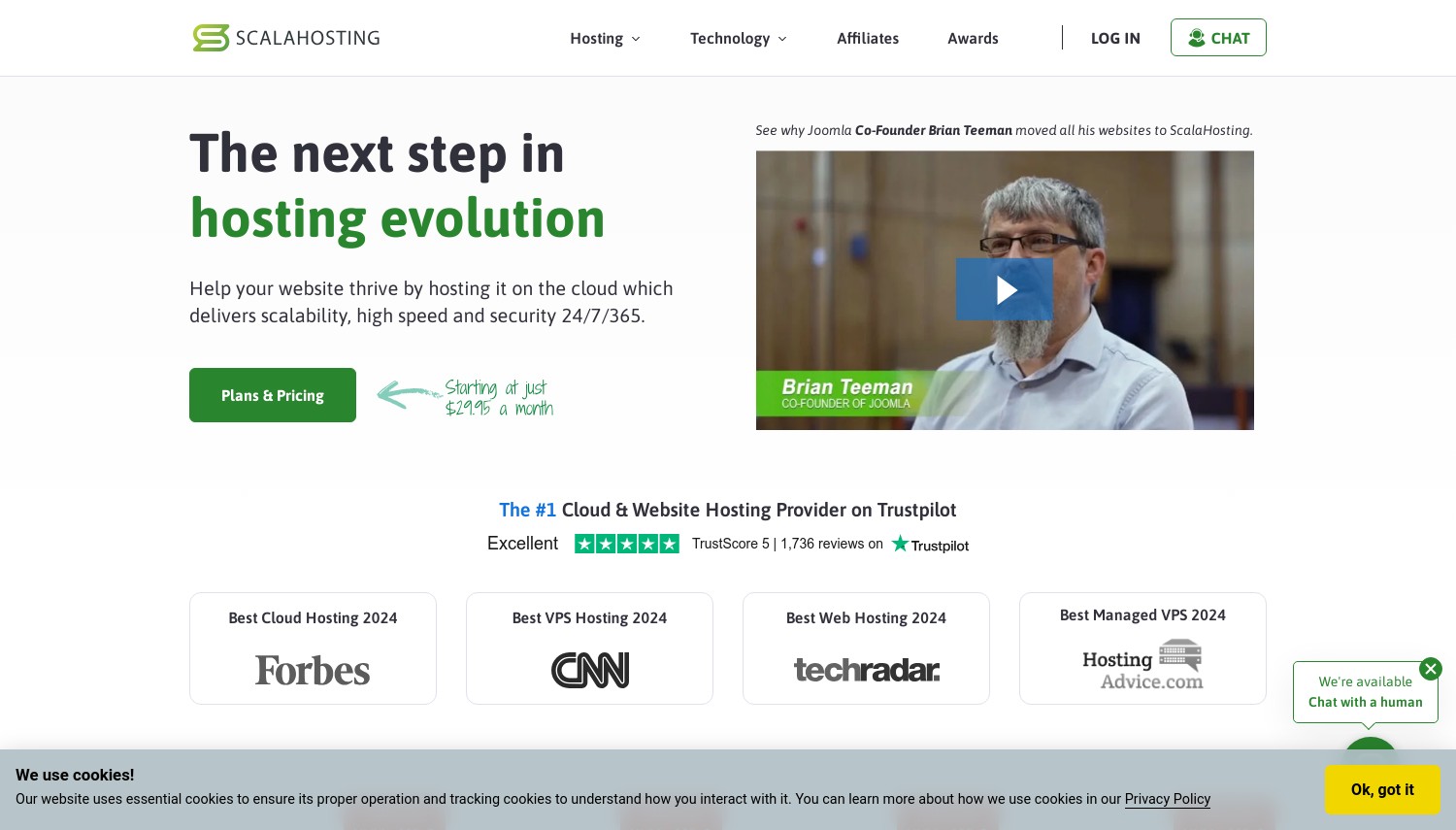
ScalaHosting runs all-NVMe infrastructure across their entire hosting stack. Even the entry-level WordPress Mini plan at $2.95/mo includes NVMe storage rather than slower SATA drives that competitors slip into budget tiers. Their cloud clusters combine NVMe with Intel Xeon Gold 6444Y processors and DDR4 RAM, creating a balanced system where storage speed matches processing capability.
The technical implementation goes beyond just using fast drives. SShield, their AI-powered security layer, claims to block 99.998% of attacks without consuming storage I/O on threat processing. SPanel, their proprietary control panel, eliminates cPanel licensing fees while maintaining one-click WordPress deployment and staging environments. Daily remote backups plus two days of snapshots provide recovery options without eating into your allocated NVMe space.
Pricing structure needs attention. The $2.95/mo rate requires a multi-year commitment, with monthly billing running much higher. Managed VPS plans starting at $29.95/mo offer substantially more NVMe storage (50-200GB) with the same all-NVMe architecture. Against SiteGround in this comparison, ScalaHosting delivers comparable NVMe performance at lower renewal rates. The 32 global data center options through their AWS partnership exceed most competitors' geographic reach.
Pros
- All-NVMe storage across every plan tier, including entry-level
- SPanel included free (saves $15+/mo vs. cPanel licensing)
- SShield AI security with 99.998% attack blocking
- 32+ data center locations via AWS partnership
Cons
- Entry plan limited to 10GB NVMe
- Promotional pricing requires multi-year commitment
- Renewal prices jump notably from promo rates
Pricing: WP Mini at $2.95/mo (10GB NVMe, 1 site). WP Start at $5.95/mo (50GB NVMe, unlimited sites). Managed VPS from $29.95/mo (50GB NVMe, 2 cores, 4GB RAM). Self-managed VPS from $19.95/mo. All include daily backups and free SSL.
Best for: Users wanting guaranteed NVMe storage even on budget plans without gambling on SATA fallbacks.
Skip if: You need more than 10GB storage on the cheapest tier or want month-to-month flexibility.
ScalaHosting removes the guesswork around storage technology. When competitors hide whether their "SSD" means NVMe or older SATA drives, ScalaHosting commits to NVMe across their entire lineup. That consistency matters for predictable performance.
2. SiteGround
 29.1k+
4.8
Positive
Positive
29.1k+
4.8
Positive
Positive


| Storage | Bandwidth | Panel | Price | |
|---|---|---|---|---|
| 10 GB | Unlimited | cPanel | $3.41 / mo. | View Plan |
| 20 GB | Unlimited | cPanel | $5.69 / mo. | View Plan |
| 40 GB | Unlimited | cPanel | $9.11 / mo. | View Plan |
SiteGround: Best Premium SSD Performance
Starting at $2.99/mo | 10GB SSD (StartUp) to 40GB SSD (GoGeek) | 30-day money-back guarantee
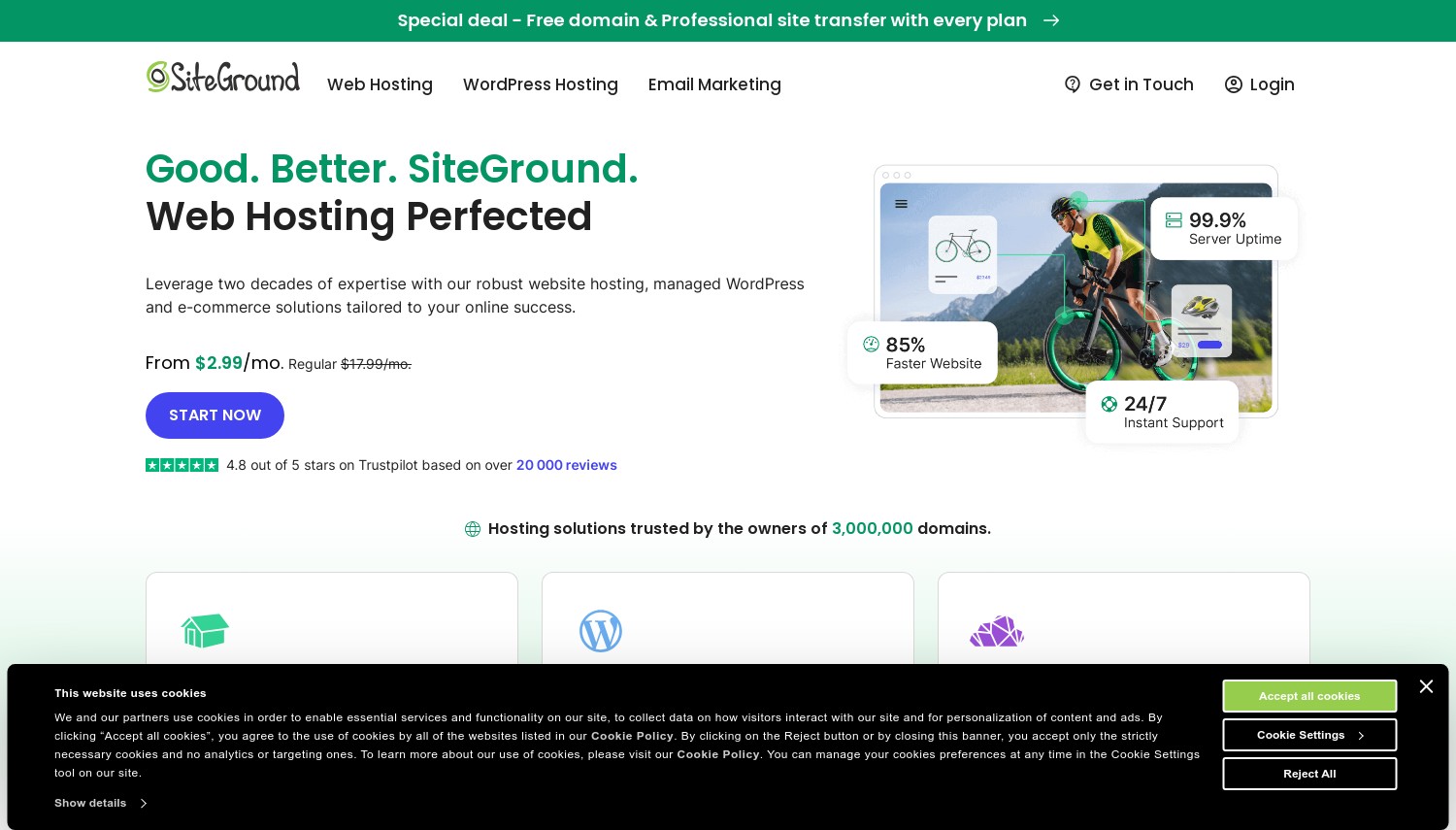
SiteGround treats storage as part of a larger performance system. Their custom SSD arrays integrate with SuperCacher (in-house caching technology), NGINX Direct Delivery, and HTTP/2 push to minimize disk reads entirely. The result: pages load from memory cache before storage speed becomes relevant. Independent speed tests consistently rank SiteGround among the fastest shared hosting providers despite competitors offering larger storage allocations.
The storage limitation is real. StartUp provides just 10GB, GrowBig offers 20GB, and GoGeek caps at 40GB. These figures lag behind competitors like Hostinger offering 50-100GB on comparable tiers. However, SiteGround's approach prioritizes quality over quantity: their Google Cloud infrastructure uses persistent SSD storage with automatic redundancy. Daily backups don't count against your allocation. For sites that prioritize speed over storing large media libraries locally, the tradeoff makes sense.
Renewal pricing hits hard. The $2.99/mo promotional StartUp rate jumps to $17.99/mo on renewal. That's among the highest renewal increases in this comparison. GrowBig renews at $29.99/mo, GoGeek at $44.99/mo. Calculate your 3-year total cost before committing. Compared to HostArmada in this list, SiteGround offers better raw performance but at notably higher long-term pricing. The 30-day money-back guarantee provides testing runway.
Pros
- SuperCacher and NGINX optimization reduce disk dependency
- Google Cloud infrastructure with persistent SSD redundancy
- Consistently top-ranked in independent speed tests
- Daily backups included (don't count against storage)
Cons
- Storage caps at 10-40GB, lower than competitors
- Renewal at $17.99-44.99/mo, among highest in comparison
- Premium pricing doesn't include premium storage amounts
Pricing: StartUp at $2.99/mo promo, $17.99/mo renewal (10GB SSD, 1 site). GrowBig at $4.99/mo promo, $29.99/mo renewal (20GB SSD, unlimited sites). GoGeek at $7.99/mo promo, $44.99/mo renewal (40GB SSD, staging, Git). Cloud hosting from $100/mo (40GB SSD, 4 CPU, 8GB RAM).
Best for: Users prioritizing speed over storage capacity who can budget for renewal pricing.
Skip if: You need 50GB+ storage or want predictable long-term costs.
SiteGround proves that raw storage size matters less than how that storage integrates with the broader infrastructure. Their caching and delivery optimizations extract more performance from limited SSD space than competitors manage with larger allocations.
3. Kamatera
 320
4.2
Positive
Positive
320
4.2
Positive
Positive





| Storage | Bandwidth | Panel | Price | |
|---|---|---|---|---|
| 20 GB | 5 TB | cPanel Direct Admin ISP Manager Plesk | $4.00 / mo. | View Plan |
| 20 GB | 5 TB | cPanel Direct Admin ISP Manager Plesk | $6.00 / mo. | View Plan |
| 30 GB | 5 TB | cPanel Direct Admin ISP Manager Plesk | $12.00 / mo. | View Plan |
Kamatera: Best Customizable NVMe Cloud
Starting at $4/mo | Fully configurable storage | 30-day free trial with $100 credit
Fixed hosting plans force storage decisions that might not fit your workload. Need 200GB SSD but only 2GB RAM? Most providers make you buy an 8GB RAM plan to get that storage. Kamatera's configurator lets you specify exact NVMe allocation: 20GB to 4TB, priced at $0.05/GB/month. You build servers matching actual requirements instead of overpaying for bundled resources you won't use.
The NVMe infrastructure runs on Ice Lake processors across 24 data centers spanning four continents. US coverage alone includes 8 locations. Storage performance scales with your configuration: adding more NVMe capacity doesn't degrade I/O speeds like some providers experience when overprovisioning drives. The 30-day free trial with $100 credit provides real testing runway, unlike the 3-day trials common elsewhere. You can benchmark real workloads before financial commitment.
Kamatera requires technical capability. There's no managed layer handling updates or security for you. The interface functions but feels utilitarian compared to polished alternatives. Support addresses infrastructure issues but won't optimize your WordPress database. Storage pricing of $0.05/GB/month adds up: 500GB costs $25/mo just for storage, plus compute resources. Against ScalaHosting in this comparison, Kamatera offers more configuration flexibility but demands more technical skill to utilize effectively.
Pros
- Fully customizable NVMe storage from 20GB to 4TB
- 30-day trial with $100 credit for real testing
- 24 global data centers including 8 US locations
- Ice Lake processors with per-minute billing available
Cons
- Unmanaged infrastructure requires server administration skills
- Storage adds up at $0.05/GB/month
- Interface dated compared to DigitalOcean or Vultr
Pricing: Entry at $4/mo (1 vCPU, 1GB RAM, 20GB SSD). Custom example: 4 vCPU, 8GB RAM, 100GB NVMe runs approximately $35-50/mo. Additional storage at $0.05/GB/month. Additional bandwidth at $0.01/GB. Hourly billing with per-minute granularity available.
Best for: Technical teams needing precise NVMe allocation without paying for unused bundled resources.
Skip if: You want managed services or need hand-holding with server configuration.
Kamatera eliminates the inefficiency of standard plans. When your workload needs specific storage ratios that don't match preset tiers, custom configuration pays for exactly what you use. The generous trial period validates performance before commitment.
4. HostArmada
 1.1k+
4.9
Positive
Positive
1.1k+
4.9
Positive
Positive


| Storage | Bandwidth | Panel | Price | |
|---|---|---|---|---|
| 15 GB | Unlimited | cPanel | $1.49 / mo. | View Plan |
| 30 GB | Unlimited | cPanel | $2.47 / mo. | View Plan |
| 40 GB | Unlimited | cPanel | $2.96 / mo. | View Plan |
HostArmada: Best NVMe Value for Speed
Starting at $1.49/mo | 15GB NVMe (Start Dock) to 40GB NVMe (Speed Reaper) | 45-day money-back guarantee
HostArmada built their shared hosting around NVMe from the ground up, not as an afterthought upgrade. Their cloud infrastructure distributes every account across RAID NVMe storage arrays with automatic failover. If one drive shows problems, your data shifts without interruption. The 12GB/sec read throughput they advertise represents actual array performance, not theoretical single-drive speeds. For database-heavy sites where disk I/O creates bottlenecks, this architecture makes measurable differences.
The supporting stack enhances what NVMe provides. LiteSpeed web servers with LSCache handle dynamic content faster than traditional Apache setups. Free daily backups (7 retention points) run on separate storage, not counting against your allocation. The Web Warp and Speed Reaper plans add server-level caching layers that reduce disk reads entirely for frequently accessed content. Compared to A2 Hosting's Turbo plans in this comparison, HostArmada delivers similar speed technology at lower entry pricing.
Two catches deserve attention. The $1.49/mo rate requires a 36-month commitment, the longest standard term in this comparison. Renewal pricing jumps to $9.95/mo for Start Dock, $16.45/mo for Web Warp, and $19.75/mo for Speed Reaper. That's roughly 3x the promotional rates. The 45-day money-back guarantee on shared hosting provides solid testing time, though VPS refunds drop to 7 days.
Pros
- RAID NVMe arrays with 12GB/sec read throughput
- LiteSpeed servers with LSCache included
- 45-day money-back guarantee (shared hosting)
- 17 Tbit/s DDoS protection standard
Cons
- Promotional pricing requires 36-month commitment
- Renewal at $9.95-19.75/mo (3x promo rates)
- Storage caps at 15-40GB on shared plans
Pricing: Start Dock at $1.49/mo promo, $9.95/mo renewal (15GB NVMe, 1 site). Web Warp at $2.49/mo promo, $16.45/mo renewal (30GB NVMe, unlimited sites). Speed Reaper at $2.99/mo promo, $19.75/mo renewal (40GB NVMe, enhanced caching). VPS from $3.69/mo (40GB NVMe, 1 core).
Best for: Users wanting premium NVMe performance without premium pricing on entry plans.
Skip if: You can't commit to 36 months or need more than 40GB storage.
HostArmada proves NVMe doesn't require enterprise pricing. The combination of RAID arrays, LiteSpeed, and aggressive promotional rates creates genuine value for sites where storage speed impacts user experience.
5. Ultahost
 854
4.6
Positive
Positive
854
4.6
Positive
Positive

| Storage | Bandwidth | Panel | Price | |
|---|---|---|---|---|
| 30 GB | Unlimited | cPanel | $3.80 / mo. | View Plan |
| 60 GB | Unlimited | cPanel | $4.80 / mo. | View Plan |
| 80 GB | Unlimited | cPanel | $8.80 / mo. | View Plan |
Ultahost: Best NVMe with DDR5 RAM
Starting at $3.29/mo | 30GB NVMe (Starter) to 80GB NVMe (Business) | 30-day money-back guarantee
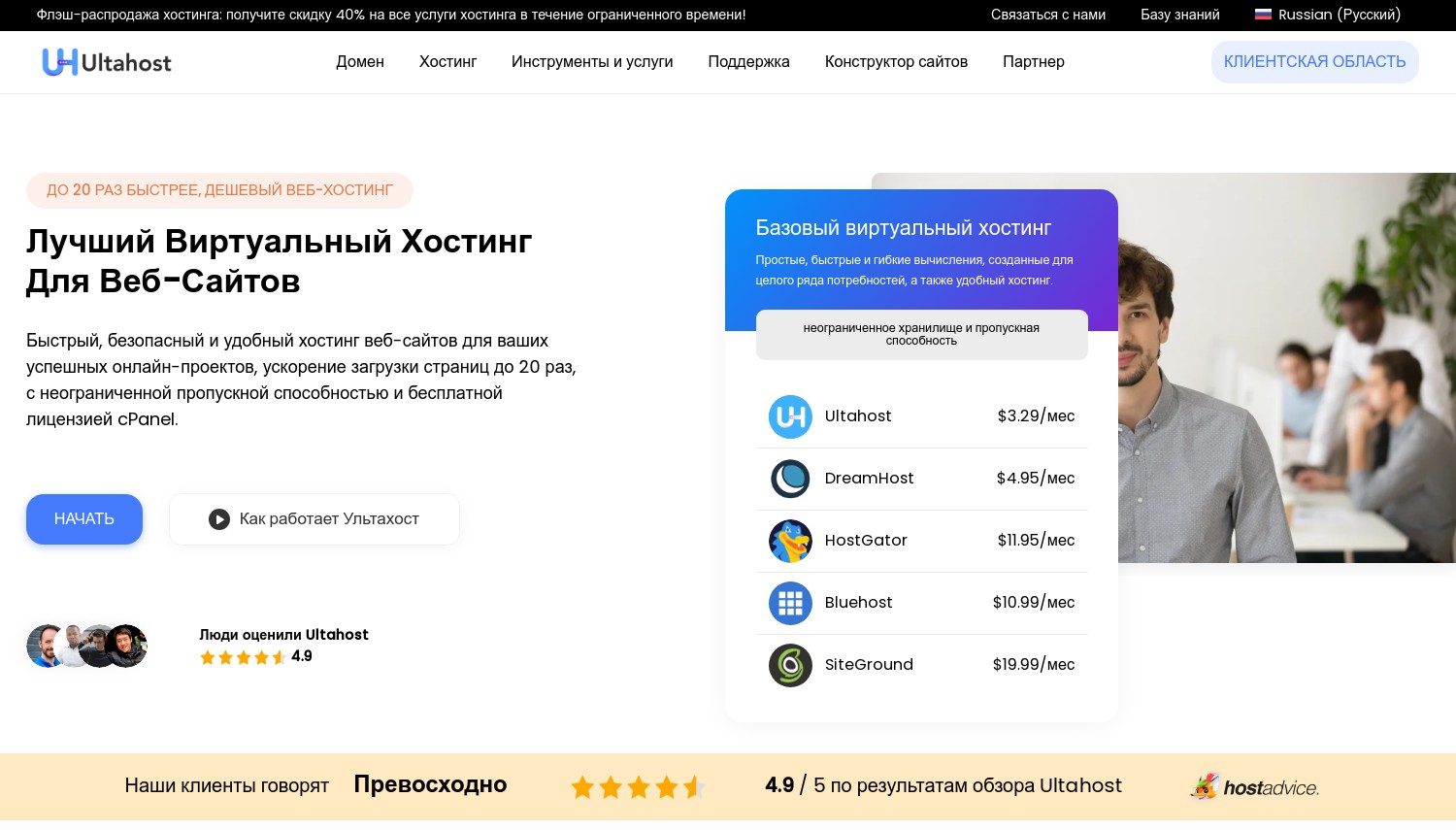
Ultahost pairs NVMe storage with hardware that actually keeps pace. Their servers run AMD 4.2GHz processors with DDR5 RAM on PCIe Gen 5 architecture. This matters because fast storage creates bottlenecks elsewhere: NVMe drives can deliver data faster than DDR4 memory processes it. DDR5 eliminates that constraint. For applications making frequent storage calls, the full hardware stack determines real-world performance, not just the SSD spec sheet.
Hosting plans include more storage than competitors at similar price points. Starter offers 30GB NVMe versus the 10-15GB common elsewhere. Business tier provides 80GB. VPS configurations scale from 30GB to 750GB NVMe with the Ultra plan. 30+ data centers globally handle geographic positioning, including 4 US locations (Dallas, New York, Los Angeles, Seattle). BitNinja security protection blocks 99% of common attack patterns without consuming your server resources.
Pricing structure requires careful reading. The $3.29/mo Starter rate assumes specific billing cycles with renewals at higher rates. VPS plans starting at $4.80/mo (1GB RAM, 30GB NVMe) scale to serious configurations: the $240.90/mo Ultra tier includes 12 CPU cores, 64GB DDR5 RAM, and 750GB NVMe. Windows VPS costs more, starting at $15.90/mo. Against Hostinger in this comparison, Ultahost offers more storage per dollar but with less polished user interface.
Pros
- NVMe paired with DDR5 RAM and PCIe Gen 5
- More storage per tier than most competitors (30-80GB shared)
- 30+ global data centers with 4 US locations
- BitNinja security and DDoS protection included
Cons
- Interface less refined than larger providers
- Windows VPS premium at $15.90/mo minimum
- Renewal rates increase from promotional pricing
Pricing: Shared Starter at $3.29/mo (30GB NVMe, 1 site). Shared Business at $10/mo (80GB NVMe, unlimited sites). Linux VPS from $4.80/mo (30GB NVMe, 1 vCPU, 1GB RAM). Windows VPS from $15.90/mo. 30-day money-back guarantee.
Best for: Users wanting NVMe performance that isn't bottlenecked by older RAM or processor architectures.
Skip if: You prioritize user interface polish or need Windows hosting on a budget.
Ultahost understands that NVMe alone doesn't guarantee speed. Their DDR5 and PCIe Gen 5 infrastructure removes the bottlenecks that throttle competitors using fast storage with outdated surrounding hardware.
6. ChemiCloud
 1.2k+
4.9
Positive
Positive
1.2k+
4.9
Positive
Positive

| Storage | Bandwidth | Panel | Price | |
|---|---|---|---|---|
| 20 GB | Unlimited | cPanel | $2.49 / mo. | View Plan |
| 30 GB | Unlimited | cPanel | $3.49 / mo. | View Plan |
| 40 GB | Unlimited | cPanel | $4.49 / mo. | View Plan |
ChemiCloud: Best NVMe with LiteSpeed
Starting at $2.49/mo | 20GB NVMe (Starter) to 40GB NVMe (Turbo) | 45-day money-back guarantee
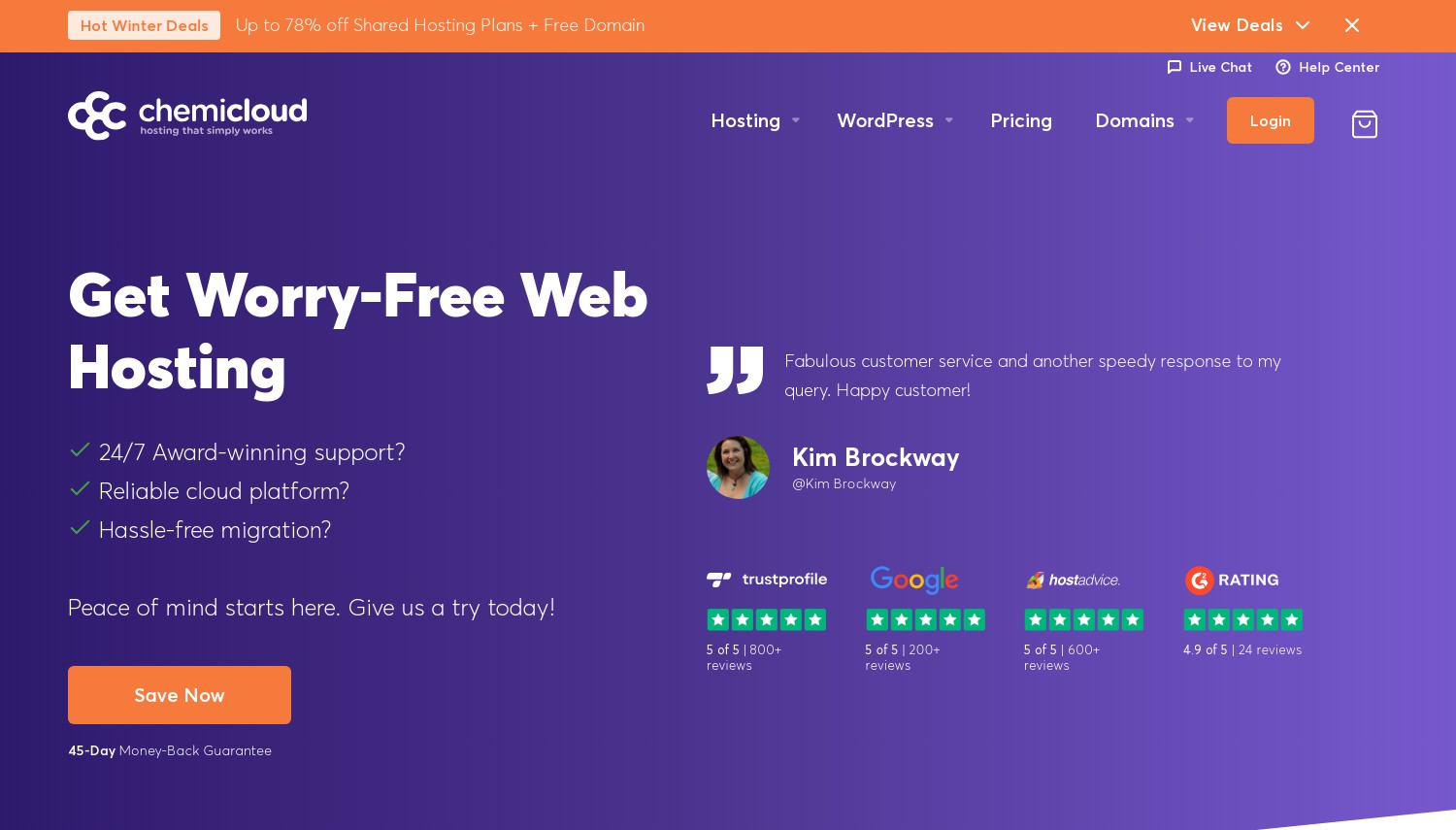
ChemiCloud combines NVMe storage with LiteSpeed web servers across all shared hosting plans. This pairing matters: LiteSpeed's built-in LSCache reads from NVMe only once, then serves subsequent requests from memory. For WordPress sites, this integration means database queries hit fast storage initially, then bypass disk entirely for repeat visitors. The 300% faster file access ChemiCloud claims versus traditional hosting reflects both the NVMe hardware and how their software stack utilizes it.
Resource allocation stays transparent. Each shared plan specifies exactly what you get: up to 3 CPU cores, 3GB RAM, and 500,000 inodes on higher tiers. CloudLinux isolation prevents other accounts from consuming your allocation. Server locations span Dallas, London, Sydney, Frankfurt, Bucharest, Singapore, and Mumbai, covering major geographic markets. The 45-day money-back guarantee exceeds most competitors' 30-day windows, providing longer testing runway.
Renewal pricing follows industry patterns. Starter at $2.49/mo promo renews at $9.95/mo. Pro renews at $15.95/mo. Turbo renews at $19.95/mo. That's up to 303% increase from promotional rates. VPS pricing jumps even harder: Cloud 1 starts at $29.95/mo promotional but renews at $54.95/mo. Free domain for life on 3-year plans partially offsets renewal costs. Compared to HostArmada in this comparison, ChemiCloud offers similar technology at comparable pricing with slightly more generous storage allocations.
Pros
- NVMe storage with LiteSpeed and LSCache integration
- 45-day money-back guarantee (longer than most)
- Free domain for life on 3-year plans
- 7 global data center locations
Cons
- Renewal increases up to 303% from promo rates
- VPS renewals particularly steep ($54.95/mo from $29.95)
- Storage caps at 20-40GB on shared plans
Pricing: Starter at $2.49/mo promo, $9.95/mo renewal (20GB NVMe, 1 site). Pro at $3.49/mo promo, $15.95/mo renewal (30GB NVMe, unlimited sites). Turbo at $4.49/mo promo, $19.95/mo renewal (40GB NVMe, priority support). VPS Cloud 1 from $29.95/mo (50GB NVMe).
Best for: WordPress users wanting NVMe and LiteSpeed optimized for CMS performance.
Skip if: You need VPS hosting without steep renewal increases.
ChemiCloud optimizes for the common case: WordPress sites that benefit from fast initial storage reads and aggressive caching. The NVMe + LiteSpeed combination handles this use case better than raw storage speed alone.
7. InMotion Hosting
 2.8k+
4.0
Positive
2.8k+
4.0
Positive
 Neutral
| Storage | Bandwidth | Panel | Price | |
|---|---|---|---|---|
| 100 GB | Unlimited | cPanel | $1.99 / mo. | View Plan |
| Unlimited | Unlimited | cPanel | $3.79 / mo. | View Plan |
| Unlimited | Unlimited | cPanel | $9.79 / mo. | View Plan |
InMotion Hosting: Best NVMe with Long Guarantee
Starting at $2.49/mo | 100GB NVMe (Launch) to 300GB NVMe (Pro) | 90-day money-back guarantee
InMotion differentiates on two fronts: storage allocation and refund policy. Where competitors cap shared hosting at 20-50GB, InMotion's Launch plan includes 100GB NVMe storage. Power tier offers 200GB. Pro provides 300GB. These aren't marketing inflations with asterisks: the allocations are actual NVMe space you can use. For sites with large media libraries, documentation archives, or multiple installations, this generosity matters.
The 90-day money-back guarantee on qualifying plans provides genuine evaluation time. You can test NVMe performance with real workloads, measure actual speeds under production traffic, and decide if the hosting matches expectations. Most competitors limit refunds to 30 days. InMotion's UltraStack technology layers additional caching and optimization on top of NVMe storage, further improving delivery speeds. The 99.99% uptime guarantee comes with SLA compensation if they miss it.
Pricing structure differs from competitors. InMotion offers the cheapest rates on 12-month billing, not 36 months. The Core plan at $2.49/mo includes just 100GB SSD (SATA, not NVMe). To get NVMe storage, you need Launch tier at $4.59/mo or higher. Renewal for Launch hits $14.99/mo. Compared to Ultahost in this comparison, InMotion provides more NVMe storage per tier but at higher price points after renewal. The 90-day guarantee reduces risk of that commitment.
Pros
- Generous NVMe storage: 100-300GB on shared plans
- 90-day money-back guarantee (longest in comparison)
- Best pricing on 12-month terms (not 36-month lock-in)
- 99.99% uptime SLA with compensation
Cons
- Entry Core plan uses SATA SSD, not NVMe
- NVMe starts at Launch tier ($4.59/mo)
- Renewal at $11.99-14.99/mo for NVMe plans
Pricing: Core at $2.49/mo promo, $11.99/mo renewal (100GB SSD, not NVMe). Launch at $4.59/mo promo, $14.99/mo renewal (100GB NVMe, 2 sites). Power at $6.99/mo promo (200GB NVMe, 10 sites). Pro at $11.99/mo promo (300GB NVMe, 40 sites). 90-day guarantee on 6+ month plans.
Best for: Users needing substantial NVMe storage with extended testing period before commitment.
Skip if: You want the cheapest NVMe option or need entry-tier NVMe storage.
InMotion trades entry pricing for real value at scale. The combination of generous NVMe allocations and 90-day evaluation period suits users who know they need significant storage and want time to validate performance.
8. A2 Hosting
 3.4k+
4.5
Positive
Positive
3.4k+
4.5
Positive
Positive

| Storage | Bandwidth | Panel | Price | |
|---|---|---|---|---|
| 10 GB | Unlimited | cPanel | $1.95 / mo. | View Plan |
| Unlimited | Unlimited | cPanel | $3.95 / mo. | View Plan |
| Unlimited | Unlimited | cPanel | $4.95 / mo. | View Plan |
Hosting.com (OLD A2 Hosting): Best for Turbo NVMe Speed
Starting at $1.95/mo | 100GB SSD (Startup) to Unlimited NVMe (Turbo Max) | Anytime money-back guarantee
A2 Hosting markets speed aggressively with their "Turbo" branding, and the underlying technology justifies it. Turbo Boost and Turbo Max plans run on NVMe storage with LiteSpeed servers and claim 20x faster speeds versus standard hosting. The technical basis: NVMe delivers 3x faster read/write than SATA SSDs, while LiteSpeed outperforms Apache by 11x on static content and 84x on PHP. Combined, the multipliers compound.
Important distinction: entry-tier Startup and Drive plans use SATA SSDs, not NVMe. You need Turbo Boost ($4.95/mo promo) or Turbo Max ($13.95/mo promo) for actual NVMe storage. This isn't hidden, but the marketing emphasis on "up to 20x faster" can obscure that budget tiers don't include the fastest storage option. Turbo Max adds 5x more server resources on top of NVMe, creating meaningful separation from cheaper tiers.
The "anytime money-back guarantee" sounds generous, with a catch: you receive prorated refund minus fees, not full amount. Renewal pricing runs roughly 3x promotional rates. Startup renews at $10.99/mo. Turbo Boost renews at $20.99/mo. Turbo Max renews at $25.99/mo. Against HostArmada in this comparison, A2 Hosting offers similar Turbo technology but at higher renewal prices. The anytime refund policy provides flexibility other providers don't match.
Pros
- Turbo plans with NVMe and LiteSpeed claim 20x faster speeds
- Anytime money-back guarantee (prorated)
- Turbo Max includes 5x more resources than standard
- Transparent about which tiers include NVMe vs. SATA
Cons
- Entry plans (Startup, Drive) use SATA SSD, not NVMe
- Renewal at $20.99-25.99/mo for NVMe Turbo plans
- Requires 3-year term for lowest promotional pricing
Pricing: Startup at $1.95/mo promo, $10.99/mo renewal (100GB SATA SSD, 1 site). Drive at $3.95/mo promo (Unlimited SATA SSD). Turbo Boost at $4.95/mo promo, $20.99/mo renewal (Unlimited NVMe, LiteSpeed). Turbo Max at $13.95/mo promo, $25.99/mo renewal (Unlimited NVMe, 5x resources).
Best for: Users specifically targeting maximum speed who will invest in Turbo-tier plans.
Skip if: You expect NVMe on budget tiers or want lower renewal costs.
A2 Hosting delivers on speed claims for users who buy into Turbo tiers. The distinction between SATA entry plans and NVMe Turbo plans matters: budget buyers get fast storage, not the fastest storage. Read the tier specifications carefully.
9. GreenGeeks Web Hosting
 753
4.2
Positive
Positive
753
4.2
Positive
Positive

GreenGeeks: Best Eco-Friendly SSD Hosting
Starting at $2.95/mo | Unlimited SSD on all plans | 30-day money-back guarantee
GreenGeeks runs SSD storage while offsetting 300% of their energy consumption through renewable credits. For businesses requiring sustainability documentation for compliance or values alignment, this matters beyond marketing. The hosting itself performs: SSD storage across all plans with no capacity limits (subject to reasonable use policies), LiteSpeed servers with LSCache, and built-in CDN through Cloudflare.
That "unlimited SSD" claim deserves context. GreenGeeks uses SSD storage but doesn't specify NVMe technology. Based on available documentation, their storage infrastructure appears to use standard SSD rather than the faster NVMe protocol. For most websites, this delivers solid performance. For high-I/O applications where NVMe's 3-4x speed advantage matters, other providers in this comparison offer confirmed NVMe storage.
Pricing includes environmental premiums. Starter at $2.95/mo promo renews at $12.95/mo. Pro renews at $17.95/mo. Premium renews at $29.95/mo. A $15 setup fee applies to monthly billing (waived on annual terms). Against ChemiCloud in this comparison, GreenGeeks offers similar SSD technology with added sustainability credentials but at slightly higher renewal rates. The 30-day guarantee provides standard testing runway.
Pros
- 300% renewable energy offset for sustainability requirements
- Unlimited SSD storage on all plans (fair use applies)
- LiteSpeed servers with LSCache and free CDN
- Free domain and nightly backups included
Cons
- SSD storage, but not confirmed NVMe
- Renewal at $12.95-29.95/mo
- $15 setup fee on monthly billing
Pricing: Lite at $2.95/mo promo, $12.95/mo renewal (Unlimited SSD, 1 site). Pro at $4.95/mo promo, $17.95/mo renewal (Unlimited SSD, unlimited sites). Premium at $8.95/mo promo, $29.95/mo renewal (Unlimited SSD, dedicated IP). VPS from $39.95/mo.
Best for: Businesses needing documented sustainability credentials alongside solid SSD performance.
Skip if: You specifically need confirmed NVMe storage or want lowest possible pricing.
GreenGeeks solves a specific problem: hosting that doesn't create uncomfortable questions during sustainability audits. The SSD infrastructure performs well for typical websites while the environmental offset satisfies compliance requirements.
10. Hostwinds
 1.5k+
4.4
Positive
Positive
1.5k+
4.4
Positive
Positive
| Storage | Bandwidth | Panel | Price | |
|---|---|---|---|---|
| Unlimited | Unlimited | cPanel | $5.24 / mo. | View Plan |
| Unlimited | Unlimited | cPanel | $6.74 / mo. | View Plan |
| Unlimited | Unlimited | cPanel | $8.24 / mo. | View Plan |
Hostwinds: Best SSD with Flexible Billing
Starting at $5.24/mo | Unlimited SSD (shared) | Variable refund policy
Hostwinds offers billing flexibility most providers avoid. Monthly, quarterly, semi-annual, annual, 2-year, and 3-year options let you match commitment to confidence. Don't want to lock in for 36 months on promotional rates? Pay slightly more for shorter terms without massive premiums. Their VPS plans use SSD storage by default with hourly cloud options starting at $0.006931/hour for ultra-short-term needs.
Shared hosting provides unlimited SSD storage across all tiers (Basic, Advanced, Ultimate) with unlimited bandwidth. VPS configurations scale from entry (50GB SSD) to serious capacity (1TB SSD per bay, up to 4 bays). Dedicated servers offer both SSD and HDD options depending on workload requirements. Data center locations include Dallas, Seattle, and Amsterdam, covering US coasts and European audiences.
Storage technology isn't specified as NVMe. Hostwinds uses SSD across their platform but available documentation doesn't confirm the faster NVMe protocol. For general hosting, SSD delivers substantial improvement over traditional drives. For applications specifically requiring NVMe speeds, verify with their sales team before committing. Pricing runs higher than budget competitors: Basic shared starts at $5.24/mo versus $2-3/mo elsewhere. The flexibility premium may or may not justify the difference based on your commitment comfort.
Pros
- Billing options from monthly to 3-year terms
- SSD default on VPS, optional on dedicated
- Hourly cloud billing at $0.006931/hour
- Unlimited storage and bandwidth on shared plans
Cons
- Storage not confirmed as NVMe
- Higher entry pricing ($5.24/mo) than competitors
- Only 3 data center locations
Pricing: Shared Basic at $5.24/mo (Unlimited SSD, 1 domain). Shared Advanced at $6.74/mo (4 domains). Shared Ultimate at $8.24/mo (Unlimited domains). Windows VPS from $16.99/mo (SSD default). Cloud hosting from $0.006931/hour. Renewals vary by term length.
Best for: Users wanting billing flexibility without massive discounts-for-commitment pressure.
Skip if: You specifically need NVMe or want lowest possible entry pricing.
Hostwinds suits users who value flexibility over aggressive promotional pricing. The ability to start monthly and extend later, or commit short-term while testing, removes the typical lock-in pressure that defines budget hosting.
11. Hostinger
 63.2k+
4.6
Positive
Positive
63.2k+
4.6
Positive
Positive



| Storage | Bandwidth | Panel | Price | |
|---|---|---|---|---|
| 100 GB | Unlimited | cPanel | $1.95 / mo. | View Plan |
| 200 GB | Unlimited | cPanel | $2.95 / mo. | View Plan |
| 200 GB | Unlimited | cPanel | $3.49 / mo. | View Plan |
Hostinger: Best Budget NVMe for Beginners
Starting at $1.99/mo | 50GB SSD (Premium) to 200GB NVMe (Business/Cloud) | 30-day money-back guarantee
Hostinger delivers NVMe storage at price points that seem unsustainable. Their Business plan includes 100GB NVMe, LiteSpeed servers, and daily backups for $3.99/mo promotional rate. The Cloud Startup plan scales to 200GB NVMe with 2 CPU cores and 3GB RAM. These aren't stripped-down configurations: NVMe storage is the actual technology, not marketing approximation.
The catch: NVMe doesn't appear on the cheapest tier. Premium plan at $1.99/mo includes 50GB of standard SSD storage, not NVMe. You need Business tier ($3.99/mo promo) or Cloud ($9.99/mo promo) for confirmed NVMe. The interface excels at guiding beginners through setup, with AI assistant Kodee handling common questions. WordPress optimization includes LiteSpeed Cache and object caching pre-configured. Eight data center locations span North America, Europe, Asia, and South America.
Promotional pricing requires a 48-month commitment, the longest in this comparison. That's 4 years paid upfront. Monthly billing runs much higher. Renewal rates haven't been transparently published for all tiers. Against ScalaHosting in this comparison, Hostinger offers lower entry pricing but requires longer commitment and doesn't guarantee NVMe on budget tiers. The beginner-friendly interface and AI assistance justify the tradeoffs for less technical users.
Pros
- NVMe on Business and Cloud tiers at $3.99-9.99/mo promo
- Beginner-friendly interface with AI assistant
- LiteSpeed with pre-configured WordPress optimization
- 8 global data center locations
Cons
- Entry Premium tier uses standard SSD, not NVMe
- Promotional pricing requires 48-month commitment
- Renewal rates not transparently published
Pricing: Premium at $1.99/mo (48-mo term) with 50GB SSD (not NVMe). Business at $3.99/mo (48-mo term) with 100GB NVMe. Cloud Startup at $9.99/mo with 200GB NVMe, 2 CPU, 3GB RAM. VPS from $4.99/mo (50GB NVMe, 4GB RAM).
Best for: Beginners wanting NVMe performance with guided setup assistance.
Skip if: You can't commit to 48 months or need NVMe on the cheapest tier.
Hostinger proves budget and NVMe aren't mutually exclusive. The Business tier delivers legitimate NVMe storage with modern infrastructure at prices competitors charge for SATA drives. Just understand the commitment requirements before signing up.
12. Verpex Hosting
 1.2k+
4.7
Positive
Positive
1.2k+
4.7
Positive
Positive
| Storage | Bandwidth | Panel | Price | |
|---|---|---|---|---|
| 30 GB | Unlimited | cPanel | $0.59 / mo. | View Plan |
| 50 GB | Unlimited | cPanel | $0.99 / mo. | View Plan |
| 100 GB | Unlimited | cPanel | $1.49 / mo. | View Plan |
Verpex: Best NVMe with Global Reach
Starting at $0.60/mo (first year) | NVMe storage on all plans | 45-day money-back guarantee
Verpex positions aggressive promotional pricing against premium infrastructure. Entry shared hosting runs $0.60/mo for the first year with NVMe storage included. Their data centers span 12 locations across North America, Europe, Asia, and Australia, providing geographic flexibility that budget providers typically can't match. The combination of low entry pricing and global reach suits users launching internationally without enterprise budgets.
VPS configurations use dedicated Xeon vCPUs rather than shared cores, meaning your performance doesn't depend on what neighboring workloads are doing. NVMe storage ranges from 50GB on entry VPS to 640GB on top-tier plans. All plans include unlimited traffic, simplifying bandwidth planning. Free migrations handle the switch from other providers. The 45-day money-back guarantee provides longer testing runway than most competitors' 30-day windows.
The $0.60/mo first-year rate reveals its catch at renewal: $5.99/mo afterward, roughly 10x the promotional price. VPS pricing follows similar patterns: $9.99/mo promo renews at $19.99/mo. The 7-day VPS refund window is notably shorter than the 45-day shared hosting guarantee. Against Hostinger in this comparison, Verpex offers similar technology with shorter commitment requirements but higher renewal multipliers.
Pros
- $0.60/mo first year (aggressive promotional pricing)
- NVMe storage across all tiers including entry
- 12 global data centers with dedicated Xeon VPS
- 45-day money-back on shared hosting
Cons
- Renewal at 10x promotional rate ($0.60 to $5.99/mo)
- VPS refund window only 7 days
- Premium positioning after year one
Pricing: Iron shared at $0.60/mo first year, $5.99/mo renewal (NVMe, 1 site). Starter VPS at $9.99/mo promo, $19.99/mo renewal (50GB NVMe, 1 dedicated CPU, 2GB RAM). Business VPS at $39.99/mo promo (320GB NVMe, 8 dedicated CPUs). 45-day guarantee (shared), 7-day (VPS).
Best for: Users wanting to test NVMe hosting with minimal first-year investment.
Skip if: You plan to stay long-term and want predictable pricing.
Verpex's first-year pricing creates opportunity for extended testing. Twelve months of NVMe hosting for under $8 total lets you validate performance before facing renewal decisions. The global infrastructure handles international audiences that budget providers typically underserve.
How to Choose SSD Hosting
- Verify actual storage technology: "SSD" can mean SATA (fast) or NVMe (faster). Many providers advertise SSD while using older SATA drives on budget tiers. Check specifications carefully. NVMe delivers 3-4x better performance than SATA SSDs.
- Calculate real costs: Promotional rates require multi-year commitments (often 36-48 months). Renewal rates run 2-3x higher. Multiply your expected hosting duration by renewal pricing, not promotional pricing, to understand actual costs.
- Match storage to workload: A basic blog needs different storage than an e-commerce site with thousands of product images. Entry plans with 10-20GB suit simple sites. Media-heavy sites need 100GB+ allocations. VPS hosting offers more storage flexibility when shared limits constrain you.
- Consider surrounding infrastructure: Fast storage bottlenecks if paired with slow RAM or processors. Providers using DDR5 RAM and modern CPUs extract more value from NVMe drives than those running older hardware. LiteSpeed servers compound storage speed advantages through intelligent caching.
- Geographic positioning matters: Storage speed becomes irrelevant if data travels across continents. Choose providers with data centers near your audience. A local server with SATA SSD often outperforms distant NVMe servers for user-perceived speed.
Frequently Asked Questions
What's the difference between SSD and NVMe hosting?
SSD (Solid State Drive) is the storage technology. NVMe (Non-Volatile Memory Express) is a faster protocol for communicating with SSDs. Traditional SATA SSDs connect through the same interface as old hard drives, creating bottlenecks. NVMe SSDs communicate directly through PCIe lanes, delivering 3-4x faster read/write speeds. When providers say "SSD hosting," verify whether they mean SATA SSD or NVMe SSD, as the performance difference is substantial.
Is NVMe hosting worth the extra cost?
For most websites, SATA SSD provides sufficient speed improvement over traditional hard drives. NVMe becomes worthwhile for database-intensive applications, high-traffic sites, or workloads with frequent disk operations. E-commerce sites processing many transactions, WordPress sites with complex queries, and applications with large file operations benefit most from NVMe's speed advantage. Basic blogs and static sites won't notice meaningful differences.
How much SSD storage do I need?
A typical WordPress site with moderate content needs 5-15GB. Add images, videos, or multiple sites, and requirements climb quickly. E-commerce catalogs with product images often need 50-100GB+. Start with providers offering upgrade paths: it's easier to scale storage than migrate to a new host. Most shared hosting "unlimited" claims include fair use policies that cap actual usage around 50-100GB.
Do all budget hosts actually use SSD storage?
Most reputable hosts have moved to SSD, but implementation varies. Some use fast NVMe drives. Others use slower SATA SSDs. Some use SSD only for operating systems while storing user files on traditional drives. Check provider specifications carefully. If they advertise "SSD" without specifying NVMe, they're likely using SATA SSDs, which are still faster than hard drives but slower than NVMe.
Final Verdict
For most users wanting NVMe performance without premium pricing, HostArmada delivers the best balance. Their RAID NVMe arrays, LiteSpeed servers, and 45-day guarantee deliver solid value for sites where storage speed affects user experience. The 36-month commitment requirement is the primary tradeoff.
Kamatera suits technical teams needing precise NVMe allocation. Custom configurations eliminate paying for bundled resources you won't use. The 30-day $100 credit trial validates performance before commitment. However, you'll need server administration skills to utilize it effectively.
Budget-conscious beginners should consider Hostinger's Business tier at $3.99/mo for legitimate NVMe storage with beginner-friendly interface. Just understand the 48-month commitment requirement and that the cheaper Premium tier uses standard SSD, not NVMe.
For generous NVMe allocations with extended testing, InMotion Hosting's 100-300GB storage options and 90-day guarantee provide runway to validate performance with real workloads before renewal pricing applies.
Users prioritizing sustainability alongside SSD performance should evaluate GreenGeeks for documented environmental credentials, though confirmed NVMe storage comes from other providers in this comparison.
If you're expanding beyond shared hosting limits, check our VPS hosting comparison for dedicated NVMe resources, or our cloud hosting guide for scalable infrastructure options.