
Best WordPress Hosting in Japan (2026): Top 12 Providers Compared
Most "best WordPress hosting Japan" guides recommend providers without a single server in Japan. Kinsta is the only managed WordPress host running both Tokyo and Osaka data centers. WP Engine added Tokyo in their APAC expansion. The rest of the field splits cleanly into two camps. Hosts with real Tokyo origin servers, and hosts routing Japanese visitors through Singapore, Mumbai, or Sydney while calling themselves "global." This guide marks that line clearly.
Quick answer: For premium managed WordPress, Kinsta wins on infrastructure (Tokyo + Osaka, both Google Cloud) at USD 30/mo. For budget Tokyo WordPress, FastComet hits USD 1.99/mo promo with a real Tokyo facility. For Japanese-speaking site owners, Xserver and Z.com run domestic data centers with Yen billing. Skip Bluehost and SiteGround if your audience is in Japan; neither has an origin server within 4,000 km of Tokyo.
Jump to: Kinsta | WP Engine | Cloudways | FastComet | ScalaHosting | Xserver | Z.com | Kamatera | ChemiCloud | Hostinger | SiteGround | Bluehost | How to Choose | FAQ
Last reviewed: May 2026. Prices and features verified from official sources.
How We Selected These Providers
Three filters shaped this list. First, every provider had to publish WordPress-specific plans (auto-installer counts; one-click WP plus managed caching counts more). Second, we tracked which providers route Japanese visitors through a Tokyo or Osaka origin server versus a fallback like Singapore (75ms+) or Mumbai (130ms+). Eight of twelve serve Tokyo directly; four don't, and we say so in the section header rather than burying it.
Pricing weights tilted toward the angle. Renewal price counted double the promo rate since WordPress sites rarely move hosts after year one. We excluded providers with renewal lifts above 7x (a common trap on cheap shared tiers) unless the entry price was under USD 3/mo. User review aggregates needed a 4.0/5 floor across at least 100 reviews from the last 12 months. WP-specific features (staging, managed autoupdates, server-level caching) got more weight than generic "fast SSD" claims.
What we didn't do: synthetic load testing, manual TTFB benchmarks from Japanese ISPs, or call-quality scoring on Japanese-language support lines. Latency figures cited below come from provider documentation and recent independent third-party tests, not lab work on our end.
| Hosting Provider | Reviews | Overall Rating | Wordpress Hosting from |
|---|---|---|---|
1  Kinsta Kinsta
|
1k+ |

|
No data / mo. |
2  Cloudways Cloudways
|
3.4k+ |

|
$11.00 / mo. |
3  FastComet FastComet
|
3.5k+ |
|
$1.79 / mo. -80% OFF |
4  ScalaHosting ScalaHosting
|
2.2k+ |
|
$2.95 / mo. -75% |
5  Z.com Z.com
|
404 |

|
$1.91 / mo. -81% OFF |
6  Kamatera Kamatera
|
320 |
|
$4.00 / mo. 30 Days free |
7  ChemiCloud ChemiCloud
|
1.2k+ |
|
$2.49 / mo. 78% OFF |
8  Hostinger Hostinger
|
63.2k+ |
|
$1.95 / mo. 80% Off |
9  SiteGround SiteGround
|
29.1k+ |
|
$3.41 / mo. NOW -81% |
10  Bluehost Bluehost
|
28.1k+ |
|
$2.95 / mo. -70% NOW |
1. Kinsta
 1k+
4.8
Positive
Positive
1k+
4.8
Positive
Positive










Kinsta: Best for Premium WordPress with Tokyo + Osaka Coverage
USD 30/mo entry | Tokyo + Osaka (GCP) | 30-day money-back
Two Japan data centers. No other managed WordPress host has that combo. Kinsta runs on Google Cloud Platform's Premium Tier network with both Tokyo (ap-northeast-1) and Osaka (ap-northeast-2) selectable per site. Kanto-region traffic routes through Tokyo; Kansai traffic doesn't have to backhaul. For a Japanese ecommerce site with split audience geography, that's a measurable conversion advantage.
The platform is WordPress-only by design. Server-level caching handles full-page, object, and database query layers without a plugin. Cloudflare Enterprise CDN runs with 260+ PoPs included at no extra charge (most competitors charge USD 5/mo per site for the same edge tier). Automatic core updates, one-click staging, and 14-day backup retention come standard. Free migrations on every plan.
Pricing is the friction point. The Single plan at USD 30/mo annual covers one site, 25,000 monthly visits, and 10 GB SSD storage. Kinsta doesn't run the promo-to-renewal lift game; renewal stays at USD 30/mo. Compare that against Cloudways' Vultr Tokyo at USD 14/mo and Kinsta costs roughly 2.1x more at entry. The premium buys WordPress-expert support, the Osaka DC option, and Cloudflare Enterprise that would otherwise add USD 5/mo per site on competing platforms.
Visit caps need attention. Exceed 25,000 monthly visits and overage fees kick in at USD 1 per 1,000 visits over. For a content site doing 40k/mo, that's USD 15/mo in overages on top of the USD 30 base. Real cost lands at USD 45. The Pro plan (USD 60/mo, 75k visits) becomes the rational upgrade.
Pros
- Tokyo and Osaka data centers on Google Cloud Premium Tier
- Cloudflare Enterprise CDN included (saves ~USD 5/mo per site)
- No promo-to-renewal lift; price you sign up at is the price you keep
- Server-level caching with no plugin required
Cons
- Entry at USD 30/mo is 10x cheapest competitors
- Hard 25k visit cap with overage fees on the Single plan
- WordPress only; no email hosting, no other apps
Pricing: Single USD 30/mo (1 site, 25k visits, 10 GB). Pro USD 60/mo (2 sites, 75k visits, 20 GB). Business 1 USD 115/mo (5 sites, 100k visits, 40 GB). All include free migrations, Cloudflare Enterprise, 14-day backups. 30-day money-back on first signup only.
Best for: WordPress sites where revenue depends on Japanese visitor performance and split Kanto/Kansai audience benefits from Osaka routing.
Skip if: Your traffic is under 5k/mo and budget under USD 15. FastComet Tokyo or Cloudways Vultr Tokyo deliver acceptable performance at a fraction of the cost for low-volume sites.
Verdict: Choose Kinsta if you need both Tokyo and Osaka origin coverage or if your site monetizes well enough that Cloudflare Enterprise + WP-expert support justifies the premium. Skip Kinsta for low-traffic blogs or non-WordPress projects. If only Tokyo matters and you can manage your own caching, Cloudways' Vultr Tokyo at USD 14/mo handles 80% of what Kinsta does for less than half the price. For a comparable premium WordPress experience targeting US audiences, see our USA managed WordPress hosting comparison.
WP Engine: Best for WordPress Sites Needing Enterprise Security Defaults
USD 25/mo entry (annual) | Tokyo (GCP) | 60-day money-back
WP Engine's Tokyo region exists, but it's not the headline. What's the headline? EverCache. The proprietary server-side caching layer was built specifically for WordPress traffic patterns and remains one of the few caching stacks that holds up under viral spikes without manual intervention. Tokyo (added during the APAC expansion alongside Taiwan, Hong Kong, and Sydney) is selectable on sign-up though some plans require sales contact.
The bundled goods make the math interesting. WP Engine acquired StudioPress in 2018 and now includes the Genesis Framework plus 10+ premium StudioPress themes with every plan. Buying those separately runs USD 130-360. Add automatic core + PHP updates, on-demand backups, free SSL, SSH, and a 60-day money-back guarantee (double the 30-day industry standard). The Essential Startup plan at USD 25/mo annual starts looking less expensive than Kinsta's USD 30 at the same site count.
The catch list runs longer than Kinsta's. WP Engine maintains a banned-plugin list of ~50 plugins that conflict with EverCache. Most are caching/backup duplicates you wouldn't need anyway, but check the list before migrating an existing site. No email hosting (you'll need Google Workspace or similar). No phone support on the Essential plan (chat only). Visit overage at USD 2 per 1,000 hits harder than Kinsta's USD 1 once you cross the 25k cap.
Versus Kinsta, WP Engine costs USD 5/mo less at entry but lacks the Osaka option. Kinsta gives you geographic redundancy within Japan; WP Engine gives you the longer money-back window and bundled premium themes. Versus Cloudways at USD 14/mo, WP Engine costs 78% more but handles WordPress management end-to-end where Cloudways leaves day-two work on you.
Pros
- EverCache proprietary caching handles traffic spikes well
- Genesis Framework + 10+ StudioPress themes bundled free
- 60-day money-back, double the industry standard
- Tokyo data center via Google Cloud Platform
Cons
- ~50 banned plugins, mostly caching/backup conflicts
- Visit overage at USD 2 per 1,000, harsher than Kinsta
- Chat-only support on Essential plan; no phone option
Pricing: Essential Startup USD 25/mo (1 site, 25k visits, 10 GB). Professional USD 50/mo (3 sites, 75k visits). Growth USD 95/mo (10 sites, 100k visits). Annual billing required to hit promo rate; monthly billing adds roughly 16% to the per-month cost. 60-day money-back applies to annual plans only.
Best for: WordPress sites already invested in Genesis/StudioPress themes or businesses wanting the longest possible testing window before committing.
Skip if: You need Osaka coverage (only Kinsta has it), email hosting bundled, or you run plugins on the EverCache banned list.
Verdict: Pick WP Engine if Genesis + 60-day money-back + Tokyo all matter together. If only Tokyo matters, Cloudways Vultr Tokyo handles it at USD 14/mo. If only WordPress-expert support matters, Kinsta gives you that plus Osaka for USD 5/mo more.
2. Cloudways
 3.4k+
4.5
Positive
Positive
3.4k+
4.5
Positive
Positive




| Storage | Bandwidth | Panel | Price | |
|---|---|---|---|---|
| 25 GB | 1 TB | cPanel | $11.00 / mo. | View Plan |
Cloudways: Best Managed WordPress on Vultr Tokyo
USD 14/mo entry (Vultr Tokyo) | Tokyo on 4 clouds | 3-day trial
Imagine a WordPress site that doubled its traffic last quarter, choked on shared hosting, and needs Tokyo origin without a full migration to managed-WordPress prices. That's the Cloudways scenario. The platform sits between unmanaged VPS and fully managed WordPress. You get a tuned LEMP stack with built-in Varnish, Memcached, Nginx, and Redis caching, plus managed updates and security. Plugin choices and site-level decisions stay on you.
Four cloud backbones offer Tokyo: Vultr (USD 14/mo entry), Vultr High Frequency (USD 16/mo, faster CPUs), Linode/Akamai (USD 14/mo), AWS (USD 36/mo), and GCP (USD 37/mo). DigitalOcean (popular Cloudways option) has no Tokyo region; Singapore is the closest DO node, adding 70-80ms to Japanese visitors. For Japan-targeted WordPress, Vultr Tokyo at USD 14/mo is the rational entry tier.
What's bundled deserves a callout: Object Cache Pro is included free with every WordPress install. The licensed version runs USD 95/mo from the vendor for non-Cloudways customers. For a WooCommerce site or any WP install with database load, this single bundled feature can outweigh the price gap with Kinsta. Vertical scaling matters too: resize the server from 1 GB RAM to 64 GB in the same Tokyo region without migration downtime.
Pricing stays pay-as-you-go with no promo-to-renewal jump. Backups cost extra at USD 0.033/GB/mo (a small site sits around USD 1/mo). Email hosting isn't included (Rackspace add-on at USD 1/mailbox). Cloudflare Enterprise as a Cloudways add-on costs USD 4.99/mo per site versus Kinsta's bundled inclusion. Versus FastComet at USD 1.99/mo, Cloudways is 7x more expensive at entry, but the resource ceiling is much higher and the cache stack is in a different league.
Pros
- Tokyo on four different cloud backbones (Vultr, Linode, AWS, GCP)
- Object Cache Pro bundled free (USD 95/mo retail)
- No renewal price hike, pay-as-you-go billing
- Vertical scaling without migration downtime
Cons
- 3-day trial only, no traditional money-back guarantee
- Backups cost USD 0.033/GB/mo extra
- No bundled email, no domain registration
Pricing: Vultr Tokyo from USD 14/mo (1 GB RAM, 1 vCPU, 25 GB NVMe). Vultr HF Tokyo USD 16/mo. Linode Tokyo from USD 14/mo. AWS Tokyo from USD 36.51/mo. GCP Tokyo from USD 37.33/mo. Unlimited WordPress sites per server (resource-bound). Cloudflare Enterprise add-on USD 4.99/mo per site.
Best for: WordPress sites outgrowing shared hosting that want Tokyo origin plus high caching performance without paying Kinsta's premium.
Skip if: You want hand-held managed WordPress (Kinsta does this better) or bundled email and domain (FastComet bundles both).
Verdict: Pick Cloudways for WordPress sites that need real Tokyo origin and serious caching without USD 30/mo bills. If you want fully managed where the host fixes your plugin conflicts at 3am, Kinsta or WP Engine handle that; Cloudways leaves that work on you. Cloudways also fits anyone deciding between cloud platforms, since you can compare Tokyo performance across Vultr, Linode, AWS, and GCP without switching providers. For the broader cloud landscape, our Japan cloud hosting guide covers raw IaaS alternatives.
3. FastComet
 3.5k+
4.8
Positive
Positive
3.5k+
4.8
Positive
Positive

| Storage | Bandwidth | Panel | Price | |
|---|---|---|---|---|
| 10 GB | Unlimited | cPanel | $1.79 / mo. | View Plan |
| 20 GB | Unlimited | cPanel | $2.39 / mo. | View Plan |
| 30 GB | Unlimited | cPanel | $3.59 / mo. | View Plan |
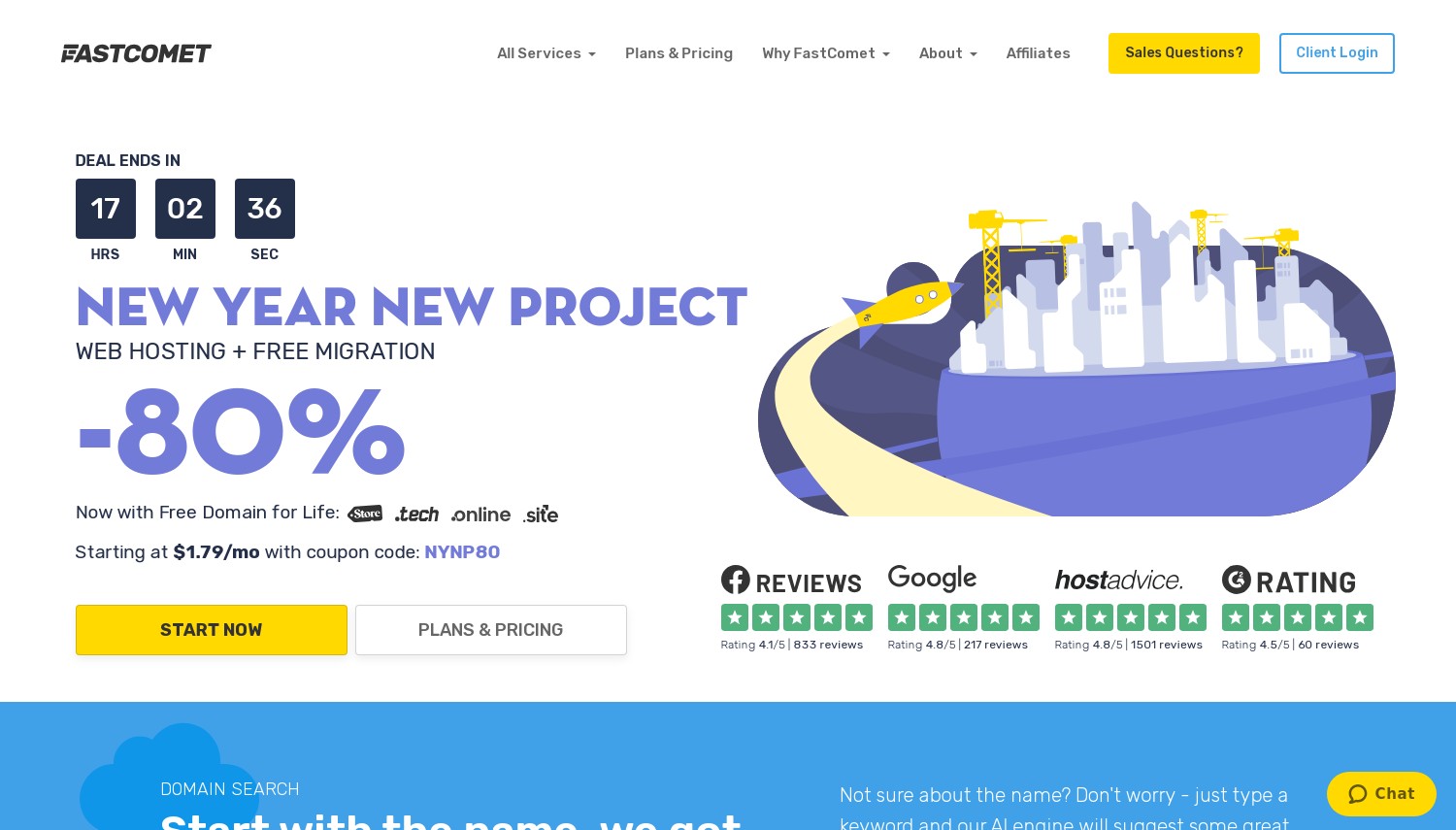
FastComet: Best Budget Tokyo WordPress at Under USD 2/mo
USD 1.99/mo entry (promo) | Tokyo native | 45-day money-back
Where Kinsta charges USD 30/mo for managed WordPress in Tokyo, FastComet hits the same data center region at USD 1.99/mo on the FastCloud Starter plan. That's a 93% lower entry price. What you give up sits in management depth: FastComet handles platform management, security patches, and the LiteSpeed caching layer, but doesn't ship WordPress-expert support the way Kinsta does. For a small business site or low-volume blog targeting Japan, that gap rarely matters in year one.
The Tokyo facility was added to FastComet's network in 2015 specifically for Asia-Pacific latency reduction. Pre-Tokyo, Japanese visitors hit FastComet servers in Singapore at 70-80ms. With the Tokyo node, ping times from major Japanese cities run under 40ms. LiteSpeed Web Server runs across all WordPress plans with LSCache plugin pre-installed, so server-level full-page caching works out of the box.
Renewal is the honest issue. FastCloud Starter renews at USD 9.95/mo, a 5x lift from the USD 1.99 promo. FastComet doesn't keep raising the price after renewal (some competitors do), so the USD 9.95 is the long-term home rate. Storage caps at 10 GB on Starter, which is fine for a blog but tight for ecommerce media. The 45-day money-back guarantee gives more testing room than the typical 30-day window.
Against ChemiCloud (which lacks Tokyo for shared WordPress and routes through Seoul), FastComet wins on origin DC. Against Hostinger's USD 2.99 entry, FastComet costs USD 1/mo less and runs from Tokyo where Hostinger uses Singapore. The clearest comparison is against Cloudways Vultr Tokyo: FastComet USD 1.99 promo / USD 9.95 renewal versus Cloudways USD 14/mo flat. For a low-traffic site, FastComet wins on price. For a growing site, Cloudways' scaling headroom pulls ahead by year two.
Pros
- USD 1.99/mo promo with real Tokyo data center origin
- LiteSpeed Web Server + LSCache plugin on all plans
- 45-day money-back, 50% longer than industry standard
- Free daily backups, SSL, CDN, and WordPress migration included
Cons
- Renewal jumps to USD 9.95/mo, a 5x lift
- Starter limited to 10 GB storage
- Money-back policy text on WordPress page shows 30 days; broader policy is 45 days
Pricing: FastCloud Starter USD 1.99/mo promo (3-year), renews at USD 9.95/mo. 10 GB NVMe, 1 website. FastCloud Plus USD 2.99/mo (renews USD 12.95) adds unlimited websites, 20 GB. FastCloud Extra USD 3.99/mo (renews USD 17.95) adds 30 GB. All plans include LiteSpeed, Cloudflare integration, daily backups, free migration.
Best for: Small business or blog WordPress sites targeting Japanese visitors on a tight budget where Tokyo origin + LiteSpeed matters more than managed-expert support.
Skip if: Your site does 10k+ monthly visits and needs serious resource headroom (Cloudways scales better) or you want WordPress-expert support included (Kinsta or WP Engine).
Verdict: Pick FastComet if your WordPress site is small-to-medium, your audience is in Japan, and you can stomach the 5x renewal lift. Skip it if traffic exceeds 25k/mo; the FastCloud tier ceiling becomes the bottleneck and Cloudways Vultr Tokyo gives you scaling room at flat pricing.
4. ScalaHosting
 2.2k+
4.9
Positive
Positive
2.2k+
4.9
Positive
Positive


| Storage | Bandwidth | Panel | Price | |
|---|---|---|---|---|
| 10 GB | Unlimited | cPanel | $2.95 / mo. | View Plan |
| 50 GB | Unlimited | cPanel | $5.95 / mo. | View Plan |
| 100 GB | Unlimited | cPanel | $9.95 / mo. | View Plan |
ScalaHosting: Best Managed WordPress VPS on AWS Tokyo
USD 29.95/mo entry (Build #1) | Tokyo via AWS only | "Anytime" money-back
Start with the bad news: ScalaHosting's cheap WordPress Cloud plans don't run in Tokyo. The Build #1 through #4 tiers use ScalaHosting's own infrastructure, which doesn't include Japan. To get Tokyo, you move to ScalaHosting's Managed AWS VPS line, which starts around USD 61.95/mo and uses AWS ap-northeast-1 (Tokyo) directly. That's 2x the entry Build tier price for the same management layer on AWS hardware.
For buyers who want Tokyo plus full management plus OpenLiteSpeed plus a proprietary security suite, that's the right product. ScalaHosting's SPanel replaces cPanel (no license fee) and handles WordPress installations, email, and SShield real-time threat blocking from one interface. The SShield claim of blocking 99.998% of web attacks gets cited in their marketing; we couldn't independently verify the figure, but the layered ModSecurity + behavioral rules approach is genuine.
Pricing transparency cuts both ways. The non-Tokyo Build #1 at USD 29.95/mo renews at USD 54.95 (an 84% lift). The Managed AWS Tokyo tier's exact renewal multiplier isn't published cleanly on the AWS product page; assume renewal will lift but request the figure in writing before signing. Versus Kinsta's flat USD 30/mo for managed WordPress in Tokyo + Osaka, ScalaHosting's AWS Tokyo costs roughly 2x more at entry. The trade-off: ScalaHosting gives you a full VPS with root access, OpenLiteSpeed control, and arbitrary apps beyond WordPress.
Against Cloudways AWS Tokyo at USD 36.51/mo, ScalaHosting's Managed AWS Tokyo runs about USD 25/mo more but includes SPanel + SShield as standard. Cloudways gives you cleaner pay-as-you-go billing and Object Cache Pro free; ScalaHosting gives you managed-everything plus a proprietary security layer.
Pros
- Tokyo via AWS ap-northeast-1 on Managed AWS tier
- SPanel control panel replaces cPanel at no license cost
- SShield real-time security with managed updates
- OpenLiteSpeed + LSCache available on all VPS plans
Cons
- Tokyo only on AWS tier; cheap Build plans use non-Japan infrastructure
- Effective Tokyo entry around USD 61.95/mo
- Non-Tokyo Build #1 renewal lifts to USD 54.95 (84% jump)
Pricing: WordPress Cloud Build #1 USD 29.95/mo (renews USD 54.95), 1 vCPU, 1 GB RAM, 30 GB NVMe, non-Tokyo. Managed AWS VPS from ~USD 61.95/mo for Tokyo deployment. SPanel + SShield + free migration included. Anytime money-back guarantee on standard tiers (terms vary by plan).
Best for: WordPress sites needing managed VPS with AWS Tokyo infrastructure plus root-level control beyond what shared or platform-managed WordPress allows.
Skip if: Budget is under USD 30/mo for Tokyo (Cloudways Vultr Tokyo at USD 14/mo wins), or if you want platform-style WordPress hosting with zero VPS administration (Kinsta or WP Engine).
Verdict: Pick ScalaHosting's Managed AWS Tokyo if AWS infrastructure is a hard requirement and you want SPanel-managed WordPress on top. Skip the regular Build tiers if Tokyo origin matters; they don't run in Japan. For raw Tokyo VPS comparison, see our Japan VPS hosting roundup.
Xserver: Best Japan-Native WordPress at JPY 495/mo
JPY 495/mo entry (USD ~3.19, promo through June 4, 2026) | Japan domestic DCs | 10-day trial
JPY 495/mo. That's Xserver Standard pricing on the 36-month term during the spring 2026 campaign. The renewal sits at JPY 990/mo, which is roughly half the renewal-rate punch most US hosts deliver. Xserver hosts 1.5M+ sites from Japanese data centers and runs 24-core servers with SSD RAID 10 storage. Their "WordPress Quick Start" sign-up installs WP, configures the domain, and provisions SSL in one flow.
The performance claim is "Server speed No. 1 in Japan," backed by their KUSANAGI integration (a Japanese WordPress acceleration stack) available on Xserver VPS, plus XServer Accelerator caching on Standard plans. KUSANAGI in particular is a Japanese-engineered LEMP-based WordPress stack with measurable speed gains that you won't see on US-based hosts since most don't offer it. One asterisk: KUSANAGI lives on the VPS tier, not Standard shared.
What you trade for the price: Xserver is Japanese-language-first. The English site at xserver.ne.jp/en/ exists but feels secondary, and support is primarily in Japanese. There's no money-back guarantee, only a 10-day free trial, and the Quick Start flow disables the trial. Annual billing only; no monthly billing option. If you don't read Japanese, the dashboard and documentation will be friction.
Against Z.com (the other major Japanese host), Xserver's promo rate at JPY 495 undercuts Z.com Personal (~JPY 1,000/mo) by 50.5% while offering more storage (300 GB on Xserver Standard vs 100 GB on Z.com). Against international hosts: Bluehost Choice Plus renewal at USD 19.99/mo equates to roughly JPY 3,098/mo, or 2.8x Xserver Standard's renewal while routing through Mumbai or Sydney instead of domestic Japan.
Pros
- JPY 495/mo through June 4, 2026 on 36-month term
- 1.5M+ sites hosted; deep domestic Japanese infrastructure
- WordPress Quick Start: domain + SSL + WP install in one flow
- KUSANAGI high-speed WordPress on VPS tier
Cons
- Japanese-language site and support; English is minimal
- No money-back guarantee, only 10-day trial
- Annual billing required; no monthly option
Pricing: Standard JPY 495/mo (36-mo promo through 2026-06-04), renews at JPY 990/mo. 300 GB SSD, unlimited domains, free SSL, free .com or .net domain. Premium JPY 990/mo promo (renews JPY 1,980). Business JPY 1,980/mo promo. WordPress installer + XServer Accelerator caching standard.
Best for: Japanese-speaking site owners wanting domestic infrastructure, established brand reputation, and competitive promo pricing on a 3-year term.
Skip if: You don't read Japanese (Z.com has better English support), need a real money-back guarantee, or want monthly billing flexibility.
Verdict: Pick Xserver if you read Japanese and want the cheapest serious domestic Japanese WordPress hosting. If Japanese-language support matters but English usability also matters, Z.com handles both. For non-Japanese-speaking site owners, FastComet's Tokyo at USD 1.99/mo gives Tokyo origin with English support.
5. Z.com
 404
4.3
Positive
Positive
404
4.3
Positive
Positive
| Storage | Bandwidth | Panel | Price | |
|---|---|---|---|---|
| 1 GB | Unlimited | cPanel | $1.91 / mo. | View Plan |
| 10 GB | Unlimited | cPanel | $2.91 / mo. | View Plan |
| 100 GB | Unlimited | cPanel | $3.91 / mo. | View Plan |
Z.com: Best for Japanese-Language Support and Yen Billing
JPY 1,000/mo entry (USD ~6.45) | Japan domestic DCs | 30-day money-back
Imagine you're running a Japanese ecommerce site, your customers pay in Yen, your customer service operates in Japanese, and your tax accountant needs domestic invoices. Z.com is built for that scenario. Owned by GMO Internet Group (Japan's largest internet conglomerate, managing 29M+ domains), Z.com runs from domestic Japanese data centers. Japanese-language phone and ticket support, Yen billing, and a cPanel-based dashboard with Japanese localization come standard.
The WordPress experience uses WP Toolkit (one-click WP install + management) on all plans, plus one-click staging environment cloning and automatic backups. Imunify360 security and JetBackup come standard. Single-digit millisecond latency to Japanese ISPs is the headline performance claim, which lines up with the geographic reality: you can't beat a domestic Tokyo DC for Tokyo visitors.
The friction inverts Xserver's. Z.com's English-side presence is thin, the knowledge base is largely Japanese, and the WordPress-specific landing page (hosting.z.com/jp/wp/) currently redirects to their cloud IaaS product. That points to recent restructuring. Pricing transparency in 2026 USD/JPY conversions is rough; sources cite different figures for the entry tier depending on region and promo cycle. The Personal tier at ~JPY 1,000/mo is the cleanest reference point.
Against Xserver Standard at JPY 495/mo, Z.com Personal at JPY 1,000/mo costs 2x more at entry but ships WP Toolkit + staging across all plans (Xserver staging is limited on shared). Against Kinsta's USD 30/mo (≈ JPY 4,650), Z.com Personal is 78% cheaper and runs from domestic Japan instead of GCP Tokyo, but loses Cloudflare Enterprise CDN and WordPress-expert support.
Pros
- Native Japanese data centers with single-digit ms domestic latency
- GMO Internet Group backing (29M+ domains under management)
- WP Toolkit + one-click staging on all plans
- Yen billing, Japanese-language support
Cons
- English-side knowledge base is thin
- WordPress-specific landing page restructured; product clarity suffers
- No live chat support; ticket + phone only
Pricing: Personal ~JPY 1,000/mo (USD ~6.45), 10 GB, 1 site. Business ~JPY 1,300/mo (USD ~8.13), 100 GB, multi-site. 30-day money-back on 1-year+ plans. Setup fees may apply outside promo periods. WordPress hosting tier exists but product page redirects to cloud IaaS in mid-2026.
Best for: Japanese-language site owners or businesses serving Japanese customers who need Yen billing and domestic support relationships.
Skip if: You don't speak Japanese (Z.com's English experience is thin) or you're price-shopping (Xserver undercuts Personal by half).
Verdict: Pick Z.com if GMO group stability and Japanese-language support matter more than absolute lowest price. If lowest domestic Japanese WordPress price matters, Xserver wins. If you want domestic Japan + clean English UX, that gap currently has no clean answer; FastComet Tokyo with English support comes closest.
6. Kamatera
 320
4.2
Positive
Positive
320
4.2
Positive
Positive




| Storage | Bandwidth | Panel | Price | |
|---|---|---|---|---|
| 20 GB | 5 TB | cPanel Direct Admin ISP Manager Plesk | $4.00 / mo. | View Plan |
| 20 GB | 5 TB | cPanel Direct Admin ISP Manager Plesk | $6.00 / mo. | View Plan |
| 30 GB | 5 TB | cPanel Direct Admin ISP Manager Plesk | $12.00 / mo. | View Plan |
Kamatera: Best Tokyo Cloud VPS for WordPress DIY Builders
USD 4/mo entry | Tokyo native | 30-day free trial
Kamatera doesn't actually sell WordPress hosting. What they sell is raw cloud VPS infrastructure with a Tokyo data center and a one-click WordPress marketplace image. The starting price of USD 4/mo for 1 vCPU, 1 GB RAM, 20 GB NVMe SSD, and 5 TB traffic is the cheapest legitimate Tokyo entry point in this list. "Legitimate" carries the asterisk: you're getting unmanaged VPS, and the WordPress side is your problem to set up, secure, and maintain.
For the right buyer, this trade is great. Picture a developer building staging sites, an agency hosting multiple low-volume client WordPress sites on one beefed-up VPS, or a technical operator comfortable with LiteSpeed/OpenLiteSpeed and WP-Cron behind Nginx. They'll get more raw performance per dollar than any managed competitor. Hourly billing and minute-level granularity let you spin up Tokyo capacity for a project and tear it down without monthly commitment.
For the wrong buyer, this is a trap. No automatic WordPress updates. No staging unless you build it. No phpMyAdmin without installing it. No malware scanning. No support for "my plugin broke." Kamatera offers a managed-service add-on but the uplift varies by config and won't match Kinsta's WordPress-specialist support model.
The 1 GB RAM entry tier is genuinely light for production WordPress with multiple plugins. Realistically, plan on the USD 9-12/mo tier with 2 GB RAM for a functioning WordPress site under any meaningful traffic. Even at USD 12/mo, that beats Cloudways Vultr Tokyo by USD 2/mo for similar specs, but you're handling everything Cloudways pre-installs.
Pros
- USD 4/mo Tokyo entry with no renewal price lift
- Hourly + minute-granular billing for ephemeral projects
- Scale 1 vCPU to 104 vCPU in same Tokyo region
- 30-day free trial up to USD 100 in services
Cons
- Unmanaged; no WordPress-layer management out of the box
- Entry RAM (1 GB) under-provisioned for real WordPress traffic
- You install and maintain LiteSpeed/security/backups yourself
Pricing: Tokyo entry USD 4/mo (1 vCPU, 1 GB RAM, 20 GB NVMe, 5 TB traffic). Realistic production WP tier ~USD 9-12/mo (2 GB RAM). Managed-service add-on optional. Hourly billing available. 30-day free trial. No traditional money-back guarantee post-trial.
Best for: Developers, agencies, or technical site owners running multiple WordPress installs on one VPS and comfortable with Linux administration.
Skip if: You want a managed WordPress experience (Kinsta, WP Engine, or Cloudways all fit better) or you've never opened an SSH terminal.
Verdict: Pick Kamatera if you'll genuinely use the flexibility (multi-site WP, hourly scaling for traffic events, custom stacks). Skip Kamatera if you want WordPress hosting in the platform-managed sense; Cloudways Vultr Tokyo at USD 14/mo bundles the cache stack and security you'd otherwise build yourself.
7. ChemiCloud
 1.2k+
4.9
Positive
Positive
1.2k+
4.9
Positive
Positive
| Storage | Bandwidth | Panel | Price | |
|---|---|---|---|---|
| 20 GB | Unlimited | cPanel | $2.49 / mo. | View Plan |
| 30 GB | Unlimited | cPanel | $3.49 / mo. | View Plan |
| 40 GB | Unlimited | cPanel | $4.49 / mo. | View Plan |
ChemiCloud: Best LiteSpeed WordPress, Routed via Seoul Not Tokyo
USD 2.49/mo entry | Seoul DC for WP (Tokyo is VPS-only) | 45-day money-back
Here's the awkward truth ChemiCloud's marketing skips: their Tokyo facility exists, but it's locked to the VPS product line. Shared WordPress plans cannot deploy in Tokyo. The closest WordPress origin DC ChemiCloud offers Japanese visitors is Seoul, South Korea, which adds roughly 33ms of latency to Tokyo users. Singapore (~75ms) and Mumbai (~110ms) are the other Asian options. None of them match a true Tokyo origin.
For a Japan-targeted WordPress site, Seoul-routed hosting is workable but not optimal. The 33ms penalty matters less for blog content (cacheable, CDN-deliverable) and matters more for AJAX-heavy WooCommerce checkouts and dynamic admin operations. If your audience is split across East Asia rather than concentrated in Japan, Seoul becomes a reasonable midpoint.
What ChemiCloud actually does well: LiteSpeed Web Server with LSCache plugin pre-installed on every shared plan, NVMe storage across all tiers (no upsell), 45-day money-back guarantee, and free domain for life on 3-year plans (most hosts give year-one only). The free-domain-for-life perk saves roughly USD 12-15/year on .com renewals.
Versus FastComet's real Tokyo DC at USD 1.99/mo, ChemiCloud's USD 2.49/mo entry costs USD 0.50/mo more for an inferior location. The pitch flips when you factor lifetime domain and 50% more entry storage (20 GB vs FastComet's 10 GB). For a buyer who weighs Seoul-vs-Tokyo latency as minor but values storage and domain savings, ChemiCloud pulls ahead. For a buyer where every millisecond to Tokyo matters, FastComet wins.
Pros
- LiteSpeed + LSCache + NVMe on every tier
- Free domain for life on 3-year plans
- 45-day money-back, 50% longer than industry standard
- Seoul DC is closer to Japan than most international competitors
Cons
- WordPress shared plans cannot deploy in Tokyo
- Renewal jumps to ~USD 9.95/mo (4x promo)
- No monthly billing; annual minimum required
Pricing: WordPress Starter USD 2.49/mo promo (3-yr), renews ~USD 9.95. 20 GB NVMe, 1 site, ~25k visits/mo. WordPress Pro USD 3.49/mo, 35 GB NVMe, ~50k visits. WordPress Turbo USD 4.49/mo, 50 GB NVMe, ~100k visits. Free migration, daily backups, Cloudflare CDN integration.
Best for: WordPress sites with East Asia audiences (not exclusively Japan) who value LiteSpeed performance, free domain for life, and a long testing window.
Skip if: Your audience is specifically in Japan and the 33ms Seoul-Tokyo gap costs you conversions; FastComet Tokyo at lower entry pricing serves you better.
Verdict: Pick ChemiCloud if regional East Asia coverage matters more than Tokyo-specific origin. If Tokyo origin is the requirement, the answer is FastComet for budget, Cloudways for scaling room, or Kinsta for premium management.
8. Hostinger
 63.2k+
4.6
Positive
Positive
63.2k+
4.6
Positive
Positive


| Storage | Bandwidth | Panel | Price | |
|---|---|---|---|---|
| 100 GB | Unlimited | cPanel | $1.95 / mo. | View Plan |
| 200 GB | Unlimited | cPanel | $2.95 / mo. | View Plan |
| 200 GB | Unlimited | cPanel | $3.49 / mo. | View Plan |
Hostinger: Best Budget WordPress (But Singapore, Not Japan)
USD 2.99/mo entry (Premium WordPress) | Singapore (no Japan DC) | 30-day money-back
Hostinger's Premium WordPress at USD 2.99/mo undercuts every Tokyo-origin provider on this list at entry by 33% to 93%. The trade: no Japan data center anywhere. Hostinger's Asian DCs cover India, Indonesia, Malaysia, and Singapore. For Japan-targeted WordPress, Singapore is the closest origin, which adds 70-80ms of round-trip time to Japanese visitors. The "Japan" badge on their site refers to CDN edge nodes, not origin hosting.
The platform fundamentals are solid. LiteSpeed Web Server runs on shared WordPress plans, one-click staging works on Business+ tiers, and automatic WordPress core updates handle the routine maintenance. Hostinger is one of three hosts officially endorsed by WordPress.org (alongside Bluehost and DreamHost), which carries weight for buyers who weight the endorsement.
Pricing follows the promo-to-renewal pattern hard. Premium WordPress at USD 2.99/mo renews at USD 10.99/mo, a 3.7x lift. Business + AI at USD 3.99 renews at USD 16.99 (4.3x). Cloud Startup + AI at USD 7.99 renews at USD 25.99 (3.3x). For a 3-year commitment, math out the renewal cost before signing; the year-4 bill is what you'll actually pay long-term.
Versus FastComet's USD 1.99 Tokyo entry, Hostinger costs USD 1/mo more at promo and ~USD 1/mo more at renewal while losing the Tokyo DC. Versus Cloudways Vultr Tokyo at USD 14/mo, Hostinger is 78% cheaper at entry but you're trading real Tokyo origin for Singapore origin and shared resources for cloud VPS. For a non-Japan-targeted site with Asia-wide audience, Hostinger's Singapore is reasonable. For a Japan-only site, it's a worse deal than FastComet at lower price.
Pros
- LiteSpeed Web Server on shared WordPress plans
- WordPress.org officially recommended host
- Cheapest entry pricing in this comparison at USD 2.99/mo
- Premium WordPress includes weekly auto backups
Cons
- No Japan data center; Singapore is closest origin
- Renewal lifts to USD 10.99/mo on Premium (3.7x promo)
- Singapore-to-Tokyo adds 70-80ms vs native Tokyo hosts
Pricing: Premium WordPress USD 2.99/mo promo (renews USD 10.99). 20 GB SSD, up to 3 websites, weekly backups. Business + AI USD 3.99/mo (renews USD 16.99) adds daily backups, staging, free CDN. Cloud Startup + AI USD 7.99/mo (renews USD 25.99) adds dedicated IP, priority support.
Best for: Small WordPress sites with pan-Asian audience where Singapore origin is acceptable and budget is the dominant constraint.
Skip if: Your audience is concentrated in Japan; FastComet Tokyo or Xserver delivers domestic origin at similar pricing.
Verdict: Pick Hostinger if you're building a Southeast Asia-broad WordPress site on a tight budget and Japan is one of several markets, not the primary. Skip Hostinger if Japan-specific performance matters; the Singapore detour costs you what the price saving is worth.
9. SiteGround
 29.1k+
4.8
Positive
Positive
29.1k+
4.8
Positive
Positive

| Storage | Bandwidth | Panel | Price | |
|---|---|---|---|---|
| 10 GB | Unlimited | cPanel | $3.41 / mo. | View Plan |
| 20 GB | Unlimited | cPanel | $5.69 / mo. | View Plan |
| 40 GB | Unlimited | cPanel | $9.11 / mo. | View Plan |
SiteGround: Best Managed WordPress on Google Cloud (Singapore Origin)
USD 2.99/mo entry (StartUp) | Singapore origin (Tokyo CDN edge only) | 30-day money-back
SiteGround has no Japan data center. Period. Their CDN runs a Tokyo edge node for cached static assets, but the origin server serving Japanese visitors sits in Singapore on Google Cloud Platform. That's roughly 75ms from Tokyo for any uncached request, which means WordPress admin operations, WooCommerce checkouts, and any dynamic page hit eats the latency penalty even if marketing-page static content rides the Tokyo CDN.
What SiteGround does well sits in the management layer. The SuperCacher stack (NGINX direct delivery + Dynamic Cache + Memcached on GrowBig+) handles WordPress caching at multiple levels with the SG Optimizer plugin gluing it together. Managed Autoupdates ship with safety rollback if a plugin update breaks the site. Their AI Agent for WordPress can triage support questions and surface plugin issues. Free Cloudflare CDN, free SSL, daily geo-distributed backups, and WP-CLI/SSH come standard.
Pricing is the harshest on this list. StartUp at USD 2.99/mo renews at USD 17.99/mo, a 6x lift. GrowBig at USD 4.99 renews at USD 29.99. GoGeek at USD 7.99 renews at USD 44.99. The renewal multiplier is steeper than FastComet's 5x, Hostinger's 3.7x, and worlds away from Kinsta's flat-rate model. Staging is also locked out of StartUp; you need GrowBig (USD 29.99 renewal) to get the staging environment that Hostinger and FastComet ship at lower tiers.
Versus Kinsta's Tokyo origin at USD 30/mo flat, SiteGround GrowBig renews at USD 29.99 with Singapore origin (worse latency to Japan) and no Osaka option. Versus Cloudways Vultr Tokyo at USD 14/mo, SiteGround GrowBig renewal is 114% more expensive with worse geography. For a Japan-targeted WordPress site, the math doesn't pencil out unless SuperCacher's specific management style is what you want.
Pros
- Google Cloud Platform infrastructure (just not in Japan)
- SuperCacher multi-level caching tuned by SiteGround engineers
- Managed Autoupdates with rollback safety net
- Tokyo CDN edge node for cached static content
Cons
- No Japan origin DC; Singapore is closest
- Renewal lifts 6x on StartUp (USD 2.99 to USD 17.99)
- Staging locked to GrowBig+ tier
Pricing: StartUp USD 2.99/mo promo (renews USD 17.99). 10 GB SSD, 1 site, ~10k visits. GrowBig USD 4.99/mo (renews USD 29.99). 20 GB, unlimited sites, ~100k visits, staging. GoGeek USD 7.99/mo (renews USD 44.99). 40 GB, ~400k visits, priority support.
Best for: WordPress sites valuing SiteGround's SuperCacher and management style where audience is broader than Japan-only.
Skip if: Audience is Japan-specific; Cloudways Vultr Tokyo gives Google Cloud-style infrastructure with real Tokyo origin at lower long-term cost.
Verdict: Pick SiteGround if you're already committed to their management style and Japan is one of several markets. Skip SiteGround for Japan-targeted WordPress; the renewal pricing combined with Singapore origin makes it a worse deal than Cloudways or Kinsta for any serious Japan focus.
10. Bluehost
 28.1k+
4.1
Positive
28.1k+
4.1
Positive
 Neutral
| Storage | Bandwidth | Panel | Price | |
|---|---|---|---|---|
| 10 GB | Unlimited | cPanel | $2.95 / mo. | View Plan |
| 50 GB | Unlimited | cPanel | $5.45 / mo. | View Plan |
| 50 GB | Unlimited | cPanel | $9.95 / mo. | View Plan |
Bluehost: Best WordPress.org Endorsement, Worst Japan Geography
USD 1.99/mo entry (Starter) | No Asian DC near Japan | 30-day money-back
Bluehost holds one of three official WordPress.org endorsements (alongside Hostinger and DreamHost). That endorsement signals platform reliability and WordPress optimization, and it's earned: Bluehost ships WordPress pre-installed with one-click staging, automatic core updates, static + object caching, daily backups, malware scanning, and an AI website builder that generates pages in under 60 seconds. Their platform was rebuilt on AWS in 2023 and now runs from Provo, Frankfurt, Mumbai, Paris, São Paulo, Sydney, London, and Madrid.
None of those are in Japan. The closest Bluehost data centers to Tokyo are Mumbai (around 130ms round-trip) and Sydney (around 110ms). For Japan-targeted WordPress, that's worse geography than every other provider on this list including SiteGround Singapore (75ms). Bluehost's CDN node coverage helps for static cached assets but doesn't fix dynamic WordPress operations.
Pricing is competitive at signup, brutal at renewal. Starter at USD 1.99/mo (36-mo) renews at USD 9.99/mo. Choice Plus at USD 5.45/mo renews at USD 19.99/mo (3.7x lift). Business at USD 6.99/mo renews at USD 14.99/mo. The 30-day money-back excludes domains, setup fees, and credit-card-only payments.
Versus Hostinger (also WordPress.org endorsed, also no Japan DC), Bluehost Choice Plus renewal at USD 19.99/mo costs USD 3/mo more than Hostinger Business + AI renewal at USD 16.99 while routing through worse geography (Mumbai/Sydney vs Singapore). Versus Xserver Standard at JPY 990/mo renewal (USD ~6.40), Bluehost Choice Plus costs 3.1x more and serves Japanese visitors from 4,000+ km farther away.
Pros
- WordPress.org officially recommended host since 2005
- One-click staging, automatic core updates, daily backups
- AI website builder generates pages in under 60 seconds
- Rebuilt platform on AWS (2023) with NVMe SSD storage
Cons
- No Asian DC near Japan; Mumbai/Sydney at 110-130ms
- Choice Plus renewal lifts to USD 19.99 (3.7x)
- No Japanese-language support
Pricing: Starter USD 1.99/mo (36-mo), renews USD 9.99. Choice Plus USD 5.45/mo (renews USD 19.99). Business USD 6.99/mo (renews USD 14.99). WordPress pre-installed, free SSL, free domain year one, AI builder included.
Best for: US or Europe-targeted WordPress where the WordPress.org endorsement signals trust and Japan is incidental.
Skip if: Your primary audience is in Japan; every other provider on this list does Japan geography better, including Hostinger's Singapore detour.
Verdict: Pick Bluehost if your WordPress site lives in North America or Europe and you're not actually optimizing for Japan despite reading this guide. For real Japan focus, drop down to FastComet Tokyo or up to Kinsta Tokyo + Osaka.
10 Most Reviewed Wordpress Hosting Providers in Japan (May 2026)
| Hosting Name | User Satisfaction In % | Number of Reviews | Promotions |
|---|---|---|---|
 Hostinger for Japan Hostinger for Japan |
92% | 131 | 80% Off |
 Bluehost for Japan Bluehost for Japan |
86% | 107 | -70% NOW |
 SiteGround for Japan SiteGround for Japan |
97% | 70 | NOW -81% |
 Hostgator for Japan Hostgator for Japan |
96% | 51 | -73% NOW |
 Namecheap for Japan Namecheap for Japan |
80% | 62 | -61% (.Com) |
 GoDaddy for Japan GoDaddy for Japan |
74% | 71 | WB Free Trial |
 DreamHost for Japan DreamHost for Japan |
99% | 31 | Flash Sale |
 FastComet for Japan FastComet for Japan |
96% | 28 | -80% OFF |
 IONOS | ionos.com for Japan IONOS | ionos.com for Japan |
84% | 32 | Visit Site |
 HostArmada for Japan HostArmada for Japan |
99% (less than 25 reviews) |
14 | -85% NOW |
How to Choose WordPress Hosting for Japan
The decision tree turns on three variables: where your audience actually sits geographically, how much hand-holding you want, and how much you'll spend at renewal (not promo). Below are five concrete buyer scenarios that map to specific recommendations.
Scenario 1: Japanese-language blog, 5-20k monthly visits, budget under USD 10/mo
Xserver Standard at JPY 495/mo promo (USD ~3.19) or FastComet FastCloud Starter at USD 1.99/mo. Pick Xserver if you read Japanese and want the cheapest serious domestic option. Pick FastComet if you need English support; the Tokyo DC is real and LiteSpeed handles WordPress caching cleanly. Skip Hostinger here even though it's similar entry pricing; the Singapore detour wastes the budget advantage.
Scenario 2: Japanese WooCommerce store, 500+ daily orders, USD 30-60/mo budget
Kinsta Single (USD 30/mo) or Cloudways Vultr High Frequency Tokyo (USD 16/mo with Object Cache Pro free) plus Cloudflare Enterprise add-on (USD 4.99/mo per site, total USD 21/mo). Kinsta wins on managed-everything for ecommerce; Cloudways wins on raw performance per dollar with bundled Object Cache Pro for database-heavy WooCommerce loads. Skip SiteGround at any tier; the Singapore origin penalty hurts checkout AJAX calls at this volume.
Scenario 3: Agency hosting 20+ client WordPress sites, USD 50/mo budget for the server
Kamatera Tokyo on the USD 12-18/mo tier (2-4 GB RAM) with OpenLiteSpeed and a multi-site WordPress setup, or Cloudways Vultr Tokyo on a higher tier with unlimited WordPress installs per server. Kamatera wins on raw price and infrastructure flexibility if your team handles ops. Cloudways wins if you want managed caching and security included while still scaling vertically. Skip platform-managed options like Kinsta and WP Engine; per-site pricing kills the unit economics.
Scenario 4: Premium content site with split Kanto + Kansai audience
Kinsta with Tokyo as primary and Osaka as secondary site for Kansai-region deployment. No other managed WordPress host offers Osaka, period. The USD 60/mo Pro plan covers two sites, 75k visits, and Cloudflare Enterprise across both. If split-region matters but Osaka isn't available within the budget, fall back to Cloudways Vultr Tokyo plus Cloudflare with Japan PoPs configured manually.
Scenario 5: Japan-based business with Japanese-only customers and accounting requirements
Z.com or Xserver. Both run from domestic Japanese data centers, both offer Japanese-language support, and both invoice in Yen (which simplifies domestic accounting and consumption tax handling). Z.com gets the edge if GMO Internet Group brand stability matters to your stakeholders. Xserver gets the edge if you want the lowest serious price for domestic infrastructure. Skip international hosts entirely in this scenario; the Yen billing alone justifies staying domestic.
Frequently Asked Questions
Which WordPress hosts have actual servers in Japan?
Eight providers on this list run origin servers in Japan: Kinsta (Tokyo + Osaka via Google Cloud), WP Engine (Tokyo via Google Cloud), Cloudways (Tokyo on Vultr, Linode, AWS, GCP), FastComet (Tokyo native), ScalaHosting (Tokyo via AWS only), Kamatera (Tokyo native), Xserver (domestic Japanese DCs), and Z.com (domestic Japanese DCs via GMO Internet Group). Four don't: ChemiCloud (Seoul is closest for WP shared), Hostinger (Singapore), SiteGround (Singapore origin with Tokyo CDN edge only), and Bluehost (Mumbai/Sydney closest).
Is Kinsta Tokyo faster than WP Engine Tokyo for Japanese visitors?
Both run on Google Cloud Platform's Tokyo region (ap-northeast-1), so raw network performance is functionally identical. The differences come from caching architecture (Kinsta's server-level caching plus Cloudflare Enterprise vs WP Engine's EverCache) and Kinsta's Osaka option for Kansai-region traffic. For Tokyo-only audiences, both perform within margin of error. For Kansai or split-region audiences, Kinsta's Osaka availability gives it the real-world edge.
How much does WordPress hosting in Japan cost per month?
Entry pricing ranges from USD 1.99/mo (FastComet promo) to USD 30/mo (Kinsta). At renewal, the floor lifts to roughly USD 7-10/mo (Xserver JPY 990, FastComet USD 9.95, ChemiCloud ~USD 9.95). Mid-tier Tokyo-origin WordPress lands USD 14-16/mo (Cloudways Vultr Tokyo). Premium managed WordPress with Tokyo or Osaka runs USD 25-30/mo flat (WP Engine, Kinsta). Budget USD 15-30/mo for a serious Japan-targeted WordPress site at renewal.
Can I use SiteGround for a Japanese WordPress site?
You can, but the math doesn't favor it. SiteGround's origin servers are in Singapore (75ms+ to Tokyo), not Japan. The Tokyo CDN edge helps with cached static content but not WordPress admin or WooCommerce dynamic operations. At USD 17.99/mo renewal on StartUp, you're paying premium-tier prices for sub-premium geography. Cloudways Vultr Tokyo at USD 14/mo or Kinsta at USD 30/mo handles Japan-targeted WordPress better at comparable or lower long-term cost.
Final Verdict
For most Japan-targeted WordPress sites, the right answer is one of three. Kinsta wins for premium sites where revenue depends on Tokyo plus Osaka coverage; the flat USD 30/mo with Cloudflare Enterprise bundled is the cleanest managed option. Cloudways Vultr Tokyo at USD 14/mo wins the price-performance middle ground with Object Cache Pro free and real Tokyo origin. FastComet at USD 1.99/mo promo wins on budget if you can stomach the 5x renewal lift and your site stays under 25k monthly visits.
Japanese-speaking site owners building for domestic audiences should look at Xserver (cheapest domestic at JPY 495/mo promo) or Z.com (GMO Internet Group stability with Yen billing). Both ship Japanese-language support and domestic invoicing that international hosts can't match.
Skip Bluehost, SiteGround, and Hostinger if your audience is concentrated in Japan; the geography costs you what the WordPress.org endorsement is worth. ChemiCloud's Seoul detour works for broader East Asia but loses to FastComet for Tokyo-specific traffic. ScalaHosting's AWS Tokyo tier serves a narrow audience: people who want managed VPS with SPanel on AWS at USD 60+/mo. Kamatera rewards technical operators with raw Tokyo VPS at USD 4-12/mo but punishes anyone expecting platform-managed WordPress.
For deeper Japan coverage, our Japan web hosting comparison covers general hosting beyond WordPress. Asia-broader WordPress coverage sits in our Asia WordPress hosting guide by country. If you're weighing managed-WordPress economics against managed-cloud alternatives, the managed hosting comparison covers that trade-off directly.