
On This Page: [hide]
Default themes get a bad reputation. WordPress ships with generic starters that nobody uses in production. Joomla’s defaults look dated within months. So when Grav CMS replaced Antimatter with Quark as their default theme in version 1.4, skepticism was fair. But Quark breaks the mold. It’s built as a foundation for development, not just a placeholder to replace immediately.
Quick verdict: Quark works as a production-ready starter theme for developers and a finished solution for simple sites. The Spectre.css framework keeps it lightweight (under 50KB CSS), theme inheritance lets you customize without touching core files, and modular templates handle common layouts. It won’t win design awards, but that’s not the point. Quark provides structure so you can build on top of it.
Jump to: What is Quark | Key Features | Pros & Cons | Who Should Use It | Alternatives | Installation | Customization | FAQ | Verdict
Last reviewed: March 2026. Based on Quark version 2.1.2.
What Is the Quark Theme?
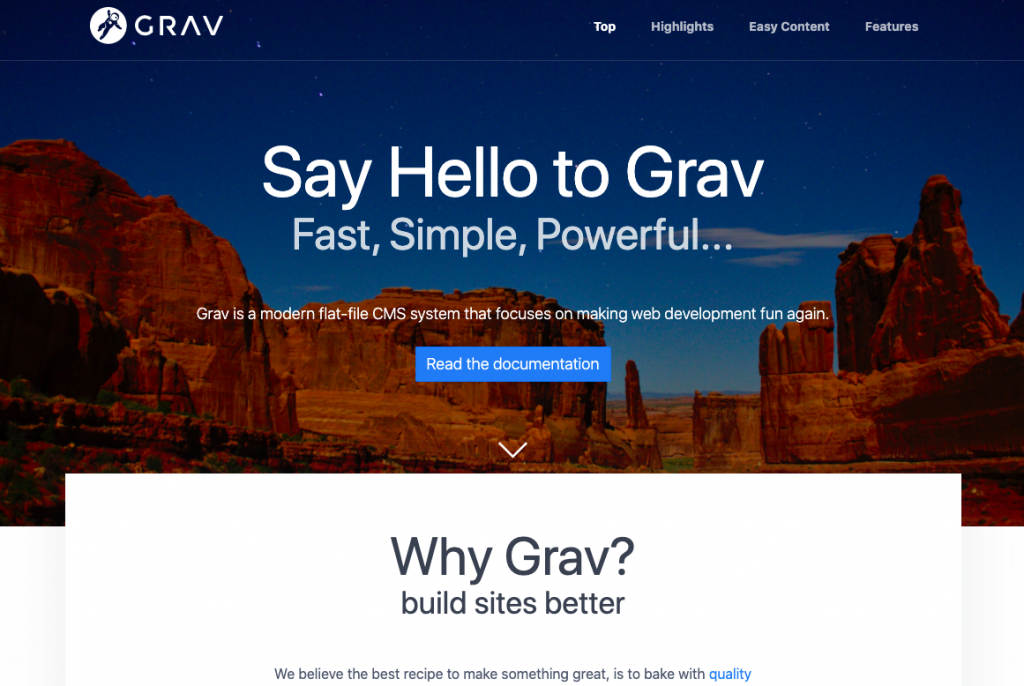
Quark is Grav CMS’s official default theme since version 1.4. The Grav team (Trilby Media) built it on Spectre.css, a lightweight CSS framework that’s roughly one-tenth the size of Bootstrap. Every Grav installation includes Quark out of the box, and two official site skeletons (One-Page and Blog) use it as their foundation. For a broader look at Grav as a platform, see our full Grav CMS review.
The theme serves two audiences. Developers get a clean, well-documented base for building custom themes through Grav’s inheritance system. Non-developers get a functional theme for simple portfolios, blogs, or single-page sites without requiring design work. Both groups benefit from Quark’s focus on performance over visual complexity. You can see Quark in action at the official demo site.
On GitHub, Quark has 71 stars and 62 forks with 19 releases to date. Version 2.1.2 (August 2025) is the latest, showing active maintenance from the Grav team. The codebase is 77% SCSS (a CSS preprocessor that adds variables and nesting), 18% Twig templates (Grav’s templating language), and minimal JavaScript.
Some context on Grav itself: it’s a flat-file CMS (no database required) that stores content in Markdown files. Pages load faster because there’s no MySQL query overhead. Quark takes advantage of this architecture with minimal JavaScript and efficient CSS, keeping the performance advantage intact. If you’re unfamiliar with Grav, our Grav hosting guide covers the CMS in more detail.
Key Features
Spectre.css Foundation
Quark uses Spectre.css rather than Bootstrap or Tailwind. That choice matters for file size. Spectre’s entire library runs under 10KB gzipped. Bootstrap 5 exceeds 25KB. For sites where every kilobyte affects load times, Spectre provides responsive grids, typography, and components without the bloat. The trade-off: fewer pre-built components than Bootstrap, so complex UI elements require more custom work.
Theme Inheritance
Here’s Quark’s killer feature for developers. Rather than editing Quark directly (which breaks when updates arrive), you create a child theme that inherits everything from Quark and only contains your modifications. Change a template, add custom CSS, override configuration. The base theme stays clean and updateable.
What does this mean practically? You keep Quark updated for security and bug fixes while your customizations remain untouched. Most Grav themes support inheritance, but Quark’s clean structure makes it easier to extend than more opinionated alternatives.
Modular Template System
Quark includes templates for common page types:
- Default pages for standard content
- Blog listing and post templates for publishing
- Error pages (404, etc.) with proper styling
- Modular sections: hero, features, text blocks, gallery
The modular approach lets you build pages from reusable sections. A homepage might combine a hero section, three feature blocks, and a text section without writing custom templates. Gallery modules require the premium Lightbox Gallery plugin, which is the only notable paywall in Quark’s ecosystem.
Configuration Options
Through Grav’s admin panel or YAML files (simple text configuration files), Quark offers these controls:
- Production mode for minified CSS delivery
- Fixed header with scroll animation
- Header styling (dark header bar, transparency options)
- Sticky footer behavior
- Custom logo upload (desktop and mobile variants)
- Grid sizing (xl, lg, md) for layout control
Per-page overrides work through front matter (YAML at the top of content files). Body classes can be set individually for any page, allowing selective styling without theme modifications.
Mobile-First Responsive Design
Spectre.css handles responsiveness through a 12-column flexbox grid. Quark implements this with mobile navigation that collapses gracefully on smaller screens. The hamburger menu appears at tablet breakpoints, and touch targets meet mobile usability standards.
FontAwesome Integration
Icon fonts come bundled. FontAwesome icons work in content and templates without additional setup. For pure performance, you could remove this dependency and use SVG icons instead, but for most sites the convenience outweighs the minimal overhead.
Pros and Cons
Pros
- Lightweight: Under 50KB total CSS (Spectre + Quark custom styles), significantly smaller than Bootstrap-based themes
- Clean inheritance: Extend without modifying core files, keeping updates safe
- Official support: Maintained by Grav’s creators with guaranteed compatibility
- Free and MIT licensed: No costs, no restrictions on commercial use
- SCSS source files: Variables and partials organized for customization
- Solid documentation: Official docs cover configuration and extension thoroughly
- Two skeleton sites: Blog and One-Page skeletons provide working examples
Cons
- Basic aesthetics: Functional rather than visually distinctive, requires customization for unique branding
- No dark mode: Light theme only by default, dark variants require custom CSS or community plugins
- Gallery requires premium plugin: Lightbox Gallery plugin costs extra for modal image galleries
- Spectre.css limitations: Fewer pre-built components than Bootstrap means more custom work for complex UIs
- Requires Grav 1.4+: Older Grav installations can’t use Quark without upgrading
- Learning curve for customization: Theme inheritance and Twig templating require some technical comfort
Who Should Use Quark?
Best For
Developers building custom Grav themes: Quark’s clean structure and inheritance system make it the ideal starting point. Rather than building from scratch, extend Quark and focus on what makes your theme unique.
Simple portfolio or blog sites: If you need a clean, fast site without distinctive design requirements, Quark handles the basics. Add content through Markdown, configure colors and logo, publish.
Performance-focused projects: When page speed matters (and it usually does), Quark’s lightweight footprint keeps load times minimal. Combined with Grav’s flat-file architecture, you get a fast site without optimization plugins.
Learning Grav development: Quark’s templates demonstrate Grav conventions clearly. Studying how Quark handles templates, configuration, and assets teaches patterns applicable to any Grav theme.
Skip If
You want visual distinction without coding: Quark looks like a developer’s starter theme because that’s what it is. If you need polished design out of the box, commercial Grav themes or alternatives like Gateway offer more visual personality.
You need complex e-commerce or membership features: Grav (and by extension Quark) targets content sites rather than applications. For online stores or membership sites, WordPress or dedicated platforms fit better. Our cloud hosting guide covers options that support multiple CMS platforms.
Dark mode is essential: Quark ships light-only. Community solutions exist, but if native dark mode matters, you’ll invest time in customization or choose a different theme.
Quark Alternatives
Grav offers over 100 free themes. Here’s how notable alternatives compare to Quark:
Quark Open Publishing
A modified Quark version built by Paul Hibbitts for educational content and documentation. Adds Git Sync integration for version control, “chromeless” display for embedding content in LMS platforms like Canvas or Moodle, and blog features. If you’re creating open course materials or documentation that needs to live in multiple places, this variant solves problems Quark doesn’t address. Same Spectre.css foundation, so performance stays comparable.
Bootstrap4 Theme
Swaps Spectre.css for Bootstrap 4. The trade-off is clear: Bootstrap adds roughly 15KB more CSS but brings hundreds of pre-built components, extensive documentation, and a massive community. If your team already knows Bootstrap or you need complex UI patterns (modals, carousels, accordions) without custom work, Bootstrap4 saves time. For simple sites, Quark’s lighter footprint wins.
Gateway
Where Quark is a developer’s canvas, Gateway is a finished painting. It ships with polished visual design, multiple color schemes, and user-friendly options for non-technical users. Gateway targets people who want a working site without touching code. The downside: less flexibility for custom development, and file size runs larger than Quark.
Hypertext
The extreme minimalist option. Zero JavaScript, barely any CSS. Pages load almost instantly because there’s almost nothing to load. Hypertext works for text-heavy sites where content matters more than presentation. You lose responsive layouts, icons, and most visual polish. But for brutalist design fans or absolute performance requirements, nothing beats it.
Antimatter (Legacy)
Grav’s previous default before Quark. Still works, still receives occasional patches, but active development has shifted to Quark. If you have existing Antimatter sites, they’ll keep running. For new projects, choose Quark instead. Migration from Antimatter to Quark requires template adjustments since they use different structures.
Installation
Quark installs automatically with any new Grav installation. For existing Grav sites without Quark:
Via GPM (Recommended)
From your Grav root directory, run:
bin/gpm install quark
This downloads Quark to /user/themes/quark and handles dependencies automatically.
Manual Installation
- Download the theme from GitHub (getgrav/grav-theme-quark)
- Extract to
/your/site/grav/user/themes/ - Rename the folder to
quark - Enable in your site’s
system.yamlor through the Admin panel
Using Skeletons
For new sites, the One-Page Skeleton or Blog Skeleton packages include Quark pre-configured with sample content. This approach gets you started faster than installing Grav core and adding a theme separately.
Customization Guide
Custom CSS (Simple Approach)
Quark looks for css/custom.css in the theme directory. Create this file to add styles without touching Quark’s core CSS. Changes persist through theme updates. This works for color adjustments, font changes, and minor layout tweaks.
Important gotcha: If you edit Quark’s built-in CSS files directly, your changes get wiped on the next theme update. Always use custom.css or theme inheritance. This catches many new Grav users.
Theme Inheritance (Recommended for Significant Changes)
For larger modifications, create a child theme:
- Create a new folder in
/user/themes/(e.g.,mytheme) - Add a
blueprints.yamldeclaring Quark as the parent - Add only the files you want to override
- Activate your child theme instead of Quark
Here’s a minimal blueprints.yaml to get started:
name: My Theme
version: 1.0.0
description: Custom theme extending Quark
author:
  name: Your Name
dependencies:
  - { name: grav, version: '>=1.6.0' }
  - quark
Your child theme inherits all of Quark’s templates, CSS, and configuration. Override specific templates by placing modified versions in your theme folder. Quark’s updates won’t touch your customizations.
Custom Logo
Either drag-and-drop through the Admin panel’s theme options or place logo files in /user/themes/quark/images/logo/. Quark supports separate desktop and mobile logo variants if your design requires different dimensions for each context.
SCSS Compilation
Quark’s source styles use SCSS. For advanced customization:
- Clone or copy Quark’s SCSS files
- Modify variables (colors, fonts, spacing)
- Compile using your preferred tool (Yarn, npm scripts, or Grav’s built-in asset compilation)
- Deploy compiled CSS
This approach gives full control over Spectre.css variables and Quark’s custom additions.
Frequently Asked Questions
Is Quark free to use commercially?
Yes. Quark uses the MIT license, allowing commercial use without restrictions. You can use it for client sites, sell themes built on it, or modify it however you need. No attribution required, though it’s appreciated.
Does Quark work with all Grav plugins?
Most plugins work with any Grav theme, including Quark. The exception is plugins requiring specific template hooks or theme support. The gallery modular template requires the Lightbox Gallery plugin (premium). Check plugin documentation for theme compatibility requirements.
How do I add dark mode to Quark?
Quark doesn’t include native dark mode. The cleanest approach: create a child theme that overrides Spectre’s color variables in SCSS. Target $primary-color, $body-bg, and $body-font-color as starting points. For a toggle switch, you’ll need JavaScript to swap CSS classes. Community member Louis Charette published a dark mode implementation guide that walks through the full process. Budget 2-4 hours for a basic implementation, longer for polish.
Can I use Quark without coding knowledge?
For basic sites, yes. Install Grav, configure Quark’s options through the admin panel, add content in Markdown. More significant customization requires comfort with CSS at minimum, and template changes require understanding Twig. Quark sits in the middle ground between no-code themes and developer-only frameworks.
Should I use Quark or build a custom theme from scratch?
Start with Quark. Even experienced developers save time by inheriting from Quark rather than building every component from zero. Quark handles pagination, navigation, responsive behavior, and common templates. Build on that foundation rather than reinventing it.
Final Verdict
Quark succeeds at what default themes usually fail: being genuinely useful beyond initial installation. The Spectre.css foundation keeps sites lightweight. Theme inheritance lets developers customize without fighting updates. Modular templates handle common patterns. It’s not flashy, and that’s intentional.
For developers, Quark is the obvious starting point for Grav theme development. For non-developers wanting simple sites, it works if visual distinction isn’t a priority. For anyone needing polished design without customization work, look at Gateway or commercial alternatives instead.
The lack of dark mode and dependence on a premium plugin for galleries are real limitations. But for a free, MIT-licensed theme maintained by Grav’s creators, those compromises are reasonable. Use Quark as a foundation, extend it through inheritance, and focus your time on what makes your site unique rather than rebuilding standard components.
If you’re exploring Grav for a new project, choosing the right hosting matters. See our Grav hosting comparison for providers optimized for flat-file CMS performance. For other Grav themes worth considering, check our fastest Grav themes comparison.