
このページで: [隠れる]
デフォルトのテーマは悪い評判を受ける. WordPress には、運用環境では誰も使用しない汎用スターターが同梱されています. Joomla のデフォルトは数か月以内に古いものに見える. そのため、Grav CMS がバージョンのデフォルトのテーマとして Antimatter を Quark に置き換えたとき 1.4, 懐疑論は正当だった. しかし、Quark はその型を破ります. 開発の基盤として構築されています, すぐに置き換えられる単なるプレースホルダーではありません.
素早い評決: Quark は、開発者にとっては本番環境に対応したスターター テーマとして、また単純なサイトにとっては完成したソリューションとして機能します. Spectre.css フレームワークにより軽量化が保たれています (CSS 50KB以下), テーマの継承により、コアファイルに触れることなくカスタマイズできます, モジュール式テンプレートは一般的なレイアウトを処理します. デザイン賞も受賞しないよ, しかしそれは重要ではありません. Quark は構造を提供し、その上に構築できるようにします.
にジャンプ: クォークとは | 主な機能 | 長所 & 短所 | 誰が使用すべきか | 代替案 | インストール | カスタマイズ | よくある質問 | 評決
最終レビュー済み: 行進 2026. Quarkのバージョンに基づく 2.1.2.
クォークのテーマとは?
Quark は、バージョン以来 Grav CMS の公式デフォルトテーマです 1.4. グラヴチーム (トリルビー・メディア) 上に構築した Spectre.css, Bootstrap の約 10 分の 1 のサイズの軽量 CSS フレームワーク. すべての Grav インストールには、すぐに使える Quark が含まれています, と 2 つの公式サイトのスケルトン (ワンページとブログ) それを基礎として使用します. プラットフォームとしての Grav をより詳しく見るには, ご覧ください Grav CMS の完全なレビュー.
このテーマは 2 つの聴衆に向けて提供されます. 開発者はクリーンになる, Grav の継承システムを通じてカスタム テーマを構築するための十分に文書化されたベース. 非開発者は、シンプルなポートフォリオの機能的なテーマを入手できます, ブログ, またはデザイン作業を必要としない単一ページのサイト. どちらのグループも、Quark が視覚的な複雑さよりもパフォーマンスに重点を置いていることから恩恵を受けています. Quark の動作を見ることができます。 公式デモサイト.
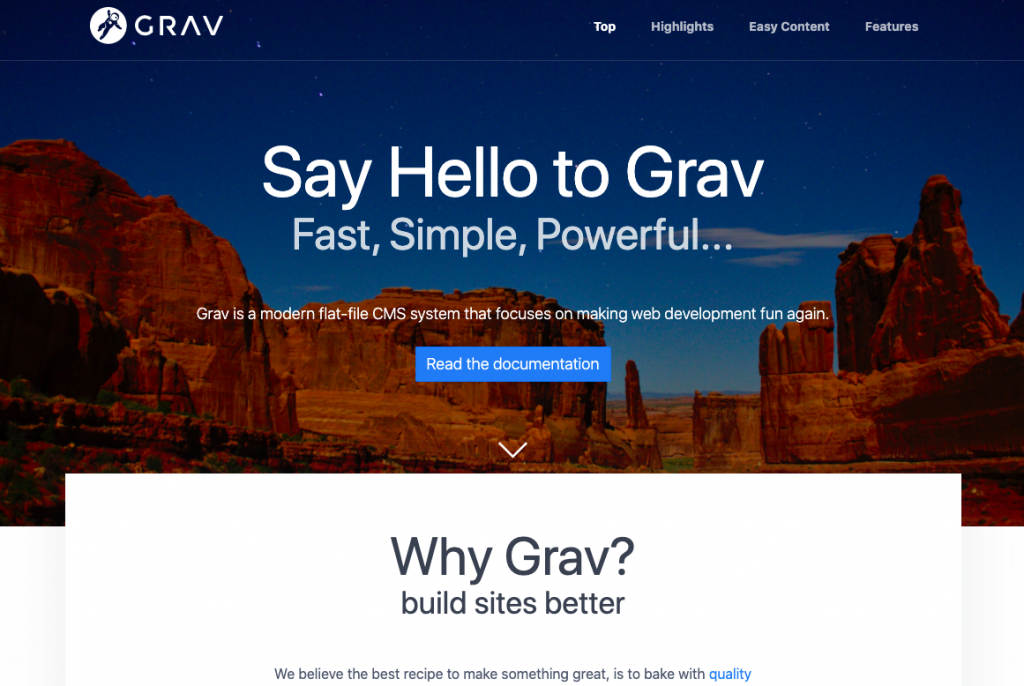
GitHub 上で, クォークは 71 星と 62 フォーク付き 19 これまでのリリース. バージョン 2.1.2 (8月 2025) 最新です, Grav チームによるアクティブなメンテナンスを示す. コードベースは 77% SCSS (変数とネストを追加する CSS プリプロセッサ), 18% 小枝テンプレート (Grav のテンプレート言語), および最小限の JavaScript.
Grav 自体のコンテキスト: フラットファイルCMSです (データベースは必要ありません) コンテンツを Markdown ファイルに保存する. MySQL クエリのオーバーヘッドがないため、ページの読み込みが速くなります. Quarkは、最小限のJavaScriptと効率的なCSSを使用してこのアーキテクチャを利用します。, パフォーマンス上の利点をそのまま維持する. Grav に慣れていない場合, 私たちの Grav ホスティング ガイド CMS についてさらに詳しく説明します.
主な機能
Spectre.css財団
QuarkはBootstrapやTailwindではなくSpectre.cssを使用します. その選択はファイルサイズに影響します. Spectre のライブラリ全体は、gzip 圧縮された 10KB 未満で実行されます. ブートストラップ 5 25KBを超える. キロバイトごとが読み込み時間に影響するサイトの場合, Spectre はレスポンシブなグリッドを提供します, タイポグラフィ, 膨張のないコンポーネント. トレードオフ: ブートストラップよりも事前に構築されたコンポーネントが少ない, 複雑な UI 要素にはより多くのカスタム作業が必要です.
テーマの継承
開発者にとってQuarkのキラー機能は次のとおりです. Quarkを直接編集するのではなく (アップデートが到着すると壊れる), Quarkからすべてを継承し、変更のみを含む子テーマを作成します。. テンプレートを変更する, カスタムCSSを追加する, 設定を上書きする. 基本テーマはクリーンなままで更新可能です.
これは実際には何を意味しますか? カスタマイズを変更せずに、セキュリティとバグ修正のためにQuarkを常に最新の状態に保つことができます. ほとんどの Grav テーマは継承をサポートしています, しかし、Quark の明確な構造により、より意見の多い代替案よりも拡張が容易になります。.
モジュラーテンプレートシステム
Quarkには一般的なページタイプのテンプレートが含まれています:
- デフォルトのページ 標準コンテンツの場合
- ブログリストと投稿テンプレート 出版用
- エラーページ (404, 等) 適切なスタイリングで
- モジュール式セクション: ヒーロー, 特徴, テキストブロック, ギャラリー
モジュール式アプローチにより、再利用可能なセクションからページを構築できます. ホームページにはヒーロー セクションが組み合わされる場合があります, 3つの機能ブロック, カスタム テンプレートを作成しないテキスト セクション. ギャラリー モジュールにはプレミアム ライトボックス ギャラリー プラグインが必要です, これはQuarkのエコシステムで唯一注目すべきペイウォールです.
構成オプション
Grav の管理パネルまたは YAML ファイル経由 (単純なテキスト構成ファイル), Quark はこれらのコントロールを提供します:
- プロダクションモード 縮小された CSS 配信用
- 固定ヘッダー スクロールアニメーション付き
- ヘッダーのスタイル (暗いヘッダーバー, 透明度のオプション)
- スティッキーフッター 行動
- カスタムロゴ アップロード (デスクトップとモバイルのバリエーション)
- グリッドのサイジング (XL, LG, MD) レイアウト制御用
ページごとの上書きは前付で機能します (コンテンツ ファイルの先頭にある YAML). ボディクラスは任意のページに個別に設定できます, テーマを変更せずに選択的なスタイルを設定できるようにする.
モバイルファーストのレスポンシブデザイン
Spectre.css は 12 列のフレックスボックス グリッドを通じて応答性を処理します. Quark は、小さな画面上で適切に折りたたまれるモバイル ナビゲーションを使用してこれを実装します。. タブレットのブレークポイントでハンバーガー メニューが表示される, タッチターゲットはモバイルユーザビリティ基準を満たしています.
FontAwesome の統合
アイコンフォントがバンドルされています. FontAwesome アイコンは追加の設定なしでコンテンツとテンプレートで機能します. 純粋なパフォーマンスのために, この依存関係を削除し、代わりに SVG アイコンを使用することもできます, しかし、ほとんどのサイトでは、利便性が最小限のオーバーヘッドを上回ります。.
長所と短所
長所
- 軽量: CSS の合計が 50KB 未満 (スペクター + Quarkのカスタムスタイル), Bootstrap ベースのテーマよりも大幅に小さい
- クリーンな継承: コアファイルを変更せずに拡張する, アップデートを安全に保つ
- 公式サポート: Grav の作成者によって保守され、互換性が保証されています
- 無料でMITライセンスあり: 費用はかかりません, 商用利用に制限はありません
- SCSSソースファイル: カスタマイズ用に整理された変数と部分変数
- しっかりとしたドキュメント: 公式ドキュメントでは設定と拡張機能を徹底的にカバーしています
- 2つのスケルトンサイト: ブログと 1 ページのスケルトンは実際の例を提供します
短所
- 基本的な美学: 見た目の特徴よりも機能的なもの, 独自のブランディングのためのカスタマイズが必要
- ダークモードなし: デフォルトではライトテーマのみ, ダークバリアントにはカスタム CSS またはコミュニティプラグインが必要です
- ギャラリーにはプレミアムプラグインが必要です: ライトボックス ギャラリー プラグインはモーダル画像ギャラリーに追加料金がかかります
- Spectre.css の制限事項: ブートストラップよりも事前に構築されたコンポーネントが少ないため、複雑な UI のカスタム作業が多くなります
- Gravが必要です 1.4+: 古い Grav インストールでは、アップグレードしないと Quark を使用できません
- カスタマイズの学習曲線: テーマの継承と Twig テンプレートにはある程度の技術的な快適さが必要です
Quarkを使用すべき人?
最適な用途
カスタム Grav テーマを構築する開発者: Quark のクリーンな構造と継承システムにより、理想的な出発点となります. ゼロから構築するのではなく, Quarkを拡張し、テーマをユニークなものにすることに焦点を当てる.
シンプルなポートフォリオまたはブログ サイト: 掃除が必要な場合は, 特有の設計要件のない高速なサイト, Quark が基本を処理します. Markdown を通じてコンテンツを追加する, 色とロゴを設定する, 公開.
パフォーマンス重視のプロジェクト: ページ速度が重要な場合 (そしてそれは通常そうなります), Quark の軽量なフットプリントにより、ロード時間を最小限に抑えます. Grav のフラットファイル アーキテクチャと組み合わせる, 最適化プラグインなしで高速なサイトが得られます.
Grav開発を学ぶ: Quark のテンプレートは Grav の規則を明確に示しています. Quarkがテンプレートをどのように処理するかを研究する, 構成, そしてアセットはあらゆる Grav テーマに適用できるパターンを教えます.
次の場合はスキップします
コーディングせずに視覚的に区別したい場合: Quark looks like a developer’s starter theme because that’s what it is. If you need polished design out of the box, commercial Grav themes or alternatives like Gateway offer more visual personality.
You need complex e-commerce or membership features: グラブ (and by extension Quark) targets content sites rather than applications. For online stores or membership sites, WordPress or dedicated platforms fit better. 私たちの クラウドホスティングガイド covers options that support multiple CMS platforms.
Dark mode is essential: Quark ships light-only. Community solutions exist, but if native dark mode matters, you’ll invest time in customization or choose a different theme.
クオークの代替品
Grav offers over 100 無料テーマ. Here’s how notable alternatives compare to Quark:
クォーク・オープン・パブリッシング
A modified Quark version built by Paul Hibbitts for educational content and documentation. Adds Git Sync integration for version control, “chromeless” display for embedding content in LMS platforms like Canvas or Moodle, and blog features. If you’re creating open course materials or documentation that needs to live in multiple places, this variant solves problems Quark doesn’t address. Same Spectre.css foundation, so performance stays comparable.
Bootstrap4 のテーマ
Swaps Spectre.css for Bootstrap 4. トレードオフは明らかです: Bootstrap adds roughly 15KB more CSS but brings hundreds of pre-built components, 広範なドキュメント, and a massive community. If your team already knows Bootstrap or you need complex UI patterns (モーダル, カルーセル, アコーディオン) without custom work, Bootstrap4 saves time. シンプルなサイトの場合, Quark’s lighter footprint wins.
ゲートウェイ
Where Quark is a developer’s canvas, Gateway is a finished painting. It ships with polished visual design, multiple color schemes, and user-friendly options for non-technical users. Gateway targets people who want a working site without touching code. 欠点: less flexibility for custom development, and file size runs larger than Quark.
ハイパーテキスト
The extreme minimalist option. Zero JavaScript, barely any CSS. Pages load almost instantly because there’s almost nothing to load. Hypertext works for text-heavy sites where content matters more than presentation. You lose responsive layouts, アイコン, and most visual polish. But for brutalist design fans or absolute performance requirements, nothing beats it.
反物質 (遺産)
Grav’s previous default before Quark. Still works, still receives occasional patches, but active development has shifted to Quark. If you have existing Antimatter sites, they’ll keep running. For new projects, choose Quark instead. Migration from Antimatter to Quark requires template adjustments since they use different structures.
インストール
Quark installs automatically with any new Grav installation. For existing Grav sites without Quark:
GPM経由 (おすすめされた)
From your Grav root directory, 走る:
bin/gpm install quark
This downloads Quark to /user/themes/quark and handles dependencies automatically.
手動インストール
- Download the theme from GitHub (getgrav/grav-theme-quark)
- Extract to
/your/site/grav/user/themes/ - Rename the folder to
quark - Enable in your site’s
system.yamlor through the Admin panel
スケルトンの使用
新しいサイトの場合, the One-Page Skeleton or Blog Skeleton packages include Quark pre-configured with sample content. This approach gets you started faster than installing Grav core and adding a theme separately.
カスタマイズガイド
カスタムCSS (シンプルなアプローチ)
Quark looks for css/custom.css in the theme directory. Create this file to add styles without touching Quark’s core CSS. Changes persist through theme updates. This works for color adjustments, font changes, and minor layout tweaks.
Important gotcha: If you edit Quark’s built-in CSS files directly, your changes get wiped on the next theme update. Always use custom.css or theme inheritance. This catches many new Grav users.
テーマの継承 (大幅な変更の場合に推奨)
For larger modifications, create a child theme:
- Create a new folder in
/user/themes/(例えば,mytheme) - 追加
blueprints.yamldeclaring Quark as the parent - Add only the files you want to override
- Activate your child theme instead of Quark
Here’s a minimal blueprints.yaml to get started:
名前: My Theme
version: 1.0.0
説明: Custom theme extending Quark
author:
  名前: Your Name
dependencies:
  - { 名前: grav, バージョン: '>=1.6.0' }
  - quark
Your child theme inherits all of Quark’s templates, CSS, と構成. Override specific templates by placing modified versions in your theme folder. Quark’s updates won’t touch your customizations.
カスタムロゴ
Either drag-and-drop through the Admin panel’s theme options or place logo files in /user/themes/quark/images/logo/. Quark supports separate desktop and mobile logo variants if your design requires different dimensions for each context.
SCSS コンパイル
Quark’s source styles use SCSS. For advanced customization:
- Clone or copy Quark’s SCSS files
- Modify variables (色, フォント, 間隔)
- Compile using your preferred tool (Yarn, npm scripts, or Grav’s built-in asset compilation)
- Deploy compiled CSS
This approach gives full control over Spectre.css variables and Quark’s custom additions.
よくある質問
Quarkは商業的に無料で使用できますか?
はい. Quark uses the MIT license, allowing commercial use without restrictions. You can use it for client sites, sell themes built on it, or modify it however you need. No attribution required, though it’s appreciated.
QuarkはすべてのGravプラグインで動作しますか??
Most plugins work with any Grav theme, including Quark. The exception is plugins requiring specific template hooks or theme support. The gallery modular template requires the Lightbox Gallery plugin (プレミアム). Check plugin documentation for theme compatibility requirements.
Quarkにダークモードを追加するにはどうすればよいですか?
Quark doesn’t include native dark mode. The cleanest approach: create a child theme that overrides Spectre’s color variables in SCSS. ターゲット $primary-color, $body-bg, と $body-font-color as starting points. For a toggle switch, you’ll need JavaScript to swap CSS classes. Community member Louis Charette published a dark mode implementation guide that walks through the full process. バジェット 2-4 hours for a basic implementation, longer for polish.
コーディングの知識がなくてもQuarkを使用できますか?
基本的なサイトの場合, はい. Install Grav, configure Quark’s options through the admin panel, add content in Markdown. More significant customization requires comfort with CSS at minimum, and template changes require understanding Twig. Quark sits in the middle ground between no-code themes and developer-only frameworks.
Quarkを使用するべきか、それともカスタムテーマを最初から構築すべきか?
Start with Quark. Even experienced developers save time by inheriting from Quark rather than building every component from zero. Quark handles pagination, ナビゲーション, responsive behavior, and common templates. Build on that foundation rather than reinventing it.
最終評決
Quark succeeds at what default themes usually fail: being genuinely useful beyond initial installation. The Spectre.css foundation keeps sites lightweight. Theme inheritance lets developers customize without fighting updates. Modular templates handle common patterns. It’s not flashy, and that’s intentional.
開発者向け, Quark is the obvious starting point for Grav theme development. For non-developers wanting simple sites, it works if visual distinction isn’t a priority. For anyone needing polished design without customization work, look at Gateway or commercial alternatives instead.
The lack of dark mode and dependence on a premium plugin for galleries are real limitations. But for a free, MIT-licensed theme maintained by Grav’s creators, those compromises are reasonable. Use Quark as a foundation, extend it through inheritance, and focus your time on what makes your site unique rather than rebuilding standard components.
If you’re exploring Grav for a new project, choosing the right hosting matters. 私たちのを参照してください Grav hosting comparison for providers optimized for flat-file CMS performance. For other Grav themes worth considering, 私たちのをチェックしてください fastest Grav themes comparison.