
UltaHost vs カテラ (2026): プライスロックと出口ドア - JA
これらのホストは両方とも、サインアップした価格で更新されます. UltaHost's cheapest VPS holds at USD 4.80 月, Kamatera's entry cloud server at USD 4.00, どちらもあなたに2年目の値上げをもたらしません. That settles the question most hosting comparisons are built around. What's left is the one that decides it: UltaHost wants 24 数ヶ月前から, while Kamatera lets you delete the server this afternoon. One sells a locked price. The other sells an exit door.
簡単な回答: Pick UltaHost for a managed VPS at a rate that never moves, if the server will still be running in two years. Pick Kamatera if you can administer Linux, need to switch servers on and off, and want a real 30-day trial first. この 2 つは同じ購入者を追いかけているわけではありません.
にジャンプ: なぜこれは同じような戦いではないのか / ウルトラホスト / カマテラ / それぞれ実際にかかる費用 / 一致しない数字 / 選び方 / よくある質問
最終レビュー済み: 7月 2026. 価格と機能を検証しました.
UltaHostとKamateraを比較した方法
2 つの質問がそのきっかけとなった: お金で実際に買えるもの, そして外出したいときはどうなりますか.
価格は 7 月に両方のプロバイダーのページから直接取得されました 2026, キャッシュされたレビューまとめからではありません. その多くは依然として UltaHost の 2025 年以前のラインナップを引用しています. 参入価格と更新価格を別々に記録しました, 次に、それぞれの参入から更新までの乗数を計算しました。. プロモーション料金だけでは何もわかりません.
構成は仕様と一致しました, 価格ではありません. 米ドル 4.00 共有スレッド クラウド インスタンスと USD 4.80 管理対象 VPS はスプレッドシート上では隣接する VPS のように見えますが、動作はまったく同じではありません. 私たちはマーケティング ページの稼働時間の数値ではなく、署名された SLA 文書を読みます。, ヘッドライン許容量ではなく、交通に関するよくある質問. どちらもギャップを生んだ. センチメントについては、平均ではなくレビューの分布を参照します。, なぜなら 4.0 5 と 1 で作られたものとは何かが異なります。 4.0 四つん這いから作られた.
私たちがしなかったこと: 負荷テストを実行するか、いずれかのネットワークのベンチマークを実行します. また、Kamatera は、CPU タイプの単位当たりのレート表を公開していません。. cPanel ライセンスの価格は表示されません, バックアップアドオン, または電源がオフになっているサーバーの保持料金. 番号が公表されていない場合, 私たちは推測する代わりにそう言います.
全機能比較
 ウルトラホスト
1. Ultahost


 854
854
 ポジティブ
ポジティブ










| スペース | 帯域幅 | パネル | 価格 | |
|---|---|---|---|---|
| 30 GB | 無制限 | cPanel | $3.80 | プランを見る |
| 60 GB | 無制限 | cPanel | $4.80 | プランを見る |
| 80 GB | 無制限 | cPanel | $8.80 | プランを見る |
| 110 GB | 無制限 | cPanel | $11.50 | プランを見る |
| スペース | CPU | 価格 | 羊 | |
|---|---|---|---|---|
| 30 GB | 1 x 2.7GHz | 1 GB | $3.99 | プランを見る |
| 30 GB | 1 芯 | 1 GB | $4.80 | プランを見る |
| 50 GB | 2 x 2.7GHz | 2 GB | $6.99 | プランを見る |
| 75 GB | 3 x 2.7GHz | 4 GB | $11.50 | プランを見る |
| 50 GB | 1 芯 | 2 GB | $11.80 | プランを見る |
| 100 GB | 4 x 2.7GHz | 6 GB | $14.99 | プランを見る |
| 80 GB | 2 コア | 4 GB | $17.50 | プランを見る |
| 150 GB | 2 コア | 6 GB | $24.50 | プランを見る |
| 250 GB | 4 x 2.7GHz | 8 GB | $27.50 | プランを見る |
| 350 GB | 6 x 2.7GHz | 12 GB | $32.50 | プランを見る |
| 200 GB | 4 コア | 8 GB | $35.50 | プランを見る |
| 450 GB | 8 x 2.7GHz | 16 GB | $49.50 | プランを見る |
| 550 GB | 16 x 2.7GHz | 24 GB | $69.50 | プランを見る |
| 650 GB | 16 x 2.7GHz | 32 GB | $93.90 | プランを見る |
| 400 GB | 8 コア | 32 GB | $103.99 | プランを見る |
| 750 GB | 16 x 2.7GHz | 48 GB | $125.99 | プランを見る |
| 750 GB | 12 コア | 64 GB | $170.80 | プランを見る |
| 1 TB | 24 x 2.7GHz | 64 GB | $187.50 | プランを見る |
| スペース | CPU | 羊 | 価格 | |
|---|---|---|---|---|
| 480 GB | 4 コア | 16 GB | $74.80 | プランを見る |
| 960 GB | 6 コア | 64 GB | $97.80 | プランを見る |
| 960 GB | 12 コア | 64 GB | $115.80 | プランを見る |
| 1.78 TB | 24 コア | 128 GB | $257.80 | プランを見る |
| 7.7 TB | 28 コア | 256 GB | $499.80 | プランを見る |
| 価格 |
|---|
| スペース | 帯域幅 | パネル | 価格 | |
|---|---|---|---|---|
| 20 GB | 無制限 | cPanel | $19.50 | プランを見る |
| 80 GB | 無制限 | cPanel | $27.50 | プランを見る |
| 150 GB | 無制限 | cPanel | $36.80 | プランを見る |
| 保証 | 価格 |
|---|
| スペース | 帯域幅 | 保証 | 価格 |
|---|
| 帯域幅 | 保証 | 価格 |
|---|
| スペース | CPU | 羊 | 保証 | 価格 |
|---|
| スペース | CPU | 保証 | 価格 |
|---|
| CPU | 帯域幅 | 価格 | 羊 | |
|---|---|---|---|---|
| 1 芯 | 1 GB | 無制限 | $5.50 | プランを見る |
| 1 芯 | 1 GB | 無制限 | $13.25 | プランを見る |
| 1 芯 | 1 GB | 無制限 | $20.50 | プランを見る |
| CPU | 帯域幅 | 保証 | 価格 |
|---|
 カマテラ
カマテラ
1. Kamatera


 320
ポジティブ
320
ポジティブ



| スペース | 帯域幅 | パネル | 価格 | |
|---|---|---|---|---|
| 20 GB | 5 TB | cPanel 直接管理 ISP マネージャー Plesk | $4.00 | プランを見る |
| 20 GB | 5 TB | cPanel 直接管理 ISP マネージャー Plesk | $6.00 | プランを見る |
| 30 GB | 5 TB | cPanel 直接管理 ISP マネージャー Plesk | $12.00 | プランを見る |
| スペース | CPU | 価格 | 羊 | |
|---|---|---|---|---|
| 20 GB | 1 x 2.6GHz | 1 GB | $4.00 | プランを見る |
| 20 GB | 1 x 2.6GHz | 2 GB | $6.00 | プランを見る |
| 30 GB | 2 x 2.65GHz | 2 GB | $12.00 | プランを見る |
| 40 GB | 2 x 2GHz | 4 GB | $19.00 | プランを見る |
| 30 GB | 1 x 2.6GHz | 1 GB | $23.00 | プランを見る |
| 30 GB | 1 x 2.6GHz | 2 GB | $25.00 | プランを見る |
| 50 GB | 4 x 2.65GHz | 4 GB | $28.00 | プランを見る |
| 30 GB | 2 x 2.65GHz | 2 GB | $29.00 | プランを見る |
| 50 GB | 2 x 2.65GHz | 8 GB | $32.00 | プランを見る |
| 40 GB | 2 x 2.65GHz | 4 GB | $36.00 | プランを見る |
| 50 GB | 4 x 2.65GHz | 8 GB | $40.00 | プランを見る |
| 50 GB | 4 x 2.65GHz | 4 GB | $45.00 | プランを見る |
| 50 GB | 2 x 2.65GHz | 8 GB | $49.00 | プランを見る |
| 100 GB | 4 x 2.65GHz | 12 GB | $56.00 | プランを見る |
| 50 GB | 4 x 2.65GHz | 8 GB | $57.00 | プランを見る |
| 100 GB | 4 x 2.65GHz | 12 GB | $73.00 | プランを見る |
| 100 GB | 4 x 2.65GHz | 16 GB | $80.00 | プランを見る |
| 100 GB | 4 x 2.65GHz | 16 GB | $97.00 | プランを見る |
| 4 TB | 8 x 2.66GHz | 384 GB | $2,397.00 | プランを見る |
| スペース | CPU | 羊 | 価格 | |
|---|---|---|---|---|
| 40 GB | 2 ×5.33GHz | 4 GB | $19.00 | プランを見る |
| 50 GB | 2 ×5.33GHz | 8 GB | $32.00 | プランを見る |
| スペース | CPU | 帯域幅 | 価格 | 羊 | |
|---|---|---|---|---|---|
| 20 GB | 1 x 2.6GHz | 1 GB | 5 TB | $4.00 | プランを見る |
| 50 GB | 4 コア | 4 GB | 無制限 | $28.00 | プランを見る |
| スペース | 帯域幅 | パネル | 価格 | |
|---|---|---|---|---|
| 20 GB | 5 TB | cPanel | $4.00 | プランを見る |
| 30 GB | 5 TB | cPanel | $12.00 | プランを見る |
| 保証 | 価格 |
|---|
| スペース | 帯域幅 | パネル | 保証 | 価格 |
|---|
| 帯域幅 | 保証 | 価格 |
|---|
| CPU | 帯域幅 | 価格 | 羊 | |
|---|---|---|---|---|
| 1 x 2.6GHz | 1 GB | 5 TB | $4.00 | プランを見る |
| 4 コア | 4 GB | 無制限 | $28.00 | プランを見る |
| CPU | 帯域幅 | 保証 | 価格 | 羊 |
|---|
総合得点
これが似たような戦いではない理由
UltaHost が販売する 18 ホスティング製品. そのうちの 1 つもクラウドではありません.
7月に完全なリストを確認しました 2026: 共有, VPS, VDS, ひたむきな, WordPress, Eメール, ウィンドウズ, ゲーム, リセラー, さらにFXやラジオに至るまでニッチなバリエーションも. クラウド SKU はありません, 時間単位の課金はありません, 自動スケーリングなし, 公開されたプロビジョニング API はありません. 請求は毎月行われます, 毎年, 2年周期と3年周期. 言葉 "クラウド" ブログ投稿や製品名 (Cloudflare VPS など) に表示されます。. それは Cloudflare が接続された VPS です, クラウドサーバーではありません.
カマテラは鏡像です. マネージド WordPress 製品なし. cPanelは含まれていません. 基本層に管理がバンドルされていない. 代わりにあるのは時間単位の課金です, から実行されるコンフィギュレータ 1 vCPUから 104, メーターを停止する削除ボタン.
したがって、人々が入力するクエリは ("どちらが安いですか?") 間違っています. 入場料は据え置き 80 数セントの差があり、どちらも上がらない. 重要なフォーク:
- ウルトラホスト: あなたは前払いします 24 月, 彼らは箱を管理します, レートは凍結されています.
- カマテラ: 時間単位で支払います, あなたはボックスを管理します, 今日は歩いてもいいよ.
からここに到着しました 一般的な VPS ホスティングの比較? その違いが記事全体です. 以下のものはすべてそれにぶら下がっています.
UltaHost – まったく移動しないレートでのマネージド VPS に最適
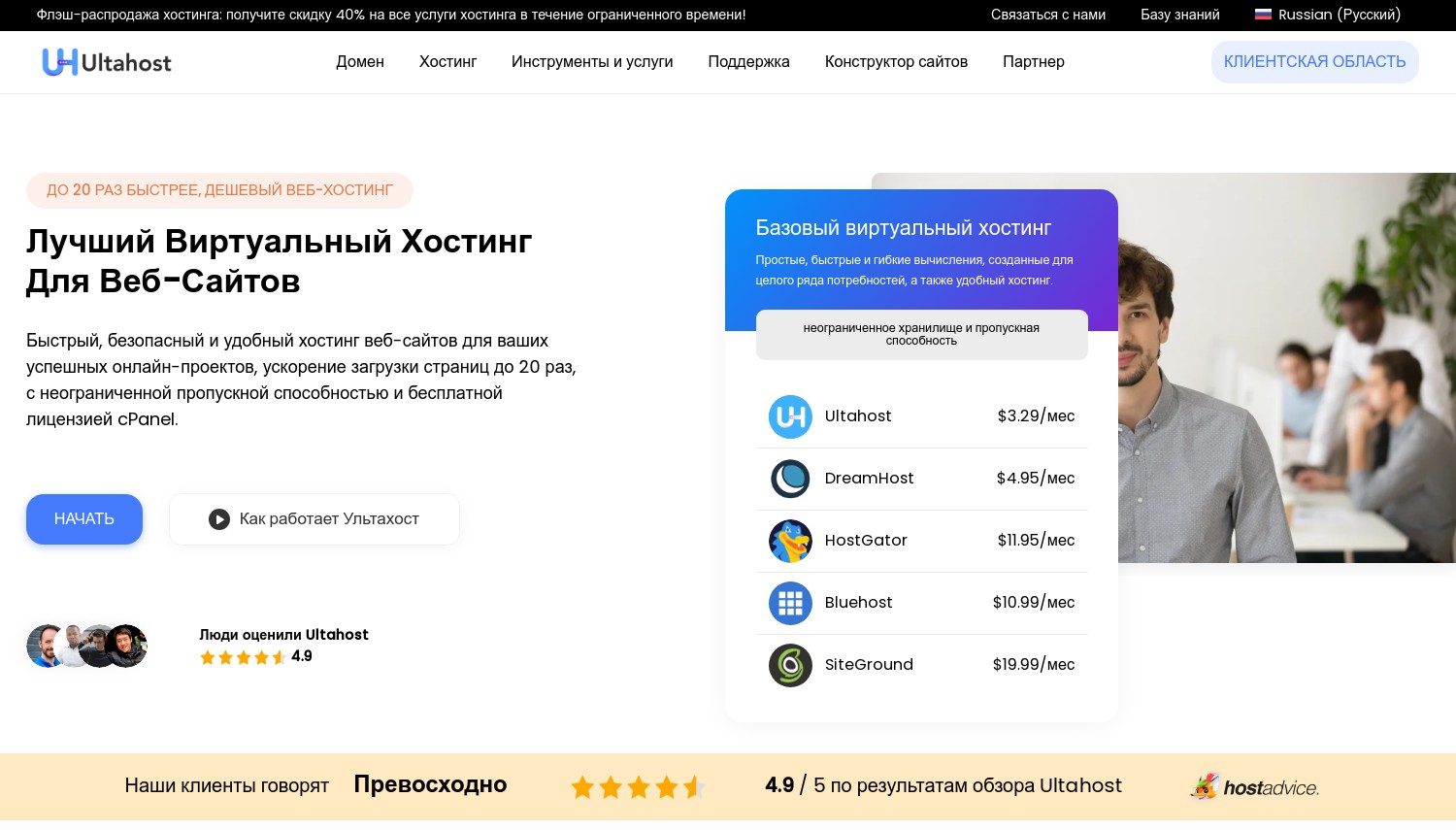
エントリーVPS: 4.80ドル/月 (1 GB DDR5 メモリ, 1 vCPU, 30 GB NVMe) | リニューアル: 4.80ドル/月 | 25 データセンター | 30-日帰り | 99.99% 稼働時間の主張
米ドル 4.80. 現在の UltaHost のエントリー VPS の料金はこれです, 24 か月の期間が繰り越された場合の料金も同様です. 取り消し線が引かれた米ドル 7.99 価格ページの横にリスト料金があります, 更新率ではありません. これら 2 つのアイデアの間にギャップがあるため、ほとんどのホスティング購入者は損失を被ります。.
乗算器を実行すると、UltaHost が次のようになります。 1.0x エントリーから更新まで. VPS市場全体, 2x ~ 5x が標準です. 正直な注意点が 1 つあります: 凍結されたレートは別のへの再コミットに関連付けられています 24 月, 請求サイクルが短いほどコストが高くなります. プライスロックの衣装を着てのコミットメント割引です. まだお得です, とにかくここに残るつもりなら.
この価格で管理とルートアクセスをバンドルしたホストはほとんどありません. UltaHost は両方を実行します: 彼らのチームがインストールを担当します, 構成, 追加料金なしでアップデートとモニタリングが可能, そしてあなたは完全なルートを維持します. 共有ホストのように管理, 雲箱のように根を張る. 数字で見る: UltaHost VPS事業 あなたに与えます 2 GB RAM, 2 vCPU と 50 GB NVMe、月額 8.50 米ドル, 管理も含めて. Kamitera の最も近い専用スレッドに相当するもの (2 vCPU タイプ B, 2 GB RAM) 管理前に月額 25 ドルの費用がかかります, プロマネージドが接続されると、月額 75 米ドル. それは 8.8x UltaHost の価格 同じ管理ジョブに対して. 私たちの マネージド VPS ホスティング ガイド その米ドルを置きます 8.50 より広い文脈で.
さて、彼らのマーケティングが教えてくれない部分. アグリゲーターが UltaHost を配置していることを確認します。 3.4/5 横切って 1,722 レビュー, しかし平均は本当の話を埋もれてしまう: 63% 五つ星, 27% 一つ星, かろうじて 10% その間のどこかに. あれは凡庸なホストではない. それは二極化しています. 1 つ星の山で繰り返されるテーマは、警告なしにアカウントとサーバーが停止されることです. クライアント サイトをホストしている場合, それ 27% 本当の重みに値する. 突然の営業停止はビジネス上の問題です, サポートチケットではありません.
もう一つの矛盾. UltaHost の VPS ページで宣伝されています "30+ グローバル拠点" とその専用ページの主張 "35+". 自社データセンターのページ一覧 25 各地の場所 20 国. 私たちは彼らの番号を使用しています, 彼らのマーケティングではない.
長所:
- 更新はサインアップ料金で保留されます, a 1.0×乗数 2年の任期で
- すべての VPS に管理が無料で含まれています, 完全な root アクセスが保持された状態で
- 30 GB NVMe カマテラの参入計画について 20 GB
- 従量制帯域幅 (フェアユース) カマテラのメーターの場所 5 TB
- AMD EPYC 9005/9004 次のハードウェア 240万米ドル, 800-サーバーのリフレッシュ 1月に 2025
短所:
- 27% 1つ星のレビュー, 予告なく停止されると、苦情が繰り返し発生する
- 時間単位の課金はありません, 自動スケーリングなし, プロビジョニング API なし
- cPanel, Plesk と ispmanager は、 有料アドオン VPS上で (ヘスティアとサイバーパネルのみ無料)
価格設定: VPSベーシックUSD 4.80 (リスト 7.99), ビジネス米ドル 8.50 (リスト 13.99), プロフェッショナルUSD 13.80 (リスト 22.80, 4 GB RAM), エンタープライズ米ドル 17.99 (リスト 29.99, 6 GB RAM). すべてのプロモーション料金には 24 か月の期間が必要です 40% 割引; 3年かかる 50% オフ. 共有はUSDから始まります 3.80, WordPress(米ドル) 2.80. 無料の移行と 30 日間の返金がすべての製品に適用されます. 追加の噛みつき: 無料ライセンスを超えるコントロール パネル ライセンス.
こんな方に最適: 何年も運営することになる、管理された VPS または WordPress サイト。ベビーシッターはしたくない. 次の場合はスキップします: サーバーを上下に回転させる必要がある, さもなければ、突然の停止によりビジネスが停止する可能性があります.
評決: 他の人がサーバーにパッチを当てて、アスタリスクなしで 2 年間の予算に入れることができる価格が必要な場合は、UltaHost を購入してください。. 柔軟なインフラストラクチャまたは API が必要な場合は購入しないでください. UltaHostにはどちらもありません, カマテラにはその両方がある. そして、もしそれが 27% 1 つ星のレートはお腹を壊す, それは合理的な反応だ, きしみではない.
Kamitera – スイッチをオフにして支払いを停止できるサーバーに最適
エントリ: USD 4.00/月 (1 vCPU タイプ A 共有スレッド, 1 GB RAM, 20 GB NVMe, 5 TBトラフィック, 1 アジアにおける結核) | 毎時: 0.014米ドル/時間 | 21 都市 | 30-日米ドル 100 トライアル | 99.95% 公表されている稼働時間
その米ドル 4 サーバーは米ドルではありません 4 ほとんどの人のためのサーバー, それは非難ではありません, それは算術です. 同梱されています 20 GBのディスク. 追加する 100 GB を超えると USD が実行されます 0.05 1GBあたり, それで米ドル 5 月, サーバー自体よりもコストがかかります. 誰でも管理してほしい? プロマネージドはフラット米ドルです 50, を置く 最安のマネージド ボックス (USD) 54. 宣伝されている数値は正直です. それは、多くの購入者が急速に成長していく機械を説明しているだけです.
あなたが買うのはインフラです, ホスティングしていない. コンフィギュレータの範囲 1 に 104 vCPU, 256 MBから 128 GBのRAM, と 20 GBから 4,000 GBのNVMe. CPUは4種類ある: 可用性については A (共有スレッド), B 汎用 (専用スレッド), D は完全専用, T は破裂性を意味します. その米ドル 4.00 エントリ構成は タイプAの共有スレッド 実例. 専用スレッドへの移行は、タイプ B のプリセットが 25 米ドル/月になることを意味します, a 6.25×ジャンプ 1 つの追加の vCPU と 1 ギガバイトの追加の RAM. そのステップを示す競合する価格表はありません, そしてそれが人々を魅了するのです.
UltaHost に対して, エントリー番号は次のようになります. カマテラがアンダーカット 80 セント (米ドル 4.00 対米ドル 4.80). それはあなたに手渡します 20 UltaHost が提供する NVMe の GB 30 GB, 管理された VPS ではなく共有 CPU スレッド上で, 管理ゼロで. 請求書で安くなる, スペックシートでは薄い, そしてあなたが管理するものです. 私たちの クラウドホスティングの比較 大手 IaaS プレーヤーとの取引がどこに着くのかをカバーします.
ここで一番強いのは試練だ, そしてそれは本当の試練だ, 偽装された払い戻し窓口ではありません. あなたが得る 30 日々, 最大 USD 相当の構成 100, と 1 TB のトラフィック. カードが必要で、その後自動的に請求が始まります, だからリマインダーを設定して. しかし、箱を作ることはできます, それを壊す, 再構築して何も支払わずに立ち去る. UltaHost の返金保証により、最初に支払い、後で返金を請求することができます. 同じオファーではありません.
2 つの正直な警告. サポートラン 24/7 電話とチケットで, ライブチャットはありません, 無料枠ではインフラストラクチャ境界で停止します. サーバー自体は正常でも WordPress が壊れた場合, 月額 50 ドルを支払わない限り、それはあなたの問題です. もあります "定額制" トラフィックオプションは次のようになります 速度制限付き 50 Mbps (いいえ, 私たちは議論するだろう, 計量されていないという言葉で誰もが聞くこと). ユーザーレビューはあちこちにあります 4.8/5 1,200 以上にわたって. サポートは何度も称賛される; 未だに残る不満は、誰も請求額を予測できないことだ.
長所:
- 契約や更新マークアップはありません: キャンセル, そしてあなたは支払いをやめる
- 30-USD での 1 日トライアル 100 本当の信用の, 返金を請求するものではありません
- から設定可能 1 に 104 vCPU と 256 MBから 128 GB RAM
- A テルアビブ地域 欧米の競合他社からのオファーはほとんどない
短所:
- デフォルトでは管理対象外: プロマネージドは サーバーあたり月額 50 米ドル, プレミアム米ドル 150
- 米ドル 4 層が実行されます 共有CPUスレッド; 専用スレッドはUSDから始まります 25
- トラフィックは次のように低下します 1 アジアにおけるTB/月 対 5 他の場所での結核, その後 0.01 米ドル/GB
- 請求の複雑さは、ユーザー レビューで最も頻繁に挙げられる苦情です
- データセンターの設置面積は 11月から静的 2024
価格設定: エントリー費 USD 4.00/月, USDでのプリセット 25 (2 vCPU タイプ B, 2 GB) と米ドル 39 (4 GB). エントリ構成で 1 時間あたり USD 0.014/時間実行されます。. アドオン: ストレージは USD 0.05/GB/月, 追加のパブリック IP は 1 米ドル/月 (最初は無料, 最大4つ), 含まれているトラフィック超過は USD 0.01/GB です 5 TB. Kamitera は cPanel ライセンスの価格を公開していません, バックアップアドオン, または、電源がオフになっているサーバーで発生し続ける料金. 未知数の予算.
こんな方に最適: 必要のないサーバーを実行している開発者と代理店 24/7, または、支払う前に適切にテストしたい人. 次の場合はスキップします: 他の人に WordPress を修正してもらいたい 3 午前, または、6 項目から構成される請求書を予測することはできません.
評決: Linux を自力で実行できる場合は、Kamatera を選択してください, そしてサーバーを破壊する力は凍結された価格よりも価値があります. 管理も含めてほしい? UltaHost は米ドルでバンドルします 8.50, 一方、Kamatera の最も安価なマネージド ボックスは米ドルです 54, 米ドルに上昇 75 UltaHost の専用スレッド仕様と一致したら. そこには議論はありません. API と時間単位の課金を備えた本物のクラウドが欲しい? UltaHost はいかなる価格でも販売していません.
不足しているものを追加すると、それぞれに実際にかかる費用
広告価格が会話の始まり, 彼らは一つを終わらせない. ここに3つの現実的なバスケットがあります, 両方のプロバイダーが実際に請求するアドオンを含む価格.
1 つの管理された WordPress サイト, 2 GB RAM
UltaHost VPS事業: 8.50ドル/月, 管理も含めて, 無料の Hestia よりも cPanel が必要な場合は、パネル ライセンスに加えて. 同等のスペックのカマテラ: タイプ B 構成の場合、月額 25 米ドル, プロマネージドの場合、月額 50 ドル, cPanelライセンスが上部にあります. それは ライセンス取得前は月額 75 ドル, 同じジョブに対して 8.8x UltaHost. カマテラをUSDにドロップすることもできます 54 代わりに共有スレッドボックスを使用する, しかし、あなたは知らない人と共有している CPU で WooCommerce を実行していることになります。.
開発ボックスが実行されている 6 1日に数時間, 20 月に数日
それは 120 時間. カマテラは時間単位で課金されます: 120 × 米ドル 0.014 = 1.68ドル/月. UltaHost のフロアは USD 4.80/月です, プリペイド 24 月, それで米ドル 115.20 初日にコミットした. Kamitera は 2.9 倍安く、ロックインはありません. これは、実際に存在するワークロードの時間単位の請求額です。.
誰も警告しない間違い
同じKamateraサーバーを実行したままにしておきます 24/7 時間単位の請求で料金を支払います 730 × 米ドル 0.014 = 10.22ドル/月. 同一マシンの月額料金は米ドルです 4.00. 時間当たりのコストがかかる 2.5× さらに エントリ構成の月次よりも, UltaHost のマネージド VPS の 2.1 倍以上. 時間ごとは、実際に電源をオフにするサーバー用のツールです. 時間メーターで 24 時間稼働させると、今までに使用したことのない柔軟性に割増料金を支払っていることになります。. ほとんどの比較ページは曖昧な内容を繰り返しています "毎月は約 20% 安い" ライン. この構成では, それは1マイル違います.
ほとんど誰も確認しない動線
これは署名した人々を捕まえます. UltaHost は、フェアユース ポリシーに基づいて VPS 帯域幅を従量制として請求します, トラフィックの急増によって請求書が生成されないようにします. カマテラが計測する: 5 結核を含む, その後 0.01 米ドル/GB, または米ドル 10 追加テラバイトあたり. ほとんどのサイトでは問題ありません, ハイパースケーラーに次いで安い.
しかし、Kamatera 自身のトラフィックに関する FAQ では、その許容範囲が 1 アジアにおける月あたりの結核, ネットワークの残りの部分が取得するものの 5 分の 1. 香港に上陸, シンガポール, シドニーと東京, 彼らの4人の 21 都市. メディアを重視したサイトのプッシュ 3 シンガポールから出国した結核者は米ドルを支払っていない 4. 米ドルで支払われます 4 プラス米ドル 20 超過分の, 毎月. 価格設定ページでは、契約する前にそのことはわかりません.
稼働時間の約束, サポート, 一致しない数字と
両方のプロバイダーが稼働時間の数値を出力します. 自らの契約に矛盾する.
Kamitera のクラウド サーバーのページを見ると、次のことがわかります。 99.95% 稼働時間. 次に、署名されたサービス レベル アグリーメントを開きます, これは可用性を次のように定義します 99.9% サービス年間あたり 8 時間の利用不能時間を許容します. それらは同じ約束ではありません. 99.95% おおよその意味 4.4 年間のダウンタイム時間; 99.9% ほぼ許可します 8.8. 強制執行可能な番号は法的文書に記載されている番号です, 販売ページにあるものではありません. UltaHost の主張 99.99% しかし、私たちが見つけることができた SLA クレジット スケジュールは公開されていません, したがって、その主張には明言された救済策は含まれていません.
サポートの質の違いよりも形状の違いが大きい. UltaHost が実行される 24/7 ライブチャット, チケットと AI 支援トリアージ, 重要なチケットに対して 30 分未満の応答を要求する. 鎌寺が走る 24/7 電話とチケット, ライブチャットはありません, 無料利用枠はインフラストラクチャに関する質問のみに答えます. アプリケーションレベルのヘルプの料金は月額 50 米ドルです.
レビューの平均も誤解を招く, 反対方向に. Kamitera の 1,200 以上のレビュー全体で ~4.8/5 はほぼ一貫しています. UltaHostの 3.4/5 横切って 1,722 決して中途半端なスコアではない, それは2つの人口です: 63% 喜んだ, 27% 激怒. どちらに着陸するかを尋ねる. 原因不明の停止に対する許容度がゼロの場合, 平均値は間違った数字です.
UltaHostとKamateraのどちらを選択するか
バジェット: USD 10/月未満, 1 つの WordPress サイト, Linuxのスキルがない
UltaHost VPS ビジネス (USD) 8.50. カマテラではこの価格でこの購入者にサービスを提供することはできません, 終点. 米ドルです 4 層は管理対象外であり、共有スレッドです. 問題がオペレーティング システムではなく WordPress にある瞬間, 無料サポート枠ではサポートが停止され、管理コストが USD 50/月になります. それを私たちと天秤にかけます WordPress VPS のまとめ 2年間働く前に.
ワークロード: 夜や週末にスイッチをオフにするステージングボックス
カマテラ, 時間単位の請求で. で 120 月に米ドルを支払う時間 1.68 UltaHost の USD に対して 4.80 床, そして何もロックされていません. 実際にスイッチをオフにすることを忘れないでください. 実行したままにすると、計算が USD に反転します。 10.22.
観客: ラテンアメリカ, アフリカ, 湾岸, またはインド
ウルトラホスト, 地理だけで. 鎌寺の 21 都市にはサンパウロは含まれていません, ボゴタ, ラゴス, ヨハネスブルグ, ドバイ, リヤドまたはニューデリー. UltaHost は 7 つすべてに対応します. 地図をひっくり返すと逆になります: テルアビブが必要, ブカレスト, アトランタまたはマイアミ, ここではカマテラが唯一の選択肢です.
観客: 主にアジアのトラフィック, メディアを多用するサイト
帯域幅がこれを決定します, 待ち時間ではありません, そしてそれはUltaHostに到達します. どちらのプロバイダーもアジアにデータセンターを持っています. しかし、Kamatera は含まれるトラフィックを 1 アジアにおける月当たりの結核 5 他の場所でも結核. 押す 3 TB をシンガポールから出国すると、1 米ドルに 20 米ドル/月の超過料金が追加されます 4 サーバ. UltaHost の従量制ポリシーでは、同じトラフィックに対して 1 ペニーも請求されません.
何かを支払う前にテストしたい
Kamitera の USD での 30 日間トライアル 100 信用度の. UltaHost の返金保証では、先に料金を支払ってから返金を請求することができます. それは返金です, 裁判ではない. この 2 つのうち 1 つだけが、何も使わずに立ち去ることができます.
スケーリング: 今日はサーバーが 1 台, 打ち上げ中は10回, 一つ後に戻る
ここで議論することは何もありません: カマテラです. UltaHost には時間単位の課金はありません, 自動スケーリングやプロビジョニング API はありません. そのパターンは設計上不可能です.
よくある質問
単一の WordPress サイトの場合、Kamatera は UltaHost より安いですか?
いいえ, そして、得られるものと一致したら、それは近くにはありません. UltaHost の VPS ビジネスは、管理がバンドルされており、月額 8.50 米ドルで実行されます。. 同等の Kamitera セットアップの料金は、専用スレッド サーバーの場合は月額 25 米ドル、プロマネージド サポートの場合は月額 50 米ドルです。. それは米ドルです 75 コントロールパネルライセンスの前に. サーバーを自分で管理する場合、Kamatera は価格でのみ勝ちます。.
UltaHostまたはKamateraは無料トライアルを提供していますか?
カマテラだけ. あなたが得る 30 日々, 最大 USD 相当のサーバー構成 100, と 1 TB のトラフィック. クレジット カードが必要で、その後自動的に請求が開始されます, 終了日をお知らせします. UltaHost は代わりに 30 日間の返金保証を提供します, つまり、先に支払いをして返金をリクエストすることになります.
カマテラの米ドルはいくらですか 4 実際の月額サーバー費用?
米ドル 4.00 買う 1 共有スレッド上の vCPU, 1 GB RAM, 20 GBのNVMeと 5 TB のトラフィック. その価格は本物です, しかし請求額は急速に大きくなる. ストレージは月額 0.05 USD/GB で実行されます, 追加の IP アドレス USD 1 それぞれ, 向こう側の交通 5 TB は 0.01 米ドル/GB, マネージドサポートは米ドルです 50. 追加する 100 GB のディスクだけでもサーバーのコストが 2 倍以上になります.
Kamitera では帯域幅に追加料金がかかりますか?
はい, お小遣いを超えて. 各サーバーには以下が含まれます 5 TB のトラフィック, その後 0.01 米ドル/GB, または米ドル 10 追加テラバイトあたり. まずは地域を確認してください, けれど. Kamitera のトラフィックに関する FAQ では、その許容量が次のように削減されています。 1 アジアにおける月間結核者数, そのため、シンガポールや東京の混雑したサイトはすぐに超過に達します. UltaHost は、フェアユース ポリシーに基づいて VPS 帯域幅を従量制として請求します, したがって、この問題は完全に回避されます.
Linux の知識がなくても、Kamatera サーバーを実行できますか??
快適ではない. カマテラは管理されていないインフラストラクチャを出荷, 無料サポート層はアプリケーションではなくサーバー層をカバーします. サーバー自体は正常であるにもかかわらず WordPress がダウンした場合, プロマネージドの料金を支払わない限り、あなたは自分自身で行動することになります. UltaHost はすべての VPS に無料の管理機能をバンドルしているため、端末に触れたくない場合に最適です。.
3ヶ月以内に解約するとしたらどちらが安全ですか?
カマテラ. 契約はありません, したがって、サーバーを終了し、今月末に支払いを停止します. UltaHostのUSD 4.80 金利は 24 か月の前払いによって異なります, それでUSDをコミットします 115.20 前に. 30 日間の返金期間が終了した後, そのお金は使われます. 短期間の購入者は 2 年間の契約に署名すべきではありません.
最終評決
ウルトラホスト 変動のない価格でマネージド VPS を望む人にとっては有利です, そしてその戦いに決定的に勝つ: 管理込みで月額 8.50 米ドル, 対米ドル 75 それに合うKamateraビルドの場合. 1.0 倍の更新倍率は現実的であり、まれです. も同様です 27% 1つ星のレビュー率, そして両方ともあなたの決断に属します.
カマテラ サーバーを実行すべきではない人にとっては勝利です 24/7, お金を払う前にテストしたい人, またはスケールアップとスケールダウンが必要な人. 時間単位の請求, 契約はありません, 実質米ドル 100 トライアルとコンフィギュレーターの到達 104 vCPU は、UltaHost がいかなる価格でも提供できないものです. クラウドインフラストラクチャをまったく販売していない.
あなたのコミットメントの形を選択してください, ではない 80 エントリー価格間のセント. サーバーが 2 年後も存在し、メンテナンスしたくない場合, それはアルタホストです. 火曜日に退職するオプションが必要な場合, それはカマテラです.
まだ選択肢を検討中? 私たちの ホスティング検索ツール 予算とユースケースによって分野を絞り込む. この2つのどちらにも当てはまらない場合, 私たちの マネージドクラウドホスティング 比較では、UltaHost の固定プランと Kamitera の生のインフラストラクチャの間にあるプロバイダーを対象としています。. この中間層は、このブラケットの多くの購入者が最終的に到達する場所です.