
Dockerコンテナに最適なホスティングプラットフォーム (2026) – トップ 12 比較 - JA
同じ Docker コンテナには USD の費用がかかる場合があります 0 または米ドル 25 走るのに一ヶ月, そしてその違いは誰がサーバーを管理するかによって決まります. ヘッツナーがあなたにレンタルします 4 ユーロのGBボックス 5.49 (約米ドル 6) Docker を自分でインストールできるようにする. レンダリングは Dockerfile を取得します, それを建てる, そして無料で実行してください, 後で眠ってしまうのを気にしない限り 15 アイドル時間. 12 のプラットフォームがこのリストにランクインしました, あなたが制御する生の VPS ホストと、コンテナをデプロイするマネージド プラットフォームに分割します. このガイドでは、どれがワークロードに適しているかを示します, 更新価格と 2026 無料枠のカットの詳細.
最終レビュー済み: 六月 2026. 価格と機能を検証しました.
簡単な回答: ターミナル作業のないワンクリック Docker ボックスの場合, 選ぶ Hostinger. 実際の KVM サーバーで 1 ドルあたりの RAM とトラフィックを最大化するには, 選ぶ ヘッツナー. サーバー管理なしで Dockerfile をデプロイするには, 与える (無料枠) また DigitalOcean アプリ プラットフォーム 勝つ.
にジャンプ: Hostinger ・・ カマテラ ・・ Hostwinds ・・ ホスティング.com ・・ アカマイ (Linode) ・・ DigitalOcean ・・ ASPホストポータル ・・ Vultr ・・ ヘッツナー ・・ 与える ・・ 鉄道 ・・ Fly.io
これらのプロバイダーの選択方法
価格が重要になる前にプロバイダーが削減した 3 つの事柄. 初め, 仮想化は Docker をサポートする必要がありました. OpenVZ または共有カーネル コンテナを実行しているホストはすべてアウトでした, Docker が必要とするため 真の KVM 仮想化 (各サーバーが独自のカーネルを取得する場所) または専用のコンテナ ランタイム. 2番, Docker パスは実際のものである必要がありました, マーケティングレーベルではありません. ここで 1 つのプロバイダーが宣伝しています "Dockerホスティング" それは Windows 共有ホスティングであることが判明, 違いを示すためだけにそれを残しておきました. 三番, 最高金利を達成するために 36 か月以上の前払いが必要なプランは無視しました.
Docker の角度を反映した重み付け, 汎用ホスティングではない. ワンクリックまたは Dockerfile のデプロイメントをスコアリングしました, RAM 1 GB あたりの価格, トラフィック料金と下り料金が含まれています, KVMの確認, およびリージョン数. ソースは公式の価格ページでした (6月にチェック済み 2026), 最近のプロバイダーのドキュメント, 50 件以上のレビューを持つユーザー レビュー アグリゲーター. 私たちは負荷テストを実行したり、ビルド時間を測定したりしませんでした。, そしていくつかの更新率 (Hosting.com の VPS, ASPHostPortal の複数年契約) 実際の製品ページでは確認できませんでした. これらは以下のセクションでフラグが付けられています.
| ホスティングプロバイダー | レビュー | 総合評価 | Docker VPSは |
|---|---|---|---|
1  Hostinger Hostinger
|
63.2k + |

|
$4.99 / mo. 80% オフ |
2  カマテラ カマテラ
|
320 |

|
$4.00 / mo. 30 無料日数 |
3  Hostwinds Hostwinds
|
1.5k + |
|
$4.99 / mo. |
4  A2ホスティング A2ホスティング
|
3.4k + |
|
$2.99 / mo. 今 -76% |
5  Linode Linode
|
242 |

|
データなし / mo. |
6  デジタルオーシャン デジタルオーシャン
|
1.9k + |

|
データなし / mo. |
7  ASPHostPortal.com ASPHostPortal.com
|
510 |
|
データなし / mo. |
8  ヘッツナーオンライン ヘッツナーオンライン
|
2.3k + |
|
$4.28 / mo. |
1. Hostinger

 63.2k +
4.6
ポジティブ
ポジティブ
63.2k +
4.6
ポジティブ
ポジティブ










| 保管所 | CPU | ラム | 価格 | |
|---|---|---|---|---|
| 50 GB | 1 芯 | 4 GB | $4.99 / mo. | プランを見る |
| 100 GB | 2 コア | 8 GB | $5.99 / mo. | プランを見る |
| 200 GB | 4 コア | 16 GB | $10.49 / mo. | プランを見る |
Hostinger – ターミナルを使用しないワンクリック Docker に最適
から 4.99ドル/月 24か月の任期で, 更新日 11.99ドル/月. 1 vCPU, 4 GB RAM, 50 GB NVMe, 4 TB帯域幅, KVM. 30-日帰り.
Docker コマンドに触れたことがなく、今すぐ始めたくないとしましょう. Hostinger の KVM VPS プランには、hPanel に組み込まれた Docker Manager が同梱されています, コントロールパネル. カタログを開いたら, アプリを検索する, 「デプロイ」をクリックします, そしてコンテナが実行されます. Docker Compose テンプレートと Porttainer (ビジュアルコンテナダッシュボード) 同じようにインストールします, Hostinger はワンクリック スタックでセキュリティ更新を処理します. シェルセッションなしでコンテナーを使用したい人向け, ここには他に何もありません、これは手を使わないでください.
ハードウェアがバックアップします. ホスティンガーのKVM 1 あなたに手渡します 4 USD あたりの RAM の GB 4.99; カマテラのUSD 4 基本があなたに与えます 1 GB. メモリが 4 倍 99 あとセント. ヘッドルームが重要なのは、 1 GB ボックスは 3 つまたは 4 つのコンテナを積み重ねると窒息します.
さてトレードオフ. 前払いします 24 米ドルを取得するまでに数か月 4.99, そして価格 更新時は2倍以上. 時間単位の課金はありません, だから、午後のために箱を回転させてそれを殺すことはできません. データセンターを一度選択するだけです, 後でライブマイグレーションを行わない.
- ワンクリックのアプリカタログを備えた組み込みの Docker Manager, CLIは必要ありません
- 4 GB RAM エントリー層で, ここのほとんどのライバルよりも先に
- 50 GB NVMe ストレージと 4 TB 帯域幅を含む
- 無料のSSL, 毎週のバックアップ, そしてKodee AIヘルパー
- リニューアル 月額 11.99 ドルに跳ね上がる, 約 2.4 倍のプロモーション
- 期間前払いのみ, 時間単位または分単位のオプションはありません
- VPSを構築すればデータセンターは固定される
価格には VPS が含まれます, パネル, およびバックアップ. 別途 Docker 料金はかかりません, 珍しいです. 注目は2期目の法案だ, 最初ではない.
こんな方に最適: GUI で Docker を実行したい初心者. 次の場合はスキップします: 時間単位の請求が必要な場合、または更新のジャンプが嫌いな場合.
ワンクリック Docker Manager が料金を払って 2 年間契約する機能である場合は、Hostinger を選択してください. 前払いをしたくない場合、または生涯一律の価格設定をご希望の場合, Kamitera は分単位で料金を請求しますが、Hetzner は同様の仕様で料金を永久に維持します.
2. Kamatera
 320
4.2
ポジティブ
ポジティブ
320
4.2
ポジティブ
ポジティブ






| 保管所 | CPU | ラム | 価格 | |
|---|---|---|---|---|
| 20 GB | 1 x 2.6GHz | 1 GB | $4.00 / mo. | プランを見る |
| 20 GB | 1 x 2.6GHz | 2 GB | $6.00 / mo. | プランを見る |
| 30 GB | 2 x 2.65GHz | 2 GB | $12.00 / mo. | プランを見る |
Kamitera – 時間単位およびバーストの Docker ワークロードに最適
0.014米ドル/時間 または USD 4/月. 1 vCPU, 1 GB RAM, 20 GB NVMe, 5 TBトラフィック, KVM. 30-最大 USD までの 1 日無料トライアル 100 クレジット, カードがありません.
米ドル 0.014 1時間. それがKamateraのコンテナ作業を定義する数字です. 次のいずれかでサーバーを構築します。 18 地域, コンテナを実行する, それから機械を止めて支払いをやめる. リージョン間でイメージをテストする場合, 使い捨て環境を立ち上げる, または週末に続くトラフィックの急増に対処する, 分単位の請求は毎回月次契約を上回ります.
すべてが設定可能です. vCPU にダイヤルインします, 羊, 固定層を選択するのではなく、ディスクを個別に選択する, および専用 CPU オプションにより、ノイジーネイバーの問題が解決されます。 (CPUスチールゼロ). カマテラの Docker ドキュメント, 作曲する, KVM サーバー上の Kubernetes, 完全なルートアクセス. トライアルも充実: 30 日から米ドルまで 100 カードなしでクレジットで, これが本当のサンドボックスです, ティーザーではありません.
Hostinger が提供する場所 4 エントリー時のGB, カマテラのUSD 4 基本は次から始まります 1 GBと 20 GBのストレージ. Hetzner の CX23 は、約 USD で RAM を 4 倍にします 2 もっと. つまり、Kamatera の値は基本スペックではありません, それは請求モデルと世界的なリーチです.
- 真実 分単位の課金, サーバーを停止して課金を停止する
- 18 データセンターのリージョン全体 4 大陸
- フルカスタムCPU, 羊, とストレージ; 専用CPUオプション
- 30-一日トライアル, 米ドルまで 100 クレジット, カードは必要ありません
- ワンクリックの Docker テンプレートはありません, 自分でインストールします
- 1 GBベースRAM 複数のコンテナスタックに対して薄い
- 従来の返金保証はありません (代わりにトライアル)
価格は一律で更新値上げはありません, 時間単位または月単位で請求される. The 1 GB レベルは単一のサービスには問題ありません; ~の予算 2 GBまたは 4 スタックを実行すると GB. ストレージは次のとおりです 20 さらに追加しない限り GB.
こんな方に最適: CI の実行, 地域テスト, 寿命の短いコンテナ. 次の場合はスキップします: ガイド付きセットアップや安価なファットボックスが欲しい.
コンテナを回転させたり壊したりするときにカマテラを選択します, または、Hostinger と Hetzner が持っていない地域が必要です (東京, シドニー, テルアビブ). 1 つの常時稼働コンテナーを実行し、1 ドルあたり最大の RAM が必要な場合, ヘッツナーの方が良い買い物です. クリックしてデプロイするパネルが必要な場合, ホスティンガーに行く.
3. Hostwinds
 1.5k +
4.4
ポジティブ
ポジティブ
1.5k +
4.4
ポジティブ
ポジティブ
| 保管所 | CPU | ラム | 価格 | |
|---|---|---|---|---|
| 30 GB | 1 芯 | 1 GB | $4.99 / mo. | プランを見る |
| 30 GB | 1 芯 | 1 GB | $8.24 / mo. | プランを見る |
| 50 GB | 1 芯 | 2 GB | $9.99 / mo. | プランを見る |
Hostwinds – 単一アプリに最適な安価なアンマネージド KVM
から 4.99ドル/月, 一律価格設定. 1 vCPU, 1 GB RAM, 30 GB SSD, 1 TB帯域幅, 1 Gbpsポート, KVM. 72-時間分の払い戻しウィンドウ.
Hosting.com のエントリー VPS が米ドル付近で更新される場所 9, ホストウィンズは米ドルを保有 4.99 アカウントの存続期間中. 定額料金設定がここを検討する理由です. KVM 上のアンマネージド Linux VPS です, そのため、SSH で接続してインストールすると、Docker がネイティブで実行されます。. 毎月の契約をしたくない場合は、時間単位のクラウド請求オプションも利用できます, さらに、アンマネージド層でも夜間のスナップショットが可能, ほとんどの低予算ホストは追加料金を請求します.
同じ米ドルでも 4.99, ホストウィンドが与える 30 Hosting.com の SSD に対する GB 20 GB NVMe, Hosting.com が上昇する間もその価格は維持されます. 獲物は地図上に表示されます. Hostwinds は 3 つのデータセンターのみを運営しています: シアトル, ダラス, とアムステルダム. アジアではない, オセアニアはありません, 南米はないよ. ユーザーがシンガポールに住んでいる場合, レイテンシが痛むだろう, そして、Kamatera または Akamai の方がはるかに優れたサービスを提供します.
もう一つの弱点は返金窓口です. あなたが得る 72 時間, このリストの中で一番短い. 早くテストしないと本気でテストできない.
- フラット米ドル 4.99 更新の増加なし
- 30 GB SSDと 1 入口のGbpsポート
- アンマネージドプランには夜間のスナップショットが含まれます
- 月単位または時間単位のクラウド請求
- それだけ 3 データセンター, 米国とEUのすべて
- 72-時間単位の払い戻し窓口は厳しい
- Docker ツールはありません, VPS での純粋な DIY
価格設定は正直です: サインアップしたものは更新するものになります. The 1 GB RAM 層は 1 つのコンテナーまたは小さな Compose ファイルに適しています. ステップアップ 2 アプリと一緒にデータベースを実行する予定の場合は GB.
こんな方に最適: 米国または EU のユーザーに提供される低価格の単一コンテナ アプリ. 次の場合はスキップします: アジア地域または長期のトライアルが必要な場合.
ホストウィンズが格安で勝利, 視聴者が北米またはヨーロッパの場合の定額制 KVM ボックス. これら 3 つの都市以外の地域が必要な場合, アカマイの 41 場所やカマテラの 18 それを残してください. Dockerをプリインストールしたい場合, Vultr のワンクリック画像でセットアップを保存できます.
4. A2 Hosting
 3.4k +
4.5
ポジティブ
ポジティブ
3.4k +
4.5
ポジティブ
ポジティブ


| 保管所 | CPU | ラム | 価格 | |
|---|---|---|---|---|
| 20 GB | 1 芯 | 1 GB | $2.99 / mo. | プランを見る |
| 75 GB | 2 コア | 2 GB | $7.99 / mo. | プランを見る |
| 150 GB | 4 コア | 4 GB | $9.99 / mo. | プランを見る |
Hosting.com – 最高の AMD EPYC NVMe ボックス, 更新を無視した場合
から 4.99ドル/月 プロモーション, 周りを更新します 9ドル/月. 1 vCPU, 1 GB RAM, 20 GB NVMe, AMD EPYC, KVM, 完全なルート. 8 データセンター.
噛む番号から始めます: 最も安い "滑走路 1" アンマネージド VPS は USD で開始されます 4.99 米ドル付近で更新されます 9, おおよそ 80% ジャンプ. 悪い, ここの VPS プランは返金保証の対象外です, そのため、気が変わった場合の返金のセーフティネットはありません. これはブランド変更された A2 Hosting です (変化は4月に現れた 2025), 急なリニューアルに対する古い評判も引き継がれています.
では、なぜそれを含めるのか? ハードウェアは良いです. KVM 上で完全な root アクセスが可能な AMD EPYC CPU と NVMe ストレージを利用できます。, 手動インストール後に Docker をクリーンに実行します. 高速化を求める開発者向け, 飾り気のないボックスで、署名する前に更新規約を読んでください, それは届けます.
Hosting.com の米ドル 4.99 約USDになります 9 更新時; ヘッツナーのユーロ 5.49 (約米ドル 6) 決して動かない, そしてそれは運びます 4 Hosting.com への RAM の GB 1 GB. 2 年間にわたる純粋なリソースあたりのコストに基づく, それは近くない. Hosting.com の主張は、EPYC シリコンと社内の 24/7 サポート, 価格ではありません.
- AMD EPYC CPUと NVMeストレージ 入場時
- KVM 上の完全なルート, Docker がクリーンにインストールされる
- 社内オプション 24/7 インフラストラクチャのサポート
- リニューアルクライム だいたい 80% 米ドル付近まで 9
- VPSプランは返金保証対象外
- ワンクリック Docker はありません, 手動インストールのみ; 8 地域
エントリー価格は実際のものですが一時的なものです. コミットする前に第 2 期のコストを計算する, 頼れる払い戻しがないため. 保管場所 20 GBと 0.5 結核の転送は控えめです, したがって、より重いワークロードにはより高い階層が必要です.
こんな方に最適: EPYC と NVMe を必要としており、更新を検討している開発者. 次の場合はスキップします: 返金期間または定額料金が必要な場合.
AMD EPYC ハードウェアと 24/7 更新を正当化するサポート. 同じ KVM と Docker のセットアップを必要とする場合は、 80% 価格上昇, Hetzner と Hostwinds は両方ともレートを維持, Vultr はワンクリックで Docker イメージを上部に追加します.
5. Linode
 242
3.0
中性
中性
242
3.0
中性
中性

アカマイクラウド (Linode) – 世界最高のフットプリントとマネージド Kubernetes
5ドル/月 (0.0075米ドル/時間, キャップ付き). 1 vCPU, 1 GB RAM, 25 GB SSD, 1 結核転送, KVM. 従量課金制, 更新マークアップなし.
41 地域全体 36 都市. Akamai が Linode を買収して以来, 足跡はどこから来たのか 11 クラウド ホスティングの中で最も広い場所の 1 つに移動, 北米をカバーする, ヨーロッパ, アジア太平洋, 南アメリカ, とインド. コンテナを複数の大陸のユーザーの近くに配置する必要がある場合, これがそれを届ける範囲です, 料金は時間単位で定額で、月々の上限が定められています, したがって、プロモーションからリニューアルまで驚くことはありません.
ドッカー用, Linode Marketplace はワンクリックで Docker デプロイを提供します (StackScripts と Ansible を介してプロビジョニングし、初回起動時に Docker Compose をセットアップできます。). オーケストレーション用, LKE (Linode Kubernetes エンジン) 単一ホストでは不十分な場合にマネージド Kubernetes を提供します. どちらも、完全な開発者アクセス権を備えた KVM Linux インスタンス上で実行されます. 当社の幅広い製品と組み合わせる価値があります クラウドホスティングの比較 マルチリージョンが優先の場合.
アカマイの米ドル 5 Nanode が DigitalOcean の米ドルを 2 倍に 4 記憶上の液滴 (1 GB 対 512 MB) あと1ドルで, そのため、2 つのスターター ボックスの方が優れています。. 正直な注意点が 1 つあります: Akamai は、Nanode 共有 CPU ラインを開発とテストを目的とした古いハードウェアとしてフラグを立てます, そのため、本番環境の負荷にはより高い階層が必要です.
- 41 地域, ここで最も広い範囲の中で
- マーケットプレイスのワンクリック Docker とマネージド Kubernetes (LKE)
- 月額料金上限のある定額の時間単位の請求
- 成熟したドキュメントと大規模なコミュニティ
- ナノノードの用途 レガシーハードウェア 開発/テスト用
- 管理対象外で開発者指向, ちょっとした手繋ぎ
- OS やソフトウェアのアップデートは自分で行う
価格設定は予測可能です: USD 5/月または時間相当額, 後でマークアップはありません. The 1 GB Nanode はいくつかのコンテナを処理します; 実際のトラフィックを処理するものについては 1 つ上の階層に移動します. 過去の出口 1 TB は GB ごとに請求されます.
こんな方に最適: Kubernetes に向かうマルチリージョンのアプリとチーム. 次の場合はスキップします: できるだけ安価なボックスまたは管理されたハンドホールディングが必要な場合.
地理的な広がりやマネージド Kubernetes へのパスが意思決定の原動力となる場合、Akamai が最適です. 1 つのリージョンのみをサービスしており、1 ドルあたりの RAM を増やす必要がある場合, ヘッツナーが完勝. 無料のマネージド Kubernetes コントロール プレーンが必要な場合, Vultr の VKE は制御層に費用がかかりません.
6. Digital Ocean
 1.9k +
3.7
中性
中性
1.9k +
3.7
中性
中性
DigitalOcean – サーバーなしで Dockerfile をデプロイするのに最適
からの飛沫 4ドル/月 (512 MB); App Platform コンテナーの提供元 5ドル/月. KVM, 秒単位の課金, 米ドル 200 の功績 60 日々.
Dockerfile は持っているが、OS にパッチを適用することに興味がない開発者を想像してください。. DigitalOcean のアプリ プラットフォームがコンテナを採用, それを構築します, 月額 5 米ドルから実行できます, 管理するサーバーがありません. それは生の VPS とは異なる製品です, これは、このリストの中で Render を除く最もクリーンな no-ops パスです。. どうしても箱が欲しい場合は, 1-Click Docker Droplet には、Docker CE と Compose がプリインストールされて出荷されます.
コンテナの完全なストーリーは 3 つの層に分かれています: DIY 用のマーケットプレイス Docker ドロップレット, マネージドコンテナデプロイ用のアプリプラットフォーム, そしてドクス (DigitalOcean Kubernetes) オーケストレーション用. すべてKVM上で, DigitalOcean で知られるドキュメントがすべて付属しています. 1 月には請求が秒単位になりました 1, 2026, したがって、実行した分に対してのみ料金を支払います.
DigitalOcean のアプリ プラットフォームはコンテナを月額 5 米ドルから実行します, Render の USD より 2 ドル 7 スターター, ただし、Render の無料枠は両方を下回ります. 弱点は米ドル 4 滴: で 512 MBのRAM, 実際の Docker ワークロードには小さすぎます, だから米ドルで計画してください 6 ティア (1 GB) あなたの本当の出発点として.
- App Platform がコンテナをデプロイする Dockerfile から, サーバー操作はありません
- 1-Compose がプリインストールされた状態で Docker Droplet をクリックします
- マネージド Kubernetes (ドキュメント) オーケストレーション用
- 秒単位の請求と米ドル 200 トライアルクレジット
- 512 MB エントリ ドロップレット Docker には小さすぎる; 米ドルから始まります 6
- 返金窓口なし, トライアルクレジットのみ
- 帯域幅の超過分は GB ごとに請求されます
ドロップレットの 1 秒あたりの料金; アプリ プラットフォームは米ドルからのプランベースです 5. 見出しの米ドル 4 Docker を目的としたティーザーです; 米ドルを扱う 6 (1 GB) 作業用コンテナの床として, スタックを実行するとさらに多くなります.
こんな方に最適: サーバー管理を一切行わずに Dockerfile を配布する. 次の場合はスキップします: Raw VPS の価格を最も低く抑えたい.
App Platform の no-ops デプロイ、または文書化された Droplet-to-Kubernetes パスが必要な場合は DigitalOcean に移行してください. 同じ Dockerfile フローの無料枠が必要な場合, レンダリングはそれを上回る. VPS で 1 ドルあたりの生 RAM が必要な場合, ヘッツナーの方が断然安い.
7. ASPHostPortal.com
 510
4.6
ポジティブ
ポジティブ
510
4.6
ポジティブ
ポジティブ

ASPHostPortal – "Dockerホスティング" それはコンテナ VPS ではありません
"ホストワン" から 3.81ドル/月 (5-年前払い). 5 GB SSD, 60 GB 月間帯域幅, Plesk による Windows 共有ホスティング. 30-日帰り.
これが逆張りの見方です: ASPホストポータル市場 "ドッカーホスティング," しかし、実際に購入するのは Windows 共有ホスティングです (サーバ 2019/2022) Plesk Docker 拡張機能をボルトで固定した状態. LinuxコンテナVPSではありません, そしてそれはKVMではありません. The "シングルクリック Docker" Plesk パネルを通じて動作します, ただし、共有 Windows プランでは root 権限が付与されません, Linux カーネル, または適切なリソース分離, これは実際の Docker ワークロードに必要なものです.
違いを明確にするために、それをリストに残しておきました. 検索したら "Dockerホスティング" そして格安の Windows 共有プランにたどり着きました, Hetzner や Vultr ボックスのようなことはできないことを知りたいでしょう。. ASPHostPortal の Host One が提供するもの 5 GB のディスクと 60 月間帯域幅 GB; ホストウィンズの米ドル 4.99 KVM が与える 30 GBと 1 TB. 6倍のストレージ, そして実際に Linux Docker を実行します.
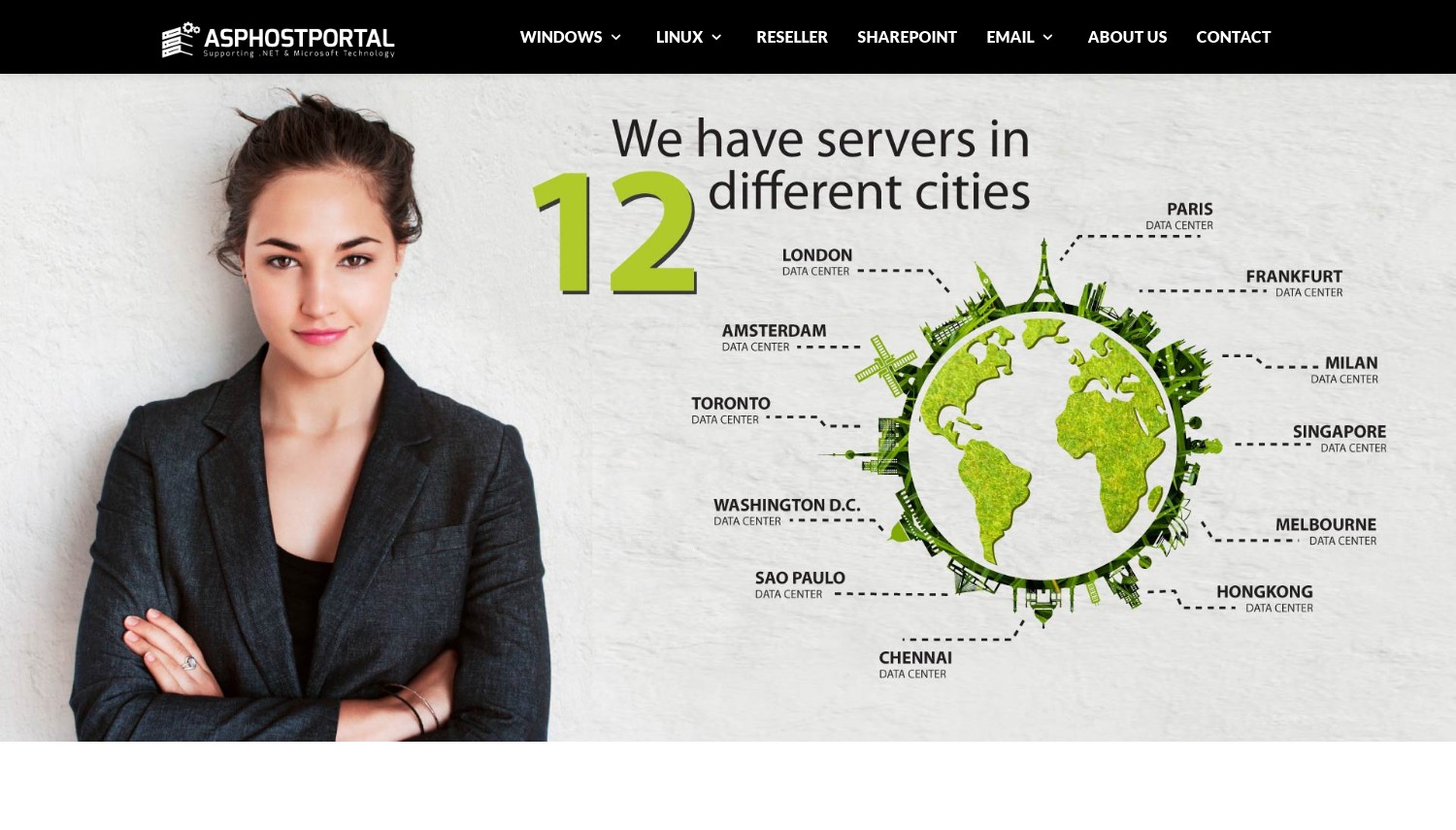
足跡が広い (その周り 11 に 12 場所) そして30日間の返金保証があります, これは Hosting.com の返金なし VPS ポリシーよりも公平です. ただし、5 年間のプロモーションを過ぎた更新率は公開されていません, リソースの上限が低すぎるため、どのようなサイズのコンテナーでも作業できません.
- 30-日返金保証
- Plesk GUI for users who fear the command line
- Broad data center footprint
- Windows 共有ホスティング, not a Linux container VPS
- それだけ 5 GBディスクと 60 GB 月間帯域幅
- 複数年プロモーションを過ぎた更新価格は未公開
米ドル 3.81 rate needs a 5-year prepay, and what happens after that isn't on the page. For anything resembling a production container, this tier runs out of room immediately.
こんな方に最適: Docker のマネージド パネル デモを必要とする Windows 上の Plesk ユーザー. 次の場合はスキップします: you actually need to run Linux containers, それはほとんどの人です.
正直に, Docker ガイドを読んでいるほぼすべての人は、これをスキップして、実際の KVM VPS を使用する必要があります。. If you want a one-click Docker panel done right, Hostinger の Docker Manager は適切な Linux KVM 上で動作します. 安価な Linux Docker が必要な場合, Vultr または Hetzner はほぼ同じコストで機能します.
Vultr – 安価な KVM と無料のマネージド Kubernetes のベストバランス
2.50ドル/月 (IPv6のみ) または IPv4 の場合は月額 5 米ドル. 512 MBから 1 GB RAM, 10 に 25 GB NVMe, KVM. 32+ 地域, 使った分だけ.
米ドル 2.50 月が見出しです, アスタリスクが 1 つ付いている: その層はIPv6のみです. パブリック IPv4 アドレスを追加すると、月額 5 米ドルになります。 1 GBのRAMと 25 SSDのGB. VultrのUSD 2.50 ボックスは DigitalOcean のものと一致します 512 MB, ただし、DigitalOcean の料金は米ドルです 4 そこには; IPv4を使用した場合, VultrのUSD 5 この計画は Akamai の Nanode を結び付け、その上に 32 以上のリージョンを追加します.
ドッカー用, Vultr の Marketplace にはワンクリックの Docker アプリがあります (Ubuntu 24.04 docker-ce で準備完了), 加えて、軽量 Kubernetes 用の k3s アプリ. 差別化要因は VKE, Vultr Kubernetes エンジン, コントロール プレーンが空いているのは. ハイパースケーラーの料金はおよそ米ドルです 70 同等のマネージド コントロール層の場合は 1 か月, Kubernetes がロードマップにある場合, それは実際に節約されたお金です. すべては完全な KVM 仮想化で実行され、従量課金制で課金されます.
32 以上のリージョン数は Akamai のリーチに匹敵します, NVMeストレージも標準搭載. 正直な獲物: 最も安価なボックスは IPv4 をドロップします, と 512 MB の RAM では複数のコンテナー スタックをサポートできません, 米ドルの予算を立てましょう 6 複数のサービスを実行している場合のハイパフォーマンス層.
- ワンクリック Docker イメージ プラス 無料の VKE コントロール プレーン
- 32-プラス地域, NVMeストレージ規格
- USD 2.50/月から, 本当の従量課金制
- 軽量 Kubernetes 用の k3s アプリ
- 米ドル 2.50 層は IPv6のみ, パブリックIPv4なし
- 512 MB ベース RAM はスタックに対して厳しい
- プリペイドクレジットモデル, 返金保証なし
請求は使用量に基づいて行われ、更新マークアップはありません. 購入する前に IPv4 の説明をお読みください: 通常のセットアップの実際の料金は USD 5/月です, 米ドルではありません 2.50. NVMe と無料の Kubernetes コントロール プレーンに価値がある.
こんな方に最適: 後でマネージド Kubernetes への無料パスを備えた安価な Docker. 次の場合はスキップします: you need lots of RAM per dollar today.
Vultr はスマートな中間点です: 安いKVM, ワンクリックドッカー, スケールアップすると VKE が無料になります. 今すぐこの価格で最大の RAM とトラフィックが必要な場合, Hetzner beats it on raw specs. サーバー管理をゼロにしたい場合, Render または DigitalOcean アプリ プラットフォームで Dockerfile を解放します.
8. Hetzner Online
 2.3k +
3.1
中性
中性
2.3k +
3.1
中性
中性

| 保管所 | CPU | ラム | 価格 | |
|---|---|---|---|---|
| 25 GB | 1 芯 | 1 GB | $4.28 / mo. | プランを見る |
| 50 GB | 2 コア | 2 GB | $7.58 / mo. | プランを見る |
| 100 GB | 2 コア | 4 GB | $13.06 / mo. | プランを見る |
Hetzner – 実際の Docker で 1 ユーロあたりの最高の RAM とトラフィック
CX23から 約6ドル/月 (ユーロ 5.49); ARM CAX11 ユーロ 5.99. 2 vCPU, 4 GB RAM, 40 GB NVMe, 20 TBトラフィック, KVM. 時間単位の請求, キャップ付き.
ヘッツナーは6月にクラウドの価格を値上げした 15, 2026, pushing the cheapest CX23 from EUR 3.99 ユーロです 5.49 and the ARM CAX11 from EUR 4.49 ユーロです 5.99. その上昇後も, ここにはリソースあたりのコストに一致するものはありません. ヘッツナーのCX23キャリー 4 GBのRAMと 20 TB of traffic for about USD 6; VultrのUSD 5 IPv4プランで得られるもの 1 GBと 1 TB. ドッカー用, ここで、RAMは最初にぶつかる壁です, that's a different league.
セットアップは簡単です. Hetzner Cloud offers a one-click "ドッカーCE" サーバー作成時に Docker をプレインストールするアプリ, そして完全なcloud-initサポートにより残りの部分は自動化されます. すべてKVMです, コンテナがネイティブに実行されるようにする, そしてその 20 含まれるトラフィックが TB あるということは、下り負荷の高いワークロードを意味します (画像プル, APIレスポンス) 請求書には驚かないだろう. ARMオプションもあります (CAX11) 安価なマルチアーキテクチャイメージビルド用.
限界は正直だ. ヘッツナーは 6 つのデータセンターのみを運営しています (ドイツ, フィンランド, シンガポール, そして米国に2件), グローバルリーチトレイル Akamai と Vultr. VKE に匹敵するマネージド Kubernetes コントロール プレーンもありません. そして、6月の価格上昇は、他の場所で引用されている古い4ユーロ以下の取引が時代遅れであることを意味します.
- 4 GB RAM, 20 TBトラフィック 約米ドル 6
- ワンクリックの Docker CE アプリと Cloud-init
- NVMeストレージとKVM仮想化
- アーム (CAX11) マルチ アーキテクチャ ビルドのオプション
- 六月 2026 価格上昇, 大体上まで 37%
- それだけ 6 データセンター, シンガポールを超えるアジアはない
- マネージド Kubernetes コントロール プレーンがない
請求は時間単位で行われ、月々の上限があり、更新マークアップはありません; 既存のサーバーは、再スケーリングしない限り古いレートを維持します. The 4 純正のマルチコンテナスタックにはGB CX23で十分, これが、増加にもかかわらずバリューピックとして読み取られる理由です。.
こんな方に最適: 予算内で複数のコンテナを実行する 1 つの常時稼働ボックス. 次の場合はスキップします: 多くのグローバル リージョンまたはマネージド Kubernetes が必要な場合.
Hetzner は生の RAM と 1 ユーロあたりのトラフィックで勝利, 終点. ユーザーがアジアにまたがる場合, オセアニア, または南アメリカ, アカマイの 41 地域はより良いサービスを提供します. コントロール プレーンの料金を支払わずにマネージド Kubernetes が必要な場合, Vultr の無料 VKE が動きです.
レンダリング – 最高の無料枠と構成ゼロの Dockerfile デプロイ
無料 ウェブサービス (512 MB, 0.1 vCPU, 750 時間/月); スターター 7ドル/月 常時オン. Dockerfileからデプロイする, 5 地域.
レンダリングは他の人がカットしたものをそのまま残しました: 本当の無料枠. リポジトリでそれをポイントします, Dockerfile を自動検出します, イメージを構築します, そしてそれを無料で実行します, と 750 インスタンス時間と 100 1 か月あたり GB の帯域幅. 無料の Web サービスは、その後スピンダウンします。 15 アイドル状態の時間が数分あり、復帰するまでに約 1 分かかります, サイドプロジェクトやデモ用です, 生産ではありません.
導入は簡単です. Dockerfile からビルドを自動的にレンダリングするか、レジストリから事前にビルドされたイメージを実行します, 面倒なビルドパック設定が不要. 寒さを殺すために始まります, スターター プランは月 7 ドルで常時稼働します. その米ドル 7 DigitalOcean アプリ プラットフォームの米ドルを上回る 5 コンテナ層, しかし、Render は依然としてコンテナを無料で実行しますが、Railway と Fly.io は最初の 1 時間から課金されます。, したがって、最も安価な常時接続の代替手段は鉄道の USD です。 5 Hobby or Fly はおよそ USD 2 機械.
価格は定額でプランベースです, それは予測可能になります, Basic レベルでは使用量の測定はありません. 制限は 5 つのリージョンのフットプリントです (オレゴン, オハイオ州, バージニア, フランクフルト, シンガポール) そしてスターターから米ドルへのジャンプ 25 規模を超えた場合はスタンダード レベル 512 MB.
- 本物の無料枠 と 750 月に数時間
- Dockerfile を自動検出してビルドします。
- 平らな, 予測可能な価格設定, 使用量計測なし
- サービスと並行して管理されたデータベースと cron ジョブ
- 無料サービス その後寝る 15 分 アイドル状態
- それだけ 5 地域
- 標準レベルは月 25 米ドルに跳ね上がります
趣味で使える無料カバー; 米ドル 7 スターターは常時接続を購入します. 価格はそれを超えると急速に上昇します, したがって、本番環境でレンダリングにコミットする前に、RAM のニーズをマッピングしてください。.
こんな方に最適: 無料または安価で必要な趣味のプロジェクトと Dockerfile のデプロイ. 次の場合はスキップします: 自分で制御するボックス、または 1 秒未満のコールド スタートが必要です.
ここでは Render が無料で選択でき、最も単純な Dockerfile から URL へのフローです. 最低価格で常時接続が必要な場合, Fly.io の 1 秒あたりのマシンの実行コストが安くなる. 基盤となるサーバーを完全に制御したい場合, 任意の KVM VPS (ヘッツナー, Vultr) レンダリングしないルートを提供します.
Railway – Dockerfile デプロイのための最高の開発者エクスペリエンス
趣味 5ドル/月 (米ドルを含む 5 使用クレジット), その後メーター制. Pro 1 シートあたり 20 ドル/月. Dockerfile または Railpack ビルド, NA/EU/APAC 地域.
Render が提供する無料枠はスリープ状態です, 鉄道はそれを研磨品と交換する. ホビー プランは USD で月額 5 USD 5 使用量が焼き付けられている, 開発者のエクスペリエンスはこのグループの中で最高です: ブランチにプッシュするとデプロイされます, マネージド Postgres を使用する場合, MySQL, レディス, またはプライベートネットワーク経由で接続されたMongo. Dockerfileからビルドします, またはレールパック経由, 3 月にデフォルトになった独自のビルダー 4, 2026.
鉄道は独自のベアメタル車両で運行されています (鉄道金属) アムステルダムで, シンガポール, バージニア, そしてカリフォルニア, 必要に応じて大きな雲に突入する. 鉄道の米ドル 5 ホビーはレンダーのUSDより2ドル安くなる 7 スターター, しかし、その比較は明確ではありません: 鉄道メーターCPU, 羊, そしてそのUSDの上で出て行く 5, 一方、レンダリングのUSD 7 修正されました. 安定した作業量の場合、鉄道の方が安くなる可能性がある; とがったものについては、より高くスイングすることができます.
正直な変化: 鉄道は永久無料枠を廃止した. 新規ユーザーは 1 回限りの USD を取得します 5 トライアルクレジット (カードがありません, まで 30 日々), その後、月額約 1 米ドルのクレジットが含まれる無料プランにドロップします, ほとんど何も実行されない. それで米ドルの予算を立てましょう 5 趣味をあなたの本当のフロアとして.
- クラス最高の導入 UX, Git プッシュで出荷
- から構築します Dockerfile または Railpack
- プライベート ネットワークを使用した管理されたデータベース
- NA全域に独自のベアメタルフリートを保有, EU, アジア太平洋
- 永久無料枠なし, トライアルクレジットのみ
- 使用量測定により、ワークロードの急増に伴う請求額が予測不可能になります
- プロプランでは米ドルが追加されます 20 席ごとに
米ドル 5 ホビーベースプラス従量制モデル; プロモーションから更新までのトリックはありません, 実際の消費量だけ. コストを一定に保つ必要がある場合は、下りと常時オンの RAM に注目してください.
こんな方に最適: マネージド データベースを使用して Dockerfile から本番環境へのフローを最もスムーズにしたい開発者. 次の場合はスキップします: 無料枠または月額固定料金が必要な場合.
Railway は開発者のエクスペリエンスとバンドルされたデータベースで地位を確立します. 同じワークフローの無料枠が必要な場合, ここでまだそれを提供しているのは Render だけです. UX よりも予測可能な定額請求の方が重要な場合, レンダーのUSD 7 スターターまたは固定価格の VPS は月末に驚くことはありません.
Fly.io – microVM としてのグローバル エッジ コンテナーに最適
従量課金制, 毎秒. 最小の機械 約USD 2.02/月 (256 MB); 現実的なアプリ USD 8 月25日まで. 18 地域, 下り(米ドル) 0.02 は 0.12/GB.
米ドルについて 2.02 常時稼働マシンの場合は 1 か月, ここの一番下のエントリー. Fly.io は Docker イメージを取得し、Firecracker microVM として実行します。 (ハードウェア分離されたミニ VM), それを全体に配布します 18 地域, このリストにあるマネージド プラットフォームの中で最も広く普及している. 世界中のユーザーの物理的に近くに配置する必要があるアプリの場合, エッジ分布が魅力です, 秒単位の請求なので、実行した分だけ支払うことになります.
展開モデルが良い意味で珍しい: コンテナが文字通り VM になります, これにより、共有コンテナー ランタイムよりも強力な分離が可能になります。. Fly の最小の常時稼働マシンは月額約 2.02 米ドルで稼働します, 鉄道の米ドルの半分以下 5 ホビーフロア. ただし下り料金 (北米とヨーロッパでは USD 0.02/GB, アフリカとインドでは最大 USD 0.12/GB) そのギャップをすぐに消すことができます, 再起動とトラフィックが米ドルに近づく現実的な小さなアプリ 8 月25日まで.
鉄道のように, Fly.ioは無料枠を終了した. 新しい組織は短期間のトライアルを受けることができます (数 VM 時間または 7 日), カードオンファイルの従量課金制です. ここでは、1 秒あたりの出力と出力のモデルが最も予測可能ではありません。, そのため、指標を監視する人々に報酬が与えられます.
- Docker イメージを次のように実行します Firecracker microVM
- 18 地域, PaaS グループの最も広いエッジ範囲
- 最も安いエントリー, 約 USD 2.02/月 常時接続
- 秒単位の課金, ゼロまでスケール可能
- 無料枠なし, 短期トライアルのみ
- 従量制下り, 一部の地域では最大 0.12 USD/GB
- マネージド プラットフォームの予測不可能な請求
固定プランはありません; コンピューティング料金は 1 秒ごとに、送信料金は GB ごとに支払います. 米ドル 2.02 この数字は、小規模なアイドルっぽいサービスとしては現実的です, ただしトラフィックをモデル化する, 出口は請求額が大きくなる場所だからです.
こんな方に最適: エッジ プレゼンスと強力な分離を必要とするグローバルに分散されたアプリ. 次の場合はスキップします: 予測可能な定額料金または無料枠が必要な場合.
Fly.io は、グローバル エッジ分散と microVM 分離が重要な場合の選択肢です. 毎月のコストを予測できるようにしたい場合, レンダーのフラット スターターまたは固定 VPS がそれを上回る. 開始するために無料利用枠が必要な場合, レンダーのみにまだ 1 つあります.
ワークロードに応じて Docker ホストを選択する方法
機能チェックリストを忘れる. 適切なホストはコンテナが実際に何を行うかによって異なります. ピックに明確にマッピングされるワークロードは次のとおりです.
1箱, いくつかのコンテナ: 予算は月7ドル未満? Hetzner CX23 は月あたり約 6 米ドルで提供されます 4 GBのRAMと 20 TB のトラフィック, 複数のコンテナとデータベースに十分な容量. GUI が必要でない場合は、ここで Hostinger をスキップしてください, 米ドルだから 11.99 更新は予算の目的を上回ります. 米ドルをスキップする 4 DigitalOcean Dropletも: 512 MB が実際のスタックをチョークする.
Dockerfile, サーバー管理がない: Render の無料利用枠はサイド プロジェクトを処理します (15分の睡眠を受け入れる), とその米ドル 7 スターターはコールドスタートを解除します. 下部ベースでの常時オン用, DigitalOcean アプリ プラットフォームは月額 5 米ドルから. 鉄道の米ドルを選択してください 5 代わりに、バンドルされた管理データベースが必要で、上部の使用量測定を気にしない場合にのみ趣味として使用してください。.
有効期間が短いコンテナまたは CI コンテナ: 回転させたり壊したりする箱については, Kamitera の分単位の請求 (0.014米ドル/時間) および30日米ドル 100 使い捨て環境をほぼ無料で試作. Hetzner と Vultr も時間単位で請求します, でもカマテラさんの 18 使い捨てテストボックスの地域およびノーカードトライアルの勝利. Hostwinds のような月次固定 VPS は、1 日 2 時間実行されるワークロードにコストを無駄にします.
Kubernetesに向けて: Vultr の VKE は無料のコントロール プレーンを提供します (ハイパースケーラーでは月あたり約 70 米ドルと比較), したがって、ワーカーノードに対してのみ料金を支払います. 41 地域に到達したい場合は、Akamai の LKE が代替手段になります. 単一のホストが本当にコンテナを保持できなくなるまでは、どちらにも手を出さないでください。; マネージド Kubernetes により、3 つのサービスには必要のない複雑さが追加されます.
グローバルエッジでの存在感: Fly.io はイメージを microVM として実行します。 18 秒単位で課金されるリージョン. 自分でサーバーを制御したい場合, Akamai または Vultr リージョンを手動でペアリングします. プレーンサーバーとマネージドプラットフォームを依然として比較検討中? 私たちの 一般的な VPS ホスティング ガイド 制御と利便性のトレードについてさらに詳しく説明します.
よくある質問
Docker を実行するには VPS が必要ですか?, または共有ホスティングでそれができますか?
実際の Docker 作業の場合, VPS またはコンテナ プラットフォームが必要です, 共有ホスティングではない. Docker には root アクセス権と、Docker が制御できる Linux カーネルが必要です, Hetzner のような KVM VPS, Vultr, または Hostwinds が提供する. 一部のホストは宣伝します "Docker" Windows 共有プランの場合 (ASPHostPortal は 1 つです), but those lack the isolation and root access containers depend on. サーバーをまったく管理したくない場合, a platform like Render or DigitalOcean App Platform runs your container for you.
Which Docker host has a real free tier in 2026?
Render is the only platform here that kept a genuine free tier, と 750 月あたりのインスタンス時間, though free services sleep after 15 アイドル時間. Railway and Fly.io both ended their free allowances in 2024 に 2025; they now offer short trial credits only. For an always-on container on a budget, the cheapest paid options are Fly.io's roughly USD 2/mo machine or Railway's USD 5 趣味のプラン.
Is a managed platform like Railway cheaper than a Hetzner VPS?
通常はそうではありません, once you're past hobby scale. Railway's Hobby plan starts at USD 5/mo and meters CPU, 羊, そして上から出ます, while Hetzner's CX23 is a flat EUR 5.49 (約米ドル 6) と 4 GBのRAMと 20 TB のトラフィックが含まれる. You pay Railway extra for the convenience of not managing a server. If your workload is steady and you're comfortable with SSH, VPSのほうが安い; ゼロオペレーションを重視する場合, the platform earns its premium.
Do I need Kubernetes to run Docker containers?
いいえ. A single Docker host with Docker Compose runs multi-container apps fine, and most projects never outgrow that. Kubernetes earns its keep when you need automatic scaling, 自己回復, and rolling deploys across many nodes. If you do reach that point, Vultr's VKE and Akamai's LKE offer managed control planes, and Vultr's control plane is free. それまでは, 1 つの KVM ボックス上の Compose ファイルはよりシンプルで安価です.
最終評決
Most people overthink Docker hosting. If you want a container running today with no command line, Hostinger deploys one through its Docker Manager, 米ドルのことだけを計画してください 11.99 リニューアル. 実際のサーバーを所有して、1 ドルを最大限に活用したい場合, ヘッツナー is the clear value winner: 4 GBのRAMと 20 TB of traffic for about USD 6, 6月以降も 2026 価格上昇.
サーバーに触れることなく Dockerfile を配布する場合, 与える is the free starting point and DigitalOcean アプリ プラットフォーム the cheapest always-on managed option. Need to spin containers up and down by the hour? カマテラ. Building toward Kubernetes? Vultr hands you a free control plane. エッジでのグローバル化? Fly.io runs your image as a microVM across 18 地域. そして何も避けてください "Dockerホスティング" それは Windows 共有ホスティングであることが判明; if it can't give you root on Linux, it can't really run your containers.
If you're still deciding between a managed platform and a server you control, 私たちを読む コンテナ VPS ガイド そして私たちのまとめ Linux VPS ホスティング より広い視野で. Both go deeper on the virtualization and management questions that decide how smoothly Docker runs.