
Melhores plataformas de hospedagem para contêineres Docker (2026) - Principal 12 Comparado - PT
O mesmo contêiner Docker pode custar dólares americanos 0 ou dólares americanos 25 um mês para correr, e a diferença se resume a quem gerencia o servidor. Hetzner vai alugar para você um 4 Caixa GB por EUR 5.49 (sobre USD 6) e permitir que você mesmo instale o Docker. Renderizará seu Dockerfile, construí-lo, e execute-o gratuitamente, contanto que você não se importe em adormecer depois 15 minutos ociosos. Doze plataformas fizeram esta lista, dividido entre hosts VPS brutos que você controla e plataformas gerenciadas que implantam contêineres para você. Este guia mostra o que se adapta à sua carga de trabalho, com preços de renovação e o 2026 cortes de nível gratuito explicados.
Última revisão: Junho 2026. Preços e recursos verificados.
Resposta rápida: Para uma caixa Docker de um clique sem trabalho de terminal, escolha Hostinger. Para obter mais RAM e tráfego por dólar em um servidor KVM real, escolha Hetzner. Para implantar um Dockerfile sem gerenciamento de servidor, Renderizar (nível gratuito) ou Plataforma de aplicativos DigitalOcean ganhar.
Ir para: Hostinger · Interesse · Hostwinds · Hospedagem.com · Akamai (Linode) · DigitalOcean · Portal ASPHost · Vultr · Hetzner · Renderizar · Ferrovia · Voar.io
Como selecionamos esses provedores
Três coisas tiveram um corte no fornecedor antes mesmo que o preço importasse. Primeiro, a virtualização teve que suportar Docker. Qualquer host executando OpenVZ ou contêineres de kernel compartilhado estava fora de serviço, porque o Docker precisa verdadeira virtualização KVM (onde cada servidor obtém seu próprio kernel) ou um tempo de execução de contêiner criado especificamente. Segundo, o caminho do Docker tinha que ser real, não é um rótulo de marketing. Um fornecedor aqui anuncia "Hospedagem Docker" isso acaba sendo hospedagem compartilhada do Windows, e mantivemos isso apenas para mostrar a diferença. Terceiro, ignoramos qualquer plano que precisasse de mais de 36 meses de pré-pagamento para atingir sua taxa de manchete.
A ponderação refletiu o ângulo Docker, não é hospedagem genérica. Conseguimos implantação com um clique ou Dockerfile, preço por GB de RAM, incluídas taxas de tráfego e saída, Confirmação KVM, e contagem de região. As fontes eram páginas oficiais de preços (verificado em junho 2026), documentos recentes do provedor, e agregadores de avaliações de usuários com mais de 50 avaliações. Não executamos testes de carga nem medimos os tempos de construção, e algumas taxas de renovação (VPS da Hosting.com, Termos plurianuais do ASPHostPortal) não foi possível confirmar nas páginas de produtos ativas. Eles estão sinalizados nas seções abaixo.
| Provedor de hospedagem | Avaliações | Classificação geral | Docker VPS começa em |
|---|---|---|---|
1  Hostinger Hostinger
|
63.2k + |

|
$4.99 / mo. 80% Fora |
2  Interesse Interesse
|
320 |

|
$4.00 / mo. 30 Dias livres |
3  Hostwinds Hostwinds
|
1.5k + |
|
$4.99 / mo. |
4  Hospedagem A2 Hospedagem A2
|
3.4k + |
|
$2.99 / mo. AGORA -76% |
5  Linode Linode
|
242 |

|
Sem dados / mo. |
6  Digital Ocean Digital Ocean
|
1.9k + |

|
Sem dados / mo. |
7  ASPHostPortal.com ASPHostPortal.com
|
510 |
|
Sem dados / mo. |
8  Hetzner Online Hetzner Online
|
2.3k + |
|
$4.28 / mo. |
1. Hostinger

 63.2k +
4.6
Positivo
Positivo
63.2k +
4.6
Positivo
Positivo










| Armazenamento | CPU | RAM | Preço | |
|---|---|---|---|---|
| 50 GB | 1 testemunho | 4 GB | $4.99 / mo. | Ver plano |
| 100 GB | 2 núcleos | 8 GB | $5.99 / mo. | Ver plano |
| 200 GB | 4 núcleos | 16 GB | $10.49 / mo. | Ver plano |
Hostinger – Melhor para Docker de um clique sem o terminal
De US$ 4,99/mês com prazo de 24 meses, renova em US$ 11,99/mês. 1 vCPU, 4 GB de RAM, 50 GB NVMe, 4 Largura de banda de TB, KVM. 30-dia de devolução do dinheiro.
Digamos que você nunca tocou em um comando do Docker e não quer começar agora. Os planos KVM VPS da Hostinger vêm com um Docker Manager integrado ao hPanel, o painel de controle. Você abre um catálogo, procure um aplicativo, clique em implantar, e o contêiner é executado. Modelos Docker Compose e Portainer (um painel visual de contêiner) instale da mesma maneira, e a Hostinger lida com atualizações de segurança nas pilhas de um clique. Para pessoas que desejam contêineres sem sessão de shell, nada mais aqui é esse hands-off.
O hardware faz backup. KVM da Hostinger 1 mãos você 4 GB de RAM por USD 4.99; USD de Kamatera 4 Básico dá a você 1 GB. Quatro vezes a memória para 99 centavos a mais. Esse espaço é importante porque um único 1 A caixa GB engasga quando você empilha três ou quatro contêineres.
Agora a compensação. Você paga antecipadamente 24 meses para obter USD 4.99, e o preço mais que dobra na renovação. Não há cobrança por hora, então você não pode girar uma caixa por uma tarde e matá-la. E você escolhe seu data center uma vez, sem migração ao vivo posteriormente.
- Docker Manager integrado com catálogo de aplicativos com um clique, nenhuma CLI necessária
- 4 GB de RAM na camada de entrada, à frente da maioria dos rivais aqui
- 50 Armazenamento GB NVMe e 4 Largura de banda TB incluída
- SSL grátis, backups semanais, e o ajudante Kodee AI
- Renovação salta para US$ 11,99/mês, aproximadamente 2,4x a promoção
- Somente pré-pagamento a prazo, nenhuma opção por hora ou por minuto
- O data center é consertado assim que o VPS é construído
O preço cobre o VPS, painel, e backups. Não há taxas Docker separadas, o que é raro. O que devemos observar é o projeto de lei do segundo mandato, não o primeiro.
Melhor para: iniciantes que desejam que o Docker seja executado por meio de uma GUI. Pular se: você precisa de faturamento por hora ou odeia saltos de renovação.
Escolha a Hostinger se o Docker Manager de um clique for o recurso pelo qual você está pagando e se comprometer por dois anos. Se você preferir não pagar antecipadamente ou quiser um preço fixo vitalício, Kamatera fatura por minuto e Hetzner mantém sua taxa para sempre em especificações semelhantes.
2. Kamatera
 320
4.2
Positivo
Positivo
320
4.2
Positivo
Positivo






| Armazenamento | CPU | RAM | Preço | |
|---|---|---|---|---|
| 20 GB | 1 x 2,6 GHz | 1 GB | $4.00 / mo. | Ver plano |
| 20 GB | 1 x 2,6 GHz | 2 GB | $6.00 / mo. | Ver plano |
| 30 GB | 2 x 2,65 GHz | 2 GB | $12.00 / mo. | Ver plano |
Kamatera – Melhor para cargas de trabalho Docker horárias e intermitentes
US$ 0,014/hora ou US$ 4/mês. 1 vCPU, 1 GB de RAM, 20 GB NVMe, 5 Tráfego TB, KVM. 30-teste gratuito de um dia com até USD 100 crédito, sem cartão.
USD 0.014 uma hora. Esse é o número que define Kamatera para trabalho em containers. Você constrói um servidor em qualquer um dos 18 regiões, execute seus contêineres, então pare a máquina e pare de pagar. Para testar uma imagem entre regiões, criando ambientes descartáveis, ou lidar com um pico de tráfego que dura um fim de semana, o faturamento por minuto sempre supera um compromisso mensal.
Tudo é configurável. Você disca vCPU, RAM, e disco separadamente em vez de escolher uma camada fixa, e opções de CPU dedicada eliminam o problema do vizinho barulhento (zero roubo de CPU). Kamatera documenta Docker, Compor, e Kubernetes em seus servidores KVM, com acesso root completo. O julgamento também é generoso: 30 dias e até USD 100 em crédito sem cartão, que é uma verdadeira caixa de areia, não é uma provocação.
Onde a Hostinger oferece a você 4 GB na entrada, USD de Kamatera 4 Básico começa em 1 GB e 20 GB de armazenamento. O CX23 da Hetzner quadruplica essa RAM por cerca de US$ 2 Mais. Portanto, o valor do Kamatera não é a especificação básica, é o modelo de faturamento e o alcance global.
- Verdadeiro faturamento por minuto, pare o servidor para interromper as cobranças
- 18 regiões de data center em 4 continentes
- CPU totalmente personalizada, RAM, e armazenamento; opção de CPU dedicada
- 30-dia de julgamento, até USD 100 crédito, não é necessário cartão
- Nenhum modelo Docker de um clique, você mesmo instala
- 1 GB base RAM é fino para pilhas de vários contêineres
- Nenhuma garantia tradicional de devolução de dinheiro (teste em vez disso)
O preço é fixo, sem marcação de renovação, cobrado por hora ou mensalmente. o 1 O nível GB é adequado para um único serviço; orçamento para 2 GB ou 4 GB depois de executar uma pilha. O armazenamento permanece em 20 GB, a menos que você adicione mais.
Melhor para: CI é executado, testes regionais, recipientes de curta duração. Pular se: você quer uma configuração guiada ou uma caixa gorda barata.
Escolha Kamatera ao girar os contêineres e derrubá-los, ou precisa de uma região que a Hostinger e a Hetzner não têm (Tóquio, Sydney, Tel Aviv). Se você executa um contêiner sempre ativo e deseja o máximo de RAM por dólar, Hetzner é a melhor compra. Se você quiser um painel clique para implantar, vá para Hostinger.
3. Hostwinds
 1.5k +
4.4
Positivo
Positivo
1.5k +
4.4
Positivo
Positivo
| Armazenamento | CPU | RAM | Preço | |
|---|---|---|---|---|
| 30 GB | 1 testemunho | 1 GB | $4.99 / mo. | Ver plano |
| 30 GB | 1 testemunho | 1 GB | $8.24 / mo. | Ver plano |
| 50 GB | 1 testemunho | 2 GB | $9.99 / mo. | Ver plano |
Hostwinds – O melhor KVM não gerenciado barato para um único aplicativo
De US$ 4,99/mês, preço fixo. 1 vCPU, 1 GB de RAM, 30 GB SSD, 1 Largura de banda de TB, 1 Porta Gbps, KVM. 72-janela de reembolso de horas.
Onde o VPS de entrada da Hosting.com é renovado perto de dólares americanos 9, Hostwinds detém USD 4.99 durante a vida da conta. Esse preço fixo é a razão para olhar aqui. É um VPS Linux não gerenciado em KVM, então o Docker é executado nativamente assim que você faz o SSH e o instala. Você também terá uma opção de faturamento na nuvem por hora se preferir não se comprometer mensalmente, além de snapshots noturnos, mesmo na camada não gerenciada, pelo qual a maioria dos anfitriões econômicos cobram extra.
Ao mesmo dólar 4.99, Hostwinds oferece 30 GB de SSD contra Hosting.com 20 GB NVMe, e mantém esse preço enquanto a Hosting.com sobe. A captura aparece no mapa. Hostwinds executa apenas três data centers: Seattle, Dallas, e Amsterdam. Não Ásia, sem Oceania, sem América do Sul. Se seus usuários estiverem em Cingapura, latência vai doer, e Kamatera ou Akamai irão atendê-los muito melhor.
A janela de reembolso é o outro ponto fraco. Você consegue 72 horas, o mais curto desta lista. Teste rápido ou você está comprometido.
- USD fixo 4.99 sem aumento de renovação
- 30 SSD de GB e um 1 Porta Gbps na entrada
- Snapshots noturnos incluídos em planos não gerenciados
- Faturamento mensal ou por hora na nuvem
- Somente 3 data centers, todos os EUA e UE
- 72-a janela de reembolso por hora é dura
- Sem ferramentas Docker, puro DIY no VPS
O preço é honesto: o que você assina é o que você renova em. o 1 A camada de GB RAM é adequada para um contêiner ou um pequeno arquivo Compose. Aproxime-se 2 GB se você planeja executar um banco de dados junto com seu aplicativo.
Melhor para: um aplicativo econômico de contêiner único veiculado para usuários dos EUA ou da UE. Pular se: você precisa de regiões asiáticas ou de um longo teste.
Hostwinds vence por um preço barato, Caixa KVM de preço fixo quando seu público é norte-americano ou europeu. Se você precisar de uma região fora dessas três cidades, Akamai 41 locais ou Kamatera 18 deixe isso para trás. Se você quiser o Docker pré-instalado, A imagem de um clique do Vultr economiza a configuração.
4. A2 Hosting
 3.4k +
4.5
Positivo
Positivo
3.4k +
4.5
Positivo
Positivo


| Armazenamento | CPU | RAM | Preço | |
|---|---|---|---|---|
| 20 GB | 1 testemunho | 1 GB | $2.99 / mo. | Ver plano |
| 75 GB | 2 núcleos | 2 GB | $7.99 / mo. | Ver plano |
| 150 GB | 4 núcleos | 4 GB | $9.99 / mo. | Ver plano |
Hosting.com – Melhor caixa AMD EPYC NVMe, se você ignorar a renovação
De US$ 4,99/mês promoção, renova ao redor US$ 9/mês. 1 vCPU, 1 GB de RAM, 20 GB NVMe, AMD EPYC, KVM, raiz completa. 8 data centers.
Comece com o número que morde: o mais barato "Pista 1" VPS não gerenciado é lançado em dólares americanos 4.99 e renova perto de USD 9, aproximadamente um 80% pular. Pior, Os planos VPS aqui ficam fora da garantia de devolução do dinheiro, então não há rede de segurança de reembolso se você mudar de ideia. Esta é a renomeada A2 Hosting (a mudança chegou em abril 2025), e a antiga reputação de renovações acentuadas foi transportada.
Então, por que incluí-lo? O hardware é bom. Você obtém CPUs AMD EPYC e armazenamento NVMe com acesso root completo em KVM, que executa o Docker de forma limpa após uma instalação manual. Para um desenvolvedor que deseja um rápido, caixa simples e lê os termos de renovação antes de assinar, entrega.
USD da Hosting.com 4.99 torna-se cerca de USD 9 na renovação; EUR da Hetzner 5.49 (sobre USD 6) nunca se move, e carrega 4 GB de RAM para Hosting.com 1 GB. Numa base pura de custo por recurso ao longo de dois anos, isso não está perto. O argumento da Hosting.com é o silício EPYC e o interno 24/7 Apoio, suporte, não o preço.
- CPUs AMD EPYC e Armazenamento NVMe na entrada
- Root completo no KVM, Docker é instalado de forma limpa
- Opcional internamente 24/7 suporte de infraestrutura
- Renovação sobe aproximadamente 80% para perto de USD 9
- Planos VPS excluídos da garantia de devolução do dinheiro
- Sem Docker com um clique, somente instalação manual; 8 regiões
O preço de entrada é real, mas temporário. Calcule o custo do segundo prazo antes de se comprometer, porque não há reembolso para recorrer. Armazenamento em 20 GB e 0.5 A transferência de TB é modesta, portanto, cargas de trabalho mais pesadas precisam de um nível mais alto.
Melhor para: desenvolvedores que desejam EPYC e NVMe e consumirão a renovação. Pular se: você quer uma janela de reembolso ou preço fixo.
Escolha Hosting.com se o hardware AMD EPYC e 24/7 suporte justifica a renovação para você. Se você deseja a mesma configuração KVM mais Docker sem um 80% aumento de preço, Hetzner e Hostwinds mantêm suas taxas, e Vultr adiciona uma imagem Docker de um clique na parte superior.
5. Linode
 242
3.0
Neutro
Neutro
242
3.0
Neutro
Neutro

Nuvem Akamai (Linode) – Melhor presença global e Kubernetes gerenciados
US$ 5/mês (US$ 0,0075/hora, limitado). 1 vCPU, 1 GB de RAM, 25 GB SSD, 1 Transferência de TB, KVM. Pague conforme o uso, sem marcação de renovação.
41 regiões em 36 cidades. Desde que a Akamai comprou Linode, a pegada passou de 11 locais para um dos mais amplos em hospedagem em nuvem, cobrindo a América do Norte, Europa, APAC, América do Sul, e Índia. Se seus contêineres precisam ficar próximos de usuários em vários continentes, este é o alcance que o entrega, e o faturamento é fixo por hora com um limite mensal, então nenhuma surpresa de promoção para renovação.
Para Docker, o Linode Marketplace oferece uma implantação Docker com um clique (provisiona via StackScripts e Ansible e pode configurar o Docker Compose na primeira inicialização). Para orquestração, LKE (Motor Linode Kubernetes) oferece Kubernetes gerenciado quando um único host não é suficiente. Ambos são executados em instâncias KVM Linux com acesso total de desenvolvedor. Vale a pena combinar com nosso amplo comparação de hospedagem na nuvem se multirregião for sua prioridade.
USD da Akamai 5 Nanode dobra USD da DigitalOcean 4 Gota na memória (1 GB versus 512 MB) por um dólar a mais, o que a torna a melhor caixa inicial das duas. Uma advertência honesta: Akamai sinaliza a linha de CPU compartilhada Nanode como hardware mais antigo voltado para desenvolvimento e teste, então as cargas de produção querem um nível mais alto.
- 41 regiões, entre os de maior alcance aqui
- Docker de um clique do Marketplace mais Kubernetes gerenciado (LKE)
- Faturamento fixo por hora com limite de preço mensal
- Documentos maduros e uma grande comunidade
- Usos de nanonós hardware legado para desenvolvimento/teste
- Não gerenciado e orientado ao desenvolvedor, um pouco de mãos dadas
- Você mesmo cuida das atualizações do sistema operacional e do software
O preço é previsível: US$ 5/mês ou o equivalente por hora, sem marcação depois. o 1 GB Nanode lida com alguns contêineres; subir de nível para qualquer coisa que atenda ao tráfego real. Saída passada 1 TB é cobrado por GB.
Melhor para: aplicativos e equipes multirregionais rumo ao Kubernetes. Pular se: você quer a caixa mais barata possível ou a mão gerenciada.
Akamai é a escolha quando a distribuição geográfica ou um caminho para o Kubernetes gerenciado orientam a decisão. Se você atende apenas uma região e deseja mais RAM por dólar, Hetzner vence imediatamente. Se você deseja um plano de controle gerenciado gratuito do Kubernetes, O VKE da Vultr não custa nada para a camada de controle.
6. Digital Ocean
 1.9k +
3.7
Neutro
Neutro
1.9k +
3.7
Neutro
Neutro
DigitalOcean – Melhor para implantar um Dockerfile sem servidor
Gotas de US$ 4/mês (512 MB); Contêineres da plataforma de aplicativos de US$ 5/mês. KVM, faturamento por segundo, USD 200 crédito para 60 dias.
Imagine um desenvolvedor que possui um Dockerfile e não tem interesse em corrigir um sistema operacional. A App Platform da DigitalOcean leva o contêiner, constrói, e opera a partir de US$ 5/mês, nenhum servidor para gerenciar. Esse é um produto diferente de um VPS bruto, e é o caminho autônomo mais limpo nesta lista, exceto Render. Se você quiser a caixa, o 1-Click Docker Droplet vem com Docker CE e Compose pré-instalados.
A história completa do contêiner tem três camadas de profundidade: um Marketplace Docker Droplet para DIY, Plataforma de aplicativos para implantações de contêineres gerenciados, e DOKS (Digital Ocean Kubernetes) para orquestração. Tudo em KVM, tudo com a documentação pela qual a DigitalOcean é conhecida. O faturamento foi por segundo em janeiro 1, 2026, então você paga apenas pelos minutos que corre.
A App Platform da DigitalOcean executa um contêiner a partir de US$ 5/mês, dois dólares abaixo do USD da Render 7 Iniciante, embora o nível gratuito do Render prejudique ambos. O ponto fraco é o USD 4 Gota: às 512 MB de RAM, é muito pequeno para uma carga de trabalho real do Docker, então planeje o USD 6 camada (1 GB) como seu verdadeiro ponto de partida.
- App Platform implanta contêineres de um Dockerfile, sem operações de servidor
- 1-Clique em Docker Droplet com Compose pré-instalado
- Kubernetes gerenciados (DOC) para orquestração
- Faturamento por segundo e USD 200 crédito experimental
- 512 Gota de entrada MB muito pequeno para Docker; começar em USD 6
- Sem janela de devolução de dinheiro, apenas o crédito de teste
- Excedentes de largura de banda cobrados por GB
Conta de gotas por segundo; A plataforma de aplicativos é baseada em planos a partir de dólares americanos 5. A manchete USD 4 é um teaser para fins do Docker; tratar USD 6 (1 GB) como piso para um contêiner de trabalho, mais se você executar uma pilha.
Melhor para: enviando um Dockerfile sem gerenciamento de servidor. Pular se: você quer o menor preço bruto de VPS.
Vá para o DigitalOcean quando a implantação no-ops da App Platform ou o caminho documentado do Droplet para o Kubernetes for o que você precisa. Se você deseja um nível gratuito para o mesmo fluxo do Dockerfile, Renderizar é melhor. Se você quiser RAM bruta por dólar em um VPS, Hetzner é muito mais barato.
7. ASPHostPortal.com
 510
4.6
Positivo
Positivo
510
4.6
Positivo
Positivo

ASSPHostPortal – O "Hospedagem Docker" isso não é um contêiner VPS
"Anfitrião Um" de US$ 3,81/mês (5-pré-pagamento anual). 5 GB SSD, 60 GB de largura de banda mensal, Hospedagem compartilhada Windows com Plesk. 30-dia de devolução do dinheiro.
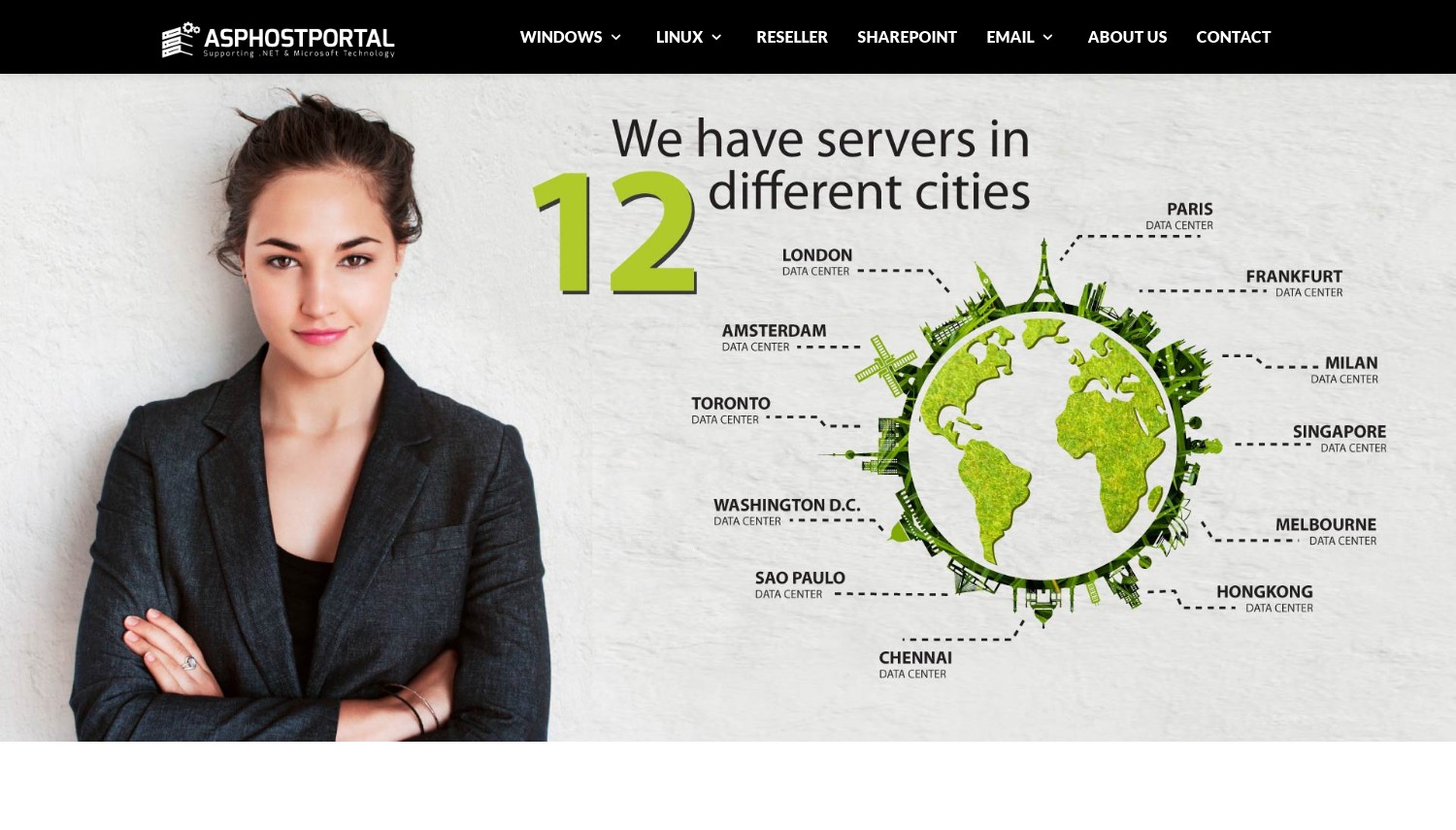
Aqui está a opinião contrária: Mercados ASSPHostPortal "Hospedagem Docker," mas o que você realmente compra é hospedagem compartilhada do Windows (Servidor 2019/2022) com uma extensão Plesk Docker aparafusada. Não é um contêiner VPS Linux, e não é KVM. o "Docker de clique único" funciona através do painel Plesk, mas um plano compartilhado do Windows não oferece root, um kernel Linux, ou isolamento adequado de recursos, que é o que as cargas de trabalho reais do Docker precisam.
Mantivemos na lista justamente para sinalizar a diferença. Se você pesquisou "Hospedagem Docker" e optei por um plano compartilhado barato do Windows, você gostaria de saber que não pode fazer o que uma caixa Hetzner ou Vultr faz. O Host One do ASPHostPortal oferece a você 5 GB de disco e 60 GB de largura de banda mensal; USD da Hostwinds 4.99 KVM dá 30 GB e 1 tb. Seis vezes o armazenamento, e na verdade roda Linux Docker.
A pegada é ampla (por aí 11 para 12 Localizações) e há uma garantia de devolução do dinheiro em 30 dias, o que é mais justo do que a política de VPS sem reembolso da Hosting.com. Mas a taxa de renovação após a promoção de 5 anos não é publicada, e o limite máximo de recursos é demasiado baixo para o trabalho em contentores de qualquer tamanho.
- 30-garantia de devolução do dinheiro em dia
- Plesk GUI para usuários que temem a linha de comando
- Ampla área de cobertura do data center
- Hospedagem compartilhada Windows, não é um VPS de contêiner Linux
- Somente 5 Disco GB e 60 GB de largura de banda mensal
- Preço de renovação após a promoção plurianual não publicada
O dólar 3.81 a taxa precisa de um pré-pagamento de 5 anos, e o que acontece depois disso não está na página. Para qualquer coisa parecida com um contêiner de produção, esta camada fica sem espaço imediatamente.
Melhor para: Usuários do Plesk no Windows que desejam uma demonstração do painel gerenciado do Docker. Pular se: você realmente precisa executar contêineres Linux, que é a maioria das pessoas.
Honestamente, quase todo mundo que lê um guia do Docker deveria pular isso e usar um KVM VPS real. Se você deseja um painel Docker de um clique bem feito, O Docker Manager da Hostinger é executado em Linux KVM adequado. Se você quiser Linux Docker barato, Vultr ou Hetzner custam quase o mesmo e fazem o trabalho.
Vultr – Melhor equilíbrio entre KVM barato e Kubernetes gerenciados gratuitamente
US$ 2,50/mês (Somente IPv6) ou US$ 5/mês com IPv4. 512 MB para 1 GB de RAM, 10 para 25 GB NVMe, KVM. 32+ regiões, pague conforme usar.
USD 2.50 um mês é a manchete, com um asterisco: esse nível é somente IPv6. Adicione um endereço IPv4 público e você receberá US$ 5/mês por 1 GB de RAM e 25 GB de SSD. USD da Vultr 2.50 caixa corresponde à da DigitalOcean 512 MB, mas a DigitalOcean cobra USD 4 lá; com IPv4, USD da Vultr 5 plano une Nanode da Akamai e adiciona mais de 32 regiões no topo.
Para Docker, O Marketplace da Vultr tem um aplicativo Docker de um clique (Ubuntu 24.04 com docker-ce pronto para uso), além de um aplicativo k3s para Kubernetes leves. O diferencial é o VKE, Motor Vultr Kubernetes, cujo plano de controle é livre. Hyperscalers cobram aproximadamente USD 70 um mês para a camada de controle gerenciado equivalente, então, se o Kubernetes estiver no seu roteiro, isso é dinheiro real economizado. Tudo funciona com virtualização KVM completa com faturamento pré-pago.
A contagem de mais de 32 regiões rivaliza com o alcance da Akamai, e o armazenamento NVMe vem como padrão. As capturas honestas: a caixa mais barata descarta IPv4, e 512 MB de RAM não carrega uma pilha de vários contêineres, então faça um orçamento para o dólar americano 6 Camada de alto desempenho se você estiver executando mais de um serviço.
- Imagem Docker plus com um clique plano de controle VKE gratuito
- 32-mais regiões, Padrão de armazenamento NVMe
- A partir de US$ 2,50/mês, verdadeiro pagamento conforme o uso
- Aplicativo k3s para Kubernetes leve
- USD 2.50 nível é Somente IPv6, sem IPv4 público
- 512 MB de RAM base é apertado para pilhas
- Modelo de crédito pré-pago, sem garantia de reembolso
O faturamento é baseado no uso, sem marcação de renovação. Leia a linha IPv4 antes de comprar: a entrada real para uma configuração normal é de US$ 5/mês, não em dólares americanos 2.50. NVMe e o plano de controle gratuito do Kubernetes são onde está o valor.
Melhor para: Docker barato agora com um caminho gratuito para Kubernetes gerenciado posteriormente. Pular se: você precisa de muita RAM por dólar hoje.
Vultr é o meio-termo inteligente: KVM barato, Docker com um clique, e VKE gratuito quando você aumenta. Se você deseja o máximo de RAM e tráfego pelo preço agora, Hetzner supera em especificações brutas. Se você deseja gerenciamento zero de servidor, Render ou DigitalOcean App Platform tiram o Dockerfile de suas mãos.
8. Hetzner Online
 2.3k +
3.1
Neutro
Neutro
2.3k +
3.1
Neutro
Neutro

| Armazenamento | CPU | RAM | Preço | |
|---|---|---|---|---|
| 25 GB | 1 testemunho | 1 GB | $4.28 / mo. | Ver plano |
| 50 GB | 2 núcleos | 2 GB | $7.58 / mo. | Ver plano |
| 100 GB | 2 núcleos | 4 GB | $13.06 / mo. | Ver plano |
Hetzner – Melhor RAM e tráfego por euro para Docker real
CX23 de cerca de US$ 6/mês (EUR 5.49); BRAÇO CAX11 EUR 5.99. 2 vCPU, 4 GB de RAM, 40 GB NVMe, 20 Tráfego TB, KVM. Faturamento por hora, limitado.
Hetzner aumentou seus preços de nuvem em junho 15, 2026, empurrando o CX23 mais barato de EUR 3.99 é EUR 5.49 e o ARM CAX11 de EUR 4.49 é EUR 5.99. Mesmo depois dessa ascensão, nada aqui corresponde ao seu custo por recurso. O CX23 da Hetzner carrega 4 GB de RAM e 20 TB de tráfego por cerca de USD 6; USD da Vultr 5 O plano IPv4 oferece 1 GB e 1 tb. Para Docker, onde RAM é a parede que você atingiu primeiro, essa é uma liga diferente.
A configuração é fácil. Hetzner Cloud oferece um clique "Docker CE" aplicativo que pré-instala o Docker na criação do servidor, e o suporte completo ao cloud-init automatiza o resto. É tudo KVM, então os contêineres são executados nativamente, e a 20 TB de tráfego incluído significa cargas de trabalho com saída pesada (extrações de imagem, Respostas da API) não vai te surpreender na conta. Existe até uma opção ARM (CAX11) para construções baratas de imagens multiarquitetura.
Os limites são honestos. Hetzner administra apenas seis data centers (Alemanha, Finlândia, Cingapura, e dois nos EUA), portanto, o alcance global segue Akamai e Vultr. Também não há plano de controle gerenciado do Kubernetes que corresponda ao VKE. E o aumento de preços em junho significa que os antigos negócios abaixo de 4 euros que você verá cotados em outros lugares estão obsoletos.
- 4 GB de RAM, 20 Tráfego TB por cerca de USD 6
- Aplicativo Docker CE com um clique e cloud-init
- Armazenamento NVMe e virtualização KVM
- BRAÇO (CAX11) opção para compilações multi-arch
- Junho 2026 aumento de preço, aproximadamente 37%
- Somente 6 data centers, não há Ásia além de Cingapura
- Nenhum plano de controle gerenciado do Kubernetes
O faturamento é por hora, com limite mensal e sem marcação de renovação; os servidores existentes mantêm sua taxa antiga, a menos que sejam redimensionados. o 4 GB CX23 é suficiente para uma pilha genuína de vários contêineres, é por isso que parece a escolha de valor, apesar do aumento.
Melhor para: uma caixa sempre ativa executando vários contêineres dentro do orçamento. Pular se: você precisa de muitas regiões globais ou Kubernetes gerenciados.
Hetzner vence em RAM bruta e tráfego por euro, ponto final. Se seus usuários abrangem a Ásia, Oceânia, ou América do Sul, Akamai 41 regiões os atendem melhor. Se você deseja Kubernetes gerenciado sem pagar pelo plano de controle, O VKE gratuito da Vultr é a mudança.
Renderização – Melhores implantações do Dockerfile de nível gratuito e configuração zero
Livre serviço web (512 MB, 0.1 vCPU, 750 horas/mês); Iniciante US$ 7/mês sempre ligado. Implanta do Dockerfile, 5 regiões.
Render manteve o que quase todo mundo cortou: um verdadeiro nível gratuito. Você aponta para um repositório, ele detecta automaticamente seu Dockerfile, constrói a imagem, e executa-lo por nada, com 750 horas de instância e 100 GB de largura de banda por mês. O negócio é que os serviços web gratuitos diminuam depois 15 minutos ociosos e leva cerca de um minuto para acordar, então é para projetos paralelos e demonstrações, não produção.
A implantação é a parte fácil. Renderizar compilações a partir de um Dockerfile automaticamente ou executar uma imagem pré-compilada a partir de um registro, sem nenhuma configuração de buildpack para se preocupar. Para matar o frio começa, o plano Starter funciona sempre por US$ 7/mês. Esse dólar 7 fica acima do USD da DigitalOcean App Platform 5 camada de contêiner, mas Render ainda opera um contêiner gratuitamente onde Railway e Fly.io agora cobram desde a primeira hora, então as alternativas sempre ativas mais baratas são o USD da Railway 5 Hobby or Fly custa aproximadamente USD 2 máquina.
O preço é fixo e baseado em plano, o que o torna previsível, sem medição de uso nas camadas básicas. Os limites são a pegada de cinco regiões (Oregon, Ohio, Virgínia, Frankfurt am Main, Cingapura) e o salto do Starter para o USD 25 Nível padrão quando você superar 512 MB.
- Nível gratuito genuíno com 750 horas por mês
- Detecta e compila automaticamente a partir de um Dockerfile
- Plano, preços previsíveis, sem medição de uso
- Bancos de dados gerenciados e cron jobs junto com serviços
- Serviços gratuitos dormir depois 15 minutos parado
- Somente 5 regiões
- O nível padrão salta para US$ 25/mês
Coberturas gratuitas para uso em hobby; USD 7 Compras iniciais sempre ativas. O preço sobe rapidamente acima disso, então mapeie suas necessidades de RAM antes de comprometer-se com o Render para produção.
Melhor para: projetos de hobby e implantações do Dockerfile que você deseja de graça ou barato. Pular se: você precisa de uma caixa que você controle ou partidas a frio em menos de um segundo.
Render é a escolha gratuita e o fluxo Dockerfile para URL mais simples aqui. Se você precisa sempre ligado pelo menor preço, As máquinas por segundo da Fly.io funcionam mais baratas. Se você deseja controle total do servidor subjacente, qualquer KVM VPS (Hetzner, Vultr) dá root que o Render não dá.
Railway – Melhor experiência de desenvolvedor para implantações de Dockerfile
Passatempo US$ 5/mês (inclui dólares americanos 5 crédito de uso), então medido. Pro USD 20/mês por assento. Compilações Dockerfile ou Railpack, NA/EU/APAC regions.
Onde o Render oferece um nível gratuito que dorme, Ferrovia troca isso por polonês. Seu plano Hobby é de US$ 5/mês com USD 5 de uso cozido em, e a experiência do desenvolvedor é a melhor neste grupo: push para um branch e ele implanta, com Postgres gerenciado, MySQL, Redis, ou Mongo conectado em rede privada. Ele é baseado em um Dockerfile, ou via Railpack, seu próprio construtor que se tornou o padrão em março 4, 2026.
A ferrovia opera com sua própria frota bare-metal (Metal Ferroviário) em Amsterdã, Cingapura, Virgínia, e Califórnia, irrompendo nas grandes nuvens quando necessário. USD da ferrovia 5 Hobby ganha dois dólares abaixo do USD da Render 7 Iniciante, mas a comparação não é limpa: CPU de medidores ferroviários, RAM, e saída além desse USD 5, enquanto o USD do Render 7 é fixo. Para cargas de trabalho constantes, a ferrovia pode ser mais barata; para os pontiagudos, pode balançar mais alto.
A mudança honesta: A ferrovia removeu seu nível gratuito permanente. Novos usuários recebem um dólar único 5 crédito experimental (sem cartão, até 30 dias), em seguida, passe para um plano Gratuito com cerca de US$ 1/mês de crédito, que quase não executa nada. Portanto, faça um orçamento em dólares americanos 5 Hobby como seu verdadeiro piso.
- A melhor UX de implantação da categoria, Git push para enviar
- Constrói de Dockerfile ou Railpack
- Bancos de dados gerenciados com rede privada
- Frota própria bare-metal em NA, EU, APAC
- Nenhum nível gratuito permanente, apenas crédito de teste
- A medição de uso torna imprevisíveis as contas de cargas de trabalho pontiagudas
- Plano Pro adiciona USD 20 por assento
O dólar 5 Base de hobby mais uso medido é o modelo; não há truque de promoção para renovação, apenas o seu consumo real. Observe a saída e a RAM sempre ativa se seus custos precisarem permanecer estáveis.
Melhor para: desenvolvedores que desejam o fluxo mais suave do Dockerfile para produção com bancos de dados gerenciados. Pular se: você precisa de um nível gratuito ou custo mensal fixo.
Railway ganha seu lugar na experiência do desenvolvedor e nos bancos de dados incluídos. Se você quiser um nível gratuito para o mesmo fluxo de trabalho, Render é o único aqui que ainda oferece isso. Se o faturamento fixo previsível for mais importante do que a experiência do usuário, USD da renderização 7 O VPS inicial ou de preço fixo não irá surpreendê-lo no final do mês.
Fly.io – Melhor para contêineres de borda globais como microVMs
Pague conforme o uso, por segundo. Menor máquina cerca de US$ 2,02/mês (256 MB); aplicativo realista USD 8 a 25/mês. 18 regiões, saída USD 0.02 é 0,12/GB.
Sobre USD 2.02 um mês para uma máquina sempre ligada, a entrada mais baixa aqui. Fly.io pega sua imagem Docker e a executa como um microVM Firecracker (uma mini-VM isolada por hardware), em seguida, distribui-lo 18 regiões, a maior distribuição de qualquer plataforma gerenciada nesta lista. Para um aplicativo que precisa ficar fisicamente próximo de usuários em todo o mundo, essa distribuição de borda é o sorteio, e o faturamento por segundo significa que você paga apenas pelo que é executado.
O modelo de implantação é incomum no bom sentido: seu contêiner literalmente se torna uma VM, que oferece um isolamento mais forte do que um tempo de execução de contêiner compartilhado. A menor máquina sempre ligada da Fly custa cerca de US$ 2,02/mês, menos da metade do dólar da ferrovia 5 Piso de hobby. Mas taxas de saída (US$ 0,02/GB na América do Norte e Europa, até US$ 0,12/GB na África e na Índia) pode apagar essa lacuna rapidamente, e um pequeno aplicativo realista com reinicializações e tráfego mais próximo do dólar americano 8 a 25/mês.
Como ferrovia, Fly.io encerrou suas licenças gratuitas. Novas organizações recebem um breve teste (algumas horas de VM ou sete dias), então é cartão pré-pago conforme o uso. O modelo por segundo mais saída é o menos previsível aqui, então recompensa as pessoas que monitoram suas métricas.
- Executa imagens do Docker como MicroVMs de fogos de artifício
- 18 regiões, o maior alcance do grupo PaaS
- Entrada mais barata, cerca de US$ 2,02/mês sempre ativo
- Faturamento por segundo, escalar para zero possível
- Sem nível gratuito, apenas teste curto
- Saída medida, até US$ 0,12/GB em algumas regiões
- Faturamento menos previsível das plataformas gerenciadas
Não há planos fixos; você paga por segundo pela computação mais por GB pela saída. O dólar 2.02 o número é real para um pequeno serviço ocioso, mas modele seu tráfego, porque a saída é onde a conta cresce.
Melhor para: aplicativos distribuídos globalmente que precisam de presença na borda e forte isolamento. Pular se: você quer contas fixas previsíveis ou um nível gratuito.
Fly.io é a escolha quando a distribuição global de borda e o isolamento de microVM são o ponto principal. Se você deseja um custo mensal previsível, O Starter plano do Render ou um VPS fixo vencem. Se você precisar de um nível gratuito para começar, apenas Render ainda tem um.
Como escolher um host Docker por carga de trabalho
Esqueça as listas de verificação de recursos. O host certo depende do que seus contêineres realmente fazem. Aqui estão as cargas de trabalho que são mapeadas de forma clara para uma escolha.
Uma caixa, vários contêineres: Orçamento abaixo de US$ 7/mês? Hetzner CX23 por cerca de US$ 6/mês oferece 4 GB de RAM e 20 TB de tráfego, suficiente para vários containers mais um banco de dados. Pule a Hostinger aqui, a menos que você queira a GUI, porque é USD 11.99 a renovação supera o propósito de atingir o orçamento. Ignore o USD 4 Gota DigitalOcean também: 512 MB sufoca uma pilha real.
Dockerfile, sem gerenciamento de servidor: O nível gratuito do Render lida com projetos paralelos (aceite o sono de 15 minutos), e seu dólar 7 Starter remove as partidas a frio. Para sempre ligado em uma base mais baixa, Plataforma de aplicativos DigitalOcean começa em US$ 5/mês. Escolha o USD da Ferrovia 5 Hobby, em vez disso, apenas se você quiser bancos de dados gerenciados agrupados e não se importar com a medição de uso no topo.
Contêineres de curta duração ou CI: Para caixas você gira e desmonta, Faturamento por minuto do Kamatera (US$ 0,014/hora) e USD de 30 dias 100 teste torna ambientes descartáveis quase gratuitos. Hetzner e Vultr também cobram por hora, mas Kamatera 18 regiões e vitória no teste sem cartão para caixas de teste descartáveis. Um VPS mensal fixo como o Hostwinds desperdiça dinheiro em cargas de trabalho que funcionam duas horas por dia.
Indo em direção ao Kubernetes: O VKE da Vultr oferece um plano de controle gratuito (versus cerca de US$ 70/mês nos hiperescaladores), então você paga apenas pelos nós de trabalho. O LKE da Akamai é a alternativa se você deseja alcance em 41 regiões. Não busque nenhum deles até que um único host realmente não consiga conter seus contêineres; Kubernetes gerenciado adiciona complexidade desnecessária para três serviços.
Presença global na borda: Fly.io executa sua imagem como um microVM 18 regiões com faturamento por segundo. Se você preferir controlar os servidores sozinho, emparelhar regiões Akamai ou Vultr manualmente. Ainda comparando um servidor simples com uma plataforma gerenciada? Nosso guia geral de hospedagem VPS cobre o comércio de controle versus conveniência com mais profundidade.
perguntas frequentes
Preciso de um VPS para executar o Docker, ou a hospedagem compartilhada pode fazer isso?
Para um trabalho real do Docker, você precisa de um VPS ou plataforma de contêiner, hospedagem não compartilhada. Docker precisa de acesso root e de um kernel Linux que possa controlar, qual um KVM VPS como Hetzner, Vultr, ou Hostwinds fornece. Alguns anfitriões anunciam "Docker" em planos compartilhados do Windows (ASPHostPortal é um), mas aqueles não têm isolamento e os contêineres de acesso root dependem de. Se você não deseja gerenciar um servidor, uma plataforma como Render ou DigitalOcean App Platform executa seu contêiner para você.
Qual host Docker tem um nível gratuito real em 2026?
Render é a única plataforma aqui que manteve um nível gratuito genuíno, com 750 horas de instância por mês, embora os serviços gratuitos durmam depois 15 minutos ociosos. Railway e Fly.io encerraram suas licenças gratuitas em 2024 para 2025; agora eles oferecem apenas créditos de teste curtos. Para um contêiner sempre disponível e dentro do orçamento, as opções pagas mais baratas são a máquina de aproximadamente US$ 2/mês da Fly.io ou a máquina de US$ da Railway 5 Plano de passatempo.
Uma plataforma gerenciada como a Railway é mais barata que um Hetzner VPS?
Geralmente não, quando você passar da escala de hobby. O plano Hobby da Railway começa em US$ 5/mês e mede CPU, RAM, e saída no topo, enquanto o CX23 da Hetzner é um EUR estável 5.49 (sobre USD 6) com 4 GB de RAM e 20 TB de tráfego incluído. Você paga à Railway extra pela conveniência de não gerenciar um servidor. Se sua carga de trabalho estiver estável e você se sentir confortável com o SSH, o VPS é mais barato; se você valoriza zero operações, a plataforma ganha seu prêmio.
Preciso do Kubernetes para executar contêineres Docker?
Não. Um único host Docker com Docker Compose executa aplicativos de vários contêineres perfeitamente, e a maioria dos projetos nunca supera isso. O Kubernetes ganha seu sustento quando você precisa de escalonamento automático, autocura, e implantações contínuas em vários nós. Se você chegar a esse ponto, O VKE da Vultr e o LKE da Akamai oferecem planos de controle gerenciados, e o plano de controle do Vultr é gratuito. Até então, um arquivo Compose em uma caixa KVM é mais simples e barato.
Veredicto Final
A maioria das pessoas pensa demais na hospedagem Docker. Se você quiser um contêiner rodando hoje sem linha de comando, Hostinger implanta um por meio de seu Docker Manager, apenas planeje para o dólar 11.99 renovação. Se você preferir possuir um servidor real e aproveitar ao máximo cada dólar, Hetzner é o vencedor do valor claro: 4 GB de RAM e 20 TB de tráfego por cerca de USD 6, mesmo depois de junho 2026 aumento de preço.
Para enviar um Dockerfile sem tocar em um servidor, Renderizar é o ponto de partida livre e Plataforma de aplicativos DigitalOcean a opção gerenciada sempre ativa mais barata. Precisa girar os contêineres para cima e para baixo a cada hora? Interesse. Construindo em direção ao Kubernetes? Vultr entrega a você um avião de controle grátis. Tornando-se global no limite? Voar.io executa sua imagem como um microVM 18 regiões. E fique longe de qualquer "Hospedagem Docker" isso acaba sendo hospedagem compartilhada do Windows; se não puder dar root no Linux, ele realmente não pode executar seus contêineres.
Se você ainda está decidindo entre uma plataforma gerenciada e um servidor que você controla, leia nosso guia VPS de contêiner e nosso resumo de Hospedagem Linux VPS para uma imagem mais ampla. Ambos se aprofundam nas questões de virtualização e gerenciamento que decidem a fluidez do Docker..