
Docker に最適な VPS 2026: 8 コンテナホスティングプロバイダーの比較 - JA
付きの最安プラン "容器" 多くの場合、その名前には Docker を実行できないものがあります. Time4VPS と Hostens はどちらも という製品を販売しています。 "コンテナ VPS," どちらも OpenVZ 上に構築します, ホスト カーネルを共有し、Docker が必要とする機能をブロックします。. 自分で構築して実行するコンテナの場合, KVM (完全仮想化, サーバーが独自のカーネルを取得する場所) 重要なラインです, 箱のラベルではありません. このガイドでは、実際に実行されるものによって 8 つのプロバイダーを分類しています。 Dockerコンテナ 良い, そして実際のコストはいくらになるのか.
簡単な回答: ほとんどの自己ホスト型 Docker 作業は予算内で行われます, Contabo は 1 ドルあたり最大の RAM を提供します (8 KVM で GB の場合、月額約 4.95 米ドル). 使い捨てコンテナまたは CI コンテナの場合は、スピンアップして強制終了します, Hetzner と Kamitera は時間または分単位で請求します. フルマネージドコンテナスタックの場合 (レジストリ, クベネフィット, ワンクリックでデプロイ), DigitalOcean の勝利. Hostinger はバンドルされた Docker Manager のおかげで最も簡単に始めることができます.
にジャンプ: Hostinger, カマテラ, ホスティング.com (A2), Time4VPS, Hostens, コンタボ, ヘッツナー, DigitalOcean.
最終レビュー済み: 六月 2026. 今月のプロバイダーのチェックアウト ページに対して価格と機能が検証されました.
これらの Docker VPS プロバイダーの選択方法
仮想化タイプが入り口だった. Docker には cgroup と名前空間用の実際のカーネルが必要です, そのため、OpenVZ または LXC で構築されたプランは、Docker 対応の候補リストから除外されました。, 同じブランドでも安く売っているのに. 私たちが要求したのは KVM仮想化 すべての推奨プランに対する完全な root アクセス権.
そこから, 重み付けは Docker のユースケースに従っています. RAM ヘッドルームが最も重要, 各容器が食べるので 512 MBから 2 GB, それで私たちは次の計画を支持しました 4 エントリー層で GB 以上. イメージ ビルドとデータベース コンテナーが低速ディスクに影響を与えるため、NVMe または SSD ストレージの重要性が高くなります。. 時間単位または分単位の請求を確認しました (寿命の短いコンテナの計算が変わります), ワンクリックの Docker ツール, 更新価格が誠実であるかどうか.
ソースは最初は公式チェックアウトページでした, 次に、独立した稼働時間モニターとユーザー レビュー アグリゲーターを使用します。 50+ レビュー. 合成負荷テストは実行しませんでした, 現在の製品ページで更新価格が公開されていない場合はフラグを立てます. プロバイダーが OpenVZ と KVM ラインの両方を販売している場合, Docker を実行するものに案内します。, ステッカー価格が低いものではありません.
| ホスティングプロバイダー | レビュー | 総合評価 | VPSは |
|---|---|---|---|
1  Hostinger Hostinger
|
63.2k + |

|
$4.99 / mo. 80% オフ |
2  カマテラ カマテラ
|
320 |

|
$4.00 / mo. 30 無料日数 |
3  A2ホスティング A2ホスティング
|
3.4k + |
|
$2.99 / mo. 今 -76% |
4  Time4VPS Time4VPS
|
1.3k + |
|
$2.52 / mo. 1.04Eから |
5  Hostens Hostens
|
1k + |
|
$2.50 / mo. -50% オフ |
6  コンタボ コンタボ
|
9.1k + |
|
$4.73 / mo. セットアップ料金なし |
7  ヘッツナーオンライン ヘッツナーオンライン
|
2.3k + |

|
$4.28 / mo. |
8  デジタルオーシャン デジタルオーシャン
|
1.9k + |

|
データなし / mo. |
1. Hostinger

 63.2k +
4.6
ポジティブ
ポジティブ
63.2k +
4.6
ポジティブ
ポジティブ










| 保管所 | CPU | ラム | 価格 | |
|---|---|---|---|---|
| 50 GB | 1 芯 | 4 GB | $4.99 / mo. | プランを見る |
| 100 GB | 2 コア | 8 GB | $5.99 / mo. | プランを見る |
| 200 GB | 4 コア | 16 GB | $10.49 / mo. | プランを見る |
Hostinger – ガイド付き Docker の開始に最適
エントリ: 24 か月の期間で月額 6.49 米ドル (KVM 1). 1 vCPU, 4 GB RAM, 50 GB NVMe, 4 TBトラフィック. KVM, 完全なルート. で更新します 11.99ドル/月. 30-日帰り.
Hostinger は、ビジュアルな Docker Manager をパネルにバンドルしている唯一の低価格ホストです。. ほとんどの格安 VPS プランでは、Porttainer を自分でインストールします; Hostinger にはコンテナ ダッシュボードと真のワンクリック Docker テンプレートが同梱されています, そのため、Compose ファイルに触れることなく、イメージを取得して実行できます。. Kodee AI アシスタントがセットアップについて説明します, これは、初めてのコンテナー ホストである場合に役立ちます.
RAMはレンジの最下位での本当の目玉だ. KVM 1 あなたに手渡します 4 エントリー層の GB, 少数の小さなコンテナとデータベースには十分です. Hostinger がコンビニエンス クラウド群に勝つのはここです: DigitalOcean の料金は、月額約 24 米ドルです。 4 GBベーシックドロップレット, 一方、ホスティンジャーの 4 GB KVM 1 長期では月額6.49ドルでリストされます. トレードは帯域幅だ, KVM 1 キャップ 4 ヘッツナーが含むTB 20 TB.
パフォーマンスは、4 つの KVM 層すべてにわたる AMD EPYC コアと NVMe ストレージから得られます。, とともに 99.9% 稼働時間SLA. ステップアップすれば KVM を入手できます 2 (2 vCPU, 8 GB, 8.99ドル/月, 米ドルを更新します 14.99) またはKVM 4 (4 vCPU, 16 GB, 12.99ドル/月, 米ドルを更新します 28.99).
長所:
- 同梱 Docker マネージャー GUI さらにワンクリックの Docker テンプレート
- 4 エントリー層の GB RAM, 通常の2倍 2 GB
- すべてのプランで AMD EPYC と NVMe
- 8 つのデータセンター リージョン, ブラジルやインドも含めて
短所:
- 更新は約2倍 (KVM 1: 米ドル 6.49 米ドルへ 11.99)
- 最低料金では 24 か月の前払いが必要
- 有効期間が短いコンテナには時間単位の課金はありません
価格設定: ヘッドラインレートは 2 年分を前払いします. リニューアルランドは2倍近く, 過去 2 年を計算するときは、月額 11.99 米ドルを考慮してください。. セットアップ料金なし, 無料のスナップショットと毎週のバックアップが含まれています.
こんな方に最適: GUI とワンクリック イメージを必要とする初めてのコンテナー ホスト. 次の場合はスキップします: 一時的な仕事に対して時間単位で支払いたい.
評決: Docker を初めて使用し、パネルをしっかり理解したい場合は、Hostinger を購入してください, バンドルされている Docker Manager によりセットアップが大幅に短縮されます. すでにターミナルに住んでいて、生の価値が必要な場合, Contabo はより少ないコストで 2 倍の RAM を提供します, 時間単位の請求が必要な場合, ヘッツナーの方が良い判断だ.
2. Kamatera
 320
4.2
ポジティブ
ポジティブ
320
4.2
ポジティブ
ポジティブ






| 保管所 | CPU | ラム | 価格 | |
|---|---|---|---|---|
| 20 GB | 1 x 2.6GHz | 1 GB | $4.00 / mo. | プランを見る |
| 20 GB | 1 x 2.6GHz | 2 GB | $6.00 / mo. | プランを見る |
| 30 GB | 2 x 2.65GHz | 2 GB | $12.00 / mo. | プランを見る |
Kamitera – 使い捨ておよび CI コンテナに最適
エントリ: 4ドル/月, 分単位で請求される. 自分で構築する (1 に 104 vCPU, 256 MBから 128 GB RAM, NVMe SSD). 30-1 日の無料トライアル (USD まで) 100 クレジット. 99.95% 稼働時間.
Docker ホストを起動する CI パイプラインをイメージしてください。, ビルドを実行する, そして20分後に破壊する. それがカマテラのシナリオです. 請求は分単位です, 月ごとではない, したがって、一時的なコンテナボックスのコストは実行ごとに数セントです. さらに良い, Kamitera が GitHub で公式 Docker-machine ドライバーを公開, そのため、ライフサイクル全体のスクリプトが手動プロビジョニングなしで CI/CD にクリーンに取り込まれます。.
導入はまさにワンクリックで完了: マーケットプレイスでは Docker 対応の Ubuntu が販売されています 24.04 と 22.04 画像, もっと見る, 港, および Kubernetes テンプレート. CPUを選ぶのはあなたです, 羊, 保管所, そしてそのうちの1つ 17 グローバルリージョンを独立して, 次に、それらのいずれかを飛行中にスケールします. 無料窓口の場合, Kamitera の 30 日間トライアルの上限は米ドルです 100 信用度の; DigitalOcean の競合オファーにより新規ユーザーに USD が付与される 200 以上 60 日々, したがってDOは紙の上ではより寛大です, しかし、Kamatera では、作業に応じてマシンの形状を変更できます。.
正直な注意点が 1 つあります: 米ドル 4 ボックスが同梱されます 1 GB RAM, マルチコンテナ作業用に薄い. 計画を立てる 2 に 4 GBビルド (米ドルに近い 6 12ドル/月まで) 使用可能な Docker ホストの場合. これは管理されていないインフラストラクチャです, VM とサポート デスクを入手できます, マネージド オーケストレーション レイヤーではない.
長所:
- 分単位の課金, 寿命の短いコンテナに最適
- 正式 ドッカーマシンドライバー CI/CD用
- ワンクリック Docker イメージと Porttainer および Harbor
- 17 地域; CPU と RAM を個別に拡張する
短所:
- 米ドル 4 エントリには唯一のものがあります 1 GB RAM
- マネージド Kubernetes またはコンテナー レジストリはありません
- リソースを追加すると構成ベースの価格が上昇します
価格設定: 長期契約不要の従量課金制. 時間単位と月単位の両方が利用可能. 従来の返金ポリシーがないため、トライアルはリスクのない期間として機能します。.
こんな方に最適: 開発者が一時的な Docker ホストを CI にスクリプト作成する. 次の場合はスキップします: 何も考えずに済む月額固定料金を希望する.
評決: コンテナーの有効期間が短く、スピンアップとティアダウンを自動化したい場合は、Kamatera を選択してください。, docker-machine ドライバーと分単位の課金は、まさにそのために構築されています。. 月額定額料金と最大 RAM が必要な場合, コンタボは賢明な選択だ, マネージド レジストリと Kubernetes が同時に必要な場合, DigitalOcean はすべてを 1 つのコンソールにまとめます.
3. A2 Hosting
 3.4k +
4.5
ポジティブ
ポジティブ
3.4k +
4.5
ポジティブ
ポジティブ


| 保管所 | CPU | ラム | 価格 | |
|---|---|---|---|---|
| 20 GB | 1 芯 | 1 GB | $2.99 / mo. | プランを見る |
| 75 GB | 2 コア | 2 GB | $7.99 / mo. | プランを見る |
| 150 GB | 4 コア | 4 GB | $9.99 / mo. | プランを見る |
ホスティング.com (以前の A2 ホスティング) – ディストリビューションの選択に最適
エントリ: USD 9.99/月のプロモーション (アンマネージド Linux VPS). AMD EPYC, NVMe, KVM, 完全なルート. 定期料金と更新料金 19.99ドル/月. VPS プランは返金期間から除外されます.
悪いニュースから始めましょう, それは買い手が逃すようなものだから. A2 Hosting は 4 月に World Host Group の下で Hosting.com にブランド変更されました 2025, 現在の返金ポリシーでは VPS プランは明示的に除外されています. それで、 返金トライアルなし Docker ワークロードについてはこちら, A2 の古い日割り VPS 払い戻しからの実質のダウングレード. ボックスが適合すると確信できる場合にのみサインアップしてください.
そのコミットメントで得られるのは、完全なルートと選択した Ubuntu を備えたクリーンなアンマネージド KVM VPS です。 22.04, Debian 12, またはAlmaLinux 9, すべての標準 Docker ホスト. アンマネージド ラインは、独自のコンテナをインストールする自由を明示的に宣伝します。, NVMe を搭載した AMD EPYC 上で動作します, そして、 99.9% SLA. チームが本番環境で AlmaLinux を標準化している場合, これは、チェックアウト時にきれいに提供してくれる数少ない低予算ホストの 1 つです.
価値観の問題はどこでつまずくのか. Hosting.com のアンマネージド VPS は月額 19.99 米ドルで更新されます, このページでは層ごとの vCPU と RAM が公開されていません。, つまり、コンテナホストのサイズを部分的にブラインドで設定していることになります. 比較用, Contabo のクラウド VPS 20 既知のを与える 12 GB RAM を定額 USD 7.95/月で利用可能. Docker 用のマネージド cPanel VPS ラインを避ける, 完全な root なしで CloudLinux を実行します, コンテナはテーブルから外れています.
長所:
- 選択 Ubuntu, Debian, またはAlmaLinux チェックアウト時
- 完全なルートを持つアンマネージド KVM, AMD EPYC, NVMe
- 10 グローバルデータセンターの所在地
短所:
- VPSプランは除く 30日間の返金から
- 階層ごとの仕様は製品ページには公開されていません
- リニューアルダブルス (米ドル 9.99 米ドルへ 19.99)
- マネージド cPanel ラインで Docker を実行できない
価格設定: 長期で月額 9.99 米ドルのプロモーション, 通常 USD 19.99/月. VPS にはリスクのない期間はありません, したがって、最初の請求書を確定支出として扱います.
こんな方に最適: 特に AlmaLinux または Debian を必要とし、リソースのニーズを把握しているチーム. 次の場合はスキップします: 返金のセーフティネットが欲しい, Hostinger の 30 日間保証は、Hosting.com が保証していない VPS をカバーします.
評決: 価格よりもディストリビューションの選択とブランド変更の背後にある管理会社が重要な場合は、Hosting.com を選択してください, サイズが決まったら. 同じ KVM の自由度を維持しながら、1 ドルあたりより多くの RAM を公開したい場合, コンタボが完勝, 最初に Docker をテストするために返金期間が必要な場合, ホスティンガーに行く.
4. Time4VPS
 1.3k +
4.6
ポジティブ
ポジティブ
1.3k +
4.6
ポジティブ
ポジティブ


| 保管所 | CPU | ラム | 価格 | |
|---|---|---|---|---|
| 20 GB | 1 x 2.4GHz | 2 GB | $2.52 / mo. | プランを見る |
| 512 GB | 1 x 1.7GHz | 1 GB | $2.76 / mo. | プランを見る |
| 40 GB | 2 x 2.4GHz | 4 GB | $3.08 / mo. | プランを見る |
Time4VPS – 最も安価な EU ボックス (正しいライン)
エントリ (Linux VPS, KVM): 1.99ユーロ/月 (約米ドル 2.15), ユーロから 0.99 隔年で. 1 vCPU, 2 GB RAM, 20 GB SSD, 4 TBトラフィック. ビリニュスの単一データセンター. 99.98% 稼働時間.
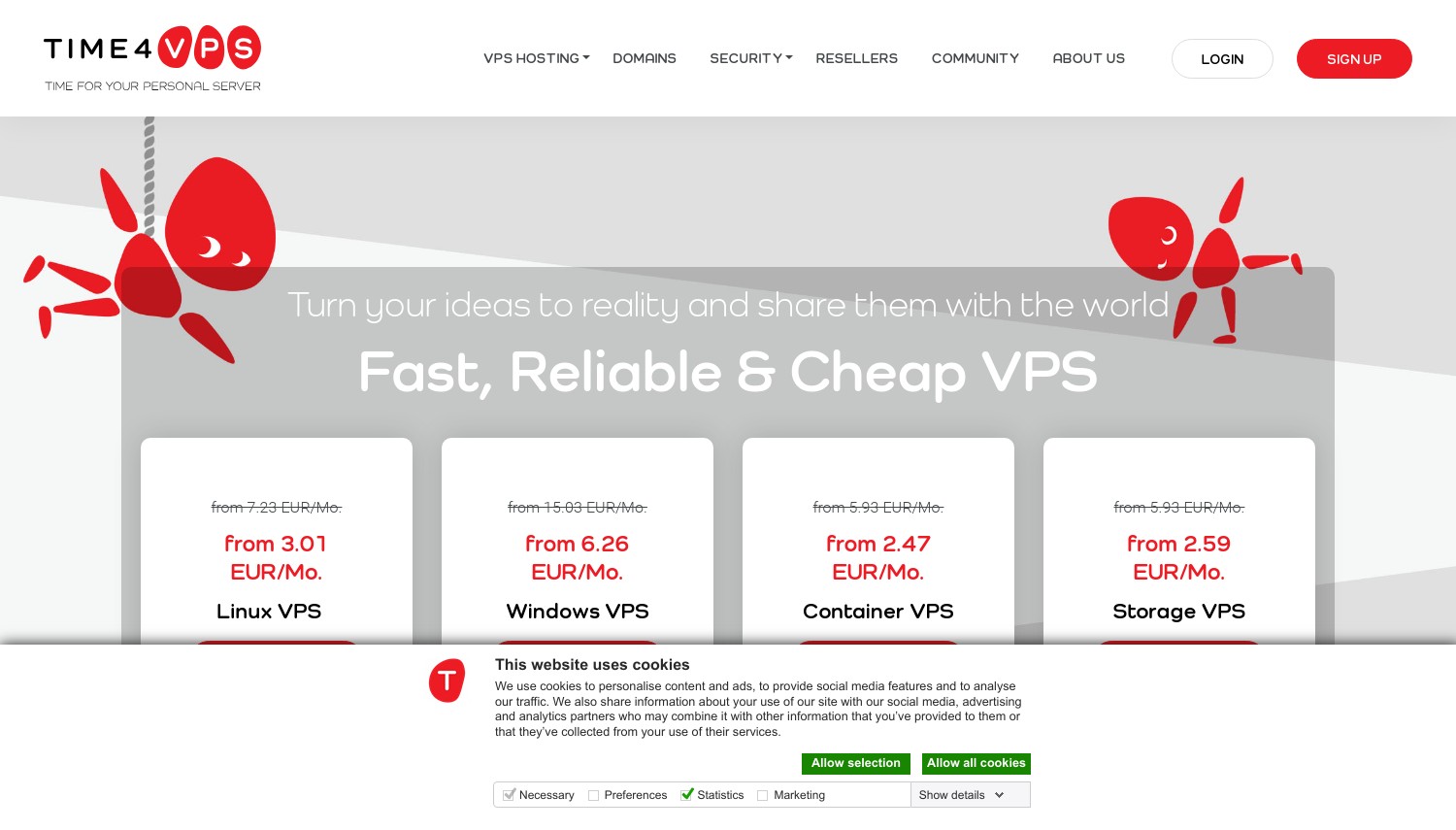
このプロバイダーが仕掛ける罠は次のとおりです, それがこのガイド全体が存在する理由です. Time4VPS は文字通り次のように呼ばれる製品を販売しています。 "コンテナ VPS," OpenVZ 上に構築されています 7, ホストカーネルを共有する. Docker はその上で確実に実行されません. コンテナーに実際に必要な行は、 "Linux VPS," KVMを使用する. 同じブランド, 2 つの仮想化タイプ, 安そうなものは Docker にとって間違った購入です.
命名を正しくすれば、Time4VPS は EU で最も安価な正規の Docker ボックスの 1 つになります。. KVM Linux 2 レベルは月額約 1.99 ユーロです 2 GBのRAM, ユーロに向けて下落 0.99 2年前払いで. それは自社の姉妹ブランドを損なう: Hostens の料金は、同じ料金で月額約 3.75 米ドルです。 2 3 年間の期間で GB, 一方、Time4VPS のユーロ 1.99 (米ドル 2.15) 同じリトアニアの施設からの同様のハードウェアの場合、順位は低くなります. Linux へのステップアップ 4 (2 vCPU, 4 GB, 40 GB) 快適な小型 Docker ホストの場合、月額約 4.39 ユーロ.
限界は現実です. すべては 1 つのビリニュスのデータセンターから発送されます, そのため、ヨーロッパ以外の人にとっては遅延が増加します, 地理的な冗長性はありません. 安価な階層のデフォルトのストレージは NVMe ではなく SSD です, 重いイメージのビルドが遅くなります. テスト中は 30 日間の返金保証が適用されます.
長所:
- 0.99ユーロ/月 隔年 KVM 計画について
- Linux VPS ライン上の完全なルートを持つ実際の KVM
- EU/GDPR Tier III施設, 30-当日返金
- 交通量が多い (4 に 32 階層ごとのTB)
短所:
- より安い "コンテナ VPS" 走る OpenVZ, Docker 対応ではありません
- 単一のデータセンター (ビリニュスのみ)
- 最低料金では長期の前払いが必要
価格設定: 期間ベース, 毎月から隔年まで. 見出しユーロ 0.99 2年間の契約が必要です; 前月比はユーロに近い 1.99. SSDのアップグレードとアドオンには追加料金がかかります.
こんな方に最適: EU を拠点とする開発者は、最も安価で誠実な KVM Docker ボックスを望んでいます. 次の場合はスキップします: ユーザーは南北アメリカまたはアジアにいます, 単一のビリニュス DC では遅延が追加される, ベイとカマテラズ 17 代わりに地域.
評決: Time4VPS Linux VPS を購入する (コンテナ VPS ではありません) EU の最低価格を希望し、期間を約束できる場合, このリストの中で適切に Docker 対応のボックスとしては最も安価です. 高速イメージビルドまたはヨーロッパ以外のサーバーのために NVMe 速度が必要な場合, これは違います, コンタボかヘッツナーに向けて.
5. Hostens
 1k +
4.5
ポジティブ
ポジティブ
1k +
4.5
ポジティブ
ポジティブ
| 保管所 | CPU | ラム | 価格 | |
|---|---|---|---|---|
| 20 GB | 1 x 2.40GHz | 2 GB | $2.50 / mo. | プランを見る |
| 20 GB | 1 x 2.60GHz | 2 GB | $3.75 / mo. | プランを見る |
| 40 GB | 1 x 2.40GHz | 4 GB | $5.00 / mo. | プランを見る |
Hostens – 高帯域幅の低予算コンテナに最適
エントリ (Linux VPS, KVM): 3 年間の期間で月額約 3.75 米ドル (米ドル 7.50 通常). 1 vCPU, 2 GB RAM, 20 GB SSD, 4 TBトラフィック. ビリニュスの単一データセンター. 99.95% 稼働時間.
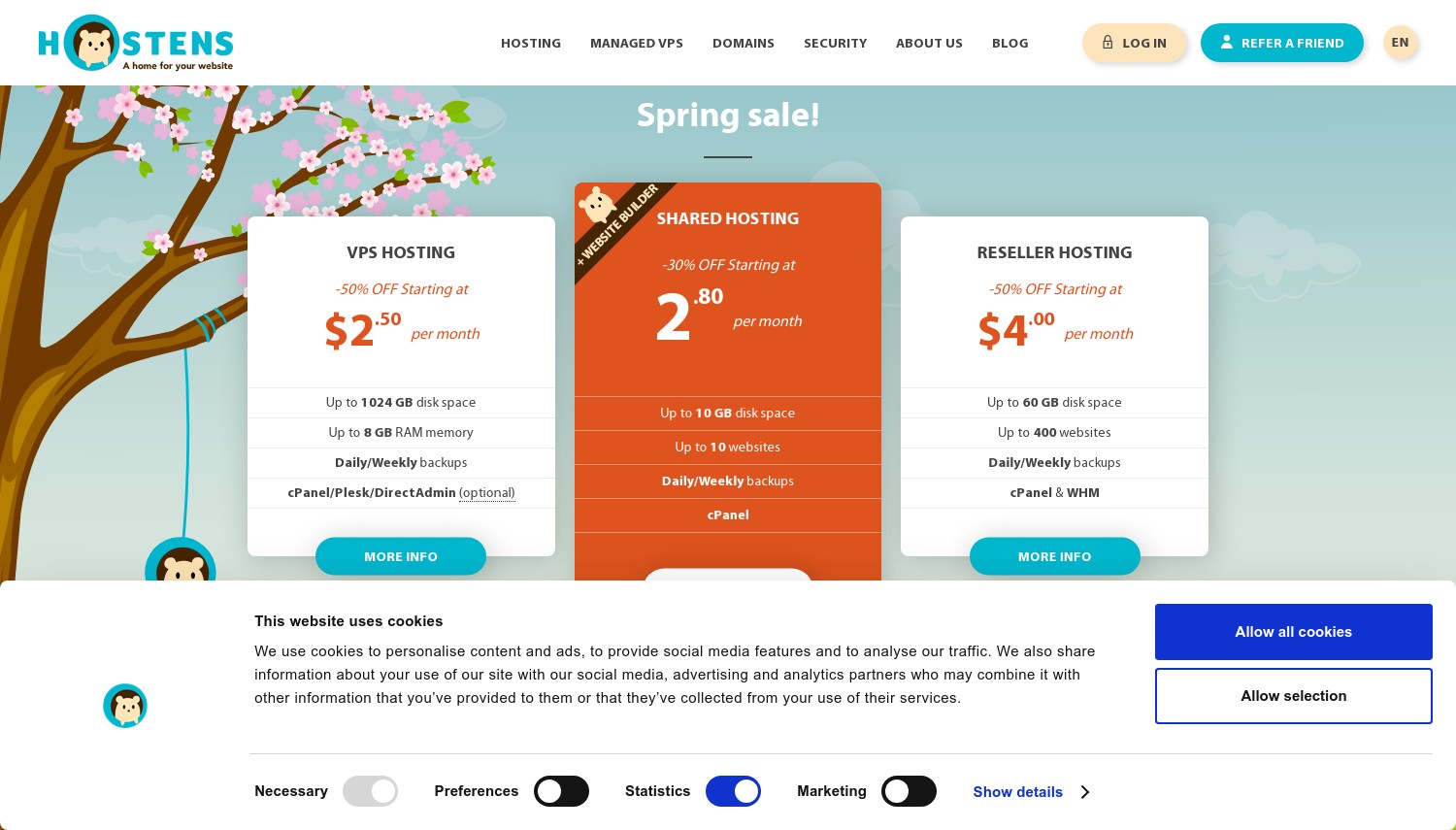
米ドル 3.75 KVM ボックスの場合は 1 か月 4 TB のトラフィック. それが最も安いHostensです, 姉妹ブランドの Time4VPS と同様, 仮想化の罠が隠れている. The "コンテナ VPS" と "ストレージ VPS" 行は OpenVZ を実行し、Docker を適切にホストできません; だけ "Linux VPS" 層はKVMを使用します. Linux ラインを購入する, コンテナブランドのものは無視してください, 前回と同じレッスン.
Hostens がその地位を確立するのは帯域幅と価格です. Linux 層バンドル 4 に 16 EU Tier III 施設からの SSD ストレージ上の TB のトラフィック, 限られた予算で大量のデータを移動するコンテナ アプリに適しています. 天井は控えめです, けれど: 公開された最上位層は大規模です 3 vCPU と 8 GB RAM USD 31.50/月. それを Contabo のクラウド VPS の隣に置きます 10, それは同じことを与えます 8 GB で約 USD 4.95/月, エントリーボックスを通過すると、ホステンスは高そうに見えます. 一番下に, でも, the 2 GB KVM SMALL 層は、長期的には単一目的のコンテナー ホストとして競争力があります。.
更新価格はプランページには公開されていません, したがって、長期の割引期間には、後で支払う金額について不確実性が伴います. 米ドルに向けて上昇すると予想する 7.50 通常料金.
長所:
- Linux VPS ライン上のリアル KVM, 完全なルート
- 高額な交通許容量 (4 に 16 TB)
- EU/リトアニア Tier III, 30-日帰り
- 安いです 2 3年間の任期でGBにエントリー
短所:
- "コンテナ VPS" と "ストレージ VPS" それは OpenVZ, Docker 用ではありません
- 天井が低い (最大 3 vCPU / 8 GB 公開)
- 更新価格は非公開
- 1 つのデータセンター, NVMeではなくSSD
価格設定: 定期割引実施中 30% (1 年) に 50% (3 年), したがって、実効レートはコミットメントの長さに依存します. 米ドル 3.75 この図は、Linux SMALL 層での 3 年間の前払いを想定しています。.
こんな方に最適: EU 予算内で帯域幅を大量に消費する単一のコンテナ アプリ. 次の場合はスキップします: 以上が必要になります 8 GB RAM, 天井は低く、Contabo はスケールに合わせて調整します。 24 GB をさらに安く.
評決: Hostens Linux VPS を格安でご利用ください, EUの交通量の多いシングルコンテナボックス, 帯域幅の割り当てはコストパフォーマンスが高い. 過去を超えて成長することを期待するなら 8 GB の RAM または公表されている更新価格を希望する, スキップしてください, Contabo は、より多くのヘッドルームと驚くことではない定額料金を提供します.
6. Contabo
 9.1k +
4.0
ポジティブ
ポジティブ
9.1k +
4.0
ポジティブ
ポジティブ
| 保管所 | CPU | ラム | 価格 | |
|---|---|---|---|---|
| 400 GB | 4 コア | 6 GB | $4.73 / mo. | プランを見る |
| 800 GB | 4 コア | 8 GB | $9.98 / mo. | プランを見る |
| 2.3 TB | 6 コア | 12 GB | $14.71 / mo. | プランを見る |
Contabo – セルフホスティングで 1 ドルあたりの最高の RAM
エントリ (クラウドVPS 10): 約USD 4.95/月. 4 vCPU, 8 GB RAM, 75 GB NVMe (また 150 GB SSD), 200 Mbit/秒ポート. KVM, 完全なルート. 更新は横ばい. 99.9% 稼働時間.
24 ギガバイトの RAM を約ユーロで 14 月. それがクラウドVPSです 30, それが、十数個のコンテナを運用するセルフホスティング業者が Contabo に着陸し続ける理由です. 範囲全体が完全なルートを持つ KVM です, 追加料金なしのNVMeストレージ, プロモーション後にジャンプしないフラットな更新. Contabo が共有ホスティングを廃止して以来、 2025, VPS ラインが焦点です, コンテナを積み重ねられるように作られています.
密度こそが物語だ. エントリーのクラウドVPS 10 パック 8 GB を USD 4.95/月のボックスに入れる; 同じ 8 Hostens の GB の料金は USD 31.50/月です, DigitalOcean の最も近い同等のものはさらに高速に実行されます. ワンクリック Docker の場合, Contabo は Coolify VPS イメージを提供します, Porttainer を手動で接続することなく、Docker パッケージ化されたアプリケーションに対して Heroku スタイルのデプロイを提供するセルフホスト型 PaaS. S3 互換のオブジェクト ストレージを自己実行レジストリで指定することもできます.
正直な弱点: vCPU は共有されているため、負荷がかかると変動する可能性があります, ポート速度は次から始まります 200 最安レベルの Mbit/s (上昇する 600 VPS による Mbit/s 30), スループットの高いワークロードが注目する. マネージド Kubernetes やファーストパーティのコンテナ レジストリはありません. 返金窓口はあくまで 14 日々, レビュー担当者は返金手続きが面倒だと報告しています. 小さな新しい落とし穴: クラウド VPS に 1 回限りのセットアップ料金が適用されるようになりました 10 1か月および6か月の期間で, 期間が長く、レベルが高いほど回避される.
長所:
- 8 GB RAM USD 4.95/月から, 24 GB ユーロ付近 14
- フラットリニューアル, プロモーションクリフはありません
- NVMe搭載; ワンクリックCoolify PaaS
- 11 データセンター 9 地域
短所:
- 共有 vCPU と 200 Mbit / s 入口ポート
- 14-当日返金, 主張するのは難しいと伝えられている
- マネージド Kubernetes またはレジストリなし
価格設定: クラウド VPS の場合、月額約 4.95 米ドル 10, 米ドル 7.95 VPS用 20 (12 GB), ユーロ前後 14 VPS用 30 (24 GB). 更新は元の料金と一致します. 短期間の最も安いレベルでのみセットアップ料金に注意してください.
こんな方に最適: セルフホスティング業者は、安価な 1 つのコンテナに多数のコンテナを詰め込みます, 高RAMボックス. 次の場合はスキップします: 一貫した専用 CPU または高速ポートが必要, Hetzner の専用 vCPU CCX ラインは、持続的な負荷の下でもより安定しています.
評決: RAM 密度と均一な料金が他のすべてに勝る場合、Contabo が最適です, ここでは誰もあなたに与えません 24 GB = ユーロ 14. コンテナが CPU バウンドまたはレイテンシの影響を受けやすい場合, 他の場所を見てください: Hetzner の専用 vCPU プランは、一定の負荷の下でも優れた耐久性を発揮します, 管理されたオーケストレーションが必要な場合は DigitalOcean が勝ちます.
7. Hetzner Online
 2.3k +
3.1
中性
中性
2.3k +
3.1
中性
中性

| 保管所 | CPU | ラム | 価格 | |
|---|---|---|---|---|
| 25 GB | 1 芯 | 1 GB | $4.28 / mo. | プランを見る |
| 50 GB | 2 コア | 2 GB | $7.58 / mo. | プランを見る |
| 100 GB | 2 コア | 4 GB | $13.06 / mo. | プランを見る |
Hetzner – 自動化された ARM コンテナ ワークロードに最適
エントリ (CAX11, アーム): 5.99ユーロ/月 (約米ドル 6.49), 時間単位で請求される. 2 vCPU, 4 GB RAM, 40 GB NVMe, 20 TBトラフィック. KVM, 完全なルート. IPv4 では月あたり約 0.50 ユーロの追加料金がかかります. 99.9% 稼働時間.
DigitalOcean がコンソールを販売している場所, Hetzner が API を販売します. クラウド プラットフォームは、生の KVM VM と完全な REST API を組み合わせます。, hcloud CLI, 公式の Terraform プロバイダー, および Ansible のサポート, Docker インフラストラクチャがコミットしたコードになる. 毎月の最大料金に制限のある時間単位の請求を追加する, 有効期間が短いコンテナ クラスターのコストは、実行時間分のみです。.
ARM CAX ラインはコンテナ向けの静かな価値戦略です. CAX11 が与える 2 アンペアコアと 4 優れたGB RAM 20 TB 分のトラフィックが月額 5.99 ユーロで含まれます. Hostinger が一致します 4 GB(USD) 6.49, ただし、トラフィックの上限は 4 TB, したがって、Hetzner はほぼ同じ価格で 5 倍の帯域幅を提供します. マルチアーキテクチャ Docker イメージは ARM 上でネイティブに実行されます, 多くの場合、x86 よりも安価です. Intel または AMD を好む? CX23 (インテル, 4 GB) ユーロ周辺のリスト 5.49 とCPX22 (AMD) ストレージをにバンプします 80 GB. マーケットプレイスにはワンクリックの Docker アプリもあります.
タイミングに関する注意事項: Hetzner は 6 月にクラウドの価格を引き上げました 15, 2026, かつては劇的だった差が縮まった (エントリーARMは約ユーロからになりました 4.49 ユーロです 5.99). サポートはメールのみです, マネージド Kubernetes はありません, IPv4 では少額の月額料金がかかります. 一定の高い CPU コンテナー負荷の場合, 専用 vCPU CCX ライン (CCX13から, 2 vCPU, 8 GB) より安定した選択です.
長所:
- 満杯 API, コマンドライン, とテラフォーム IaC用
- 20 TBトラフィック EUの計画に含まれる
- マルチアーキテクチャコンテナ用の安価な ARM コア
- 時間単位の請求; ワンクリック Docker アプリ
短所:
- マネージド Kubernetes またはコンテナ サービスはありません
- IPv4は追加料金がかかります; メールのみのサポート
- 六月 2026 価格上昇により価値格差が縮小した
価格設定: 5.99ユーロ/月 CAX11 (アーム), ユーロ 5.49 CX23 (インテル), どちらも時間制限あり. IPv4 アドレスが必要な場合は、月額約 0.50 ユーロを追加します。. 有期契約なし, サーバーを削除すると支払いが停止します.
こんな方に最適: インフラストラクチャのスクリプトを作成し、ARM の価値と巨大な帯域幅を必要とする開発者. 次の場合はスキップします: 電話サポートまたはマネージドコンテナプラットフォームが必要な場合, DigitalOcean は両方を提供しますが、Hetzner はどちらも提供しません.
評決: Hetzner は自動化の候補です, サーバーを使い捨てコードとして扱い、API と時間単位の請求ですぐに利益が得られます. マネージド Kubernetes セットアップをクリックして実行するか、サポートに電話したい場合は、, DigitalOcean の方が適合します, 定額の最大 RAM が目標の場合, コンタボ、1ドル当たりのメモリでヘツナーを下回る.
8. Digital Ocean
 1.9k +
3.7
中性
中性
1.9k +
3.7
中性
中性
DigitalOcean – 最も優れたマネージド コンテナ スタック
エントリ (基本的なドロップレット): 4ドル/月, 1 秒ごとに請求され、月ごとの上限が設定されます. 1 vCPU, 512 MB RAM, 10 GB SSD, 500 GB転送. 米ドル 200 の功績 60 日々. 99.99% ドロップレットSLA.
コンテナツールチェーン全体がここの 1 つのコンソールに存在します, それがもう少しお金を払う理由です. DigitalOcean はワンクリックで Docker ドロップレットを提供します, マネージドKubernetes (ドキュメント), コンテナレジストリ (DOCR), とアプリプラットフォーム, すべて一緒に配線されている, そのため、クラスターはグルー コードを使用せずにプライベート レジストリから直接プルできます。. 卓越したコストエッジ: the DOKS コントロール プレーンは無料です, ここで、ハイパースケーラーの料金はクラスターごとに 1 時間あたり約 0.10 米ドルです。. ワーカーノードのドロップレットに対してのみ料金が発生します, クラスターは月額約 12 米ドルから.
これは、マネージド Kubernetes が小規模チーム向けの生の Docker VPS に勝てる点でもあります。. レジストリには無料のスターター層があります (500 MB), 基本料金 USD 5/月, および Pro は月 20 ドル, サーバー管理を完全にスキップしたい場合は、App Platform が Dockerfile から直接構築およびデプロイされます。. コントロールプレーンの子守りをしたくない小規模チーム向け, そのバンドルはリアルマネーの価値がある.
生のコンピューティングが弱点です. 米ドル 4 水滴 512 MB は実際のコンテナには小さすぎます, したがって、実際の Docker 作業は USD から始まります 12 24ドル/月まで. A 2 GB ドロップレットは USD を実行します 12, 一方、Hetzner の CX23 は、 4 GBで約USD 5.90: 半分の価格で 2 倍の RAM. 管理されたエコシステムに対してそのプレミアムを支払います。 99.99% ドロップレットSLA, 安価なメモリのためではありません. 全国に 14 か所のデータセンター 11 地域は地球の大部分をカバーします.
長所:
- 無料の Kubernetes コントロール プレーン (ドキュメント)
- 統合レジストリ, アプリプラットフォーム, ワンクリックドッカー
- 秒単位の課金; 米ドル 200 新規ユーザークレジット
- 99.99% ドロップレットSLA, 強力なドキュメントと API
短所:
- エントリ 512 MB ドロップレットが Docker には小さすぎます
- 約4倍 RAM 1 GB あたりの Hetzner のコスト
- クレジットの有効期限が切れた後は、常時無料枠はありません
価格設定: ドロップレットは月額 4 米ドルから (USDからの現実的なDocker 12), DOKS ワーカー ノードは、無料のコントロール プレーンを備えたドロップレットとして課金されます, レジストリは月額 20 米ドルまで無料. 60 日あたり 200 ドルのクレジットは、十分な試用期間をカバーします.
こんな方に最適: マネージド Kubernetes を必要とするチーム, レジストリ, 1 か所にデプロイします. 次の場合はスキップします: 単一ボックス上の安価な RAM を最適化している, コンタボが与える 8 DO の価格は GB 1 GB 層.
評決: マネージド コンテナ スタックと無料の Kubernetes コントロール プレーンが必要な場合、DigitalOcean が勝ちます, 統合により実際のエンジニアリング時間が節約されます. プロジェクトが 1 つの自己管理型 Docker ホストと予算ルールの場合, Contabo または Hetzner は、1 ドルあたりの処理能力がはるかに優れています, そして毎月の違いはさらに大きくなります.
Docker VPS の選び方
これは機能チェックリストに関するものではありません. ワークロードを請求モデルと RAM に適合させることが重要です. 3 つのシナリオでほとんどの購入者をカバー.
長時間実行されるセルフホスト型スタック (10+ コンテナ), 予算は月あたり 15 米ドル未満. Go Contabo クラウド VPS 30 (24 GB RAM, 約14ユーロ/月). ここでDigitalOceanをスキップしてください, 匹敵する 24 GB のマネージド ドロップレット RAM は数倍のコストがかかります, 単一の常時接続ボックスの場合、お金を払って使用するオーケストレーション レイヤーは必要ありません。.
一時的な CI ビルド またはテストコンテナが回転して破壊される. カマテルを使用する (毎分) またはヘッツナー (毎時, Terraform を使用して). 生きているビルドホスト 20 数分で 1 か月かかることはありません. どちらもスクリプトの作成と破棄を可能にします; パイプラインがすでにコードとしてのインフラストラクチャである場合、Hetzner の API と hcloud CLI が優位に立っています. これを Time4VPS のような期間ロックプランに保存しないでください, アイドル月分の料金を支払うことになります.
予算は月4ドル未満, EUユーザー, 単一コンテナアプリ. Time4VPS Linux VPS を選択してください (KVM), 1.99ユーロ/月から, 安いものではない "コンテナ VPS" (OpenVZ は Docker を実行しません). ヨーロッパ外にいる場合, この単一 DC オプションにより遅延が追加されます, カマテラに最も近いものを選択してください 17 代わりに地域.
マネージド レジストリと Kubernetes, 独自のコントロールプレーンを実行せずに. DigitalOcean が答えです, 無料の DOKS コントロール プレーンと統合された DOCR により、Hetzner または Contabo で手作業で行う作業が不要になります。. コンテナーが単一の VPS を完全に超えてしまい、保証された分離されたハードウェアが必要な場合, それが比較するポイントです 専用サーバー 代わりは.
1 つのルールがこれらすべてに適用されます: 購入前にKVMを確認してください. プランに OpenVZ と記載されている場合, ルクセンブルク, また "コンテナ," Docker があなたと戦うと想定してください. 両方のラインを販売している上記のブランド (Time4VPS, Hostens) この間違いを簡単にしてください, だから仕様を読んでください, 商品名ではありません.
Docker がスケーリング パスのどこに位置するかを考える, それも. 共有ホスティングではまったく実行できません (ルートがありません, 共有カーネル), そもそもこれが人々が VPS に移行する一般的な理由です. 単一の KVM ボックスでほとんどのプロジェクトを長期間カバーします. トラフィックが急増またはグローバルになり、スケーリングを手動で管理したくない場合, それは、マネージド クラウド プラットフォームまたはオーケストレーションされたクラスターがより高い価格を獲得し始める瞬間です. それまでは, ほとんどの場合、プレーンな Docker VPS の方が安価です, より簡単な通話.
よくある質問
最も安価な環境で Docker を実行できますか "コンテナ VPS" 予定?
通常はそうではありません. 製品名 "コンテナ VPS" Time4VPS と Hostens から OpenVZ で実行, ホスト カーネルを共有し、Docker が必要とする機能をブロックします。. Docker の場合は KVM が必要です "Linux VPS" 代わりに線を引く. ネーミングが逆だ: コンテナ用にブランド化されたプランは、あなたのプランでは実行できません.
複数の Docker コンテナを実行するにはどれくらいの RAM が必要ですか?
バジェット 512 MBから 2 コンテナあたりの GB, したがって、小規模なマルチコンテナスタックには少なくとも必要です 4 GB. ホスティンガーのKVM 1 (4 GB) とヘッツナーのCAX11 (4 GB) 少数のコンテナとデータベースを処理する. 為に 10 またはそれ以上のサービス, コンタボのところにジャンプ 8 に 24 GB 階層. The 512 DigitalOcean からの MB エントリ ドロップレットは実際の Docker 作業には薄すぎる.
Docker がプリインストールされている VPS はどれですか?
Hostinger には、Docker Manager GUI とワンクリック Docker テンプレートがバンドルされています. Hetzner と DigitalOcean はどちらも、マーケットプレイスでワンクリックの Docker イメージを提供しています, また、Kamatera は、Docker 対応の Ubuntu イメージと Docker マシン ドライバーを同梱しています。. Contabo はワンクリックで Coolify 画像を提供します, Docker アプリ用のセルフホスト型 PaaS. 他の場所のベア KVM 上, いくつかのコマンドで Docker を自分でインストールします.
マネージド Kubernetes は、VPS で Docker を実行するよりも安価です?
かもね, 小さなクラスターの場合. DigitalOcean の DOKS コントロール プレーンは無料です, したがって、ワーカーノードのドロップレットに対してのみ料金を支払います (クラスターは月あたり約 12 米ドルから). ほとんどのハイパースケーラーは、コントロール プレーンに対してのみ 1 時間あたりおよそ 0.10 米ドルを請求します。. 単一のホストでいくつかのコンテナを実行する場合, 通常の Contabo または Hetzner VPS の方がまだ安価です, ただし、オーケストレーションとフェイルオーバーが必要になった場合は、, DOKS は多くのコストと労力を削減します.
最終評決
コンテナーの動作にプロバイダーを一致させる. 長期にわたって, 予算内で高密度のセルフホスト型スタックを実現, コンタボ 明らかに勝者です: 8 GB の場合は USD 4.95/月、 24 GB ユーロ付近 14, KVM のフラット更新について. スピンアップして強制終了したコンテナの場合, ヘッツナー (毎時, スクリプト可能な, 20 TBトラフィック) と カマテラ (毎分, ドッカーマシンドライバー) 勝利を分け合う, パイプラインがコードとしてのインフラストラクチャの場合はリーン ヘッツナー. マネージド レジストリと Kubernetes を 1 つのコンソールで使用したい場合, DigitalOcean フリーコントロールプレーンのみでそれを実行します.
ガイド付きの最初のコンテナー ホストの場合, Hostingerにバンドルされている Docker Manager は最も穏やかな導入段階です. AlmaLinux のような特定のディストリビューションが必要で、サイジングが確実である? ホスティング.com 作品, VPS プランでは返金期間をスキップすることを覚えておいてください。. そして、最も安価な正直な EU ボックスの場合, the Time4VPS と Hostens Linux (KVM) ラインが配達します, OpenVZ を避ける限り "コンテナ VPS" 予定, Dockerをまったく実行できません.
スタックをさらに構築する? サーバー管理をどこまで行うかまだ決めていない場合, 私たちのガイド マネージド VPS とアンマネージド VPS Docker にとって重要なトレードオフを分析します。. そこから, 汎用を比較する VPSホスティングプロバイダー プロジェクトがコンテナのみではない場合, または、単一の VPS が追いつかなくなったら専用サーバーに移行します.