
On This Page: [hide]
UpCloud is a European cloud provider that positions itself on one promise: raw performance. Based on aggregated customer feedback, they largely deliver on that promise, with users consistently reporting faster disk I/O and better CPU performance than competitors at similar price points. But there’s a catch worth knowing about upfront.

This review analyzes 120+ verified customer reviews from major aggregator platforms, along with community discussions on Reddit and developer forums. Unlike affiliate-heavy reviews, we include both the glowing praise and the account suspension horror stories that others skip. We also show actual pricing, including the fact that UpCloud doesn’t play the promotional-vs-renewal pricing game that dominates the shared hosting industry.


| Name | UpCloud |
| Total Reviews | 134 |
| Average Score | 3.1 |
| Website | https://upcloud.com |
| Address | Eteläranta 12 Helsinki , SOUTHERN FINLAND 00130 FI |
| Server Locations |  United States United States |
Number of Reviews
Avg. Review Score
Customer Support
Overall assessment: UpCloud scores 3.7/5 on Trustpilot across 126 reviews, with a notably polarized distribution. Nearly half of reviews are 5-star, praising performance and support. But 43% are 1-star, primarily citing sudden account suspensions and slow abuse team responses. This makes UpCloud excellent for developers who understand server management and follow terms of service carefully, but risky for those running edge-case workloads or needing forgiving account policies. Best suited for technical users prioritizing performance over hand-holding.
Features and Services
UpCloud focuses on infrastructure-as-a-service rather than managed hosting. You get raw cloud resources and the responsibility to manage them yourself. This approach attracts developers and DevOps teams who want control, while filtering out beginners expecting a cPanel-style experience.
Hosting Types Offered
- Cloud Servers (VPS) – Their core product, available in Developer and General Purpose tiers
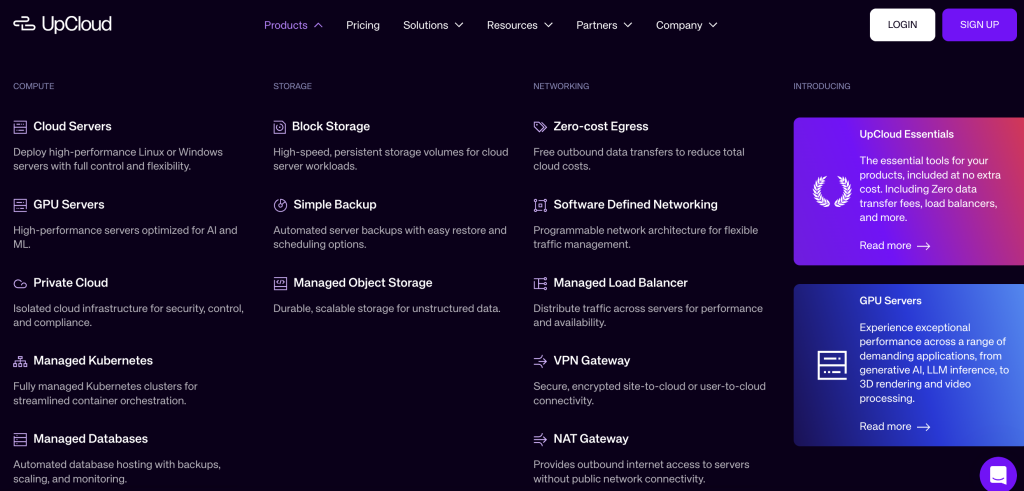
- Managed Kubernetes – CNCF-certified Kubernetes clusters with free control plane management
- Managed Databases – MySQL, PostgreSQL, Valkey (Redis alternative), and OpenSearch
- GPU Servers – NVIDIA L40S GPUs for AI/ML workloads
- Object Storage – S3-compatible storage starting at €0.02/GB/month
- Private Networking – SDN-based private networks across data centers
Key Features Customers Highlight
Reviews consistently mention three things about UpCloud:
- MaxIOPS Storage – UpCloud’s proprietary storage technology delivers up to 100,000 IOPS read performance. Independent benchmarks confirm this isn’t just marketing: users report significantly faster disk operations compared to DigitalOcean and standard Vultr plans. For database-heavy workloads, this matters.
- 100% Uptime SLA – Unlike the industry-standard 99.9% guarantee, UpCloud promises 100% uptime with 50x compensation for any downtime exceeding 5 minutes. Long-term users report this isn’t empty marketing, with several noting “zero downtime in years of use.”
- AMD EPYC Processors – UpCloud uses modern AMD EPYC CPUs across their infrastructure. Community discussions note this contrasts with some competitors who still run older Intel processors, resulting in better single-thread performance for the same vCPU allocation.
Customer Experience
UpCloud’s review profile tells an interesting story. The 3.7/5 Trustpilot rating masks a heavily polarized distribution: 47% of reviewers give 5 stars, while 43% give 1 star. Very few land in the middle. This suggests UpCloud works extremely well for its target audience but creates significant friction for others.
What Customers Praise
Performance that delivers on promises: Users moving from competitors consistently report measurable improvements. One reviewer noted their servers were “the most performant VPS” they’d tested, with benchmarks showing “50% faster CPU and twice the disk transfer rates” compared to DigitalOcean. Multiple reviews describe the service as “blazing fast” with comments like “fastest VPS cloud provider I’ve tested.”
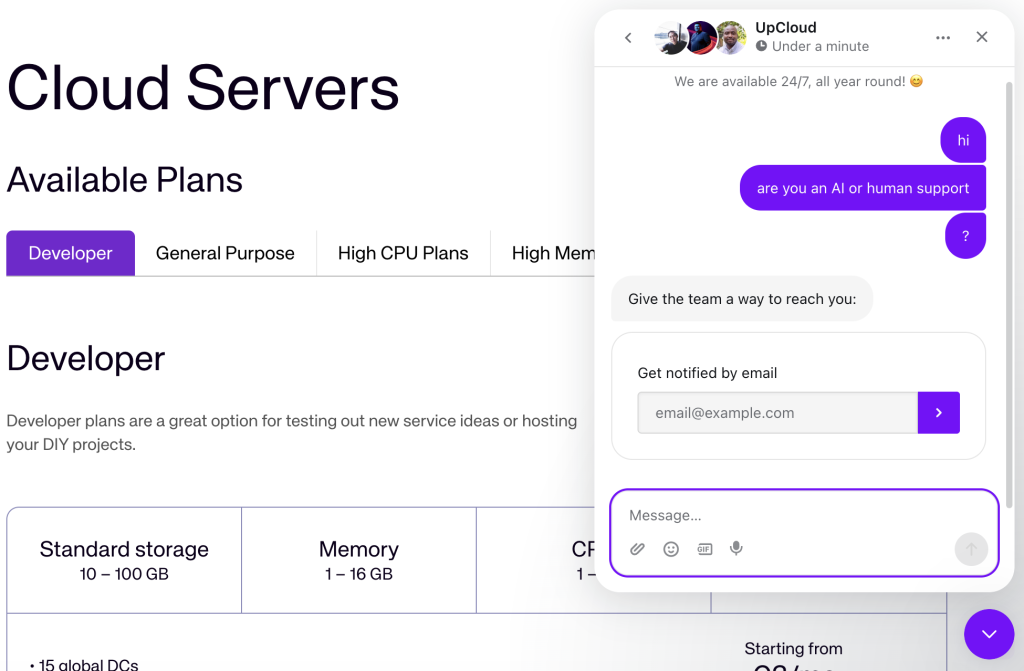
Support that actually helps: Unlike many cloud providers where support means documentation links, UpCloud’s team receives consistent praise. Reviews describe support staff as “real people who really know their stuff” and “friendly and fast.” The company claims an average response time of 42 seconds, and customer feedback largely confirms quick, knowledgeable responses. Long-term users (10+ years) report support has remained consistently good over time.
Transparent, predictable billing: Multiple reviews highlight that “pricing does not cause surprises.” For businesses that have been burned by unexpected charges from other cloud providers, this predictability matters.
Common Complaints
Account suspensions without warning: This is by far the most common complaint across all review platforms. Customers report having accounts suspended suddenly, sometimes “just hours after creating an account,” with business impact and difficulty reaching the abuse team. One user described a 3-day wait for a response while “incurring huge business losses.” Another reported a 2-year account suspended without warning, taking “hundreds of websites suddenly offline.”
Port 25 restrictions: Users wanting to run email servers face strict requirements. UpCloud requires “extensive justification” to open port 25, which frustrates users with legitimate email hosting needs.
No OS reinstallation on existing VPS: A notable technical limitation: you cannot reinstall the operating system on the same VPS. You must delete the server and create a new one with a new IP address. For users who need to maintain IP addresses, this is a significant inconvenience.
Control panel limitations: Some reviews note the user panel “lacks features” compared to competitors, and the billing system “could be better.” Power users wanting extensive self-service options may find the interface limiting.
Community Feedback (Reddit and Forums)
Beyond official review platforms, community discussions reveal additional perspectives:
Developer communities are generally positive: On Reddit and forums like LowEndTalk, UpCloud gets “nods for its crazy fast SSD storage and rock-solid uptime.” Developers appreciate the performance-per-dollar ratio and describe it as “a bit pricier, but for demanding workloads, it’s worth it.”
The abuse team is a recurring concern: Community discussions frequently mention slow or unresponsive communication when accounts face suspension. Several threads describe scenarios where legitimate users couldn’t get timely responses to resolve account issues, resulting in extended downtime.
Not beginner-friendly by design: Forum consensus holds that UpCloud targets technical users. As one commenter put it: “Neither UpCloud nor competitors are particularly beginner-friendly; however, since UpCloud provides superior customer support, novices might give them higher priority.” But if you’re expecting a managed hosting experience, you’re looking in the wrong place.
Support Quality
UpCloud offers 24/7/365 support through live chat and email. They don’t offer phone support, which bothers some users. The average response time for first contact is reportedly under 90 seconds, with follow-up responses averaging around 2 minutes.
Support is handled by actual engineers, not frontline script-readers. This matters for technical issues where users need help beyond basic troubleshooting. The support team works on a follow-the-sun model across global time zones.
The catch: while technical support receives praise, the abuse/compliance team draws criticism for slow responses. If your account gets flagged, expect a different experience than routine support requests.
When to Use UpCloud
UpCloud is a strong choice in specific scenarios:
Ideal For
Developers and DevOps teams prioritizing performance: If disk I/O is your bottleneck, such as running databases, high-traffic WordPress installations, or I/O-intensive applications, MaxIOPS storage provides a measurable advantage. Benchmark data backs this up.
European businesses with data residency requirements: UpCloud is a Finnish company with 8 European data centers, ISO 27001 certification, and GDPR compliance baked into their operations. For EU businesses needing to keep data within European borders, this matters.
Teams that value uptime over everything: The 100% SLA with 50x compensation isn’t marketing fluff. Users report exceptional reliability, and UpCloud builds redundancy into their storage architecture with separate backends and RAID arrays.
SaaS startups and agencies managing multiple projects: Transparent hourly billing, Infrastructure as Code support (Terraform integration), and managed Kubernetes make UpCloud suitable for teams deploying and managing multiple applications.
You’ll Appreciate It If
- You understand server management and don’t need hand-holding
- Database performance is critical to your application
- You want predictable monthly costs without renewal surprises
- You need Kubernetes clusters with a free managed control plane
- You value fast, knowledgeable support over budget pricing
When NOT to Use UpCloud
No host is perfect for everyone. UpCloud isn’t the right choice if:
Look Elsewhere If
You’re a beginner expecting managed hosting: UpCloud provides infrastructure, not hand-holding. There’s no cPanel, no one-click WordPress installer with automatic updates, no managed security patches. If “unmanaged VPS” sounds intimidating, consider a managed WordPress host instead.
You need maximum value in European locations: Hetzner consistently beats UpCloud on price-to-performance ratio within Europe. If your workloads can live in the EU and budget is the priority, Hetzner delivers similar raw performance for significantly less money.
Your workload might trigger abuse flags: Given the volume of complaints about sudden account suspensions, users running edge-case workloads, cryptocurrency-related projects, high-volume email, or anything that might look suspicious to automated systems should think twice. The consequences of a false positive are significant.
You need extensive global coverage: With 13 data centers, UpCloud trails behind Vultr (32+ locations) and DigitalOcean for global reach. No South American, African, or most Asian locations.
Red Flags for Your Situation
- You need phone support: UpCloud only offers chat and email
- You run mail servers: Port 25 restrictions are strict and require justification
- IP address stability is critical: The inability to reinstall OS without a new IP could be problematic
- You’re in a sanctioned region: UpCloud cannot serve users from Russia or other sanctioned areas due to EU regulations
- You want GPU variety: Only NVIDIA L40S is available, and pricing is “heavier than other providers”
If any of these apply, consider alternatives from our VPS hosting guide.
UpCloud Transparency Score
We assess how upfront UpCloud is with important information:
- Company Information: Excellent – UpCloud clearly states they’re headquartered in Helsinki, Finland, founded in 2011, and provides detailed information about their team and infrastructure. ISO 27001 and GDPR certifications are prominently displayed.
- Pricing Transparency: Excellent – No promotional vs. renewal pricing games. Hourly rates, monthly estimates, and additional service costs are clearly listed. The only complaint: EUR-first pricing can require conversion for USD-based businesses.
- Technical Documentation: Good – Detailed documentation covers most use cases. API documentation is solid. Some users note the control panel could expose more features directly.
- Terms and Policies: Good – The 30-day money-back guarantee (up to €500) and 7-day free trial are clearly stated. However, the suspension/abuse handling policies could be more transparent given the volume of complaints in this area.
Overall Transparency: Above average. UpCloud is refreshingly straightforward about pricing and company information. The main gap is around account suspension policies and processes, which reviews suggest could be communicated more clearly.
Alternatives to UpCloud
If UpCloud doesn’t fit your needs, these alternatives address common gaps:
For Better Value in Europe: Hetzner
Hetzner offers comparable raw performance to UpCloud at significantly lower prices, but only serves European locations (primarily Germany and Finland). If your workloads can live in the EU and budget is a priority, Hetzner delivers excellent price-to-performance. The main trade-off: less polished support and fewer managed services.
For Better Global Coverage: Vultr
Vultr operates 32+ data centers worldwide, covering regions UpCloud doesn’t reach. Their High Frequency compute plans compete well on performance, and pricing is competitive. Vultr is a strong choice if you need servers in locations beyond UpCloud’s 13 data centers. See how they compare in our VPS hosting comparison.
For a Beginner-Friendlier Experience: Linode (Akamai)
Now under Akamai, Linode offers a more approachable interface with solid documentation and a strong developer community. Performance is good (though not quite UpCloud-level for disk I/O), and the ecosystem of managed add-ons is more developed. A better fit for teams wanting cloud infrastructure without UpCloud’s “you’re on your own” philosophy.
For a full comparison, see our cloud hosting guide.
Data Center Locations
UpCloud operates 13 data centers across 4 continents:
- Europe (8): Amsterdam, Frankfurt, Helsinki (2 facilities), London, Madrid, Stockholm, Warsaw
- North America (3): Chicago, New York, San Jose
- Asia-Pacific (2): Singapore, Sydney
For European users, this coverage is excellent. The dual Helsinki presence and GDPR-compliant European infrastructure make UpCloud attractive for EU data residency requirements. North American and APAC coverage is adequate but less extensive than Vultr or DigitalOcean. If you need locations in South America, Africa, or additional Asian markets, look elsewhere.
Performance Expectations
Independent benchmarks from VPSBenchmarks and community testing consistently rank UpCloud near the top for disk I/O and CPU performance at comparable price points. In WordPress benchmarks, UpCloud handled 1,300 concurrent users per second and achieved a 4ms Time To First Byte (TTFB), dramatically outpacing competitors like Vultr (46ms TTFB in the same test).
The caveat: UpCloud costs more than budget providers. You’re paying a premium for this performance. In benchmark comparisons, Hetzner often matches UpCloud’s raw performance at lower prices, but only serves European locations.
- UpCloud reviews from United Kingdom
| Average score | 2.29 |
| Number of reviews | 16 reviews |
- UpCloud reviews from United States
| Average score | 3.27 |
| Number of reviews | 11 reviews |
- UpCloud reviews from India
| Average score | 2.33 |
| Number of reviews | 9 reviews |
- UpCloud reviews from Indonesia
| Average score | 3.38 |
| Number of reviews | 8 reviews |
- UpCloud reviews from Netherlands
| Average score | 3.40 |
| Number of reviews | 5 reviews |
- UpCloud reviews from Vietnam
| Average score | 1.80 |
| Number of reviews | 5 reviews |
- UpCloud reviews from Finland
| Average score | 5.00 |
| Number of reviews | 4 reviews |
- UpCloud reviews from Denmark
| Average score | 4.00 |
| Number of reviews | 4 reviews |
- UpCloud reviews from Philippines
| Average score | 3.25 |
| Number of reviews | 4 reviews |
- UpCloud reviews from Russia
| Average score | 2.00 |
| Number of reviews | 4 reviews |
- UpCloud reviews from Australia
| Average score | 1.00 |
| Number of reviews | 4 reviews |
- UpCloud reviews from Sweden
| Average score | 3.00 |
| Number of reviews | 4 reviews |
- UpCloud reviews from Brazil
| Average score | 3.90 |
| Number of reviews | 4 reviews |
- UpCloud reviews from Norway
| Average score | 3.67 |
| Number of reviews | 3 reviews |
- UpCloud reviews from France
| Average score | 1.00 |
| Number of reviews | 3 reviews |
- UpCloud reviews from Singapore
| Average score | 4.80 |
| Number of reviews | 3 reviews |
- UpCloud reviews from Spain
| Average score | 3.67 |
| Number of reviews | 3 reviews |
- UpCloud reviews from Italy
| Average score | 1.00 |
| Number of reviews | 2 reviews |
- UpCloud reviews from Costa Rica
| Average score | 1.00 |
| Number of reviews | 2 reviews |
- UpCloud reviews from Portugal
| Average score | 3.00 |
| Number of reviews | 2 reviews |
- UpCloud reviews from Poland
| Average score | 5.00 |
| Number of reviews | 2 reviews |
- UpCloud reviews from Argentina
| Average score | 2.00 |
| Number of reviews | 2 reviews |
- UpCloud reviews from Germany
| Average score | 5.00 |
| Number of reviews | 2 reviews |
- UpCloud reviews from Pakistan
| Average score | 5.00 |
| Number of reviews | 2 reviews |
- UpCloud reviews from Colombia
| Average score | 4.50 |
| Number of reviews | 2 reviews |
- UpCloud reviews from Ukraine
| Average score | 4.50 |
| Number of reviews | 2 reviews |
- UpCloud reviews from Malaysia
| Average score | 1.00 |
| Number of reviews | 2 reviews |
- UpCloud reviews from Belgium
| Average score | 5.00 |
| Number of reviews | 2 reviews |
- UpCloud reviews from Peru
| Average score | 4.80 |
| Number of reviews | 2 reviews |
- UpCloud reviews from Sri Lanka
| Average score | 4.00 |
| Number of reviews | 1 reviews |
UpCloud Plans and Pricing
UpCloud uses straightforward pay-as-you-go pricing without the promotional bait-and-switch common in shared hosting. The price you see is the price you pay, month after month. Resources are billed hourly, with monthly prices based on a 28-day maximum.
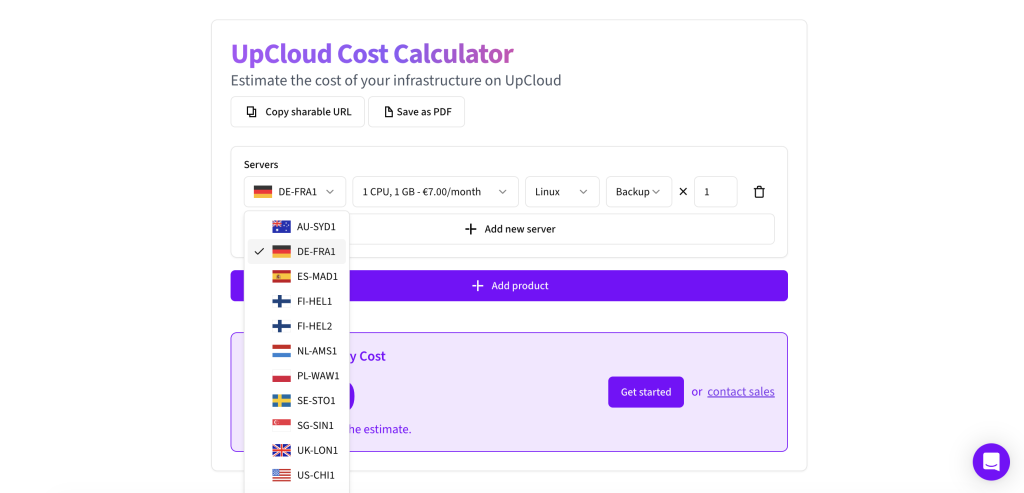
Pricing Note: UpCloud lists prices in EUR. We’ve included USD conversions at current rates (approximately €1 = $1.08), but you may be charged in EUR depending on your billing location.
Developer Plans
Entry-tier servers for light workloads and development environments:
Developer 1GB: €4.50/month (~$5/month) – 1 shared vCPU, 1GB RAM, 25GB MaxIOPS storage
Developer plans use shared CPU resources, suitable for development servers, small personal projects, or staging environments. Not recommended for production workloads.
General Purpose Plans
Production-ready servers with dedicated CPU resources:
- 1GB Plan: €7.00/month (~$7.60/month) – 1 vCPU, 1GB RAM, 25GB storage, 1TB transfer
- 2GB Plan: €13.00/month (~$14/month) – 1 vCPU, 2GB RAM, 50GB storage, 2TB transfer
- 4GB Plan: €26.00/month (~$28/month) – 2 vCPUs, 4GB RAM, 80GB storage, 4TB transfer
- 8GB Plan: €52.00/month (~$56/month) – 4 vCPUs, 8GB RAM, 160GB storage, 8TB transfer
- 16GB Plan: €96.00/month (~$104/month) – 6 vCPUs, 16GB RAM, 320GB storage, 16TB transfer
Higher tiers scale up to 640GB RAM and 20 CPU cores for demanding workloads.
Storage Pricing
- MaxIOPS (high-performance): €0.22/GB/month – Up to 100k IOPS
- Standard: €0.085/GB/month – Up to 10k IOPS
- Archive: Lower cost for cold storage
- Automated Backups: €0.05/GB/month
- Object Storage: €0.02/GB/month (250GB minimum)
GPU Servers
For AI/ML workloads, UpCloud offers NVIDIA L40S GPU servers:
- 1x L40S (8 cores): $1.30/hour
- 2x L40S (16 cores): $3.09/hour
- 3x L40S (32 cores): $5.69/hour
GPU pricing is hourly only. Customer feedback notes GPU pricing is “heavier compared to other providers,” and only the L40S model is currently available.
Data Transfer
UpCloud includes zero-cost egress under their Fair Transfer Policy. Each server tier includes 1-24TB of monthly transfer. If you exceed your allocation, there are no overage fees. Instead, bandwidth may be throttled, or you can opt into a paid model at €0.01/GB for unrestricted bandwidth.
Hidden Costs to Watch
- Custom image storage is “too pricey” according to some reviews
- Additional storage beyond included amounts billed separately
- GPU servers available hourly only (no monthly discounts)
- Managed Database and Kubernetes services incur additional charges
Pricing Verdict
UpCloud is competitively priced for performance-focused cloud hosting, but not the cheapest option available. The €7/month General Purpose entry tier costs more than Hetzner’s equivalent (around €4/month) but delivers measurably better I/O performance. Compared to DigitalOcean or Vultr’s standard plans at similar prices, UpCloud’s MaxIOPS storage provides a genuine performance advantage.
The pricing transparency is refreshing. No introductory discounts that triple on renewal, no hidden fees for bandwidth overages. What you see is what you pay.
- CPU 1 x 3.00GHz
- RAM 1 GB
- Bandwidth 1 TB
- CPU 1 x 3.00GHz
- RAM 2 GB
- Bandwidth 2 TB
- CPU 2 x 3.00GHz
- RAM 4 GB
- Bandwidth 4 TB
- CPU 4 x 3.00GHz
- RAM 8 GB
- Bandwidth 5 TB
- CPU 6 x 3.00GHz
- RAM 16 GB
- Bandwidth 6 TB
- CPU 8 x 3.00GHz
- RAM 32 GB
- Bandwidth 7 TB
UpCloud delivers on its core promise: fast, reliable cloud infrastructure with transparent pricing and knowledgeable support. The MaxIOPS storage technology provides genuine performance advantages, and the 100% uptime SLA reflects real commitment to reliability.
The Bottom Line
With 3.7/5 across 126 Trustpilot reviews, UpCloud earns strong marks for performance and support but loses points for account management issues. The polarized review distribution (47% love it, 43% had serious problems) means your experience will likely be excellent or terrible, with little in between.
Choose UpCloud if you’re a developer or technical team prioritizing disk I/O performance, need European data residency, and are comfortable managing your own infrastructure. Avoid it if you’re a beginner, need extensive global coverage, or run workloads that might trigger aggressive abuse detection.
For more options, check our VPS hosting guide where UpCloud compares against alternatives like Vultr, Linode, and Hetzner.
Frequently Asked Questions
Is UpCloud good for beginners?
No. UpCloud provides unmanaged cloud infrastructure targeting developers and technical users. There’s no cPanel, no managed WordPress tools, and no hand-holding. If you’re new to server management, you’ll face a steep learning curve. Their support team is helpful, but you need to understand what questions to ask. Beginners should consider managed hosting options instead.
Is UpCloud worth the price?
For performance-focused workloads, yes. UpCloud costs more than budget providers like Hetzner but delivers measurably better disk I/O performance thanks to MaxIOPS storage. The transparent pricing (no promotional bait-and-switch) and zero-cost egress also simplify budgeting. If raw performance isn’t your priority, cheaper alternatives exist.
What do customers complain about most?
Account suspensions dominate negative reviews. Customers report having accounts suspended without warning, sometimes hours after signup, with slow responses from the abuse team (3+ days in some cases). This causes business disruption for affected users. Port 25 restrictions for email servers and limited control panel features are secondary complaints.
How does UpCloud compare to DigitalOcean?
UpCloud generally outperforms DigitalOcean in benchmarks, especially for disk I/O operations. In independent tests, UpCloud achieved 4ms TTFB versus DigitalOcean’s significantly higher times. DigitalOcean offers a more developed ecosystem (more one-click apps, larger community) and slightly lower entry pricing. Choose UpCloud for performance; choose DigitalOcean for ecosystem and ease of use.
Is UpCloud good for WordPress?
Yes, if you can manage the server yourself. UpCloud’s MaxIOPS storage provides excellent performance for WordPress database operations, and benchmarks show strong results for WordPress-specific tests. However, UpCloud doesn’t offer managed WordPress hosting. You’ll need to configure PHP, databases, caching, and security yourself. For managed WordPress hosting, see our WordPress hosting guide.
Does UpCloud offer refunds?
Yes. UpCloud offers a 7-day free trial (no credit card charge, just a $0-1 authorization hold) and a 30-day money-back guarantee on your first payment, up to €500/$500. Contact support to request a refund within this period. Beyond the first 30 days, credits are non-refundable. Note that community feedback suggests actually getting refunds processed is straightforward when requested within the policy window.