
On This Page: [hide]
Most “best Shopify theme” lists recommend the same five themes without explaining why they matter for different business types. We’ve tested performance scores, compared real pricing (including what you save on apps), and matched themes to actual use cases. This guide covers 3 free and 9 premium options with honest tradeoffs for each.
Quick answer: For most new stores, Dawn (free) offers the best starting point with excellent speed and full Online Store 2.0 support. If you’re selling fashion or beauty products and have the budget, Prestige (USD 380) delivers the luxury aesthetic and conversion tools that justify its price. High-volume stores with large catalogs should look at Turbo (USD 425) or Warehouse (USD 320) instead.
Last reviewed: March 2026. All prices and features verified against official sources.
Quick Comparison
- Best free overall: Dawn (free) – Fastest, most reliable, officially supported
- Best for luxury/fashion: Prestige (USD 380) – Premium aesthetic, 91% positive reviews
- Best for promotions: Impulse (USD 350) – Extensive promo tools, fast despite features
- Best for video: Motion (USD 400) – Animation-focused, 97% positive reviews
- Best for conversions: Booster (USD 398) – 80+ presets, built-in urgency tools
- Best for large catalogs: Turbo (USD 425) – Handles 200+ products, predictive loading
- Best for B2B: Warehouse (USD 320) – Wholesale pricing, 10K+ product support
- Best value: Be Yours (USD 350) – 98% positive, full feature set at lower price
How We Selected These Themes
We reviewed themes available on the official Shopify Theme Store plus popular third-party options. Selection criteria included verified speed scores, user ratings (minimum 4.0/5 from 100+ reviews), feature sets, price-to-value ratio, and developer reputation. We cross-referenced official documentation, user reviews, and third-party performance benchmarks. Where possible, we verified claims through Google Lighthouse scores and Theme Vitals data.
Best Free Shopify Themes
Free Shopify themes in 2026 aren’t starter templates. They’re built and maintained by Shopify, optimized for performance, and aligned with modern ecommerce patterns like mobile-first browsing, app blocks, and dynamic sections. If you’re still deciding between Shopify and other platforms, our WordPress vs Website Builders comparison covers the broader decision. For those committed to Shopify, all you need is a Shopify plan to install one and start selling.
Dawn: Best Free Theme Overall
Price: Free | Developer: Shopify | Rating: 4.8/5 (200+ reviews)
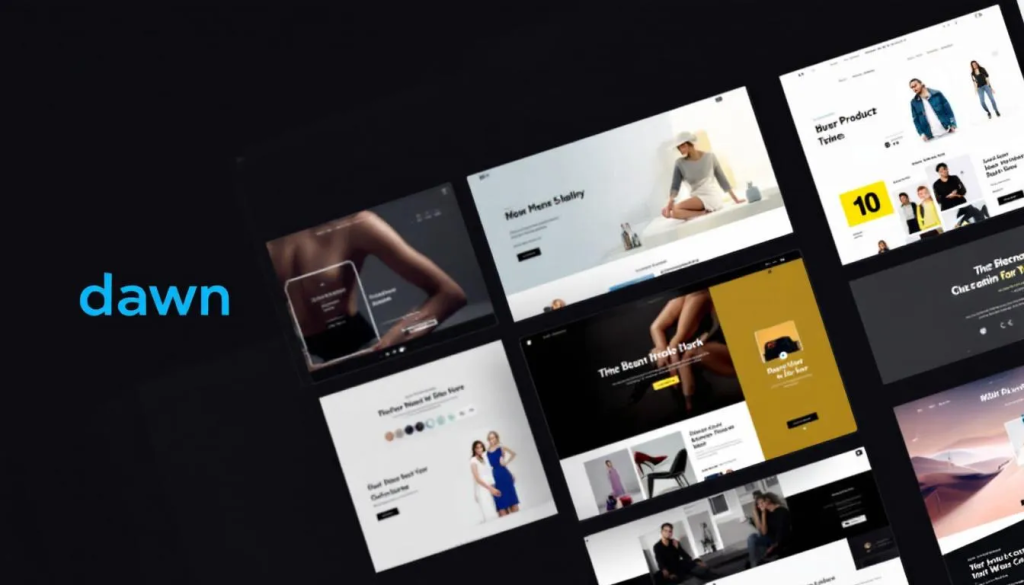
Dawn isn’t just another free theme. It’s Shopify’s reference standard for what a theme should be. Built with HTML-first, JavaScript-only-as-needed approach, it loads 35% faster than Debut (the previous default theme) according to Shopify’s own testing. Performance scores consistently hit near-perfect marks on desktop and above 90 on mobile.
The minimalist design philosophy here is intentional. Large product imagery, clean lines, and simplified fonts keep the focus on what you’re selling. You get lookbooks, image galleries, product videos, mega menu support, color swatches, quick buy, and cross-selling features without paying a cent. The sticky header and mobile-optimized checkout flow handle the conversion side.
Where Dawn falls short is customization depth. The generic appearance means your store might look similar to thousands of others. Heavy third-party apps can negate its speed advantages, and some users report minor bugs that take time to get addressed. But for beginners launching their first store, nothing beats the combination of free, fast, and officially supported.
Pros
- Fastest free Shopify theme available with proven performance scores
- Full Online Store 2.0 support with sections everywhere
- Regular updates directly from Shopify
- Mobile-first design optimized for modern shopping behavior
Cons
- Generic appearance without extensive customization
- Limited advanced features compared to premium themes
- Dependent on apps for functionality that premium themes include built-in
Best for: New store owners, budget-conscious merchants, performance-focused sellers
Skip if: You need luxury branding, advanced promotional tools, or unique visual identity out of the box
Horizon: Best for Visual Brands
Price: Free | Developer: Shopify | Rating: 4.7/5 | Speed: 90+ mobile score
Horizon is designed for stores where images do the selling, not text. Large product photos load fast and look crisp, which matters for fashion, accessories, and lifestyle brands relying on visual storytelling.
The theme includes a sticky header, quick-buy buttons, and a mobile-friendly grid layout. Flexible elements allow extensive customization while maintaining the minimal aesthetic that lets your products stand out. Setup takes minutes, and the design standards match what you’d expect from top online brands.
What separates Horizon from Dawn is the visual hierarchy. Product images get more screen real estate, and the grid system adapts better to collections where visual consistency matters. If you’re selling clothing, jewelry, or home decor where customers browse visually before reading descriptions, Horizon’s layout makes more sense than Dawn’s text-friendly approach.
Compared to Dawn, Horizon puts more emphasis on imagery and visual flow. It’s the better choice if your products photograph well and you want them front and center without distraction.
Pros
- Large, crisp product imagery optimized for visual selling
- Quick-buy functionality reduces checkout friction
- Clean, modern layout with minimal distractions
Cons
- Requires high-quality product photography to look good
- Less suitable for text-heavy or information-dense products
Best for: Clothing, accessories, lifestyle brands with strong product photography
Skip if: Your products need detailed descriptions or technical specifications
Sense: Best for Beauty and Wellness
Price: Free | Developer: Shopify | Rating: 4.6/5 | Speed: 90+ mobile score
Sense targets beauty, wellness, and self-care brands with bold visuals and storytelling capabilities. The design emphasizes brand narrative alongside products, making it easier to communicate ingredients, benefits, and lifestyle associations.
Performance-wise, Sense ranks alongside Dawn and Horizon in real-user metrics. The theme balances visual appeal with speed, avoiding the bloat that slows down many beauty-focused designs. Color palettes and typography choices lean toward the soft, approachable aesthetics that resonate with wellness audiences.
The storytelling sections work well for brands that need to explain their products. Skincare routines, ingredient stories, brand values pages all fit naturally into Sense’s layout. You can build trust before pushing products, which matters in an industry where customers research before buying.
Pros
- Bold visual design suited for beauty and wellness niches
- Storytelling sections for brand narrative
- Strong performance despite rich visual elements
Cons
- Niche-specific design may not suit other industries
- Customization options more limited than premium alternatives
Best for: Beauty brands, wellness products, self-care and skincare stores
Skip if: You’re selling electronics, industrial products, or anything requiring a different aesthetic
Best Premium Shopify Themes
Premium themes from the Shopify Theme Store (USD 100-500) introduce advanced layouts, niche-specific functionality, and built-in conversion tools that would otherwise require paid apps. Trusted developers like Maestrooo, Archetype Themes, and Clean Canvas maintain these themes with clean code, strong UX, regular updates, and solid support.
Prestige: Best for Luxury and Fashion
Price: USD 380 | Developer: Maestrooo | Rating: 4.9/5 (700+ reviews, 91% positive)
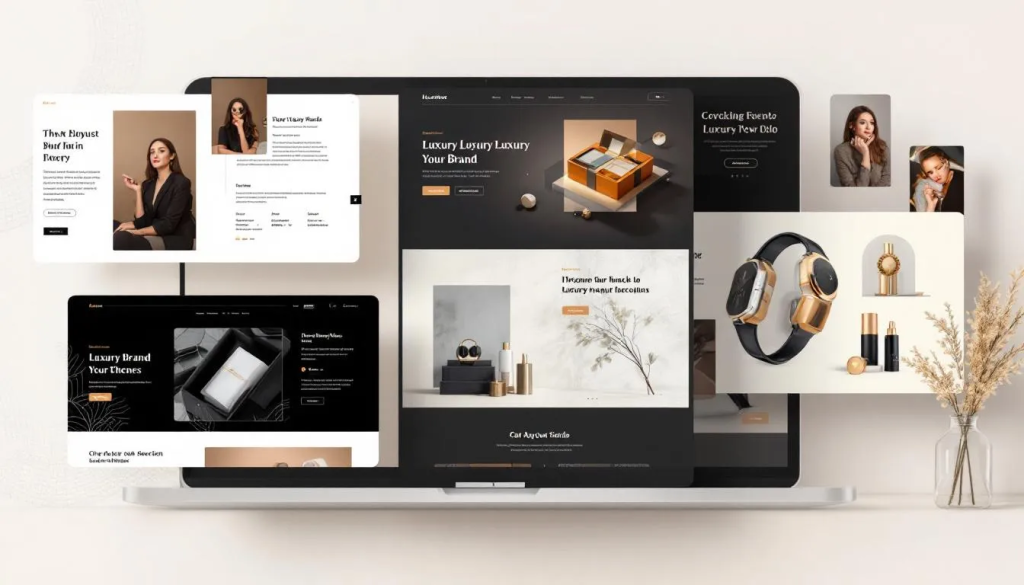
Prestige has earned its reputation as the go-to theme for high-end fashion, jewelry, beauty, and luxury brands. The minimalist design makes expensive products look even more premium. Users consistently praise both the speed and the subtle animations that elevate the shopping experience without slowing things down.
What sets Prestige apart is its storytelling features. The Timeline section lets you build a brand history that connects with shoppers. Before/After image sliders showcase product results. Image hotspots add interactive tags to lifestyle photos. Lookbooks curate products into magazine-style collections. For fashion stores, color swatches display actual colors instead of text, which makes a real difference in how customers browse.
Mega menu comes standard (normally an app that costs USD 10-30/month). Quick buy, slide-out cart, and sticky cart features reduce abandoned carts. Three style presets (Allure, Couture, Vogue) offer different visual tones while maintaining the sophisticated foundation.
Here’s the catch: Prestige demands high-definition imagery. Pixelated or low-quality photos will stand out badly against the clean design. No refunds from Maestrooo, so use the unlimited free trial thoroughly before committing.
Pros
- Premium design that elevates luxury products
- Timeline section for brand storytelling
- Mega menu included (saves USD 10-30/month in app costs)
- 91% positive rating from 700+ reviews
Cons
- USD 380 price tag with no refund policy
- Requires professional-quality product photography
- Support limited to email and contact forms
Best for: Fashion, jewelry, beauty, luxury brands where presentation drives sales
Skip if: Budget is tight, product photography isn’t professional-grade, or you need chat support
Impact: Best for Bold, Visual Brands
Price: USD 400 | Developer: Maestrooo | Rating: 4.8/5
Impact takes a different approach than Prestige. Where Prestige is refined and subtle, Impact is bold and attention-grabbing. The theme uses gradients, oversized typography, and subtle animations to create stores that make an immediate visual impression.
Originally designed for entertainment and audio brands, Impact works well for any industry where visual punch matters. You get 35+ sections for customization without compromising performance, SEO, or accessibility. Quick buy on collection pages, sticky add to cart, and complementary product recommendations on product pages handle the conversion side.
Three distinct styles (Sound, Home, Shape) each bring different visual tones. Cross-selling, product badges, promo banners, lookbooks, and advanced search come standard. Maestrooo’s track record (SpaceX, Patagonia, Feed. among their clients) speaks to the code quality.
Like Prestige, the USD 400 investment requires careful consideration. Smaller businesses or startups may find it difficult to justify without proven revenue.
Pros
- Bold visual design with modern gradients and animations
- 35+ customizable sections
- Built-in conversion tools (quick buy, sticky cart, cross-selling)
- Trusted developer with high-profile clients
Cons
- USD 400 upfront cost
- May require design expertise to get the most from all features
- Bold aesthetic not suitable for every brand
Best for: Entertainment brands, audio products, any business wanting bold visual presence
Skip if: You prefer subtle, minimalist design or have limited budget
Impulse: Best for Promotion-Heavy Stores
Price: USD 350 | Developer: Archetype Themes | Rating: 4.8/5
Impulse by Archetype Themes combines speed with one of the strongest feature sets available. Despite packing in promotional tools, the theme remains one of the fastest in the Shopify Theme Store. That’s not a small achievement.
The promotional arsenal is extensive: blogs, cross-selling, product badges, promo banners, promo popups, promo tiles, quick view, recently viewed products, recommended products, stock counters, trust badges, and store locator. For stores that run frequent sales, limited-time offers, or flash promotions, Impulse provides the infrastructure without needing multiple apps.
MegaMenu support, sticky navigation, and mobile-friendly off-canvas menus handle the user experience. Lookbooks, color swatches, image zoom, product videos, and size charts manage product presentation. The slide-out cart drawer and cross-sell features push conversion.
Archetype provides free lifetime updates and guarantees compatibility with Shopify’s latest features. The one license per store limitation applies (additional stores need separate purchases), and there’s no chat support available.
Pros
- Fast performance despite extensive feature set
- Comprehensive promotional tools built-in
- Free lifetime updates from Archetype
- MegaMenu and advanced navigation included
Cons
- Potential performance slowdown with large image files
- No customer support chat
- Single store license (additional stores require separate purchase)
Best for: Stores running frequent promotions, flash sales, or discount campaigns
Skip if: You prefer simple pricing without heavy promotional elements
Motion: Best for Video-Led Brands
Price: USD 400 | Developer: Archetype Themes | Rating: 4.6/5 (97% positive)
Motion is built around movement. While most Shopify themes rely on static images and standard layouts, Motion uses animations, autoplaying video sections, and interactive product displays to create immersive shopping experiences. The name is literal.
If your brand identity involves video content, behind-the-scenes footage, or dynamic storytelling, Motion provides the infrastructure that static themes can’t match. Dynamic hero sections, parallax effects, and smooth transitions make the difference between a standard online store and something memorable.
Three presets handle different use cases: Classic emphasizes visual storytelling with minimal text, Satchel targets luxury brands with refined typography, and Memo strips away unnecessary elements for pure minimalism while keeping Motion’s core animation features.
User reviews praise the balance of creativity, performance, and advanced functionality. The fast, compact design works especially well for mobile SEO, where site speed directly affects rankings. For brands in fashion, beauty, wellness, and tech accessories where presentation drives purchases, Motion justifies its USD 400 price tag.
Pros
- Unique video and animation capabilities
- 97% positive reviews
- Fast mobile performance despite rich visuals
- Three distinct presets for different brand styles
Cons
- USD 400 investment
- Requires video content to use the theme’s full potential
- Not suitable for brands without dynamic visual assets
Best for: Brands with video content, visually-driven industries, stores wanting immersive experiences
Skip if: You don’t have video content or prefer traditional static layouts
Best Conversion-Focused Themes
These themes prioritize sales optimization over everything else. They bundle features that typically require USD 50-150/month in separate apps, which explains their popularity with dropshippers and high-volume sellers.
Booster: Best for Built-in Conversion Tools
Price: USD 398 (lifetime) or USD 248/year | Developer: Booster Theme | Rating: 4.5/5 (81% positive)
Booster theme claims to replace USD 281/month in app fees. Whether that’s exactly accurate depends on which apps you’d otherwise use, but the bundled features are substantial: recently bought notifications, countdown timers, predictive search, infinite scroll, frequently bought together sections, lazy loading, and image optimization.
The automatic currency converter adjusts prices based on visitor location. Countdown timers create urgency during sales. Mobile optimization prioritizes image display and add-to-cart buttons for traffic from Instagram, Facebook, and YouTube. Over 80 presets cover different niches, letting you find a starting point that matches your products.
Speed testing shows an average score of 83.67, impressive considering how many features the theme includes. Booster claims to be 2x faster than other Shopify themes, and while that specific claim is difficult to verify, pages do load quickly compared to app-heavy alternatives.
The downside: 19% of reviews mention concerns about pricing, update procedures, and seeing the same theme across multiple stores. Booster isn’t available through the Shopify Theme Store (you buy directly from their website), and some merchants report the initial setup feeling overwhelming. The 14-day money-back guarantee helps mitigate risk.
Pros
- Extensive built-in conversion tools (saves on app costs)
- 80+ niche presets available
- Automatic currency conversion
- 14-day money-back guarantee
Cons
- USD 398 one-time or USD 248/year subscription
- Not available on Shopify Theme Store (third-party purchase)
- Theme saturation (common among dropshipping stores)
- 19% negative reviews citing pricing and update concerns
Best for: Dropshippers, conversion-focused sellers, stores wanting to minimize app subscriptions
Skip if: You want a unique design or prefer official Shopify Theme Store purchases
Debutify: Best for AI-Enhanced Ecommerce
Price: Free to USD 149/month | Developer: Debutify | Rating: 4.7/5
Debutify positions itself differently from traditional themes. Beyond design, it includes AI tools for store creation, product descriptions, banners, and blog content. The Product Research Center offers trend tracking, sales monitoring, and competitive analysis. It’s more of an ecommerce toolkit than just a theme.
The theme itself includes 100+ widgets and sections plus 60+ conversion-focused addons like cart upsell, smart search, and sticky add-to-cart. Because everything is built specifically for Debutify, activation is one-click rather than requiring configuration.
Pricing ranges from free (limited features) to Enterprise at USD 111.75/month. The Pro plan at USD 59.25/month is the most popular option. Some users feel the pricing runs high, suggesting USD 39 would be more appropriate for the USD 79 tier. Others note they don’t use all the included features, making the subscription feel wasteful.
The free plan works for startups wanting to launch quickly. But if you’re paying for Pro or Enterprise, make sure you’ll actually use the AI tools and research features. Otherwise, a one-time purchase theme offers better value.
Pros
- AI tools for content creation and product research
- 100+ widgets and 60+ conversion addons
- Free plan available for startups
- 14-day free trial for paid plans
Cons
- Monthly subscription costs add up (USD 59-149/month)
- Many features go unused by typical merchants
- Third-party theme (not from Shopify Theme Store)
Best for: Merchants wanting AI assistance, data-driven sellers, those who’ll actively use research tools
Skip if: You prefer one-time purchases, won’t use AI features, or want official Shopify support
Best Themes for Large Catalogs
Stores with hundreds or thousands of products need themes optimized for performance at scale. Generic themes that work fine with 50 products can become sluggish and hard to navigate with 500.
Turbo: Best for High-Volume Stores
Price: USD 425 | Developer: Out of the Sandbox | Rating: 4.7/5
Turbo targets merchants with large inventories (200+ products) and high traffic volumes. The theme is optimized for speed, performance, and reliability, using predictive loading to start fetching the next page a visitor is likely to visit before they click. Shopify Plus merchants favor it for handling traffic spikes without degradation.
Six built-in styles (Portland, Seoul, Florence, Chicago, Dubai, Tennessee) cover different visual approaches. Extensive customization options for colors, fonts, and layouts let you match brand identity without custom code. Homepage galleries, full-width image sections, product row sliders, predictive search, and recently viewed sections come standard.
The USD 425 price point is the highest among themes in this comparison. For new merchants just starting out, that’s a significant investment before any sales. But for established businesses managing large catalogs, Turbo’s ability to maintain performance at scale makes it worth considering.
One important note: Turbo isn’t available through the Shopify Theme Store. You purchase directly from Out of the Sandbox, which includes a 14-day refund policy. Versions from 7.0.0 onward are fully compatible with Online Store 2.0.
Pros
- Optimized for 200+ products and high traffic
- Predictive loading for faster perceived performance
- Six built-in styles included
- 14-day refund policy
- Free lifetime updates
Cons
- USD 425 is the highest price in this comparison
- Not available on Shopify Theme Store
- Setup can feel overwhelming for beginners
Best for: Large catalog stores (200+ products), Shopify Plus merchants, high-traffic businesses
Skip if: You’re launching a small store, budget is limited, or you prefer official Shopify Theme Store purchases
Warehouse: Best for B2B and Wholesale
Price: USD 320 | Developer: Maestrooo | Rating: 4.8/5
Warehouse handles what most themes can’t: massive product catalogs (10K+ SKUs), B2B pricing structures, and wholesale operations. Built with high-speed performance for large inventories, it includes advanced navigation and smart search filters that make sense when managing thousands of products.
The theme supports multi-tier pricing, hidden wholesale pricing, and Shopify Plus B2B checkout. Integration with apps like Wholesale Pricing Discount B2B and Wholesale Lock Manager B2B extends functionality for gated access and volume discounts.
Beyond B2B, Warehouse works well for electronics stores, supermarkets, home decor retailers, and any business with diverse collections. Predictive search helps customers find specific items quickly, which becomes essential once your catalog exceeds a few hundred products. If your operation grows beyond what Shopify handles efficiently, VPS hosting with a custom solution might eventually make sense.
Setup requires more configuration than simpler themes, particularly for customer-group pricing and access control. But for enterprise-level operations, distributors, or manufacturers, Warehouse provides the stable, high-performance foundation that consumer-focused themes lack.
Pros
- Handles 10K+ products efficiently
- B2B and wholesale features built-in
- Advanced navigation and filtering for large catalogs
- Compatible with wholesale pricing apps
Cons
- Requires setup for B2B pricing features
- More complex configuration than consumer-focused themes
- Overkill for small stores with simple product lines
Best for: B2B operations, wholesale stores, manufacturers, retailers with 500+ products
Skip if: You’re selling direct-to-consumer with a small catalog, or need simple setup
Best Value Theme
Be Yours: Best Balance of Features and Price
Price: USD 350 | Developer: RoarTheme | Rating: 4.9/5 (98% positive)
Be Yours by RoarTheme hits a sweet spot between feature depth and price. At USD 350, it’s cheaper than Prestige, Impact, Motion, and Turbo while including most of the conversion features you’d expect from premium themes.
Quick buy buttons, sticky cart, slide-out drawer, and gift-wrapping options handle the purchase flow. Mega menu and over 30 customizable sections provide design flexibility. Four preset options give you more starting points than some alternatives. Recent updates (version 8.5.0) added a Dual Scroll section for immersive scrolling, Tabbed Collections for organizing products, and countdown blocks in the announcement bar for flash sales.
RoarTheme guarantees support within 8 hours and includes unlimited updates. The 98% positive rating from users speaks to both theme quality and developer responsiveness. Like other premium themes, the license covers a single store (multiple stores need separate licenses).
If Impact or Prestige feel too expensive but you need more than Dawn offers, Be Yours deserves serious consideration. It doesn’t have the luxury positioning of Prestige or the video capabilities of Motion, but for straightforward ecommerce with solid conversion features, it delivers.
Pros
- 98% positive user rating
- Full conversion toolkit at lower price than alternatives
- 8-hour support response guarantee
- 30+ customizable sections
- Regular updates with new features
Cons
- Less specialized than luxury-focused themes
- Single store license limitation
- Not as many presets as some competitors
Best for: Budget-conscious merchants who need premium features, general ecommerce stores
Skip if: You need luxury branding, video-led design, or B2B functionality
How to Choose the Right Shopify Theme
The best theme depends on your specific situation. Here’s how to narrow down your options:
1. Match Theme to Business Stage
Just starting out: Begin with Dawn (free). Test your products and build revenue before investing in premium themes. A USD 400 theme won’t make up for weak product-market fit.
Growing business (USD 1-10K/month): Consider Be Yours, Impulse, or Prestige depending on your niche. The built-in features will save money on apps as you scale.
Established store (USD 10K+/month): Turbo, Warehouse, or Impact make sense when traffic and catalog size justify the investment. Performance at scale matters more than upfront cost.
2. Consider Your Product Type
Fashion, jewelry, luxury: Prestige, Motion, or Be Yours provide the visual sophistication these products need.
Beauty, wellness: Sense (free) works well, or upgrade to Prestige for more storytelling features.
Electronics, large catalogs: Warehouse or Turbo handle the navigation and performance requirements.
Dropshipping, promotions: Booster or Debutify include the urgency and conversion tools this model relies on.
3. Evaluate Total Cost
Theme price is just one factor. A USD 400 theme that includes mega menu, email popups, countdown timers, and upsell features replaces USD 50-100/month in apps. Over a year, that’s USD 600-1,200 in savings. Meanwhile, a free theme requiring multiple apps might cost more long-term.
Calculate: Theme price + (monthly app costs × 12 months) = true first-year cost
4. Test Before Buying
All Shopify Theme Store themes offer unlimited free trials. Import your products, configure your branding, and see how it actually looks before paying. Third-party themes like Booster and Turbo offer 14-day money-back guarantees.
Don’t rush this decision. A theme change after launch means rebuilding sections, updating images, and potential SEO disruption.
Frequently Asked Questions
Are free Shopify themes good enough for a real store?
Yes. Dawn and other free Shopify themes are built and maintained by Shopify itself, with the same code quality standards as premium themes. The main differences are customization options and built-in features. Many successful stores run on Dawn. Premium themes become worthwhile when you need specific functionality (like mega menus or advanced promotions) that would otherwise require paid apps.
What’s the difference between Shopify Theme Store themes and third-party themes?
Themes on the official Shopify Theme Store must meet Shopify’s performance, accessibility, and code quality standards. They’re reviewed and tested by Shopify before listing. Third-party themes (Booster, Turbo, Debutify) aren’t subject to the same review process, though many are high quality. The tradeoff: third-party themes often include more features, but you’re dependent on that company for updates and support rather than Shopify’s ecosystem.
Can I switch themes after launching my store?
Technically yes, but it’s more work than it sounds. Theme switches require rebuilding custom sections, re-uploading optimized images, reconfiguring apps, and potentially updating code customizations. Your content carries over, but the presentation needs adjustment. Plan on spending several hours to several days on the transition depending on store complexity. It’s better to choose carefully upfront than assume you’ll switch later.
Do premium themes really improve conversion rates?
They can, but not automatically. Premium themes include conversion-focused features (urgency timers, trust badges, cross-selling sections) that free themes lack. However, poorly used features can hurt more than help. A cluttered store with countdown timers everywhere feels spammy. The value comes from strategic use of the tools, not just having them. Many factors beyond theme choice affect conversion: product quality, pricing, photography, copywriting, checkout experience, and traffic source.
Which Shopify theme is fastest?
Among free themes, Dawn consistently scores highest in Google Lighthouse tests, with near-perfect desktop scores and 90+ on mobile. It’s 35% faster than the older Debut theme. For premium themes, Impulse and Motion from Archetype Themes perform surprisingly well despite their feature depth. Booster averages around 83-84 in speed tests, which is solid given how many conversion tools it bundles. The fastest premium themes according to Theme Vitals are Essence, Baseline, and Stretch for desktop, and Exhibit, Taiga, and Tailor for mobile.
Is Booster theme worth USD 398?
It depends on your app usage. Booster bundles features that typically cost USD 50-150/month in separate apps: countdown timers, recently bought notifications, currency conversion, upsells, and image optimization. If you’d otherwise install 4-5 paid apps, Booster pays for itself within 3-8 months. The catch: 19% of reviews mention concerns about pricing and updates, and the theme is common among dropshipping stores, reducing uniqueness. If app costs aren’t a concern or you want a distinctive look, official Shopify Theme Store options might fit better.
Final Verdict
For most new store owners, Dawn is the right starting point. It’s free, fast, and officially supported. Build your business first, then upgrade when you outgrow its limitations.
When you’re ready for premium features, the choice depends on your niche. Prestige remains the gold standard for fashion and luxury. Motion wins if you have video content. Impulse works best for promotion-heavy stores. Be Yours offers the best value for general ecommerce without a specific niche requirement.
High-volume operations need Turbo or Warehouse. The upfront cost is significant, but performance at scale justifies it for stores managing hundreds of products and thousands of visitors.
Booster and Debutify target dropshippers and conversion-focused sellers who want everything bundled into one package. Just be aware of recurring costs with Debutify and theme saturation with Booster.
Whatever you choose, use the free trial period fully. Import your actual products, apply your branding, and live with the theme before committing money. A few hours of testing now saves headaches later.
If you’re also running a WordPress site alongside Shopify, check our WordPress eCommerce hosting guide for compatible options. For custom applications or headless commerce setups, our cloud hosting comparison covers the infrastructure side.