
8 コード不要のウェブサイトビルダーのベストオファー (10月. 2026) - JA
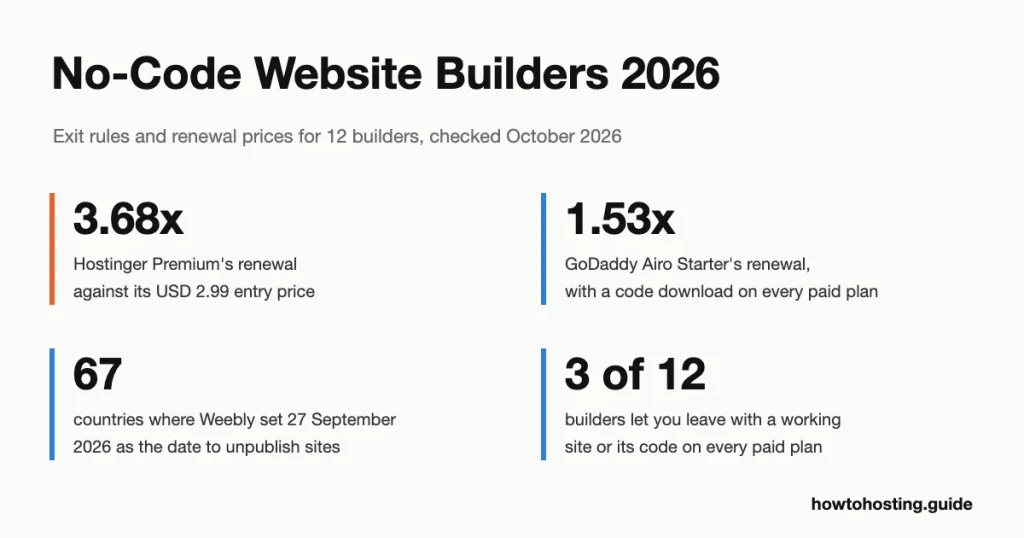
スクエアはWeeblyの所有者に 67 国, シンガポールからナイジェリア、コロンビアへ, 90 サイトを非公開にするまでに数日かかる. 編集者によってノーコードビルダーを選択すると、重要な質問が見逃されます: 行くときに何を持っていけますか?
簡単な回答: Wix はほとんどの人にとって最高のノーコードビルダーです: コア料金は年間プランで月額 29 米ドル, 支払いがあり、ティーザーレートはありません. いつか離れたいと思うかもしれないなら, GoDaddy アイロを選択してください. すべての有料プランでは、サイトのコードをダウンロードできます, そして、Starter は初年度価格のわずか 1.53 倍で更新されます. 実店舗ならShopifyがおすすめ. Webflow は大規模な CMS を必要とするデザイナーに最適です (コンテンツ管理システム).
| ビルダー | こんな方に最適 | 入場料 | 更新価格 |
|---|---|---|---|
| ホスティンガー AI ビルダー | 最低の 4 年間の支出 | 2.99ドル/月 (48-月前払い) | 10.99ドル/月 |
| SiteGround ウェブサイトビルダー | 無料トライアル付きの定額料金 | 10ドル/月 (12-月前払い) | 10ドル/月 |
| Bluehost AI ウェブサイトビルダー | WordPress を学ばなくても WordPress サイトを構築できる | 9.99ドル/月 (1 また 2 年) | 別途料金は印刷されません |
| 10ウェブ | AI で構築された代理店向け WordPress | 10ドル/月 (1年目) | USD 20/月の通常料金 |
| GoDaddy アイロ AI ビルダー | コードを持ち歩く | 8.49ユーロ/月 (1年目, アイルランドの店) | 12.99ユーロ/月 |
| Jimdo | 販売手数料無料の小規模な EU ショップ | 12.40ユーロ/月 (1 年, 含む. バット) | 12.40ユーロ/月 |
| Shopify | 成長予定の店舗 | 24ユーロ/月 (毎年) | 24ユーロ/月 |
| Weebly | サポートされている国の既存ユーザー | 11ユーロ/月 (毎年) | 11ユーロ/月 |
| Wix | ほとんどの初心者や中小企業 | 17ドル/月 (毎年) | 17ドル/月 |
| Squarespace | 洗練されたポートフォリオとサービスサイト | 12ユーロ/月 (毎年) | 12ユーロ/月 |
| ウェブフロー | 大規模な CMS が必要なデザイナー | 15ドル/月 (毎年) | 15ドル/月 |
| フレーマ | 速い, アニメーション化されたランディング ページ | 10ドル/月 (毎年) | 10ドル/月 |
最終レビュー済み: 10月 2026. 価格と機能を検証しました.
にジャンプ: Hostinger | SiteGround | Bluehost | 10ウェブ | GoDaddy | Jimdo | Shopify | Weebly | Wix | Squarespace | ウェブフロー | フレーマ | テスト終了 | 選び方 | よくある質問
Weeblyのサポートページセット 27 9月 2026 のデイサイトとして 67 国は非公開になる, ログインが次で終わる 26 12月 2026. 新しいページの公開はすでに停止されていました 29 六月. そのため、影響を受けた所有者は、誰も移転を計画していなかった場所を移転するまでに 3 か月かかりました, そしてそれはノーコード購入者が最初に確認すべきリスクです.
このトピックでランク付けされているページでは、エディターとテンプレートを比較しています. 各ビルダーが何をエクスポートできるかについては、どれも言及していません, そしてほとんどが更新価格をスキップします. そこで、各プロバイダー独自の輸出ドキュメントを読み、以下の各ビルダーの更新から参入までの乗数を計算しました。. スプレッドは1.0倍から3.68倍です, エクスポート ルールの範囲は次のとおりです。 "コードを取る" に "何も取らない".
これらのビルダーの選択方法
このページの古いバージョンにリストされていた 8 つのビルダーから開始しました, そして私たちはそれらをすべて保管しました. Weeblyは境界例です. Squareはそれをから引き出しました 67 国. アメリカではまだ販売中です, イギリス, カナダ, オーストラリアなど, したがって、明確な警告が表示されたままになります.
次に、ほぼすべてのランキング ページに表示され、ここでは欠落していた 4 つのビルダーを追加しました。: Wix, Squarespace, ウェブフローとフレーマー. これでリストは次のようになります 12, 私たちの帽子.
3 つの質問が最も重要な内容でした. 初め, 出発できますか, そしてそうすることで何を失うのか? 各プロバイダーのヘルプページから回答しました, レビューからではなく.
2番, 広告価格は更新後も存続しますか? 更新価格を各ビルダーの最も安い有料プランのエントリー価格で割りました。. 三番, エントリープランはうまくいきますか, それとも、ユーザーが 1 段階高い価格で購入する機能ですか? テンプレートの数と AI のギミックはほとんど重要ではありません, 無料トライアルなら10分で両方判断できるから.
すべての価格はプロバイダー独自の価格ページから取得されます, プランデータまたはカートに 1 10月 2026. 私たちの接続はいくつかのプロバイダーによってヨーロッパの店頭で提供されました, そのため、一部の価格はユーロで表示され、その他の価格は米ドルで表示されます. ページに示されているとおりにそれぞれを正確に引用し、変換することはありません. 別段のことを言わない限り, 価格には付加価値税が含まれていません. Hostinger, SiteGround と 10Web には税金明細が表示されませんでした, そのため、価格は記載されているとおりです.
正直な限界: 12 個のサイトを構築したわけではありません, したがって、ここには独自の速度テストはありません. 遅延も測定しませんでした, ここのすべてのビルダーは、1 つの国ではなくグローバル ネットワークのサイトにサービスを提供しているためです。. コミュニティのビューは Reddit スレッドを全文読んだものです, 重要な場所に日付を付ける.
| ホスティングプロバイダー | レビュー | 総合評価 | ウェブサイトビルダー |
|---|---|---|---|
1  Hostinger Hostinger
|
63.2k + |

|
$1.95 / mo. 80% オフ |
2  SiteGround SiteGround
|
29.1k + |

|
データなし / mo. 今 -81% |
3  Bluehost Bluehost
|
28.1k + |

|
$2.95 / mo. -70% 今 |
4  GoDaddy GoDaddy
|
126k + |
|
$19.99 / mo. WB無料トライアル |
5  Jimdo Jimdo
|
5.6k + |
|
$12.89 / mo. |
6  Shopify Shopify
|
4.2k + |

|
$29.00 / mo. $1/月 |
7  Weebly Weebly
|
728 |

|
$5.00 / mo. |
8  Wixホスティング Wixホスティング
|
25.1k + |
|
データなし / mo. |
9  Squarespace Squarespace
|
2.3k + |

|
$16.00 / mo. |
1. Hostinger
 63.2k +
4.6
ポジティブ
ポジティブ
63.2k +
4.6
ポジティブ
ポジティブ









| 保管所 | 帯域幅 | 価格 | |
|---|---|---|---|
| 無制限 | 無制限 | $1.95 / mo. | プランを見る |
| 無制限 | 無制限 | $2.95 / mo. | プランを見る |
ホスティンガー AI ビルダー - 4 年間の支出を最小限に抑えるのに最適
統計: 48 か月前払いでプレミアム USD 2.99/月 (米ドル 143.52 前に) | USD 10.99/月で更新 | 3 ウェブサイト | 30-日返金保証
米ドル 143.52 本当の入場料です. それがHostingerが前払いで請求するものです 48 数か月分のプレミアム, ここのビルダーの中で最も安い4年間です. 月 49 その後、請求先は 10.99ドル/月, 3.68 倍のジャンプと、このガイドで最も急な更新ステップ. Unlimited も同様に機能します: 米ドル 3.99 今, 米ドル 16.99 後で (4.26バツ).
プレミアムは価格が示すよりも薄い. 3つのWebサイトをカバーしています, 1 年間の無料ドメインとサイトごとに 2 つのメールボックス. 1 回限りのギフトとして 5 つの AI クレジットも含まれています. カードにはAIアシスタントによる店舗管理について記載されている, しかし "eコマースが利用可能" line が Unlimited に初めて登場.
出口の話は今、あなたがどのように構築するかによって決まります. Hostinger のビルダーには 2 つのモードがあります. 手動モードはドラッグ アンド ドロップ エディタです. そこに構築されたサイトの場合, Hostinger のヘルプページ (更新しました 24 9月 2026) 後に残るものをリストアップする. それはスタイルとレイアウトです, オンラインストア, フォーム, フォーム送信, 統合とSEO設定. テキストと画像を残します.
エージェントモードでビルドする (AIチャット) プロジェクト全体をコード ZIP としてダウンロードできます, React アプリ, バックエンドデータを差し引いたもの. それは次の場合にのみ役に立ちます。, またはあなたがお金を払う人, Node.jsプロジェクトを実行できる.
Bluehostと比較してみる, そのビルダーの料金は 1 件あたり月額 9.99 ドルです- または2年の任期. Hostinger の更新は米ドルです 1.00 一ヶ月高い, BluehostのサイトはWordPressなので移動可能です.
長所:
- 4 年間の最低コストは米ドルです 143.52
- エージェントモードのプロジェクトは完全なコード ZIP としてエクスポートされます
- 月額 3.99 米ドルで無制限の e コマース
短所:
- 更新はエントリー価格の 3.68 倍です
- 手動モードのエクスポートではレイアウトが削除されます, お店, フォームとSEO設定
- プレミアムの AI クレジットは 5 つだけ, 一度
こんな方に最適: Hostinger で 4 年間維持する予定の小規模サイト. 次の場合はスキップします: 後でドラッグ アンド ドロップ サイトを移動する必要がある場合.
評決: 4 年間の価格が最も重要であり、エージェント モードで構築する場合は、Premium を購入してください. ドラッグアンドドロップで実際に移動できるサイトが必要な場合, Bluehostの方が良い買い物です.
2. SiteGround
 29.1k +
4.8
ポジティブ
ポジティブ
29.1k +
4.8
ポジティブ
ポジティブ




SiteGround ウェブサイトビルダー - 無料トライアル付きの定額料金に最適
統計: 構築 USD 10/月 (12-月前払い) | 月額 10 ドルで更新 | 14-日無料トライアル, カードがありません | 5 GBストレージ
これはビルダーです。ほとんどの比較ページではまだ間違って説明されています. SiteGround のビルダーは、ホスティング顧客向けの無料の追加機能でした. 自身のページにはこう書かれていた "すべての SiteGround ホスティング プランで無料" からのキャプチャで 2 2月 2026. からのキャプチャにより 12 行進 2026, 同じページで 4 つの有料プランが販売されました. それは古いガイドが気づいていない古い変更です.
プランは USD で構築されます 10, 米ドルで売る 18, 米ドルで成長する 24 USDでスケール 36 月. それぞれ前払いです 12 月. どのカードにも、更新価格はエントリー価格と同じであると記載されています. それは 1.0×乗数, SiteGround 独自の StartUp ホスティングの 6.02x と比較 (米ドル 2.99, 次に米ドル 17.99), 当社で最も高価な更新 共有ホスティングの比較.
ホスティング顧客は引き続きホスティング プランに基づいてビルダーをセットアップできます, SiteGroundのナレッジベースによると, 更新しました 9 六月 2026.
視聴には1回の料金がかかります. ビルドは支払いをまったく受け取ることができません. Sell はそれらを受け取りますが、料金を請求します 3% 販売時のプラットフォーム手数料, そしてGrowはそれを次のようにドロップします 0%. 米ドルの場合 1,000 月間売上高の, 販売手数料は米ドルです 30, 米ドルの5倍 6 成長までのギャップ. したがって、Grow を実店舗計画として扱います.
価格について, ビルドの米ドル 10 Wix ライトの米ドルを下回る 17 米ドルで 7 月, ビルドは同じ速度で更新されます. 弱点は出口です. SiteGround のドキュメントにビルダー サイト用のエクスポート ルートが見つかりませんでした。, 一方、GoDaddy の有料プランにはコードのダウンロードが含まれています.
長所:
- 更新はすべてのプランのエントリーと一致します
- 14-クレジット カードなしの 1 日トライアル
- ネイティブストアと組み込みブログ
短所:
- 3% Sellプランのプラットフォーム料金
- ビルダー サイトのエクスポートに関する文書化されていない
- ビルドプランでは支払いを受け付けられません
こんな方に最適: 予測可能な年間請求書を必要とするサービス企業. 次の場合はスキップします: 後でサイトを移動する必要があるかもしれません.
評決: ビルドは米ドルでの正直な価値です 10 更新ジャンプのない月, and Growは購入するストアプランです. 自分の作品を所有することが重要な場合, GoDaddy Airo は低コストでコードを提供します.
3. Bluehost
 28.1k +
4.1
ポジティブ
28.1k +
4.1
ポジティブ
 中性
中性
| 保管所 | 帯域幅 | 価格 | |
|---|---|---|---|
| 10 GB | 無制限 | $2.95 / mo. | プランを見る |
| 40 GB | 無制限 | $5.45 / mo. | プランを見る |
| 40 GB | 無制限 | $9.95 / mo. | プランを見る |
Bluehost AI ウェブサイトビルダー - WordPress を学ばなくても WordPress サイトに最適
統計: オンラインで月額 9.99 ドル 1- または2年の任期 (米ドル 15.99 毎月) | 14-日無料トライアル | WordPress の出力 | 無料のドメイン 1 年
ビルダー サイトが任意のホストに移動できるとしたらどうなるでしょうか? それが Bluehost の売り込みです, そしてそのヘルプ記事がそれを裏付けています. AI が標準の WordPress サイトを構築します, そしてBluehostはそれを移動できると言います "他の WordPress 互換ホストへ". このガイドでは、Bluehost と 10Web のみが WordPress 上に構築されています.
この計画は Get Online と呼ばれます. 1 件につき月額 9.99 ドルがかかります- または2年の任期, または米ドル 15.99 月ごとに. Bluehost は個別の更新率を表示しません, そしてその更新価格表には建設業者は含まれていません. それをフラットではなく未確認と呼びます.
有料プランを取得 20 AIは月ごとに編集します, プラス 10 最初の月のボーナス編集. Yoast SEO プレミアムがプリインストールされています.
2つのキャッチが重要. 初め, 無料のドメインとドメインのプライバシーは、次の場合にのみ適用されます。 無料トライアルをスキップする プランを直接購入する. 2番, WordPress ダッシュボード内ではプラグインをインストールまたは削除できません, またはテーマを変更する. したがって、サイトはポータブルです, ただし、Bluehost に存在する間はロックダウンされます.
10Web の AI Starter に対して, Bluehostの料金は通常価格の約半額です: 米ドル 9.99 対米ドル 20. 10Web の余剰資金で Figma と完全な WordPress CMS 上のページ複製エージェントを購入.
長所:
- 移行できる標準の WordPress
- 14-カードなしの 1 日トライアル
- 有料プランのYoast SEOプレミアム
短所:
- ホスト中にプラグインのインストールやテーマの変更は不要
- トライアルユーザーは無料ドメインを失う
- 更新率は印刷されません
こんな方に最適: WordPress には触れずに WordPress を使いたいと考えている中小企業. 次の場合はスキップします: すでに WordPress を知っていて、独自のプラグインが必要な場合.
評決: 直接購入する, 裁判を経ていない, ポータビリティがここに来た理由なら. WordPress 側をさらに制御する必要がある場合, 10Web は完全な WordPress CMS を実行します.
10ウェブ - 代理店向けの AI 構築 WordPress に最適
統計: AI スターター 米ドル 120 最初の1年間 (10ドル/月) | 通常価格 USD 240/年 | 10,000 月間訪問者数 | 30-日返金保証
10Web の最も安いプランは AI に寛大だがトラフィックはケチ. AI スターターの内容 100 毎月の AI クレジット, 10 GB のストレージと 1 つの Web サイト. また、 10,000 月間訪問者数. 内部的には WordPress の完全インストールです, プラン ページには、Figma-to-page エージェントとページ クローン エージェントが含まれています.
初年度の料金は米ドルです 120. 10Web では通常価格の USD が印刷されます 240 その横に, これはちょうど 2.0 倍です. すべての年間レベルは同じルールに従います: AI プレミアムは米ドルです 180 対米ドル 360, および AI アルティメット USD 270 対米ドル 540. 月ごとに, AI スターターの費用は米ドルです 20. 予算は米ドルです 20 2年目からの1ヶ月, ページには他の更新図が印刷されていないため.
小さな字で返金の罠があります. 30日間の返金保証 "無料のドメインを申請するまで適用されます。" 初日にドメインを申請すると、払い戻しは諦めたことになります. CloudflareのCDN (コンテンツ配信ネットワーク, 訪問者の近くでページをキャッシュするサーバー) AI Ultimate のみに登場, そして 1 つのサイトのみ.
対Bluehost, 両方のビルダーがWordPressを提供します. 10ウェブの通常の米ドル 20 BluehostのUSDの2倍です 9.99. 追加料金で、より多くの AI ツールと完全な WordPress ダッシュボードを購入できます.
長所:
- すべてのプランで完全な WordPress CMS
- Figma とページ複製エージェントが含まれています
- すべての層で同じ 2.0x ルール, 予算が立てやすい
短所:
- 10,000-AI Starter の訪問者の上限
- ドメインを申請すると払い戻しは終了します
- CDNは米ドルのみ 22.50 ティア
こんな方に最適: 完成した WordPress サイトをクライアントに渡すデザイナーと代理店. 次の場合はスキップします: あなたは以上のものを期待しています 10,000 1 つのサイトの月間訪問者.
評決: 10サイトを WordPress にする必要があり、AI の速度が必要な場合は、Web を購入するのが適切です。. 1 つの小規模サイトの所有者は Bluehost を利用して約 USD を節約する必要があります 10 月.
4. GoDaddy
 126k +
4.5
ポジティブ
ポジティブ
126k +
4.5
ポジティブ
ポジティブ
| 保管所 | 帯域幅 | 価格 | |
|---|---|---|---|
| 100 GB | 無制限 | $19.99 / mo. | プランを見る |
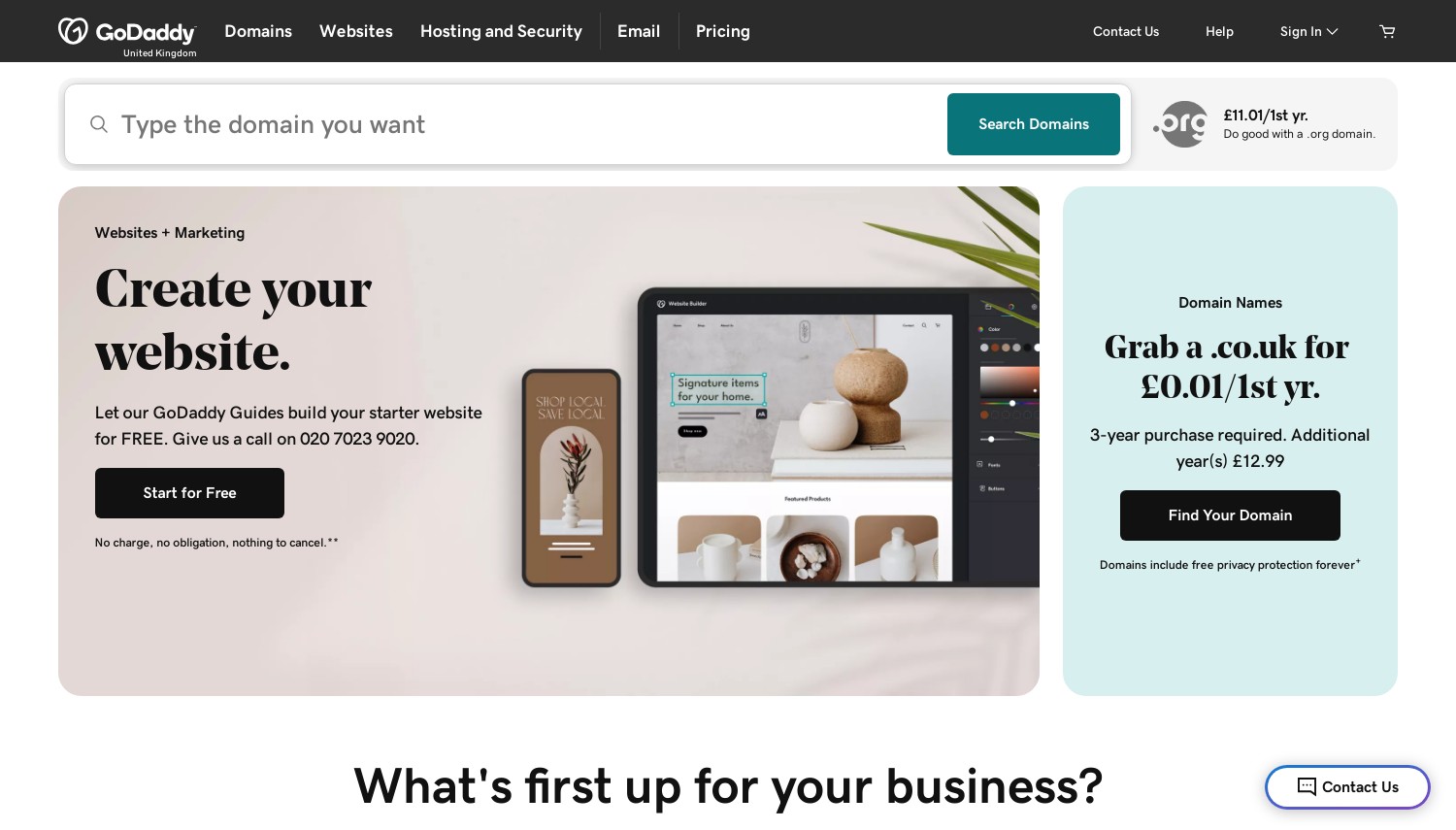
GoDaddy アイロ AI ビルダー - コードを持ち歩くのに最適
統計: スターター 初年度 8.49 ユーロ/月 (ユーロ 101.88, アイルランドの店先) | 155.88ユーロ/年で更新 | すべての有料プランでのコードのダウンロード | プレビュー用の無料プラン
あなたを最も厳しく閉じ込めているのは、あなたにコードを渡すビルダーであると人々は考えています。. GoDaddy リスト "いつでもコードをダウンロードしてください" すべての有料 Airo プランに含まれる機能に基づく. Ultimate はさらに進んで、GitHub 経由でプロジェクトを同期します。. すべての有料プランにコードをダウンロードできるビルダーは他にありません。.
GoDaddy のアイルランドの店頭から価格を読み取ります, それは私たちに提供されたものでした; 他の国では現地価格を参照してください. スターターの費用はユーロです 8.49 年間プランの場合は 1 か月. カートにはユーロと表示されていました 101.88 為に 12 数ヶ月と "10月を更新 2027 ユーロの場合 155.88", 税抜き. それは ユーロ 12.99 更新時は1ヶ月, 1.53 倍のステップ.
プロフェッショナルはユーロを実行します 19.99 月, そして究極のユーロ 84.99, どちらも初年度年間価格. 年間プランには無料ドメインが含まれます. 月ごとに, スターターの費用はユーロです 16.99 そしてドメイン行が消えます.
Airo は、舞台裏で実際のコードを記述するプロンプトファーストのビルダーです。. Starter は 1 つのサイトを公開し、以下を含みます 150 毎月の AI クレジット. 共有リンクや QR コードを通じて支払いを受けることができます. オンライン支払い, Professional で予約と製品カタログが開始されます. 無料プランではビルドとプレビューが可能, ただしそこから公開することはできません.
スターターの 1.53 倍をホスティンガーの 3.68 倍に設定します。. GoDaddy は初年度のコストが高くなります, 更新時の飛躍がはるかに少ない, コードを持って出発できます.
長所:
- すべての有料プランでのコードのダウンロード
- Ultimate での GitHub 同期
- 年間プランの無料ドメイン
短所:
- 製品カタログはプロフェッショナルから始まります
- 無料プランでは公開できません
- 毎月の請求はスターターのコストをほぼ 2 倍にする
こんな方に最適: AI を使って有利なスタートを切り、そこから抜け出したい人は誰でも. 次の場合はスキップします: 最安プランの商品カタログが必要な場合.
評決: Airo Starter はここでの出口に最適な購入品です. 予算が少ないお店向け, Hostinger Unlimited には、前払い料金を抑えた e コマースが含まれています.
5. Jimdo
 5.6k +
4.0
ポジティブ
ポジティブ
5.6k +
4.0
ポジティブ
ポジティブ
| 保管所 | 帯域幅 | 価格 | |
|---|---|---|---|
| 無制限 | 無制限 | $12.89 / mo. | プランを見る |
| 無制限 | 無制限 | $20.41 / mo. | プランを見る |
| 無制限 | 無制限 | $52.63 / mo. | プランを見る |
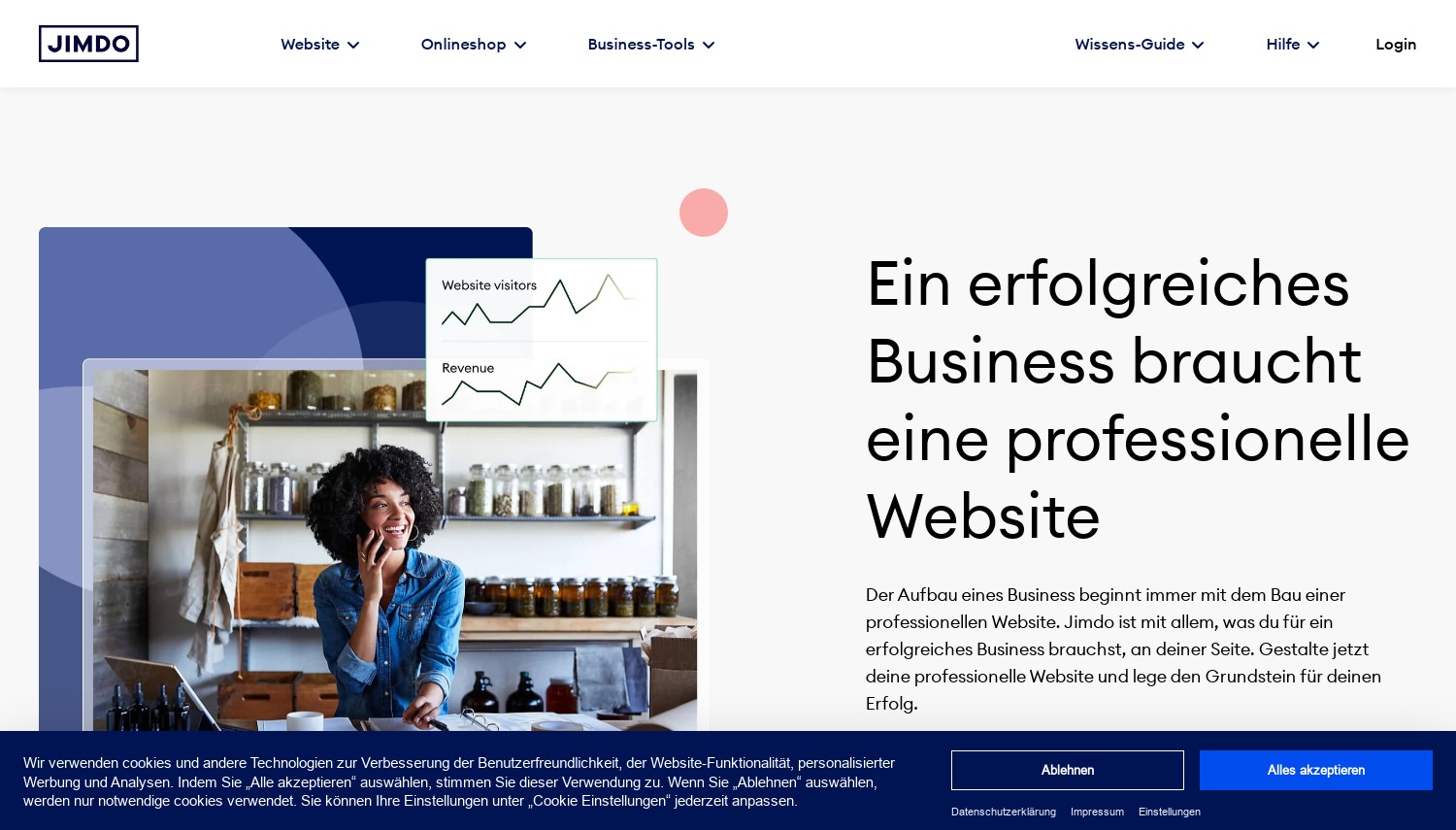
Jimdo - 販売手数料無料の小規模な EU ショップに最適
統計: 1 年間の契約で月額 12.40 ユーロから開始 (含む. 23% アイルランドの付加価値税) | ストアプランは月額20.67ユーロから | 0% 取引手数料 | サポートの応答時間はプランごとに記載されています
Jimdo は、どの店舗プランでも売上の一部を受け取りません。. それがそれを選ぶ理由です. 価格表には、各プランのサポート応答時間も記載されています. Start からは 1 ~ 2 営業日以内に返信が届きます, 内で成長する 24 時間, 以内無制限 12.
価格は Jimdo のアイルランドの店頭からのもので、アイルランドの VAT が含まれています。 23%. 開始費用 ユーロ 12.40 1年の任期で1か月, またはユーロ 120.98 VAT の 1 年前. 成長コスト ユーロ 20.67 および無制限のユーロ 51.68.
ストア プランは Basic で EUR で実行されます 20.67, EURでのビジネス 29.97 ユーロのVIP 51.68. ティーザー料金はありません, したがって、更新はエントリと一致します. ドメインは例外です: Jimdo の価格データでは、最初の契約期間のみ無料と記載されています.
店のはしごが門を隠している. 製品バリエーション, Basic には割引コードとセール価格がありません。 EURでのビジネス 29.97. 1 枚の T シャツを 3 サイズで販売しても、Basic では適切にリストできません. 引き出し権にも注目: 14 消費者にとっての日々, ビジネス向けのものはありません.
Shopify Basic に対して, 手数料計算では小規模店舗にはJimdoが有利. Shopifyが追加 2% 外部の決済プロバイダーを通じて支払われた注文について. ユーロの場合 2,000 1か月の売上, それはユーロです 40, Jimdo Business のコストを超える.
長所:
- 0% 各ストアプランの取引手数料
- 公開されているサポート応答時間
- ティーザー料金なし, したがって、2年目のコストは同じです
短所:
- バリエーションと割引はユーロから始まります 29.97
- ビジネスバイヤーには引き出し権なし
- 開始のみを許可します 10 ページ
こんな方に最適: 控えめなカタログを販売するヨーロッパの中小企業. 次の場合はスキップします: 数千の製品にスケールアップする予定がある.
評決: Jimdo Business は、販売手数料が負担となる小規模店舗向けの選択肢です. 急速な成長を目指すストアはShopifyを利用して手数料を受け入れる必要があります.
6. Shopify
 4.2k +
1.4
ネガティブ
ネガティブ
4.2k +
1.4
ネガティブ
ネガティブ

| 保管所 | 帯域幅 | 価格 | |
|---|---|---|---|
| 無制限 | 無制限 | $29.00 / mo. | プランを見る |
| 無制限 | 無制限 | $79.00 / mo. | プランを見る |
Shopify - 成長を計画している店舗に最適
統計: 基本 24 ユーロ/月、年間またはユーロ 32 毎月 | 3-一日トライアル, その後、1 ユーロ/月 3 月 | 2% 外部決済プロバイダーの手数料 (基本)
Shopifyは選択の自由に対して料金を請求します. Shopify Payments 以外の支払いプロバイダーを使用すると、Basic が追加されます 2% 取引手数料 そのプロバイダーの料金に加えて. 料金は以下に下がります 1% 成長中, 0.6% アドバンストと 0.2% もっと見る.
Shopify のストアフロントではユーロ価格が提供されました. 基本費用 ユーロ 24 年間請求またはユーロで 1 か月 32 毎月. 成長コスト ユーロ 69 またはユーロ 92, およびアドバンスユーロ 289 またはユーロ 384. プラスはユーロから始まります 2,100.
新しい店舗は 3 日間無料, その後ユーロで3か月 1 月. Basic のカード レートは以下から始まります 2% もっとユーロ 0.25, 付加価値税を除く.
古いガイドの読者を罠にはめる. 初心者向けの格安スターター プランは終了しました. Shopify のヘルプセンターには、はっきりとこう書かれています。 "新しい店舗では利用できません。" 依然として推奨しているページには、購入できないものが記載されています.
Jimdo に対して, Shopify Basicのユーロ 24 年間料金はユーロでJimdo Businessより安いように見えます 29.97. ただし、Jimdo の金額には VAT が含まれており、外部プロバイダー料金はかかりません. Shopify は株式を中心に構築されています, チェックアウトと販売チャネル, 一方、Wix のようなビルダーはストアが接続されたページを中心に構築されています。. 自分のホストで WooCommerce を優先する? 私たちの WordPress eコマースホスティングのまとめ オプションを比較します.
長所:
- 初売りから大規模なカタログまで拡張可能
- アップグレードすると外部プロバイダーの料金が安くなります
- ユーロ 1 数カ月は始まりを和らげる
短所:
- 2% Shopify Paymentsを使用しないBasicの料金
- 3日間の無料トライアルのみ
- スタータープランは新規店舗限定
こんな方に最適: 数十の商品を取り揃え、成長する予定の店舗. 次の場合はスキップします: コンテンツ サイトと一緒にいくつかの商品を販売しているとします.
評決: 販売がビジネスの場合、Shopify が最適です. Shopify Paymentsを使用しないヨーロッパの小規模ショップは、Jimdo Businessを利用し、 2%.
7. Weebly
 728
2.9
中性
728
2.9
中性
 中性
中性
| 保管所 | 帯域幅 | 価格 | |
|---|---|---|---|
| 512 MB | 無制限 | $5.00 / mo. | プランを見る |
| 無制限 | 無制限 | $25.00 / mo. | プランを見る |
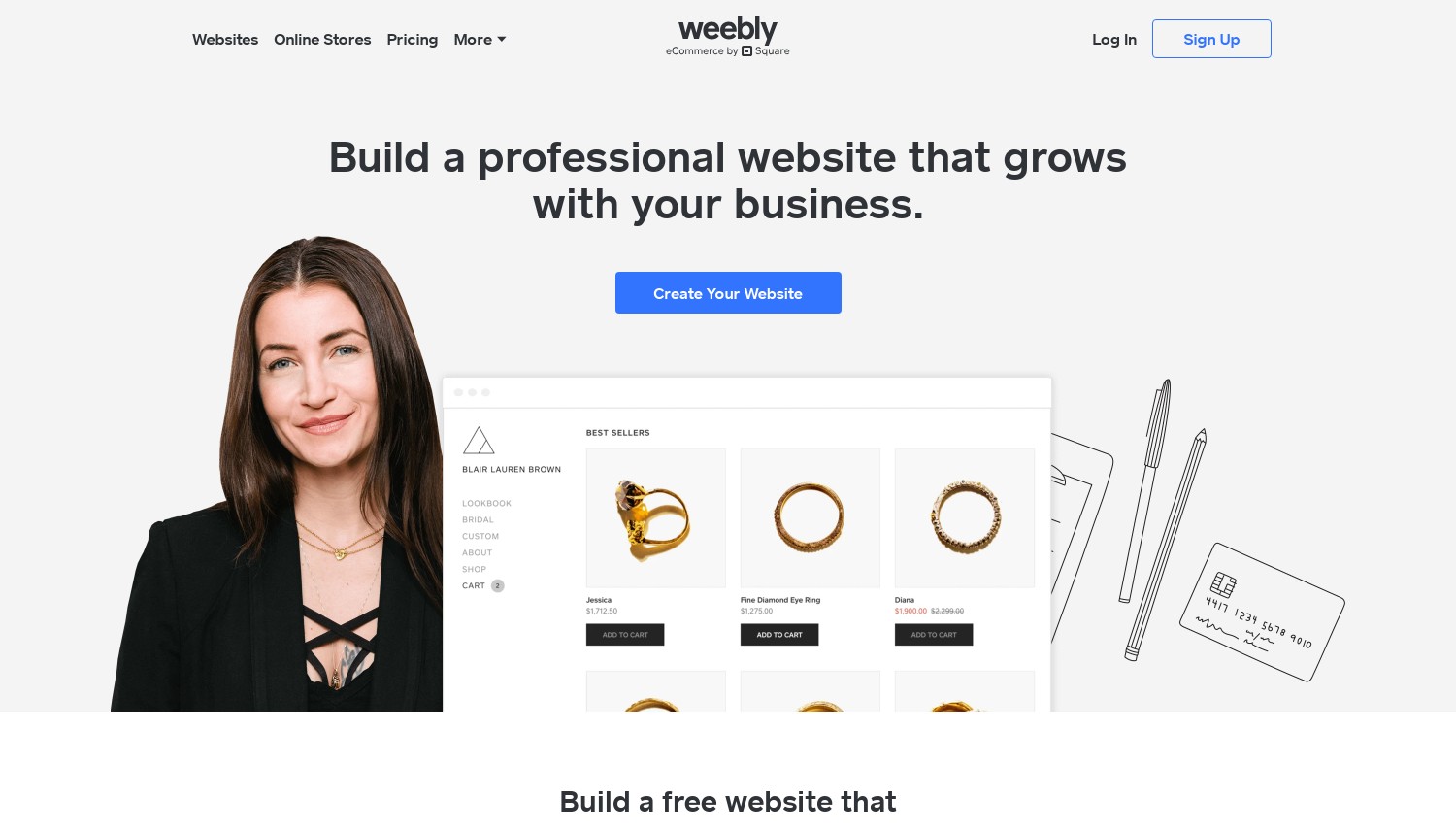
Weebly - サポートされている国の既存ユーザーに最適
統計: 個人向け年間 11 ユーロ/月またはユーロ 14 毎月 (アイルランドの店先) | から撤退した 67 国 | Square 広告付きの無料プラン
ウィーブリーはまだ販売中です, しかし、その所有者はあなたがそこから始めることを望んでいません. Square のサポートページには、 "中止の予定はありません" Weebly. その後、同じページで新しいサイトに代わりに Square Online を使用するよう奨励します。.
の 67 国, 決定はすでに行われています. Weebly のサポート ページにはそれらがリストされています, シンガポールを含む, マレーシア, アラブ首長国連邦, サウジアラビア, ナイジェリア, ケニア, 七面鳥, コロンビア, チリ, ウクライナとパキスタン. そこにあるサイトは非公開に設定されていました 27 9月 2026, ログインは次で終了します 26 12月 2026. 米国, イギリス, カナダとオーストラリアはリストに載っていない.
アイルランドの店頭での価格はユーロです 11 Personal の場合は 1 か月ごとに請求されます, ユーロ 17 プロフェッショナルおよびユーロの場合 30 パフォーマンスのために. 月ごとに, ユーロに上昇します 14, ユーロ 22 およびユーロ 40. Weebly には、ほとんどのライバルにはない終了機能が 1 つあります。. アカウントデータをダウンロードできます, 各サイトにはアーカイブのダウンロードがあります.
Reddit の Weebly コミュニティは移動の行列のように見えます. ある7月に 2026 スレッド, 影響を受けなかった米国のユーザーはいずれにせよ離脱すると述べた. Weebly の EUR を比較する 17 Squarespace Core を使用したプロフェッショナル プラン (EUR) 18. あと1ユーロで, 撤退通知のないビルダーがぶら下がっています.
長所:
- サイトアーカイブのダウンロードが可能
- 無料プランはまだ存在します
- 年間価格が安い
短所:
- から撤退 67 の国 2026
- Square、新しいサイトを Square Online に誘導
- プランリストに AI 機能はありません
こんな方に最適: 影響を受けていない国に住む現在の Weebly 所有者で、引っ越しの準備ができていない. 次の場合はスキップします: どこでも新しいサイトを始めています.
評決: Weebly で新しいサイトを開始しないでください. 既存の所有者は今すぐアーカイブをダウンロードし、Wix または Squarespace への移行を計画する必要があります。.
8. Wix Hosting
 25.1k +
4.1
ポジティブ
ポジティブ
25.1k +
4.1
ポジティブ
ポジティブ
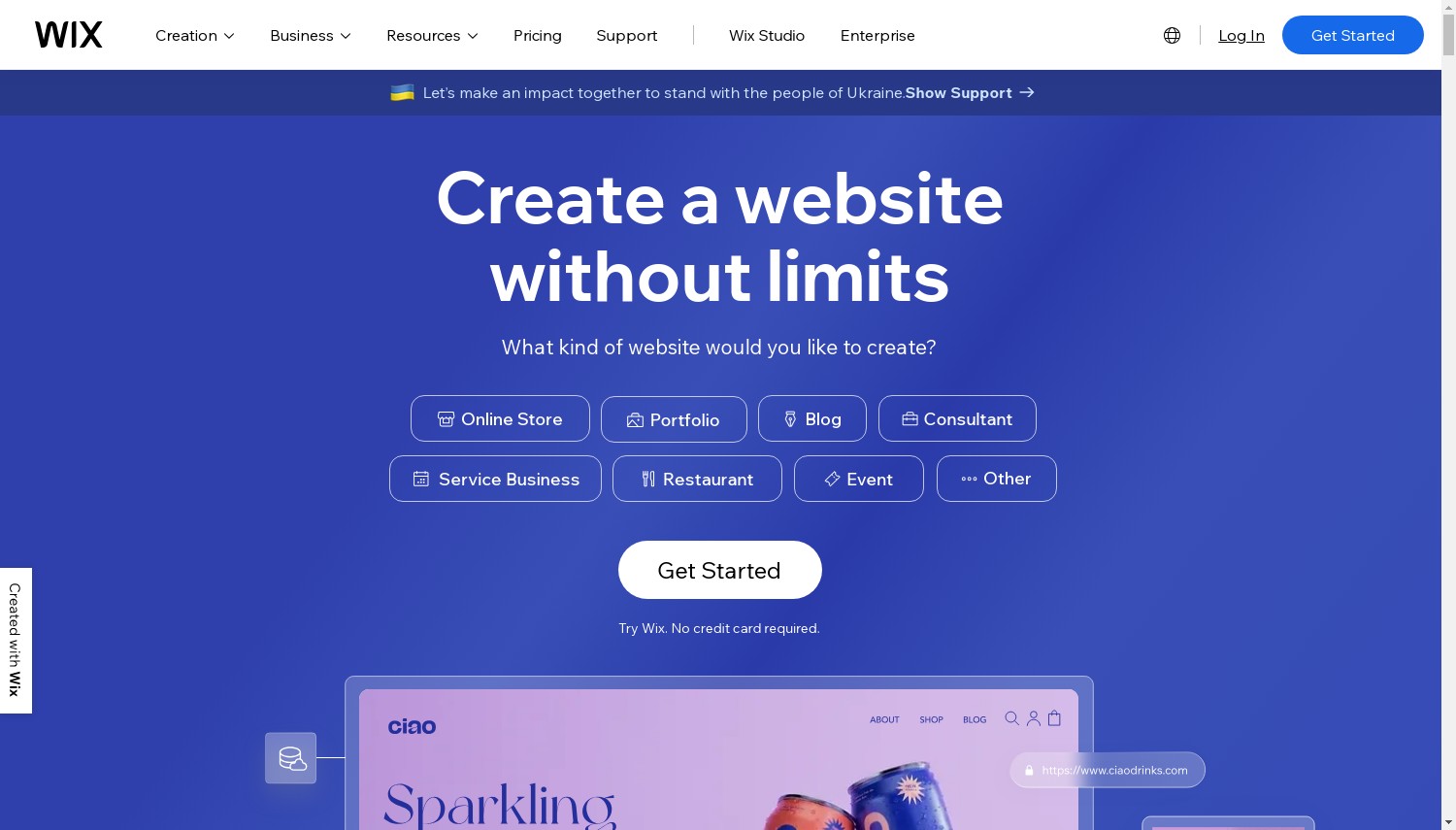
Wix - ほとんどの初心者や中小企業に最適
統計: ライト USD 17/月, コアUSD 29/月 (毎年, 税抜き) | 無料プラン | 14-日返金保証 | 外部ホスティングなし
Wix はこのリストの中で最も始めるのが簡単なビルダーですが、辞めるのが最も難しいビルダーです. その文の両方の半分は Wix 自体から来ています. その価格設定はシンプルです: 米ドルでのライト 17 月, 米ドルでのコア 29, USDでのビジネス 39 USDのビジネスエリート 159. いずれも年間計画です, 前払い. 期限切れのティーザーレートはありません.
計画カードをよく読んでください, けれど. ライトには無い "支払いを受け入れる" ラインとちょうど 2 GBのストレージ. 何かを販売する人は誰でも始める必要があります 芯, 米ドル 29, これにより支払いが追加され、 50 GB. すべての有料プランには 1 年間の無料ドメインが含まれています. 返金保証は継続します 14 日数、最初のアップグレードのみが対象.
さて出口です. Wix のサポートセンターは、Wix サイトに別のホストを使用できないと言っています, なぜならそのプラットフォームは "外部ホスティングをサポートしていません". ブログ投稿を他のプラットフォームにエクスポートすることもできません.
離れる場合, あなたは再構築します. 全部.
Webflow に対して, Wix コアの料金は米ドルです 4 Webflow プレミアムの米ドルを超える 25 月. Wix には支払いが含まれており、学習曲線ははるかに緩やかです. Webflow には 20,000 アイテムの CMS が含まれていますが、そのプランにはストアはありません.
長所:
- 支払い前に学習できる無料プラン
- ティーザー料金なし, したがって、2年目のコストは同じです
- 支払いと 50 コアからの GB
短所:
- エクスポートも外部ホスティングもなし
- ライトプランでは支払いができない
- ブログ投稿はエクスポートできません
こんな方に最適: 地元企業の最初のウェブサイト, クラブまたはフリーランサー. 次の場合はスキップします: いつかサイトを移動する必要があるかもしれません.
評決: Wix Core は、動かない人にとって最適なオールラウンドな選択肢です. 退職がカードにある場合, GoDaddy Airo がコードを提供します.
9. Squarespace
 2.3k +
1.8
ネガティブ
ネガティブ
2.3k +
1.8
ネガティブ
ネガティブ
| 保管所 | 帯域幅 | 価格 | |
|---|---|---|---|
| 無制限 | 無制限 | $16.00 / mo. | プランを見る |
Squarespace - 洗練されたポートフォリオやサービスサイトに最適
統計: 基本 12 ユーロ/月, コア 18 ユーロ/月 (毎年, EURのストアフロント) | 14-日無料トライアル | 2% Basicの店舗手数料 | WordPress の部分的なエクスポート
Squarespace の価格ストーリー 2026 良くない. PetaPixel が報告しました 17 7月 2026 その月、スクエアスペースは米国の年間価格を値上げした. コアはUSDからになりました 23 米ドルへ 29 月, そしてUSDからのプラス 39 米ドルへ 49. Squarespace は発表を行わず、電子メールで顧客に伝えました.
一週間後, Redditユーザーが投稿したのは、 "修正" 一部の新しい更新価格がエラーであると記載されたメール. あるユーザーの更新額は米ドルから下落しました 348 米ドルへ 331.
私たちの接続は EUR の店頭で提供されました. そこには, 基本費用 ユーロ 12 年間請求で 1 か月, コアユーロ 18, さらにユーロ 32 およびアドバンスユーロ 69. 月額料金はユーロです 17, ユーロ 24, ユーロ 42 およびユーロ 79. 基本料金 2% 店舗販売手数料; コア以上のチャージなし. Core はカスタム CSS と JavaScript のロックも解除します.
出口は部分的です. Squarespace は WordPress インポート ファイルをエクスポートします (XMLファイル) レイアウトページを含む, 1つのブログ, テキストと画像のブロック. そのヘルプページには何が残っているかがリストされています: ストアページ, 製品ブロック, ビデオとオーディオのブロック, 追加のブログ, スタイル設定とカスタムCSS. 画像を一括ダウンロードできない, どちらか.
対ウィーブリー, Squarespace 基本料金 ユーロ 12 Weebly Personal の EUR に対して 1 か月 11 年間請求について. その 1 ユーロで、オーナーが依然として新しい顧客を望んでいるプラットフォームを購入できます. Wixとの比較, Squarespace では一部のコンテンツを持ち歩くこともできます, どちらもデザインを取得することはできませんが、.
長所:
- 一貫性のある, うまくデザインされたテンプレート
- 0% Coreからのストア手数料
- ページと 1 つのブログの部分エクスポート
短所:
- 7月の米国価格の予告なしの値上げ 2026
- ストアページとデザインはエクスポートされません
- 2% Basicの店舗手数料
こんな方に最適: 写真家, 少ない労力で洗練されたサイトを望むデザイナーとサービス会社. 次の場合はスキップします: 更新に関しては価格に敏感です.
評決: Squarespace Core は依然として最小限の労力で最高の見栄えのサイトを作成します. 購入者が火傷を負った 2026 ライズはWixを見るべきです, 価格が動かなかったのは.
ウェブフロー - 大規模な CMS を必要とするデザイナーに最適
統計: 基本 USD 15/月, プレミアム 25 ドル/月 (毎年, プラス税) | 20,000 プレミアムの CMS アイテム | コードのエクスポートには USD が必要です 19 ワークスペースプラン
Webflow のヘッドライン価格には 2 つの罠が隠されている. 基本費用 米ドル 15 1ヶ月と CMSはまったくありません. Webflow では次のように説明されています。 "CMSを必要としないシンプルなサイト向け", だからブログはない, コレクションも動的ページもありません. コンテンツ サイトの本当のエントリー ポイントは USD のプレミアムです 25 月. それは保持します 20,000 CMSアイテム (ブログ投稿などの個別のエントリ).
2 番目の罠はエクスポートです. Webflow はクリーンな HTML と CSS をエクスポートできます, ただし、その機能はワークスペース プランに属しています, 敷地計画ではありません. 一番安いのは、 "コードのエクスポート" USDのコアです 19 月, 毎年請求される. したがって、ポータブルプレミアムサイトには実際に米ドルの費用がかかります 44 月. それでも, Webflow では動的 CMS コンテンツと表示されます "輸出することはできません。"
Webflow は厳密なノーコードではなくローコードです. カスタムコードを受け入れます, Premium ではコード コンポーネントが追加されます. これは、クライアントがビジュアル エディターではできないことを要求したときに有利になります。.
USD で Framer Pro と対戦 30, Webflow プレミアム (USD) 25 保持します 8 CMS アイテムの数の倍: 20,000 に対して 2,500. 大規模なブログやディレクトリの場合, そのギャップがそれを決める.
長所:
- 20,000 プレミアムの CMS アイテム
- Workspace Core を使用した HTML および CSS のエクスポート
- カスタムコードのサポート
短所:
- ベーシックプランにはCMSはありません
- 輸出には追加の米ドルがかかります 19 月
- CMS コンテンツは決してエクスポートされません
こんな方に最適: コンテンツの多いサイトを構築するフリーランスのデザイナーと代理店. 次の場合はスキップします: レイアウト ツールに触れたことがなく、今週末にサイトが必要な場合.
評決: Webflow Premium は、コストパフォーマンスの最も優れた CMS です。. 初心者は代わりに Wix から始めるべきです, Webflow の学習曲線は現実的であるため、.
フレーマ - 速いのに最適, アニメーション化されたランディング ページ
統計: 基本 USD 10/月, プロ USD 30/月 (毎年) | 30 ページと 1,000 Basic の CMS アイテム | どのプランでも HTML エクスポートはありません
Framer はここで最もロックインされたビルダーです, そしてそれ自体がそう言っています. そのヘルプ記事には、Framer が次のように記載されています "セルフホスティング用の HTML エクスポートは提供していません". それはどのプランにも当てはまります, これは、プラットフォームが各ページのレンダリングと最適化を Framer 独自のサーバーに依存しているためです。. ロックを解除するアップグレードはありません.
その代わりに、デザインツールのようなデザインキャンバスが手に入ります。, 形式ではない. 基本費用 米ドル 10 年間請求と補償で 1 か月 30 ページ, 2 つの CMS コレクション, 1,000 CMSアイテムと 50 GBの帯域幅. Pro の料金は米ドルです 30 そしてそれらを次のように引き上げます 150 ページ, 10 コレクションと 2,500 アイテム, それを超える支払い超過がある場合. 追加のフルエディターの料金は米ドルです 20 それぞれ一ヶ月.
Reddit の Framer コミュニティは輸出に関する質問に戻り続けています. 8月 2026 スレッドのタイトル "Framer Web サイトのエクスポートは嘘です" サードパーティのスクレイパーを指摘する返信を引き出しました. スクレイピング ツールを宣伝するほぼ同一の投稿が急増し、次の 7 つのサブレディットに出現しました。 25 と 27 8月. それは自己宣伝として読み取られます, 独立した賞賛ではない.
Webflow に対して, Framer の Pro プランの料金は米ドルです 5 プレミアム以上の保有数 17,500 CMS アイテムの減少. フレーマーはデザインのスピードで勝利を収める, コンテンツの容量ではない.
長所:
- デザインツールのように使えるキャンバス
- 基本は USD の 30 ページのサイトをカバーします 10
- Pro でのステージングとブランチング
短所:
- HTML エクスポートなし, どのプランでも
- それだけ 2,500 Pro の CMS アイテム
- 編集者の席には米ドルが追加されます 20 それぞれ一ヶ月
こんな方に最適: シャープに見える必要があるランディング ページやポートフォリオを立ち上げるデザイナー. 次の場合はスキップします: このサイトには何年も保存しておきたいコンテンツが保存されています.
評決: Framer は短命なユーザーにとって最適なキャンバスです, ハイポリッシュページ. 保存しておきたいコンテンツ サイトの場合, Webflow のコストが低くなり、デザインをエクスポートできるようになります.
終了テスト: 各ビルダーができること
この表は、ランキング ページがスキップする質問に答えます. 各行はプロバイダー独自のヘルプ ページまたはプラン ページから取得されます。, 続きを読む 1 10月 2026. "更新乗数" 更新価格を最も安い有料プランのエントリー価格で割った値です.
| ビルダー | 出発時に持っていけるもの | 更新乗数 |
|---|---|---|
| Hostinger | マニュアルモード: テキストと画像のみ. エージェントモード: 完全なコードのZIP, バックエンドデータがありません | 3.68バツ |
| SiteGround | 輸出ルートは文書化されていない | 1.00バツ |
| Bluehost | WordPress サイト全体 | 印刷されていない |
| 10ウェブ | WordPress サイト全体 | 2.00バツ |
| ゴーダディアイロ | すべての有料プランでのコードのダウンロード; Ultimate での GitHub 同期 | 1.53バツ |
| Jimdo | サイトのエクスポートに関する文書はありません | 1.00バツ |
| Shopify | 商品のCSVエクスポート, 顧客, 在庫, 注文と割引 | 1.00x 試用期間後 |
| Weebly | アカウントデータのダウンロードとサイトごとのアーカイブ | 1.00バツ |
| Wix | 何もない: 外部ホスティングなし, ブログのエクスポートはありません | 1.00バツ |
| Squarespace | WordPress XML: ページ, 1つのブログ, テキストと画像 | 1.00バツ |
| ウェブフロー | USD を使用した HTML と CSS 19 ワークスペースプラン; CMS コンテンツがありません | 1.00バツ |
| フレーマ | HTML エクスポートなし | 1.00バツ |
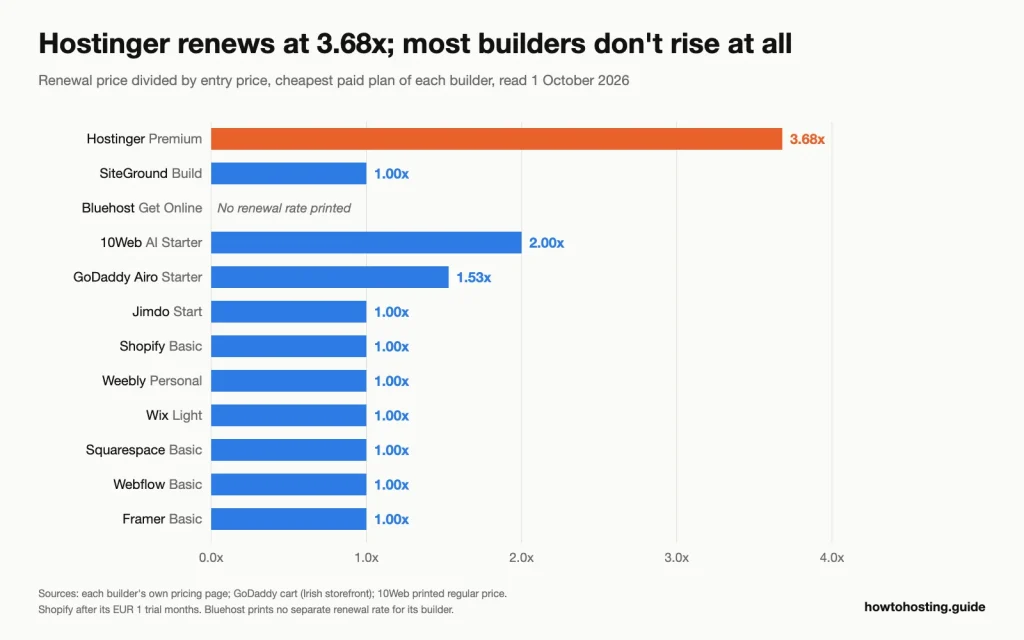 最初の期間後に追加料金を請求するビルダーは 3 社だけです, そしてホスティンジャーの一歩は最大のものである. ソース: 各ビルダーの価格ページと GoDaddy カート, 読んだ 1 10月 2026.
2つのパターンが目立ちます. ホスティング会社が販売するビルダー 5 社のうち 3 社が初回割引を利用している: Hostinger, 10ウェブと GoDaddy. 7 つのプラットフォーム ビルダーのどれもそうではありません, ShopifyのEURとは別に 1 試用期間.
そして、最も安い出口が常に最も安いプランであるとは限りません. Hostinger は前払いが最も安い. それでもそのうちの3つだけ 12 ビルダーを使用すると、すべての有料プランで作業中のサイトまたはそのコードを残すことができます: GoDaddy, Bluehost と 10Web. すでに Wix に行き詰まり、移行を計画中? 私たちのガイド Wix から WordPress に移行するためのホスト 再構築をカバーします.
コード不要の Web サイトビルダーの選び方
サイトの存続期間と売却するかどうかから始める. 次に、あなたの状況を次のいずれかに当てはまります.
最初のサイト, そのままでいる, 米ドル未満 30 月: Wix コアを米ドルで購入する 29 年間計画の場合は 1 か月. 支払いが必要で、ティーザーレートはありません. これについては Hostinger プレミアムをスキップしてください, 店舗を持たず、4 年後には 3.68 倍を更新しているため.
3年以内に引っ越す可能性はある: GoDaddy Airo スターターを EUR で購入する 8.49 1 年目の月とユーロ 12.99 後. すべての有料プランではコードをダウンロードできます. Wix と Framer をスキップする, どちらもサイトを持ち歩くことができないため、.
WordPress を下に置きたい, 予算は米ドル未満 10 月: Bluehost を利用して USD でオンラインにアクセス 9.99 1つで- または2年の任期, トライアルなしで購入して無料ドメインを維持する. Figma とクローン作成エージェントが必要でない場合は、10Web をスキップしてください, 通常価格の2倍なので.
販売 50 またはそれ以上の製品, または計画している: Shopify BasicをEURで利用する 24 年に 1 か月ごとに Shopify Payments を使用して、 2% 手数料. SiteGround の販売プランをスキップする: 米ドル以上 200 月間売上高の, これは 3% 手数料は米ドルより高い 6 成長へのステップアップ.
バリエーションのある EU ショップ, ユーロ未満 2,000 1か月の売上: Jimdo ビジネスを EUR で利用する 29.97 消費税を含む月, 販売手数料なし. Jimdoベーシックをスキップ, 製品バリエーションをリストできない.
コンテンツサイトを構築するデザイナー 3,000 またはそれ以上のエントリ: Webflow プレミアムを米ドルで利用する 25 月, プラス米ドル 19 Workspace Core の場合 (クライアントがコードを必要とする場合). スキップ フレーマー プロ, 上限は 2,500 超過前の CMS アイテム.
このルートと通常のホストのどちらを使用するかまだ迷っています? 私たちの ホスティングファインダー 予算とサイトの種類によってフィールドを絞り込みます.
よくある質問
最高の無料ノーコードウェブサイトビルダーは何ですか?
Wix の無料プランは最も実践的な学習場所です, あなたのサイトは wixsite.com アドレスにありますが、. Framer の無料プランは、Framer ドメインでの簡単な設計テストに適しています. GoDaddy の無料 Airo プランでビルドとプレビューが可能, でも公開できない. 独自のドメインを持つライブサイトの場合, ここのすべてのビルダーには有料プランが必要です.
後でサイトをノーコード ビルダーから移動できますか??
完全に施工業者次第です, 始める前に確認してください. Bluehost と 10Web は、他の WordPress サイトと同じように動作する WordPress サイトを構築します. GoDaddy Airo を使用すると、すべての有料プランでコードをダウンロードできます. Wix と Framer ではサイトをまったく取得できません.
GoDaddy Airo は 4 年間で Hostinger のビルダーよりも安いですか?
いいえ, Hostinger は 4 年間で米ドルで安くなります 143.52 前に. GoDaddy Airo スターターの価格はユーロです 101.88 1年目とユーロで 155.88 それから一年後. 5年目からは, ホスティンガーの請求額 USD 10.99 月, アイロのユーロに近い 12.99. コードのダウンロードを重視するなら、Airo を購入したほうが良いでしょう.
小規模なオンライン ストアには Shopify と Jimdo を選ぶべきですか??
約ユーロ以下で販売する場合は、Jimdo Business を選択してください 2,000 ヨーロッパに1ヶ月滞在する場合、販売手数料なしを希望する. 数百の製品を超えて成長する予定がある場合、または複数のチャネルで販売する予定がある場合は、Shopify を選択してください. Shopify Basicの追加 2% 外部プロバイダーを通じて支払われた注文の場合, Jimdoは決して請求しないもの.
最終評決
Wix 動かないほとんどの人にとって最高のノーコードビルダーです: 米ドルでのコア 29 月, 支払いが含まれています, ティーザーレートなし. ゴーダディアイロ 出口を望む人にとっては最適です, すべての有料プランでのコードのダウンロードと 1.53 倍の更新付き. Bluehost USD でポータブル WordPress サイトへの最も安価なルートです 9.99 月. Shopify 成長する店舗の勝利, と Jimdo 手数料を嫌うEUの小規模ショップ向け. ウェブフロー 大規模な CMS のデザイナーの選択です.
SiteGround 米ドルの横ばい相場は注目に値する 10 構築計画, と 10ウェブ AI で構築された WordPress を必要とする代理店向け. Hostinger 4年が一番安い, ただし更新にはエントリー価格の 3.68 倍の費用がかかります. Squarespace と フレーマ 持ち歩きたくないほど美しいサイトを作成する. Weebly 何か新しいことを始める場所ではない.
関連書籍: Wix の背後にある市場シェアと収益の数字については、, スクエアスペースとShopify, ご覧ください ウェブサイトビルダーの統計. 通常のホスティングで WordPress を実行したい場合, 上にリンクされている共有ホスティングと WooCommerce ガイドが次のステップです. 米国外の読者は、価格を比較する前に、建設業者がどのストアフロントと通貨を提供しているかを確認する必要があります。.