
Bestes Wix-zu-WordPress-Hosting (2026): oben 9 Gastgeber, die Wix verlassen, im Vergleich - DEUTSCH
Hier ist, was kein Gastgeber lautstark bewirbt: das "freie Migration" Schaltfläche auf Hostinger, Bluehost, und SiteGround wird Ihre Wix-Site nicht verschieben. Es verschiebt WordPress-Sites. Wix sperrt Ihre Seiten hinter einem geschlossenen Editor ohne sauberen Export. Ein Abschied bedeutet also wirklich einen Neuaufbau, und der Gastgeber, den Sie auswählen, entscheidet, wie viel davon Sie von Hand erledigen. Nur ein Anbieter auf dieser Liste, 10Netz, automatisiert den visuellen Teil mit KI. Alle anderen konkurrieren um den Preis, Geschwindigkeit, und wie sehr sie deine Hand halten.
Schnelle Antwort: Für die meisten Leute, die Wix verlassen, Hostinger (2,99 USD/Monat, erneuert 10,99 USD/Monat) ist der preisgünstigste Einstieg. 10Netz (10 USD/Monat) ist der einzige Host hier, der Ihr Wix-Design automatisch neu erstellt. Möchten Sie, dass jemand anderes den gesamten Umzug übernimmt?? Die Ingenieure von Pressable migrieren kostenlos. Möchten Sie einen Drag-and-Drop-Editor im Wix-Stil für echtes WordPress?? BoldGrid von InMotion kommt dem am nächsten.
Springe zu: Hostinger · · FastComet · · SiteGround · · Kinsta · · InMotion Hosting · · 10Netz · · Bluehost · · Pressbar · · DreamHost
Zuletzt überprüft: Juli 2026. Preise und Ausstattung überprüft.
Wie wir diese Anbieter ausgewählt haben
Wix zu verlassen ist ein anderes Problem als der Wechsel zwischen zwei WordPress-Hosts. Deshalb haben wir diese neun nach dem bewertet, was für einen Wix-Flüchtling wichtig ist, nicht auf generischen Hosting-Scores. Das größte Gewicht hatte die Migrationsunterstützung. Hilft Ihnen der Host tatsächlich beim Umzug einer Wix-Site?, oder tut es "freie Migration" Bewerben Sie sich ruhig nur auf WordPress-Quellen? Wir haben die Wix-to-WordPress-Dokumentation jedes Anbieters überprüft, nicht nur das Marketing-Abzeichen.
An zweiter Stelle stand die Benutzerfreundlichkeit für technisch nicht versierte Benutzer: Drag-and-Drop-Builder, KI-Setup, geführtes Onboarding. Dann das Verhältnis von Eintritt zu Erneuerung, was wir pro Plan berechnet haben, da die günstige erste Laufzeit die tatsächlichen Kosten verbirgt. Wir lesen offizielle Preisseiten, Dokumente zur Anbietermigration, und aggregierte Benutzerbewertungsergebnisse. Wir haben Plattformen, die nur für Entwickler bestimmt sind, ausgeschlossen, bei denen Sie einen Cloud-Server selbst konfigurieren müssen, wie Cloudways. Wir haben auch auf reine E-Commerce-Spezialisten verzichtet, die das Onboarding für Anfänger beschönigen, wie Nexcess. Beides passt nicht zu jemandem, der von einem Bauunternehmer absteigt.
Was wir nicht getan haben: Führen Sie synthetische Lasttests durch oder migrieren Sie eine Live-Site von Wix über jeden Host. Jede Website von Wix ist anders aufgebaut, Daher variiert der Wiederaufbauaufwand. Wenn die Verlängerungs- oder Regionsdaten eines Anbieters auf der aktuellen Produktseite nicht bestätigt werden konnten, wir sagen es, anstatt zu raten.
| Hosting-Anbieter | Bewertungen | Gesamtbewertung | Wordpress Hosting von |
|---|---|---|---|
1  Hostinger Hostinger
|
63.2k+ |

|
$1.95 / mo. 80% aus |
2  FastComet FastComet
|
3.5k+ |

|
$1.79 / mo. -80% AUS |
3  SiteGround SiteGround
|
29.1k+ |
|
$3.41 / mo. JETZT -81% |
4  Kinsta Kinsta
|
1k+ |
|
Keine Daten / mo. |
5  InMotion Hosting InMotion Hosting
|
2.8k+ |

|
$1.99 / mo. -75% |
6  10Web.io 10Web.io
|
2.3k+ |
|
Keine Daten / mo. 50% Jetzt aus |
7  Bluehost Bluehost
|
28.1k+ |
|
$2.95 / mo. -70% JETZT |
8  DreamHost DreamHost
|
7.7k+ |
|
$2.59 / mo. Blitzangebot |
1. Hostinger
 63.2k+
4.6
Positiv
Positiv
63.2k+
4.6
Positiv
Positiv









| Lager | Bandbreite | Panel | Preis | |
|---|---|---|---|---|
| 100 GB | Unbegrenzt | cPanel | $1.95 / mo. | Plan anzeigen |
| 200 GB | Unbegrenzt | cPanel | $2.95 / mo. | Plan anzeigen |
| 200 GB | Unbegrenzt | cPanel | $3.49 / mo. | Plan anzeigen |
Hostinger – Bester günstiger Start mit KI-Wiederaufbauhilfe
Einführung: 2,99 USD/Monat | 20 GB SSD, 3 Websites | 30-Tag Geld zurück
US Dollar 2.99 Ein Monat ist die Zahl, die Wix-Abgänger zu Hostinger zieht, und für ein erstes WordPress-Home verdient es den Klick. Sie erhalten hPanel anstelle von cPanel, näher an dem einfachen Dashboard, das Sie von Wix kannten. Es gibt auch einen AI-Website-Builder und den Kodee AI-Assistenten, Dies kann aus einer Eingabeaufforderung heraus eine neue Website erstellen. Für jemanden, der ein Wix-Design neu erstellt, anstatt es zu importieren, Dieser KI-Vorsprung ist wichtiger als reine Spezifikationen.
Seien Sie sich über die Falle im Klaren, obwohl. Die kostenlose Migration von Hostinger ist ein WordPress-zu-WordPress-Tool. Ihr Wix-Inhalt ist nicht abgedeckt, Sie erstellen die Seiten also selbst neu (Hostinger veröffentlicht dafür sogar ein manuelles Tutorial). Und der Eintrittspreis gilt nur bei Vorauszahlung 48 Monate. Der Premium-Plan verlängert sich um 10,99 USD/Monat, ein 3,7-facher Sprung. Das ist immer noch günstiger als die meisten Konkurrenten: SiteGrounds StartUp verlängert sich zum Preis von USD 17.99, rund 64% höher für die gleiche Anfängerstufe. Entry Premium ist auch eine einfache SSD, nicht NVMe, und Kappen bei 3 Websites und 20 GB.
Wenn die AI-Builder-Route anspricht, Unser Leitfaden zu KI-gestützte WordPress-Builder zeigt, wie weit die auf Eingabeaufforderungen basierende Einrichtung fortgeschritten ist.
Vorteile
- Einsteigerfreundliches hPanel, in der Nähe eines Builder-Dashboards
- KI-Website-Builder plus Kodee KI-Assistent inbegriffen
- Eintrittspreis von 2,99 USD/Monat, gehören zu den niedrigsten hier
- 11 Daten Center, einschließlich eines neuen Standorts in Boston
Nachteile
- Die kostenlose Migration ignoriert Inhalte von Wix vollständig
- Günstiger Preis braucht ein 48-Monat im Voraus bezahlen
- Der Einstiegsplan ist SSD, nicht NVMe
Preisgestaltung: Premium-Einführung: 2,99 USD/Monat, erneuert USD 10.99. Geschäft + AI USD 3.99 Einführung, erneuert USD 16.99 (50 GB NVMe). Cloud-Startup + AI USD 7.99 Einführung, erneuert USD 25.99.
Beste für: Budget-First-Mover, die mit KI-Hilfe den Wiederaufbau durchführen.
Überspringen Sie, wenn: Sie haben erwartet, dass Ihre Wix-Seiten automatisch übertragen werden. Das werden sie nicht.
Urteil: Wählen Hostinger Wenn Ihre Priorität der niedrigste mögliche Einstiegspreis ist und Sie die Seiten mit KI-Unterstützung problemlos neu erstellen können. Wenn Sie möchten, dass das Wix-Design selbst für Sie neu erstellt wird, 10Web macht das und Hostinger nicht. Wenn Sie möchten, dass ein Mensch den gesamten Umzug übernimmt, Springen Sie stattdessen zu Pressable.
2. FastComet
 3.5k+
4.8
Positiv
Positiv
3.5k+
4.8
Positiv
Positiv





| Lager | Bandbreite | Panel | Preis | |
|---|---|---|---|---|
| 10 GB | Unbegrenzt | cPanel | $1.79 / mo. | Plan anzeigen |
| 20 GB | Unbegrenzt | cPanel | $2.39 / mo. | Plan anzeigen |
| 30 GB | Unbegrenzt | cPanel | $3.59 / mo. | Plan anzeigen |
FastComet – Am besten geeignet, um Ihren Server in der Nähe Ihrer Besucher zu platzieren
Einführung: 1,99 USD/Monat | NVMe-Speicher | 30-Tag Geld zurück
Beginnen Sie mit der Erneuerungsberechnung, weil es die Überschrift rückgängig macht. Der Starter-Plan von FastComet kostet 1,99 USD/Monat, verlängert sich aber um 9,95 USD/Monat, ein 5-facher Sprung und der steilste Multiplikator hier nach SiteGround. Diese Erneuerung liegt einen Cent unter dem USD von Bluehost 9.99. Aber Bluehost steigt nur um das 2,5-fache vom USD 3.99, Daher führt der niedrige Einstieg von FastComet eher in die Irre. Das Alte "Pauschalpreise, kein Aufschlag" Der Pitch, auf dem FastComet seinen Ruf aufgebaut hat, ist seit der Übernahme der World Host Group verschwunden; "Feste Verlängerungen" bedeutet jetzt vorhersehbar, nicht billig.
Was immer noch dafür spricht, ist die Reichweite. FastComet betreibt Server in 11 zu 12 Städte auf vier Kontinenten: Dallas, Frankfurt, London, Mailand, Singapur, Tokyo, Mumbai, Sydney, und mehr. So kann ein ehemaliger Wix-Benutzer mit einem Publikum außerhalb des üblichen US-Ost-Standards in der Nähe seiner Leser hosten. Der Stack ist ordnungsgemäß verwaltetes WordPress: cPanel mit dem WordPress Toolkit, LiteSpeed Enterprise-Caching, und Imunify360-Sicherheit. Ein kostenloser Standorttransfer ist im Preis inbegriffen, aber wie die anderen zielt es auf cPanel- und WordPress-Quellen ab, Ihre Wix-Inhalte werden also nicht gerettet.
Eine ehrliche Anmerkung zur Geschwindigkeit. Unabhängige WPBench-Tests bewerteten die Rohhardware von FastComet mit 4.8 aus 10, unter dem Felddurchschnitt, Das Caching leistet also mehr Arbeit als die CPU.
Vorteile
- 11 zu 12 globale Rechenzentren zur Auswahl
- cPanel plus WordPress Toolkit und LiteSpeed
- NVMe-Speicher in jedem Plan
- Manuelle Übertragung zunächst zu einer Staging-URL
Nachteile
- Erneuerungssprünge ~5x (US Dollar 1.99 in USD 9.95)
- Der kostenlose Transfer berührt die Inhalte von Wix nicht
- Mittelmäßige Rohhardware-Benchmarks
Preisgestaltung: Starter-Einführung: 1,99 USD/Monat, erneuert USD 9.95 (10 GB NVMe, 1 Seite? ˅). Wesentlicher USD 2.99 erneuert USD 12.95. Zuzüglich USD 3.99 erneuert USD 17.95. Zusätzlicher USD 5.49 erneuert USD 24.95.
Beste für: Zielgruppen außerhalb der USA, die einen Server in der Nähe mit verwaltetem WordPress wünschen.
Überspringen Sie, wenn: Sie hassen Überraschungen bei der Verlängerung.
Urteil: Wählen FastComet Nur wenn der Serverstandort in der Nähe einer bestimmten Region Ihr entscheidender Faktor ist. Wenn Sie einfach nur günstiges verwaltetes WordPress wollen, Hostinger erneuert USD 1 untere (US Dollar 10.99) mit einem einfacheren Panel. Wenn niedrige Verlängerungen der springende Punkt sind, Bluehost hält bei USD 9.99 von einem ähnlichen Anfang.
3. SiteGround
 29.1k+
4.8
Positiv
Positiv
29.1k+
4.8
Positiv
Positiv


| Lager | Bandbreite | Panel | Preis | |
|---|---|---|---|---|
| 10 GB | Unbegrenzt | cPanel | $3.41 / mo. | Plan anzeigen |
| 20 GB | Unbegrenzt | cPanel | $5.69 / mo. | Plan anzeigen |
| 40 GB | Unbegrenzt | cPanel | $9.11 / mo. | Plan anzeigen |
SiteGround – Beste verwaltete WordPress-Geschwindigkeit (mit Verlängerungswarnung)
Einführung: 2,99 USD/Monat | Google Cloud | 30-Tag Geld zurück
Wo preisbewusste Gastgeber ihr Budget spüren, SiteGround fühlt sich konstruiert an. Es läuft auf Google Cloud mit einem dreischichtigen SuperCacher, Ultraschnelles PHP, und HTTP/3. Sein benutzerdefiniertes Dashboard (kein cPanel) ist sauber genug, dass ein nervöser Ex-Wix-Benutzer nicht verloren geht. Für eine Content-Website oder einen kleinen Shop, der schnell laden muss, Dies ist eine der besser verwalteten Umgebungen hier.
Dann kommt die Rechnung. StartUp kostet 2,99 USD/Monat und verlängert sich um 17,99 USD/Monat; GrowBig geht von USD aus 4.99 zu 29,99 USD/Monat. Das ist ein 6-facher Multiplikator, der höchste auf dieser Seite, und die Erneuerung von GrowBig liegt knapp unter Kinstas USD 35 Flatrate, während Sie weniger beanspruchte Muskeln erhalten. Für Anfänger gibt es noch einen zweiten Haken: Staging und Ultrafast PHP sind GrowBig-and-up-Funktionen, Daher ist die günstige StartUp-Stufe dünner, als sie aussieht. Und das SiteGround Migrator-Plugin, wie jeder "freie Migration" Hier, verschiebt nur WordPress-Seiten. Es kann nicht von Wix bezogen werden. Beachten Sie auch, dass SiteGround 2011 von der offiziell empfohlenen Hostliste von WordPress.org gestrichen wurde 2026, also alle älter "WordPress empfohlen" Die Behauptung, die Sie sehen, ist veraltet.
Beim Betrieb eines Ladens zahlt sich das Caching aus; unser WordPress-E-Commerce-Hosting Der Leitfaden deckt ab, was WooCommerce tatsächlich benötigt.
Vorteile
- Google Cloud mit 3-Schicht SuperCacher
- Ultraschnelles PHP und Staging auf GrowBig
- Poliertes Armaturenbrett, einfach für Anfänger
- Stark, Ruf des skriptfreien Supports
Nachteile
- Erneuerungssprünge ~6x, hier am steilsten
- StartUp fehlt Staging und Ultrafast PHP
- Das Migrator-Plugin kann Wix nicht importieren
Preisgestaltung: StartUp: 2,99 USD/Monat Einführung, erneuert USD 17.99 (10 GB). GrowBig USD 4.99 Einführung, erneuert USD 29.99 (20 GB, Inszenierung).
Beste für: Geschwindigkeitsorientierte Websites, bei denen Sie für ein verwaltetes Google Cloud-Setup bezahlen.
Überspringen Sie, wenn: Die Kosten für das zweite Jahr sind Ihre Obergrenze.
Urteil: Wählen SiteGround Wenn schnell verwaltetes WordPress eine 6-fache Verlängerung rechtfertigt und Sie GrowBig verwenden, nicht StartUp. Wenn Ihnen diese Erneuerung Angst macht, Hostinger hält bei USD 10.99 mit ähnlicher Leichtigkeit. Wenn Sie die gleiche verwaltete Qualität ohne Preissprung wünschen, Kinsta ist bei USD unverändert 35.
4. Kinsta
 1k+
4.8
Positiv
Positiv
1k+
4.8
Positiv
Positiv


Kinsta – Bestes Hands-Off-Premium-Hosting
35 USD/Monat | Google Cloud + Cloudflare | 30-Tag Geld zurück
Kinsta importiert deine Website von Wix nicht, und es kostet mehr pro Monat als Wix selbst. Sagen Sie das gleich im Voraus, weil es alles andere neu formuliert. Was Sie für 35 USD/Monat kaufen (US Dollar 30 auf jährlich) ist ein vollständig verwaltetes WordPress-Home auf der Premium-Stufe von Google Cloud. Dazu gehört das kostenlose Cloudflare Enterprise CDN, Ein-Klick-Staging, tägliche Backups, und das lokale DevKinsta-Tool. Es gibt keine Werbung, keine Upsells, und kein Server zum Anfassen.
Das Unterscheidungsmerkmal ist, was bei der Erneuerung nicht passiert. Der Preis von Kinsta ist pauschal: der USD 35 Sie zahlen im ersten Monat den USD 35 Sie zahlen im dritten Jahr. Vergleichen Sie das mit SiteGround GrowBig, die sich bei USD verlängert 29.99 nachdem wir Sie bei USD angelockt haben 4.99, und Kinstas USD 5 Premium kauft Preissicherheit. Es ist kostenlos "unbegrenzte Migrationen" Verschieben Sie vorhandene WordPress-Sites, Daher konvertiert ein Wix-Benutzer zunächst seine Website (über ein Drittanbieter-Tool oder Neuaufbau), dann bewegt Kinsta es sauber rüber. Zwei Fallstricke für Anfänger: Es gibt überhaupt kein E-Mail-Hosting (Budget für Google Workspace), und die Einstiegsklasse ist schlank 10 GB, eine Seite, und 2 PHP-Worker.
Vorteile
- Pauschalpreise, Kein Erneuerungssprung
- Kostenloses Cloudflare Enterprise CDN enthalten
- Wahl von 37 Google Cloud-Regionen
- Inszenierung, tägliche Backups, fachkundige WP-Unterstützung
Nachteile
- 35 USD/Monat übertreffen Budget-Gastgeber
- Kein E-Mail-Hosting überhaupt
- Die Einstiegsklasse ist dünn (10 GB, 2 PHP-Worker)
Preisgestaltung: Einzelplan 35 USD/Monat, oder 30 USD/Monat bei jährlicher Abrechnung (350 USD/Jahr), erster Monat kostenlos. Verlängert sich zum gleichen Preis.
Beste für: Leute, die möchten, dass sich WordPress so unkompliziert anfühlt wie Wix, und die dafür bezahlen.
Überspringen Sie, wenn: 35 USD/Monat für eine kleine Website sind mehr, als das Projekt einnimmt.
Urteil: Wählen Kinsta Wenn praktische Zuverlässigkeit und Pauschalpreise wichtiger sind als Kosteneinsparungen, und Sie können E-Mails woanders ausführen. Wenn der Preis zu hoch ist, Pressable liefert verwaltetes WordPress der Automattic-Qualität für 20,83 USD/Monat. Wenn Sie günstig wollen und bereit sind, mehr auszugeben, Hostinger startet zu einem Bruchteil der Kosten.
5. InMotion Hosting
 2.8k+
4.0
Positiv
2.8k+
4.0
Positiv
 Neutral
| Lager | Bandbreite | Panel | Preis | |
|---|---|---|---|---|
| 100 GB | Unbegrenzt | cPanel | $1.99 / mo. | Plan anzeigen |
| Unbegrenzt | Unbegrenzt | cPanel | $3.79 / mo. | Plan anzeigen |
| Unbegrenzt | Unbegrenzt | cPanel | $9.79 / mo. | Plan anzeigen |
InMotion Hosting – Bestes Drag-and-Drop im Wix-Stil auf echtem WordPress
Einführung: 3,69 USD/Monat | NVMe, BOLDGRID BUILDER | 90-Tag Geld zurück
Wenn Sie an Wix am meisten vermissen werden, ist der Drag-and-Drop-Editor, InMotion wurde für Sie entwickelt. Es wird BoldGrid ausgeliefert, ein visueller Site-Builder, den InMotion selbst entwickelt hat, geschichtet auf echtem, selbst gehostetem WordPress. Sie erhalten Blöcke, die Sie ziehen können, vorgefertigte Layouts, und Inline-Bearbeitung, Das kommt Wix am nächsten, ohne die Kontrolle über WordPress aufzugeben. Diese einzelne Funktion macht InMotion zum freundlichsten Anlaufpunkt für einen Bauflüchtling, der nicht bereit für einen leeren WordPress-Administrator ist.
Das Sicherheitsnetz ist der andere Grund, nachzuschauen. InMotion hält eine 90-Tagesgeld-zurück-Garantie zu WordPress-Plänen, verdreifachen 30 Tage, an denen Hostinger, SiteGround, Bluehost, und DreamHost bieten alle an. Sie erhalten ein volles Viertel, um zu entscheiden, dass der Wechsel richtig war. Der Einstiegspreis für WP Core beträgt fair 3,69 USD/Monat, zwischen Hostingers USD sitzen 2.99 und Bluehosts USD 3.99. NVMe-Speicher beginnt bei einem großzügigen Preis 100 GB, zehnmal SiteGround StartUp's 10 GB. Die ehrliche Grenze: InMotion verfügt auch über keinen automatisierten Wix-Importer. Die eigenen Dokumente beschreiben den Wix-Umzug als weitgehend manuell (RSS für einige Beiträge, Kopieren und Einfügen für Seiten), Daher hilft die kostenlose Expertenmigration, sobald Sie WordPress haben, nicht vorher. WP Core erneuert um 11,49 USD/Monat, ein 3,1-facher Anstieg.
Vorteile
- BoldGrid Drag-and-Drop-Builder inbegriffen
- Selten 90-Tag Geld zurück Garantie
- NVMe-Speicher von 100 GB aufwärts
- Unbegrenzte E-Mail und kostenloses CDN
Nachteile
- Kein automatisierter Wix-Import (manueller Umbau)
- Erneuerung steigt zu 11,49 USD/Monat
- Die günstigsten Tarife gelten nur in den USA für Rechenzentren
Preisgestaltung: WP Core Einführung für 3,69 USD/Monat, erneuert USD 11.49 (100 GB NVMe). WP Power USD 5.49 Einführung (200 GB, 10 Websites). WP Pro von ~USD 10.99 Einführung (300 GB, WHM).
Beste für: Wix-Benutzer, die einen visuellen Builder und ein langes Testfenster wünschen.
Überspringen Sie, wenn: Sie möchten, dass Ihre vorhandenen Wix-Seiten für Sie verschoben werden.
Urteil: Wählen In Bewegung wenn ein Wix-ähnlicher Editor (BoldGrid) und eine 90-Tage-Garantie überwiegen, wenn Sie den Inhalt selbst neu erstellen. Wenn Sie möchten, dass das Design automatisch neu erstellt wird, 10Web ist die Wahl. Wenn Sie möchten, dass ein Mensch die Migration von Anfang bis Ende abwickelt, das ist pressbar.
6. 10Web.io
 2.3k+
4.7
Positiv
Positiv
2.3k+
4.7
Positiv
Positiv
10Web – Am besten für die automatische Konvertierung Ihres Wix-Designs
10 USD/Monat | KI-Site-Erholung | 30-Tag Geld zurück
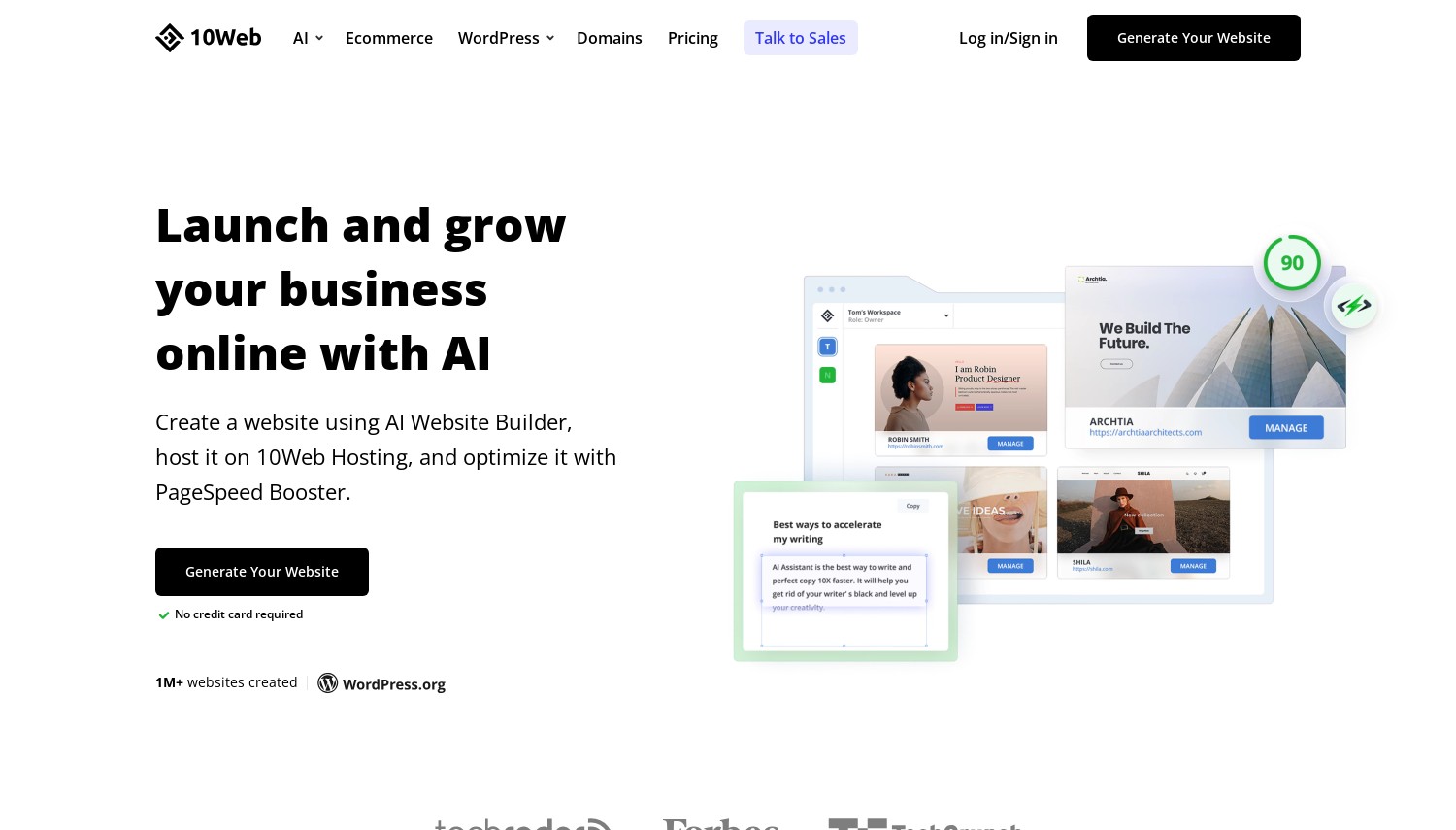
Fügen Sie Ihre Wix-URL ein, und die KI von 10Web baut die Seite in WordPress neu auf. Dieser eine Satz ist der Grund, warum 10Web in den Mittelpunkt jeder Wix-to-WordPress-Shortlist gehört. Sein AI Website Builder liest ein vorhandenes Wix (oder Squarespace) Seite und regeneriert das Design und den Inhalt als real, Bearbeitbare WordPress-Site mit Elementor. Der Quellcode wird nicht kopiert; es stellt den Look wieder her, Anschließend erhalten Sie einen KI-Co-Piloten, mit dem Sie Abschnitte mit verständlichen Eingabeaufforderungen neu gestalten können. Kein anderer Host auf dieser Liste versucht dies.
Lesen Sie das Kleingedruckte, weil es sich nicht um eine One-Click-Ganze-Site handelt. Die Konvertierung erfolgt Seite für Seite: Eine 15-seitige Wix-Site bedeutet 15 Erholung, und kostenlose Konten sind begrenzt 10 Seiten, bevor Sie ein Upgrade durchführen. Die KI regeneriert statt zu klonen, Daher müssen komplexe Wix-Animationen und benutzerdefinierte Widgets anschließend manuell bereinigt werden. Beim Hosting, 10Web führt verwaltetes WordPress in Google Cloud mit einem gezielten PageSpeed-Booster aus 90+ Noten. Bei einem Preis von 10 USD/Monat beträgt der Einstiegspreis für AI Starter das Dreifache des USD von Hostinger 2.99. Aber kein billigerer Hoster baut Ihr Wix-Design überhaupt um, Sie zahlen also für den Umbau, nicht nur der Server. Ein Haken: Cloudflare CDN erscheint nur auf dem USD 23 Ultimative Stufe, kein Eintrag.
Vorteile
- KI erstellt eine Wix-URL neu in WordPress
- Klartext KI-Co-Pilot Bearbeitung
- Verwaltet in Google Cloud, 90+ PageSpeed-Ziel
- Pauschalpreise, kein Erneuerungssprung
Nachteile
- Konvertierung ist Seite für Seite, nicht die gesamte Website
- Komplexe Wix-Widgets müssen manuell bereinigt werden
- Kein CDN auf der Einstiegsebene
Preisgestaltung: AI Starter 10 USD/Monat (120 USD/Jahr), 1 Seite? ˅, 10 GB, 10,000 Besuche. Premium-USD 15. Ultimativer USD 23 (fügt Cloudflare CDN hinzu). Bei Erneuerung gelten die Preise.
Beste für: Jeder, der möchte, dass das Wix-Design automatisch neu erstellt wird, nicht von Hand nachgebaut.
Überspringen Sie, wenn: Ihre Website ist riesig und die seitenweise Konvertierung klingt mühsam.
Urteil: Wählen 10Netz wenn es das Ziel ist, Ihren Wix-Look mit minimaler manueller Arbeit beizubehalten; Nichts anderes hier konvertiert eine URL mit KI. Wenn Sie lieber einen Menschen für die Migration einer bereits konvertierten Website bezahlen möchten, Der Pressable kostet 20,83 USD/Monat, wobei die Arbeit von Ingenieuren erledigt wird. Wenn das Budget alles ist und Sie von Hand umbauen, Hostinger ist USD 7 günstiger.
7. Bluehost
 28.1k+
4.1
Positiv
Neutral
28.1k+
4.1
Positiv
Neutral
| Lager | Bandbreite | Panel | Preis | |
|---|---|---|---|---|
| 10 GB | Unbegrenzt | cPanel | $2.95 / mo. | Plan anzeigen |
| 50 GB | Unbegrenzt | cPanel | $5.45 / mo. | Plan anzeigen |
| 50 GB | Unbegrenzt | cPanel | $9.95 / mo. | Plan anzeigen |
Bluehost – Beste von WordPress.org empfohlene Budgetauswahl
Einführung: 3,99 USD/Monat | WordPress.org unterstützt | 30-Tag Geld zurück
Bluehost ist einer von nur drei Hosts, die WordPress.org offiziell empfiehlt 2026, neben Pressable und Hostinger. Für einen WordPress-Erstbesitzer, Diese Unterstützung ist etwas Echtes wert. Ein geführter Onboarding-Assistent führt Sie von der Anmeldung zu einer Live-Site, ohne eine Servereinstellung zu berühren. Für einen Wix-Benutzer, der es gewohnt ist, an der Hand geführt zu werden, Dieses Händchenhalten senkt die Einschüchterungskurve stärker als jedes Datenblatt.
Bei der Preisgestaltung gewinnt man den Budgetkampf. Der Starter-Plan kostet 3,99 USD/Monat und verlängert sich um 9,99 USD/Monat, ein 2,5-facher Anstieg. Das ist der sanfteste Schritt unter den Billig-Hostern hier. SiteGround, im Gegensatz dazu, verlängert sich um fast das Doppelte (US Dollar 17.99) von einem ähnlichen Anfang. Eine kostenlose Domain für das erste Jahr, kostenloses SSL, und ein kostenloses CDN runden das Ganze ab. Die Einschränkung entspricht der der Konkurrenz: Das kostenlose WP-Migrationstool von Bluehost verschiebt nur WordPress-Sites. Für eine rohe Wix-Site, Sie erstellen entweder über den Onboarding-Assistenten neu oder zahlen den vollständigen Site-Migrationsservice von Bluehost, rund USD 149.99 pro Nicht-WordPress-Site. Das sind echte Kosten, die es wert sind, vor der Unterzeichnung eingeplant zu werden.
Vorteile
- Offiziell WordPress.org empfohlen im 2026
- Geführtes Onboarding für absolute Anfänger
- Sanft 2.5x Erneuerung (US Dollar 3.99 in USD 9.99)
- Kostenlose Domain, SSL, und CDN
Nachteile
- Die kostenlose Migration schließt Wix-Inhalte aus
- Die Umzugskosten wurden von Wix bezahlt ~USD 149.99
- Upsells während des Bezahlvorgangs
Preisgestaltung: Starter-Einführung: 3,99 USD/Monat, erneuert USD 9.99. Die Business-Stufe verlängert den USD 13.99. Kostenlose Domain im ersten Jahr.
Beste für: Einsteiger, die das Sicherste wollen, am häufigsten dokumentierter WordPress-Start.
Überspringen Sie, wenn: Sie müssen den Wix-Inhalt selbst verschieben, ohne dafür extra zu zahlen.
Urteil: Wählen Bluehost wenn eine offizielle WordPress-Empfehlung und eine sanfte Erneuerungskurve Sie mehr beruhigen als Premium-Hardware. Wenn Sie den gleichen niedrigen Einstieg mit einem einfacheren, kundenspezifischen Panel wünschen, Hostinger erneuert USD 1 günstiger. Wenn Sie möchten, dass die Migration von Menschen durchgeführt wird, Pressable beinhaltet es kostenlos.
Pressable – Beste, für Sie erledigte Migration
20,83 USD/Monat jährlich | Im Besitz von Automattic | 30-Tag Geld zurück
Pressable ist hier der einzige Host, der einen Menschen schickt, um Ihre Migration durchzuführen. Seine Ingenieure kümmern sich durchgängig um die WordPress-Umstellung, Stellen Sie es bereit, damit Sie es vor dem Go-Live überprüfen können, und dafür nichts verlangen, auf unbegrenzten Websites. Für einen Wix-Benutzer, dessen größte Angst darin besteht "Wie verschiebe ich das eigentlich alles?," Dieser White-Glove-Dienst beantwortet die Frage direkt, anstatt Sie auf ein Plugin zu verweisen. Pressable ist Eigentum von Automattic, das Unternehmen hinter WordPress.com. Automattic betreibt zufällig den einzigen nativen Wix-Importer im Ökosystem, Daher verläuft der Weg „Konvertieren und dann migrieren“ hier reibungsloser als anderswo.
Es handelt sich um einen Premium-verwalteten Host, Basierend auf der WP Cloud von Automattic. Sie erhalten Jetpack Security im Paket, tägliche Backups, ein globales Edge-Netzwerk, und Entwicklertools (SSH, WP-CLI, Git) wenn man in sie hineinwächst. Unterschrift 1 Der Preis beträgt 20,83 USD/Monat und wird jährlich in Rechnung gestellt (US Dollar 250) für eine Site und bis zu 30,000 Besuche, und der Preis ist pauschal ohne Verlängerungsaufschlag. Das unterbietet Kinstas USD 35 nach USD 14 einen Monat für ein vergleichbares Managed-Erlebnis auf Automattic-Niveau. Zwei ehrliche Grenzen: Es gibt keinen Drag-and-Drop-Builder, Sie erfüllen also auch nach dem Umzug noch die Lernkurve von WordPress, und bei etwa dem Sechsfachen des Bluehost-Eintrags ist es keine preisgünstige Wahl.
Wenn kostenlose Migrationshilfe Ihr entscheidender Faktor ist, unsere Zusammenfassung von WordPress-Hosts, die Ihre Website kostenlos migrieren vergleicht die Policen nebeneinander.
Vorteile
- Kostenlose White-Glove-Migration von echten Ingenieuren
- Im Besitz von Automattic, WordPress.org empfohlen
- Jetpack Security im Paket enthalten, tägliche Backups
- Pauschalpreise, US Dollar 14 unter Kinsta
Nachteile
- Kein Drag-and-Drop-Builder
- Premium-Eintrag (~6x Bluehost)
- Für die Migration ist zunächst noch eine WordPress-Quelle erforderlich
Preisgestaltung: Unterschrift 1 20,83 USD/Monat, jährliche Abrechnung (250 USD/Jahr), oder ~USD 25/Monat monatlich. Eine Seite, bis zu 30,000 Besuche. Kein Erneuerungssprung.
Beste für: Menschen, die dafür bezahlen, dass die gesamte Migration von Menschen bewältigt wird.
Überspringen Sie, wenn: Sie möchten einen visuellen Editor oder einen Schein unter 10 USD.
Urteil: Wählen Pressbar wenn freihändig, Von Menschen durchgeführte Migration und automatische Unterstützung sind USD wert 250 ein Jahr für dich. Wenn Sie die gleiche Wohnung wollen, verwaltete Qualität mit einem größeren CDN und 37 Regionen, Kinsta ist USD 14 Mehr. Wenn Sie möchten, dass ein Wix-ähnlicher Editor die WordPress-Kurve abmildert, BoldGrid von InMotion ist der benutzerfreundlichere Weg.
8. DreamHost
 7.7k+
4.6
Positiv
Positiv
7.7k+
4.6
Positiv
Positiv

| Lager | Bandbreite | Panel | Preis | |
|---|---|---|---|---|
| 50 GB | Unbegrenzt | cPanel | $2.59 / mo. | Plan anzeigen |
| Unbegrenzt | Unbegrenzt | $3.95 / mo. | Plan anzeigen |
DreamHost – Beste KI-basierte Website mit knappem Budget
~2,89 USD/Monat Einführung | Liftoff-KI-Builder | 30-Tag Geld zurück
DreamHost landet auf dem letzten Platz, verdient aber seinen Platz aufgrund des Preises und seines Liftoff AI-Builders. Liftoff startet eine vollständige WordPress-Site über eine Texteingabeaufforderung, Praktisch für einen Wix-Benutzer, der einen Look von Grund auf neu erstellen möchte. Der Eintritt beträgt langfristig etwa 2,89 USD/Monat, und DreamPress fügt verwaltetes WordPress hinzu, wenn Sie über die gemeinsame Nutzung hinauswachsen. NVMe-Speicher läuft 25 GB nach 100 GB über den Launch, Wachstum, und Skalierungsstufen, und tägliche Backups gehören zum Standard.
Zwei Tatsachen machen es ehrlich. Zuerst, DreamHost wurde 2011 aus der Liste der empfohlenen Hosts von WordPress.org entfernt 2026, Daher kann es im Gegensatz zu Bluehost oder Pressable dieses Abzeichen nicht mehr beanspruchen. Wenn es in einer Rezension immer noch als aufgeführt ist "WordPress empfohlen," Diese Rezension ist veraltet. Zweite, Das Rückerstattungsfenster wurde abgeschnitten 97 Tage bis 30 Tage im Juli 2025, Der bekanntermaßen lange Prozess ist also vorbei. Bei Erneuerungen, Start steigt auf 7,99 USD/Monat, ein 2,8-facher Sprung, der immer noch den USD von Bluehost unterbietet 9.99 Erneuerung durch 20% und liegt deutlich unter dem USD von FastComet 9.95. Es ist ein kostenloses Migrations-Plugin, vorhersehbar, verschiebt WordPress-Seiten, nicht Wix.
Vorteile
- Liftoff-KI-Builder generiert eine vollständige Website
- Niedriger Einstieg in der Nähe 2,89 USD/Monat
- NVMe-Speicher, tägliche Backups inklusive
- Erneuerung unterbietet Bluehost um 20%
Nachteile
- Von WordPress.org gelöscht 2026 aufführen
- Rückerstattung gekürzt 30 Tage (War 97)
- Nur per E-Mail kostenlos 3 Monate, dann bezahlt
Preisgestaltung: Starten Sie die Einführung für ca. 2,89 USD/Monat, erneuert USD 7.99. Wachstum erneuert USD 8.99. Scale erneuert USD 19.99. Von DreamPress verwaltetes WordPress wird separat berechnet.
Beste für: Budgetmanager, die möchten, dass KI das neue Design generiert.
Überspringen Sie, wenn: Sie haben sich beim Testen auf die alte 97-Tage-Rückerstattung von DreamHost verlassen.
Urteil: Wählen DreamHost Wenn Sie das günstigste KI-generierte WordPress starten möchten und sich nicht um das WordPress.org-Abzeichen kümmern. Wenn Ihnen diese Bestätigung wichtig ist, Bluehost behält es für USD 1 Mehr. Wenn Sie möchten, dass KI Ihre tatsächlichen Wix-Seiten neu erstellt, anstatt neue zu erfinden, 10Das Web ist das einzige Tool, das dies kann.
So wählen Sie Wix-to-WordPress-Hosting aus
Wählen Sie nicht nur den Preis aus. Wählen Sie aus, zu welchem Umfang des Umbaus Sie bereit sind, und wie viel Sie bezahlen werden, um es zu überspringen. Fünf konkrete Fälle:
- Unter 4 USD/Monat, praktischer Wiederaufbau: Hostinger Premium (US Dollar 2.99, erneuert USD 10.99) oder DreamHost Launch (~USD 2.89, erneuert USD 7.99). Beide bieten Ihnen einen KI-Builder, um den Neuaufbau zu beschleunigen. Überspringen Sie Kinsta hier; 35 USD/Monat sind mehr als das Zehnfache des Preises für eine einzelne kleine Website.
- Möchten Sie, dass das Wix-Design automatisch neu erstellt wird?: 10Web-KI-Starter (10 USD/Monat) ist der einzige Hoster, der eine Wix-URL mit KI in WordPress umwandelt. Überspringen Sie alle "freie Migration" für diesen Job; Jeder von ihnen verschiebt nur WordPress-Sites, nicht Wix.
- Menschen dafür bezahlen, dass sie den Umzug machen: Pressbar (20,83 USD/Monat, Ingenieure migrieren kostenlos) oder InMotion (kostenlose professionelle WordPress-Migration plus 90-Tage-Garantie). Überspringen Sie FastComet; Der kostenlose Transfer berührt die Inhalte von Wix nicht, Sie würden also Verlängerungspreise für einen Umzug zahlen, den es nicht durchführen kann.
- Shop mit WooCommerce-Plänen, 300+ Produkte: SiteGround GrowBig (US Dollar 4.99 Einführung, Staging und Ultrafast PHP) oder InMotion WP Power (200 GB NVMe, 10 Websites). Überspringen Sie Kinstas Einstiegsstufe; 10 GB und 2 PHP-Arbeiter verstopfen einen geschäftigen Laden.
- Publikum außerhalb der USA, Latenz ist wichtig: FastComet (ab USD 1.99 Einführung, erneuert USD 9.95) hat 11 zu 12 globale Rechenzentren. Eine Leserbasis in Sydney oder Mumbai lädt schneller von einem nahegelegenen FastComet-Knoten als von den US-amerikanischen Servern von Bluehost. Kinstas 37 Google Cloud-Regionen erledigen die gleiche Aufgabe, aber nur, wenn der USD 35 Die Stufe passt zu Ihrem Budget.
Ich bin immer noch unsicher, ob ich den Bauträger überhaupt verlassen soll? Unser Vergleich von WordPress versus Website-Builder legt den Kompromiss zwischen Kontrolle und Komfort ehrlich dar, bevor Sie sich auf den Umzug festlegen.
Häufig gestellte Fragen
Welcher Host konvertiert tatsächlich eine Wix-Site in WordPress??
Nur 10Web. Sein AI Website Builder erstellt das Design und den Inhalt einer Wix-Seite allein anhand der URL wie eine echte WordPress-Site, Seite für Seite. Jeder andere Gastgeber hier (Hostinger, Bluehost, SiteGround, Kinsta, und der Rest) bietet Migration an, die nur WordPress-Sites verschiebt. Eine Wix-Site muss zunächst neu erstellt oder konvertiert werden, bevor ihre Tools helfen können.
Machen Sie Hostinger, Bluehost, oder SiteGround migrieren Websites von Wix kostenlos?
Nein. Ihr "freie Migration" gilt für WordPress-zu-WordPress-Übertragungen. Wix ist eine geschlossene Plattform ohne sauberen Export, Daher können diese Tools Ihre Wix-Seiten nicht abrufen. Bluehost führt für rund USD einen kompletten Site-Umzug durch 149.99, oder Sie erstellen es über den Onboarding-Assistenten neu. Hostinger und SiteGround erwarten eine manuelle Neuerstellung der Wix-Inhalte.
Ist WordPress-Hosting günstiger als Wix??
Meistens, Ja, Zumindest bei den Einstiegspreisen. Die kostenpflichtigen Pläne von Wix kosten etwa USD 17 bis 39 USD/Monat, während Hostinger bei USD beginnt 2.99 und DreamHost in der Nähe von USD 2.89. Erneuerungen ansehen, obwohl: SiteGround springt auf USD 17.99 und FastComet in USD 9.95. Kinsta und Pressable kosten mehr, erhöhen aber nie den Preis.
Welcher Wix-to-WordPress-Host eignet sich am besten für ein kleines Unternehmen mit kleinem Budget??
Hostinger für den preisgünstigsten Einstieg und ein einfaches Panel. Oder Bluehost, wenn Sie die Empfehlung von WordPress.org und die sanfteste Verlängerung wünschen (US Dollar 3.99 in USD 9.99). Wählen Sie DreamHost, wenn Sie möchten, dass der Liftoff AI Builder kostengünstig ein neues Design erstellt. Alle drei kosten zu Beginn weniger als 4 USD/Monat.
Endgültiges Urteil
Es gibt keinen magischen Knopf, der eine Wix-Site in WordPress hochhebt, Der richtige Host hängt also davon ab, wie Sie den Umbau planen. 10Netz ist das Highlight für alle, die möchten, dass das Design automatisch neu erstellt wird, und bei 10 USD/Monat spart es Stunden manueller Arbeit. Hostinger Vorteile hinsichtlich Preis und Benutzerfreundlichkeit für einen praktischen Umbau, während Bluehost handelt mit USD 1 für eine offizielle WordPress-Empfehlung und eine sanfte Erneuerung. Wenn Sie den Umzug lieber gar nicht erst anfassen möchten, Pressbar stellt echte Ingenieure kostenlos zur Verfügung, und Kinsta bietet die gleiche Ruhe zum Pauschalpreis auf einer höheren Stufe. In Bewegung ist die Wahl, wenn Sie auf einen Drag-and-Drop-Editor im Wix-Stil nicht verzichten können.
Sobald Sie einen Gastgeber ausgewählt haben, Der eigentliche Umzug ist ein eigenes Projekt. Unser Schritt-für-Schritt-Anleitung für die Migration von Wix zu WordPress führt Sie durch den Export von Beiträgen, Bilder reparieren, und Einstellung 301 leitet weiter, So behalten Sie Ihre Platzierungen. Und wenn Sie immer noch zwischen den Buildern hin- und hergerissen sind, bevor Sie sich verpflichten, unser Vergleich zwischen Wix und Squarespace deckt die nächstliegende Alternative ab. Egal auf welchem Host Sie landen, Der Lohn dafür, Wix zu verlassen, ist die Kontrolle, die Ihnen der Bauunternehmer nie gegeben hat.