
Su questa pagina: [nascondere]
Risposta breve: Jimdo è una scelta solida per i proprietari di piccole imprese che desiderano un servizio veloce, sito web senza fronzoli. Non è sufficiente quando è necessaria una vera personalizzazione, blog forte, o un negozio costruito per crescere.
Questa recensione si basa sul feedback aggregato dei clienti, pagine ufficiali dei prezzi, parametri di riferimento indipendenti, e discussioni su Reddit. A differenza delle recensioni pesanti di affiliazione, includiamo avvisi della community sul blocco del prodotto Jimdo e sulla fatturazione con rinnovo automatico che molti altri siti ignorano comodamente. Copriamo anche gli editor Creator e Dolphin, poiché scegliere quello sbagliato è una decisione che non puoi annullare.
Valutazione complessiva: Jimdo segna approssimativamente 4.3/5 attraverso 7,200+ recensioni aggregate. I punti di forza includono una configurazione rapida basata sull'intelligenza artificiale e modelli predefiniti puliti. I reclami più comuni riguardano rigidi limiti di personalizzazione, attriti tra fatturazione e cancellazione, e tempi di caricamento della pagina lenti. Ideale per le piccole imprese tedesche, liberi professionisti, e semplici siti di brochure di seguito 10 pagine.
 Visita il sito
| Nome | Jimdo |
| Recensioni totali | 5687 |
| Punteggio medio | 4.0 |
| Sito web | https://www.de.jimdo.com |
| Indirizzo | Stresemannstr. 375 Amburgo 22761 A PARTIRE DAL |
Numero di recensioni
media. Punteggio della recensione
Servizio Clienti
Caratteristiche e servizi
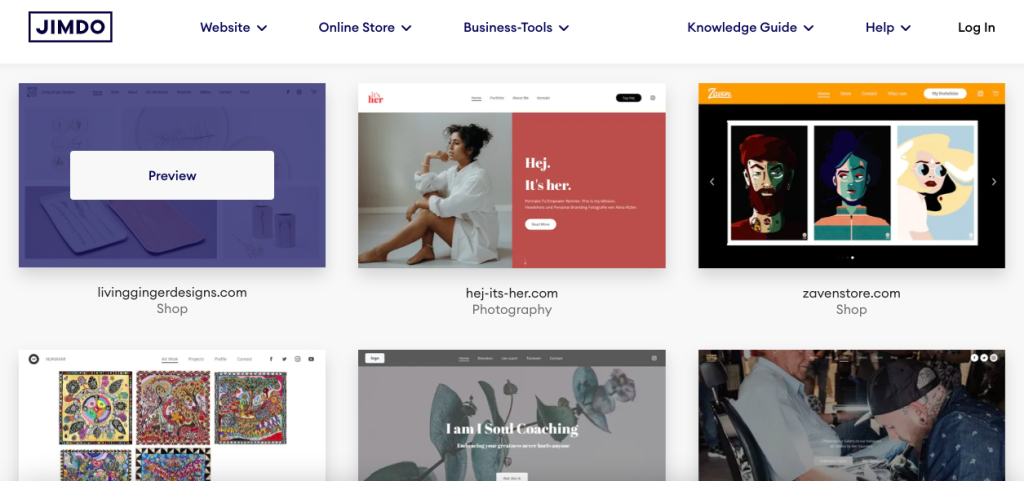
Jimdo è un costruttore di siti web con sede ad Amburgo, fondato nel 2007. Non è un host web tradizionale. Non troverai VPS o opzioni server dedicati qui. Anziché, Jimdo è una piattaforma all-in-one in cui hosting, editore, e la gestione del dominio si uniscono insieme.
Prodotti offerti
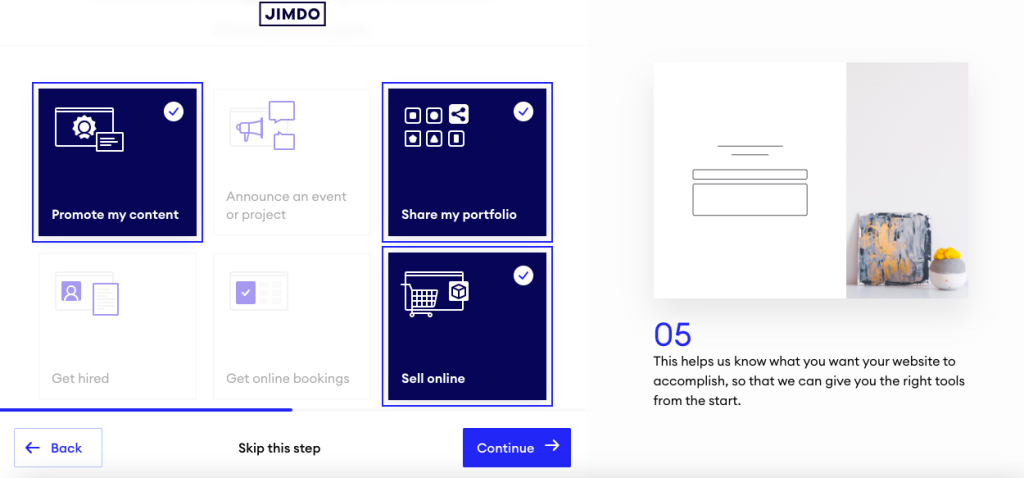
- Jimdo Delfino – Costruttore di siti Web basato sull'intelligenza artificiale (lanciato 2017). Ti fa alcune domande e genera automaticamente un sito. Questo è ora il percorso predefinito per i nuovi utenti.
- Jimdo Creatore – Editor drag-and-drop legacy. Più flessibile di Dolphin, ma da allora Jimdo ha sminuito l'enfasi 2022.
- Negozio online – Piani di e-commerce con gestione del prodotto, varianti, e integrazioni di pagamento.
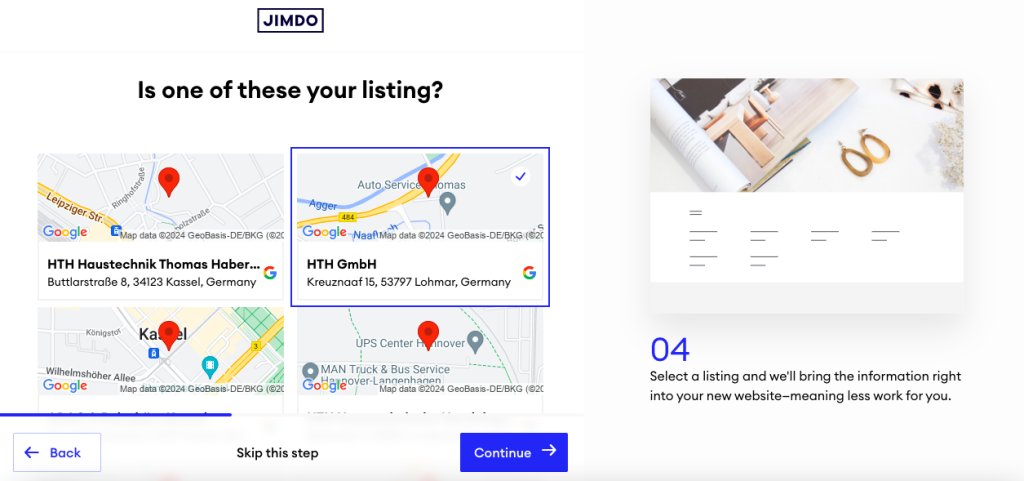
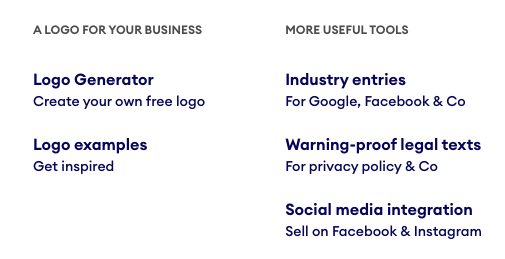
- Elenchi di attività commerciali Jimdo – Un prodotto secondario che sincronizza le informazioni sulla tua attività su Google, Facebook, Guaire, e directory simili.
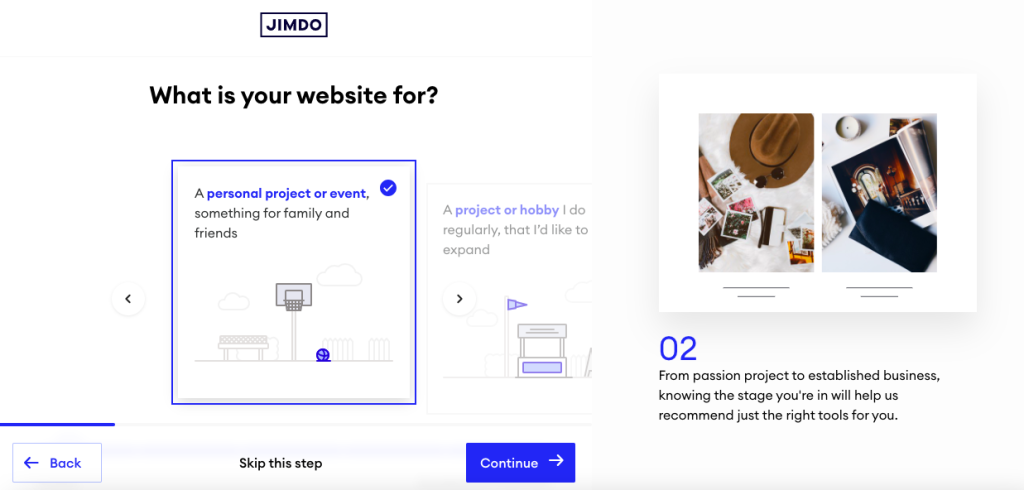
Nota critica: Non puoi passare da Dolphin a Creator dopo l'avvio. Scegli male e ricostruisci da zero. Le discussioni della community su Reddit segnalano questa come una delle più grandi trappole in cui cadono i nuovi utenti Jimdo.
Caratteristiche principali evidenziate dai clienti
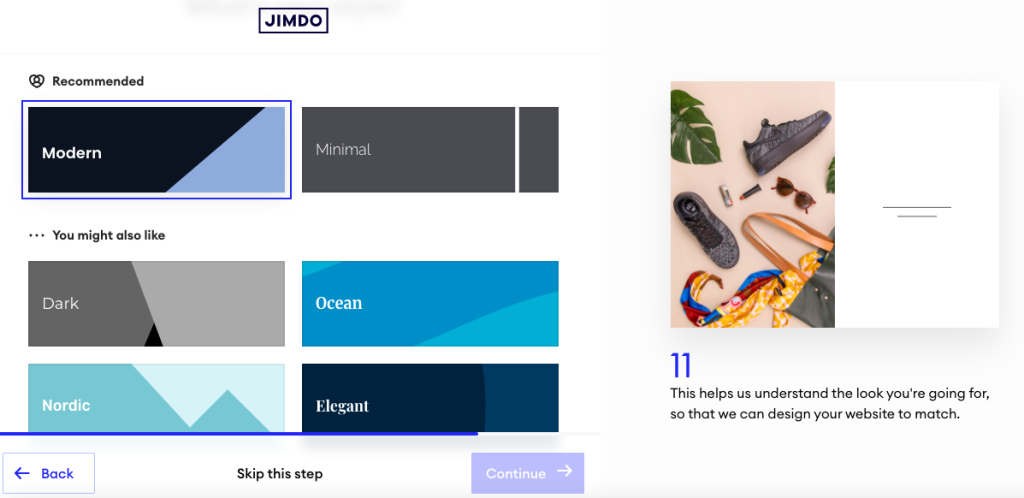
- Generazione del sito AI (Delfino) – Ottiene un sito funzionante dal vivo in basso 10 minuti. Prezioso per i proprietari non tecnici che hanno solo bisogno di qualcosa di presentabile.
- Pulito, modelli pronti per dispositivi mobili – I siti hanno un aspetto professionale senza configurazione. Gli utenti affermano costantemente che l'output predefinito è sufficientemente buono per essere pubblicato.
- SSL e hosting integrati – SSL (il certificato di sicurezza che mette il lucchetto nel tuo browser) e l'hosting sono gestiti per te. Non gestisci i server, certificati, o DNS. Tutto funziona sullo stack di Jimdo.
- Sincronizzazione degli elenchi di attività commerciali – Un tocco di piccola impresa che i concorrenti più grandi come Squarespace non eguagliano fuori dagli schemi.
Posizioni dei data center
Jimdo gestisce infrastrutture in Germania, gli Stati Uniti, e Giappone. Questo è importante per la latenza. I visitatori europei ricevono risposte rapide dai data center tedeschi. Per uno sguardo più approfondito alle opzioni ospitate in Germania oltre a Jimdo, vedi il nostro Guida al web hosting in Germania.
Aspettative di prestazione


È qui che i dati disponibili diventano scomodi. Benchmark indipendenti mostrano che i siti Jimdo hanno una media di circa 6 secondi per caricare, con ritardi di interazione vicini 11 secondi. Google consiglia sotto 2.5 secondi per la pittura con contenuto più grande. Jimdo è più del doppio di quel tetto. Se la velocità è importante per il tuo SEO o per le tue conversioni, budget per il lavoro di ottimizzazione o scegli un costruttore più veloce.
Esperienza del cliente
Le piattaforme di recensioni aggregate mettono Jimdo in giro 4.3/5 attraverso 7,200+ recensioni. Il numero del titolo sembra buono. Scava più a fondo e lo schema è nitido: gli utenti che desiderano un sito semplice lo adorano. Gli utenti che provano a superare le impostazioni predefinite si sentono frustrati rapidamente.
Ciò che i clienti elogiano
Velocità di installazione. L'elogio più costante tra le recensioni è la velocità con cui Jimdo rende attivo un sito. L’intelligenza artificiale di Dolphin pone cinque o sei domande e produce qualcosa di pubblicabile. Per un consulente solista che ha solo bisogno di una presenza sul web, vale soldi veri.
Supporta la reattività sui livelli più alti. Crescere, Illimitato, e i clienti VIP spesso riferiscono di essere utili, risposte umane. Il supporto in lingua tedesca riceve un elogio particolare, il che ha senso date le radici di Jimdo ad Amburgo.
Qualità del modello. Le recensioni menzionano spesso che il design predefinito appare lucido senza modifiche. I proprietari di piccole imprese apprezzano il fatto di non aver bisogno di un designer per spedire qualcosa di professionale.
Comodità tutto in uno. Ospitando, SSL, editore, e dominio in un'unica dashboard. Non bisogna destreggiarsi tra fornitori separati. Questa semplicità è il motivo per cui molti utenti continuano a utilizzare Jimdo anche dopo aver raggiunto i limiti.
Reclami comuni
Limiti severi di personalizzazione. Questa è la lamentela principale. Non puoi spostare liberamente gli elementi, regolare la spaziatura, o aggiungi layout di colonna personalizzati in Dolphin. Le recensioni descrivono i sentimenti “inscatolato” dalla struttura a blocchi. Se riesci a immaginare esattamente come vuoi che sia il tuo sito, Jimdo probabilmente non ti permetterà di costruirlo.
Blog debole. Dolphin non ha un blog nativo. Il Creatore ne ha uno, ma senza programmazione, tag, categorie, o commenti. Per siti basati sui contenuti, questo è un rompicapo.
Attriti tra fatturazione e cancellazione. Reclami ricorrenti sui rinnovi automatici, accuse a sorpresa, e difficoltà di annullamento. Alcuni utenti menzionano gli avvisi di recupero crediti. Questo schema appare abbastanza spesso da non poter essere ignorato.
Caricamento lento delle pagine. Test indipendenti mostrano che i tempi di caricamento sono circa il doppio della soglia consigliata da Google. Per chiunque sia serio riguardo alla SEO o alle conversioni, questo è un problema.
Feedback della comunità (Reddit & Forum)
Oltre le piattaforme di revisione ufficiali, le discussioni della community rivelano prospettive che le revisioni curate spesso trascurano.
Blocco Dolphin vs Creator. I Redditor avvertono ripetutamente che non è possibile passare da un editor all'altro. Scegli Delfino, me ne pento, e la tua unica opzione è ricostruire da zero. Questo singolo problema genera più frustrazione nei thread della community rispetto a qualsiasi altro argomento.
Esportare il dolore. Far uscire i tuoi contenuti da Jimdo è difficile. Non esiste un percorso pulito per WordPress o un’esportazione statica. I post della community descrivono l'operazione di copia e incolla dei contenuti manualmente durante la migrazione. Il lock-in è reale.
I siti sembrano tutti uguali. Gli utenti di r/smallbusiness e r/webdev notano che i siti Jimdo, indipendentemente dal livello, tendono a condividere una firma visiva. Se per te la differenziazione è importante, vale la pena saperlo.
Storie horror con rinnovo automatico. Più thread avvisano degli abbonamenti rinnovati nonostante i tentativi di annullamento. Lo schema è sufficientemente coerente da costituire ora un avvertimento permanente nei consigli della comunità.
Consenso comunitario: Jimdo va bene per un semplice sito di brochure. Non è la piattaforma per qualcosa che intendi far crescere.
Supporta la qualità
Il supporto è basato su email e ticket. Non c'è 24/7 linea telefonica per utenti generici. Il tempo di risposta tiene traccia del livello: I clienti VIP vedono le risposte entro 1 ora, mentre i clienti Play and Start hanno segnalato attese che si prolungano fino a settimane durante i periodi di maggiore affluenza. Il supporto in lingua tedesca è un chiaro punto di forza. Il supporto in inglese riceve recensioni contrastanti, soprattutto ai livelli inferiori.
Quando usare Jimdo
Jimdo funziona bene in scenari specifici. Non è per tutti, ma quando va bene, si adatta in modo pulito.
Ideale per
Piccole imprese e liberi professionisti tedeschi: Azienda con sede ad Amburgo, forte supporto in lingua tedesca, data center in Germania, e familiarità con la conformità UE. Se servi un mercato di lingua tedesca, Jimdo parla la tua lingua in modo letterale e operativo.
Imprese di servizi che necessitano di una presenza web di base: Parrucchieri, idraulici, consulenti locali, terapisti. Hai bisogno di una pagina che dica chi sei, quello che fai, e come contattarti. Jimdo riesce a realizzare quel caso d'uso in un pomeriggio.
Proprietari di siti per la prima volta che non vogliono imparare WordPress: Il costruttore dell'IA fa il lavoro pesante. Non scegli i modelli, configurare i plugin, o eseguire il debug della memorizzazione nella cache. Quel compromesso, meno controllo per una minore curva di apprendimento, è tutto.
Lo apprezzerai se
- Il tuo sito è sotto 10 pagine e per lo più informative, perché i livelli Start e Grow di Jimdo sono dimensionati esattamente per questo.
- Vuoi una fattura che copra l'hosting, dominio, e costruttore, perché Jimdo raggruppa in modo pulito.
- Vendi una manciata di prodotti localmente, perché il piano negozio Basic copre piccoli cataloghi senza strumenti aggiuntivi.
- Non prevedi di eseguire la migrazione in un secondo momento, perché se lo fai, sei pronto per il dolore.
Quando NON usare Jimdo
Nessun costruttore è adatto a tutti. Jimdo ha lacune specifiche che danneggeranno gravemente alcuni utenti.
Cerca altrove se
Vuoi un content marketing basato sulla SEO: Funzionalità di blog deboli, caricamento lento della pagina, e controllo limitato dello schema. Se il traffico organico è la tua strategia, WordPress o Wix ti serviranno meglio.
Stai costruendo un negozio di e-commerce in crescita: Le funzionalità del negozio Jimdo raggiungono rapidamente i limiti. Una volta che hai bisogno di regole di spedizione complesse, multivaluta, seria gestione delle scorte, o SEO forte, lo supererai. Shopify o WooCommerce lo gestiscono meglio.
Hai bisogno di una profonda personalizzazione del design: La struttura a blocchi di Dolphin è rigida. Se hai in mente un design specifico, o combatterai contro l'editore o ti arrenderai. Squarespace e Webflow offrono ai designer molto più spazio.
Prevedi di eseguire la migrazione in un secondo momento: Jimdo non ha un percorso di esportazione pulito. Il tuo contenuto è effettivamente bloccato. Se c'è qualche possibilità di spostare le piattaforme 2-3 anni, iniziare da qualche parte con una migliore portabilità.
Bandiere rosse per la tua situazione
- Il supporto telefonico è essenziale: Jimdo non lo offre agli utenti generici. Solo e-mail e biglietto.
- Non ti piace la fatturazione con rinnovo automatico: I rapporti della comunità suggeriscono che l’annullamento può essere complicato. Se desideri flessibilità mese per mese, questa non è la tua piattaforma.
- Hai bisogno di analisi dettagliate o test A/B: Non la forza di Jimdo. Finirai per ricorrere a strumenti di terze parti.
- Vuoi un blog con funzionalità CMS reali: Pianificazione, tag, categorie, Commenti. Il blog di Jimdo è debole in tutte queste aree.
Se si applica uno di questi, vedere la sezione Alternative di seguito per raccomandazioni specifiche.
- Recensioni di Jimdo dalla Germania
| Punteggio medio | 4.05 |
| Numero di recensioni | 4183 recensioni |
- Recensioni di Jimdo dalla Svizzera
| Punteggio medio | 4.04 |
| Numero di recensioni | 957 recensioni |
- Recensioni di Jimdo dall'Austria
| Punteggio medio | 4.36 |
| Numero di recensioni | 808 recensioni |
- Recensioni di Jimdo dalla Spagna
| Punteggio medio | 4.35 |
| Numero di recensioni | 294 recensioni |
- Recensioni di Jimdo dall'Italia
| Punteggio medio | 3.87 |
| Numero di recensioni | 236 recensioni |
- Recensioni di Jimdo dalla Francia
| Punteggio medio | 3.78 |
| Numero di recensioni | 139 recensioni |
- Recensioni di Jimdo dai Paesi Bassi
| Punteggio medio | 3.43 |
| Numero di recensioni | 99 recensioni |
- Recensioni di Jimdo dal Messico
| Punteggio medio | 4.74 |
| Numero di recensioni | 72 recensioni |
- Recensioni di Jimdo dagli Stati Uniti
| Punteggio medio | 3.81 |
| Numero di recensioni | 67 recensioni |
- Recensioni di Jimdo Dal Regno Unito
| Punteggio medio | 2.52 |
| Numero di recensioni | 61 recensioni |
- Recensioni di Jimdo dal Belgio
| Punteggio medio | 3.94 |
| Numero di recensioni | 34 recensioni |
- Recensioni di Jimdo dall'argentina
| Punteggio medio | 4.86 |
| Numero di recensioni | 29 recensioni |
- Recensioni di Jimdo dal Cile
| Punteggio medio | 4.95 |
| Numero di recensioni | 22 recensioni |
- Recensioni di Jimdo dalla Colombia
| Punteggio medio | 4.67 |
| Numero di recensioni | 18 recensioni |
- Recensioni di Jimdo dal Canada
| Punteggio medio | 3.47 |
| Numero di recensioni | 17 recensioni |
- Recensioni di Jimdo dalla Russia
| Punteggio medio | 4.93 |
| Numero di recensioni | 15 recensioni |
- Recensioni di Jimdo dal Lussemburgo
| Punteggio medio | 4.93 |
| Numero di recensioni | 14 recensioni |
- Recensioni di Jimdo DALL'AUSTRALIA
| Punteggio medio | 3.46 |
| Numero di recensioni | 13 recensioni |
- Recensioni di Jimdo dal Costarica
| Punteggio medio | 4.85 |
| Numero di recensioni | 13 recensioni |
- Recensioni di Jimdo dall'India
| Punteggio medio | 5.00 |
| Numero di recensioni | 9 recensioni |
- Recensioni di Jimdo dal Portogallo
| Punteggio medio | 4.78 |
| Numero di recensioni | 9 recensioni |
- Recensioni di Jimdo dalla Turchia
| Punteggio medio | 3.88 |
| Numero di recensioni | 8 recensioni |
- Recensioni di Jimdo dall'Ungheria
| Punteggio medio | 5.00 |
| Numero di recensioni | 6 recensioni |
- Recensioni di Jimdo dal Liechtenstein
| Punteggio medio | 3.17 |
| Numero di recensioni | 6 recensioni |
- Recensioni di Jimdo dalla Thailandia
| Punteggio medio | 4.67 |
| Numero di recensioni | 6 recensioni |
- Recensioni di Jimdo dalla Grecia
| Punteggio medio | 4.20 |
| Numero di recensioni | 5 recensioni |
- Recensioni di Jimdo dalla Namibia
| Punteggio medio | 3.40 |
| Numero di recensioni | 5 recensioni |
- Recensioni di Jimdo dalla Polonia
| Punteggio medio | 3.40 |
| Numero di recensioni | 5 recensioni |
- Recensioni di Jimdo dalla Svezia
| Punteggio medio | 3.40 |
| Numero di recensioni | 5 recensioni |
- Recensioni di Jimdo dalla Romania
| Punteggio medio | 4.00 |
| Numero di recensioni | 4 recensioni |
Piani e prezzi Jimdo
I prezzi di Jimdo sono insoliti per un costruttore di siti web. Non c'è niente di drammatico “prezzo promozionale ora, 3x al rinnovo” trucco. Anziché, paghi mensilmente o ti impegni a farlo 12 o 24 mesi per una tariffa mensile più economica. È una novità rispetto agli host che offrono promozioni da 2,99 USD/mese e rinnovano a 10,99 USD/mese.
⚠️ Avviso di fatturazione: Il vero rischio di fatturazione di Jimdo è il rinnovo automatico. Numerose recensioni dei clienti e thread Reddit segnalano il rinnovo degli abbonamenti nonostante i tentativi di cancellazione, con alcuni utenti che descrivono avvisi di recupero crediti per mancate cancellazioni. Leggi i termini prima di impegnarti, e imposta un promemoria sul calendario molto prima del rinnovo.
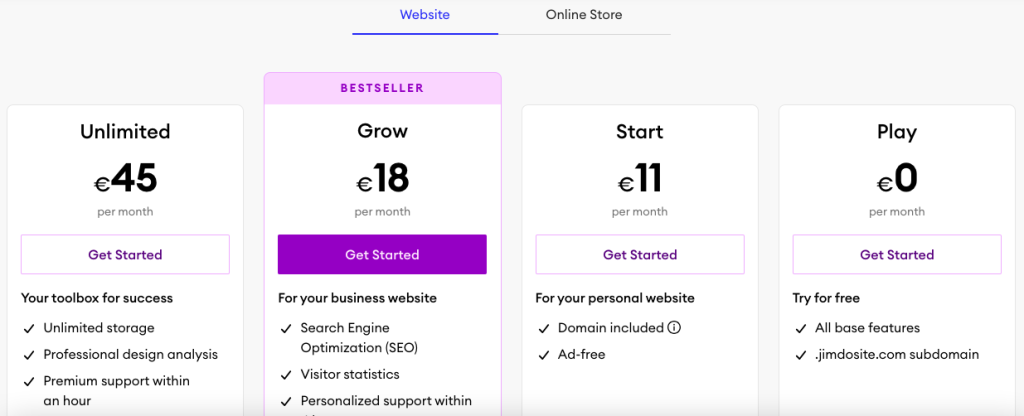
Piani per la creazione di siti web
GIOCARE A (Gratuito): USD 0/mese – 500 MB di archiviazione, 5 pagine, 2 Larghezza di banda GB. Il brand e gli annunci Jimdo vengono visualizzati sul tuo sito. Nessun dominio personalizzato. Va bene per aver testato l'editor, non per le imprese reali.
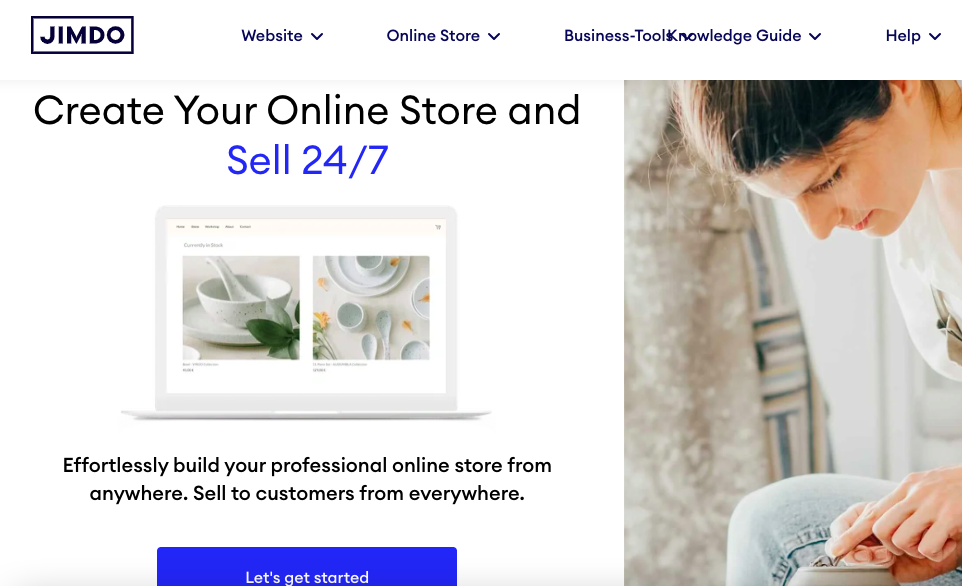
COMINCIARE: USD 11/mese – 5 GB di archiviazione, 10 pagine, 10 Larghezza di banda GB. Dominio gratuito per il primo anno, senza pubblicità, funzionalità SEO di base. Questo è il livello minimo richiesto dalla maggior parte dei siti di piccole dimensioni.
CRESCERE: USD 17/mese – 15 GB di archiviazione, 50 pagine, 20 Larghezza di banda GB. Dominio gratuito per il primo anno, risposta di supporto più rapida. Il punto debole se pianifichi una profondità di contenuto.
ILLIMITATO: USD 45/mese – Spazio di archiviazione illimitato, pagine, e larghezza di banda. Coda di supporto prioritaria. La maggior parte delle piccole imprese non avrà bisogno di questo livello.
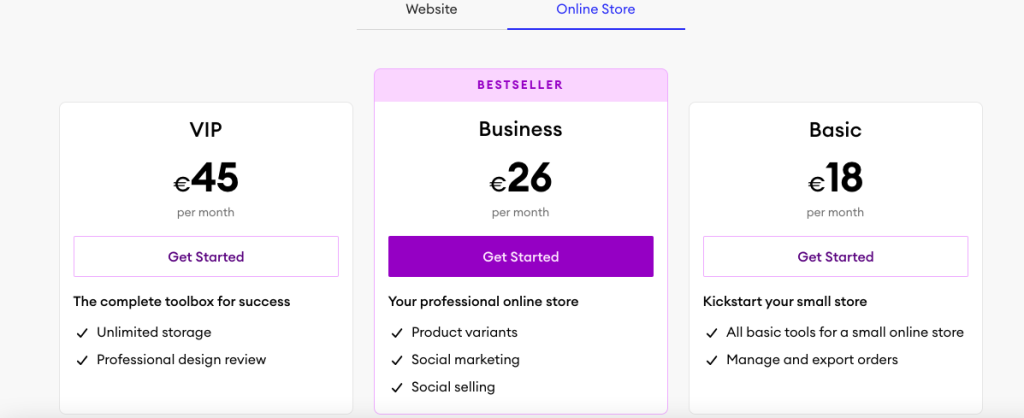
Piani del negozio online
DI BASE: USD 18/mese – 10 GB di archiviazione, prodotti illimitati, progettazione di un negozio. Adatto per testare l'e-commerce con un piccolo catalogo.
ATTIVITÀ COMMERCIALE: USD 26/mese – 15 GB, varianti di prodotto, codici sconto, strumenti di marketing avanzati.
VIP: USD 45/mese – Spazio di archiviazione illimitato, 1-risposta di supporto con priorità oraria, analisi progettuale professionale. Posizionato per piccoli negozi seri.
Costi nascosti da tenere d'occhio
- Rinnovo del dominio dopo anno 1: Circa 20 USD/anno per i domini .com. Non incluso dopo il primo anno.
- Commissioni di transazione: I dettagli variano in base al fornitore di servizi di pagamento e alla regione. Controlla i termini attuali prima di impegnarti nell'e-commerce.
- Tempi di cancellazione: Paghi fino alla fine del periodo di impegno. Non è previsto alcun rimborso proporzionale se esci anticipatamente al di fuori del periodo di recesso dall’UE.
- Penale sulla fatturazione mensile: I costi mensili a consumo sono notevolmente superiori a quelli 12 o tasso di pagamento anticipato di 24 mesi.
Verdetto sui prezzi
Quindi ha un buon rapporto qualità-prezzo? Su carta, I prezzi di Jimdo sono equi e trasparenti rispetto al modello di rinnovamento shock utilizzato da molti host. Iniziare a 11 USD al mese è competitivo. Illimitato a 45 USD al mese è caro per quello che ottieni, anche se. Con denaro simile puoi acquistare il piano Basic di Shopify o una solida configurazione WordPress gestita con molta più flessibilità. La debolezza dei prezzi non è l’adesivo. È l’inflessibilità riguardo alla cancellazione.
- Larghezza di banda illimitata
- Larghezza di banda illimitata
- Larghezza di banda illimitata
- Larghezza di banda illimitata
Punteggio di trasparenza Jimdo
Valutiamo quanto Jimdo sia sincero con le informazioni importanti:
- Informazioni aziendali: Buono – Anno di fondazione, Sede di Amburgo, fondatori, e le sedi degli uffici sono tutte disponibili al pubblico. La proprietà è semplice.
- Trasparenza dei prezzi: Buono – Nessuno shock di rinnovamento nascosto. I livelli e le funzionalità del piano sono chiari nella pagina dei prezzi. I termini di fatturazione sono indicati, sebbene le impostazioni predefinite del rinnovo automatico meritino maggiore risalto.
- Documentazione tecnica: Limitato: le posizioni dei data center sono confermate, ma SLA sui tempi di attività (Contratto di servizio, un impegno di uptime garantito), CDN (Rete di distribuzione dei contenuti, che accelera il caricamento memorizzando nella cache il tuo sito a livello globale), e gli impegni di performance specifici non sono pubblicati in modo chiaro.
- condizioni & Politiche: Limitato: viene fatto riferimento al diritto di recesso legale dell'UE di 14 giorni, ma non esiste alcuna garanzia di rimborso commercializzata. Il processo di cancellazione è meno visibile della registrazione.
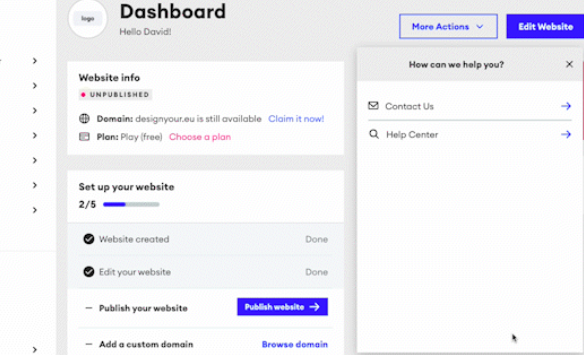

Trasparenza generale: Meglio della maggior parte dei costruttori di siti Web in termini di chiarezza dei prezzi, più debole sulle specifiche tecniche e sull'ergonomia della cancellazione. La mancanza di uno SLA chiaro sui tempi di attività è una lacuna notevole per qualsiasi piattaforma ospitata.
Alternative a Jimdo
Se Jimdo non soddisfa le tue esigenze, queste alternative risolvono le lacune più comuni:
Per una migliore SEO e blogging: WordPress (self-hosted o WordPress.com)
WordPress batte Jimdo in termini di profondità del blog, Controllo SEO, e scalabilità dei contenuti. Il compromesso è una curva di apprendimento più ripida. Per saperne di più su quando un builder batte WordPress e viceversa, vedere il nostro confronto di WordPress vs costruttori di siti web.
Per una migliore flessibilità di progettazione: Squarespace o Wix
Entrambi offrono maggiore libertà di progettazione rispetto a Dolphin. Squarespace brilla per portfolio e professionisti creativi. Wix ha un ecosistema di app più profondo e strumenti SEO più potenti. Il feedback della community li colloca costantemente al di sopra di Jimdo in termini di personalizzazione. Guarda come i due si confrontano nel nostro Ripartizione Wix vs Squarespace.
Per un e-commerce serio: Shopify
Il negozio online di Jimdo va bene per alcuni prodotti. Oltre quello, L'inventario di Shopify, spedizione, e gli strumenti di marketing sono in una lega diversa. Se l'e-commerce è la tua attività principale, non iniziare con Jimdo.
Per un confronto diretto con la concorrenza: Weebly
Weebly rientra nella stessa categoria di semplici costruttori di Jimdo. È lo scontro diretto più vicino se desideri un approccio simile con diversi compromessi. Vedi il nostro dettagliato Confronto tra Weebly e Jimdo.
Per una visione più ampia delle opzioni convenienti, controlla la nostra guida al costruttori di siti web più economici.
Conclusione
Jimdo è un competente, costruttore strettamente utile. Segna in giro 4.3/5 perché offre esattamente ciò che promette al suo utente target, e niente di più.
La linea di fondo
Con 4.3/5 attraverso 7,200+ recensioni, Jimdo funziona per operatori solisti, imprese di servizi locali, e proprietari di siti per la prima volta che hanno bisogno di qualcosa di attivo questa settimana. Non funziona se vuoi la profondità SEO, libertà di progettazione, e-commerce serio, o una piattaforma su cui puoi crescere per cinque anni.
Scegli Jimdo se stai costruendo un sito di brochure da 5 a 10 pagine e vuoi smettere di pensarci. Evitalo se stai costruendo qualcosa che chiameresti un contenuto reale o un'operazione di e-commerce. Per più opzioni nella stessa categoria, Nostro guida per la creazione di siti Web più economica è una buona prossima lettura.
Domande frequenti
Jimdo è adatto ai principianti?
sì, probabilmente il caso più forte a favore di Jimdo. Il builder Dolphin AI pone alcune domande e genera un sito funzionante in pochi minuti. Non c'è niente da installare, configurare, o ospite. Iniziare i livelli a pagamento a 11 USD al mese offre ai principianti un ripasso, sito senza pubblicità senza imparare WordPress o gestire plugin.
Jimdo vale il prezzo?
All'inizio (11 USD al mese) e crescere (USD 17/mese), sì, per l'utente giusto. Stai pagando per la semplicità e un pacchetto tutto in uno. A illimitato (USD 45/mese), i conti diventano più difficili. Per quei soldi, puoi gestire un sito WordPress ben configurato o un negozio Shopify con molto più spazio per crescere. Jimdo ha un valore equo nella fascia bassa, valore debole nella fascia alta.
Di cosa si lamentano di più i clienti??
Tre questioni dominano. Primo, rigidi limiti di personalizzazione, soprattutto in Delfino. Secondo, problemi di fatturazione e rinnovo automatico, con alcuni utenti che segnalano avvisi di recupero crediti per mancate cancellazioni. Terzo, caricamento lento della pagina, circa il doppio della soglia di velocità consigliata da Google nei test indipendenti.
Come si confronta Jimdo con Wix o Squarespace?
Wix vince in termini di flessibilità di progettazione e strumenti SEO. Squarespace vince in termini di varietà e rifinitura dei modelli. Jimdo vince in termini di semplicità e velocità di installazione. Se sai esattamente come vuoi che sia il tuo sito, scegli Wix o Squarespace. Se hai solo bisogno di qualcosa vivi velocemente, Jimdo è competitivo.
Posso spostare il mio sito da Jimdo in un secondo momento?
Con difficoltà. Jimdo non ha un'esportazione pulita su WordPress o un formato statico. I rapporti della community descrivono costantemente le migrazioni manuali copia-incolla. Se c'è qualche possibilità che cambierai piattaforma entro pochi anni, iniziare da qualche parte con una migliore portabilità. Questa è una delle cose più importanti da sapere prima di iscriversi.
Jimdo offre rimborsi?
Jimdo rispetta il diritto di recesso legale di 14 giorni richiesto dal diritto dei consumatori dell'UE. Questo è un requisito legale, non una garanzia commercializzata. Non esiste una garanzia di rimborso di 30 giorni standard del settore come pubblicizzano molti concorrenti. Al di fuori della finestra di prelievo, in genere paghi fino alla fine del periodo impegnato, quindi impegnati con attenzione.
