
En esta página: [esconder]
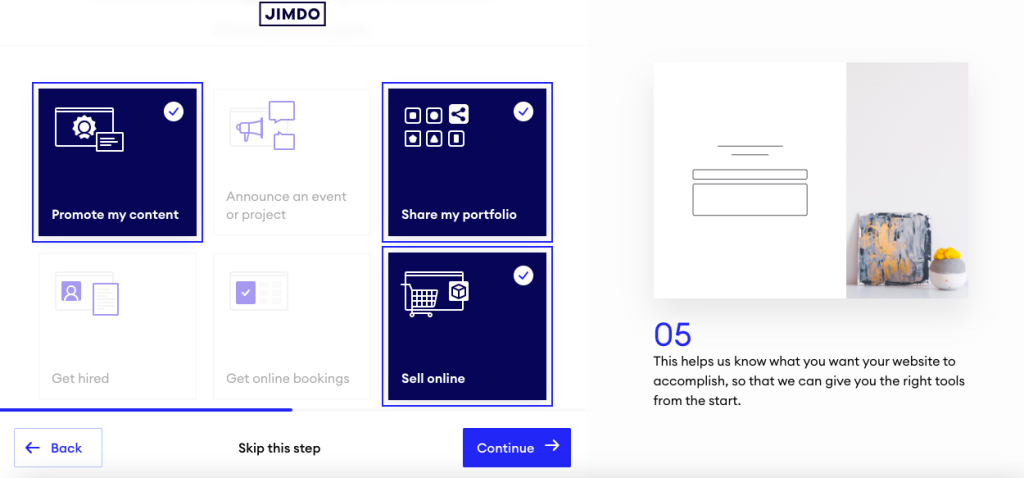
respuesta corta: Jimdo es una opción sólida para propietarios de pequeñas empresas que desean una rápida, sitio web sin complicaciones. Se queda corto una vez que necesitas una personalización real, blogs fuertes, o una tienda construida para crecer.
Esta revisión se basa en comentarios agregados de los clientes., páginas oficiales de precios, puntos de referencia independientes, y discusiones de Reddit. A diferencia de las reseñas con muchos afiliados, Incluimos advertencias de la comunidad sobre el bloqueo de productos de Jimdo y la facturación de renovación automática que muchos otros sitios omiten convenientemente.. También cubrimos a los editores Creator y Dolphin., ya que elegir el equivocado es una decisión que no puedes revertir.
Evaluación general: Jimdo puntúa aproximadamente 4.3/5 a través de 7,200+ revisiones agregadas. Los puntos fuertes incluyen una configuración rápida impulsada por IA y plantillas predeterminadas limpias.. Las quejas más comunes implican límites estrictos de personalización., fricción de facturación y cancelación, y tiempos de carga de página lentos. Ideal para pequeñas empresas alemanas, autónomos, y sitios de folletos sencillos en 10 paginas.
 Visitar sitio
| Nombre | Jimdo |
| Reseñas totales | 5687 |
| Puntuación media | 4.0 |
| Sitio web | https://www.de.jimdo.com |
| Dirección | Calle Stresemann. 375 Hamburgo 22761 DE |
Número de revisiones
Promedio. Puntuación de revisión
Atención al cliente
Características y servicios
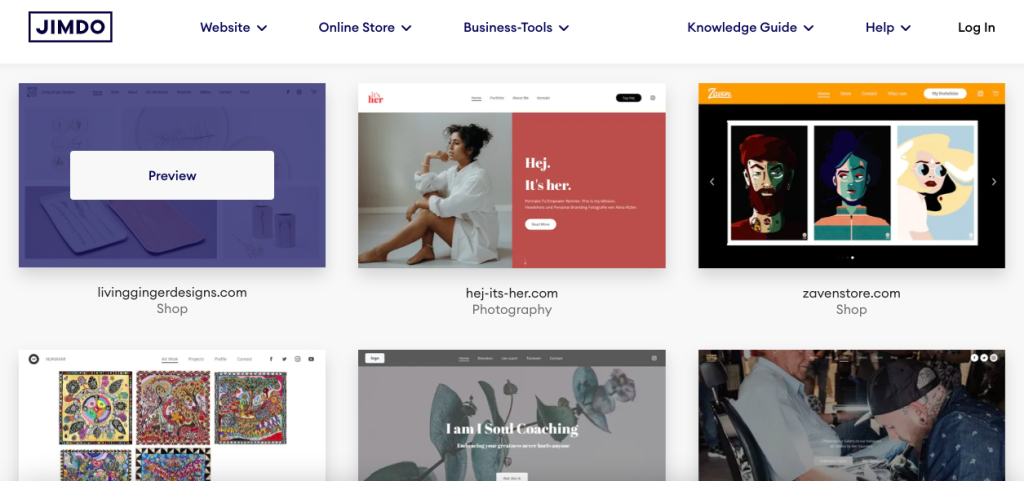
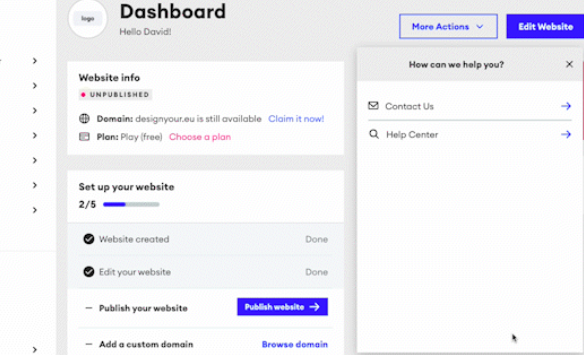
Jimdo es un creador de sitios web con sede en Hamburgo y fundado en 2007. No es un servidor web tradicional.. No encontrará VPS ni opciones de servidor dedicado aquí. En lugar, Jimdo es una plataforma todo en uno donde alojar, editor, y paquete de gestión de dominios juntos.
Productos ofrecidos
- Delfín Jimdo – Creador de sitios web impulsado por IA (lanzado 2017). Te hace algunas preguntas y genera un sitio automáticamente.. Esta es ahora la ruta predeterminada para nuevos usuarios..
- Creador de Jimdo – Editor heredado de arrastrar y soltar. Más flexible que Dolphin, pero Jimdo le ha restado importancia desde entonces 2022.
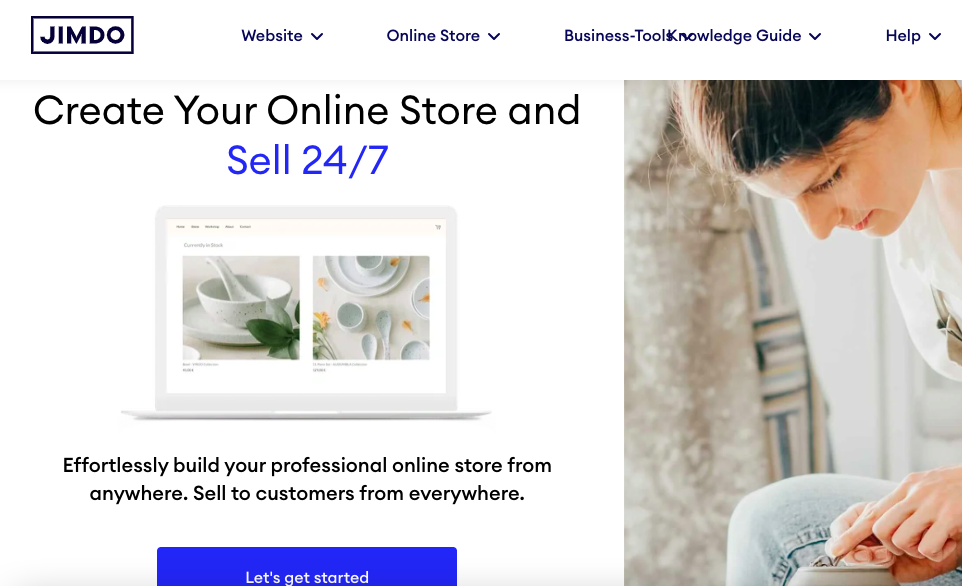
- Tienda en línea – Planes de comercio electrónico con gestión de productos., variantes, e integraciones de pagos.
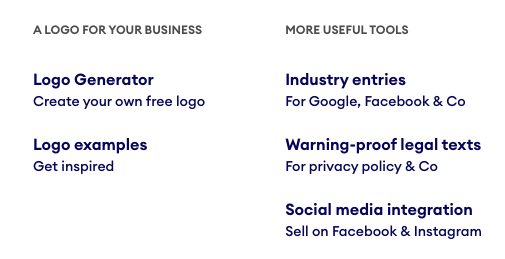
- Listados de empresas de Jimdo – Un producto secundario que sincroniza la información de su empresa en Google, Facebook, Gañido, y directorios similares.
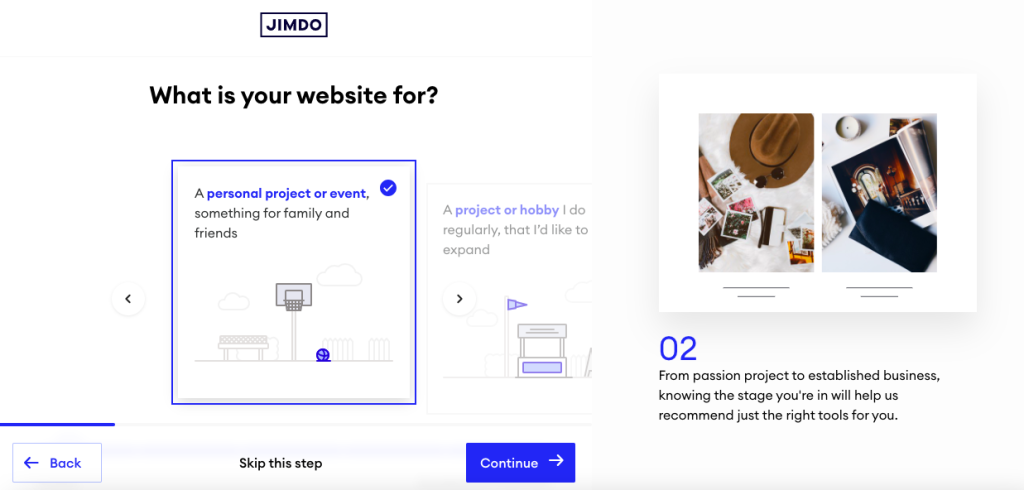
nota critica: No puedes cambiar entre Dolphin y Creator después de comenzar. Elige mal y reconstruirás desde cero. Las discusiones de la comunidad en Reddit señalan esto como una de las mayores trampas en las que caen los nuevos usuarios de Jimdo..
Características clave Los clientes destacan
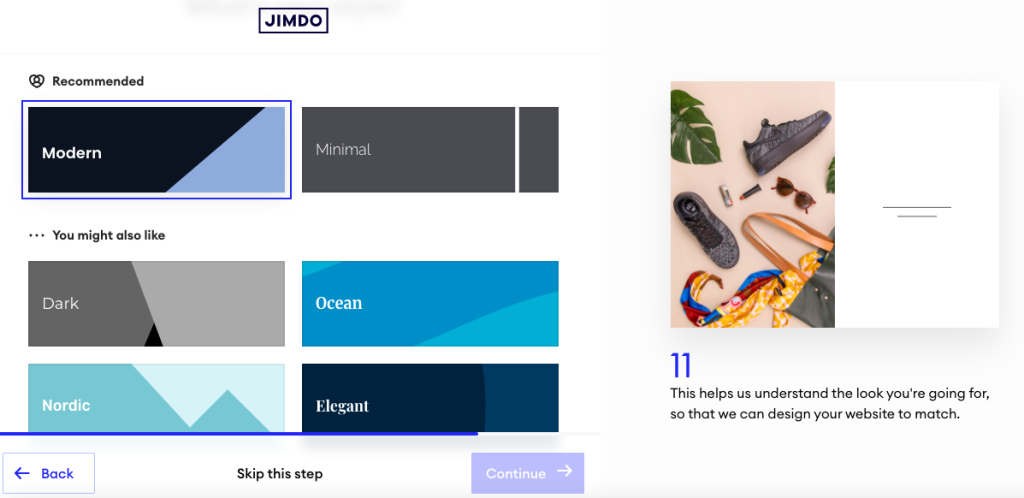
- Generación de sitios de IA (Delfín) – Obtiene un sitio de trabajo activo en menos 10 minutos. Valioso para propietarios no técnicos que sólo necesitan algo presentable..
- Limpio, plantillas listas para dispositivos móviles – Los sitios se ven profesionales sin configuración. Los usuarios dicen constantemente que el resultado predeterminado es lo suficientemente bueno como para publicarlo..
- SSL y alojamiento integrados –SSL (el certificado de seguridad que pone el candado en tu navegador) y el alojamiento se manejan por usted. No administras servidores, certificados, o DNS. Todo funciona con la pila de Jimdo.
- Sincronización de listados de empresas – Un toque para pequeñas empresas que competidores más grandes como Squarespace no igualan de inmediato..
Ubicaciones del centro de datos
Jimdo gestiona infraestructuras en Alemania, los Estados Unidos, y japon. Esto es importante para la latencia.. Los visitantes europeos obtienen respuestas rápidas de los centros de datos alemanes. Para una mirada más profunda a las opciones alojadas en Alemania más allá de Jimdo, Vea nuestro Guía de alojamiento web en Alemania.
Expectativas de desempeño


Aquí es donde los datos disponibles se vuelven incómodos. Los puntos de referencia independientes muestran que los sitios Jimdo tienen un promedio de alrededor 6 segundos para cargar, con retrasos en la interacción cerca 11 segundos. Google recomienda en 2.5 segundos para la pintura con mayor contenido. Jimdo tiene más del doble de ese límite. Si la velocidad es importante para tu SEO o tus conversiones, presupuestar para el trabajo de optimización o elegir un constructor más rápido.
Experiencia del cliente
Las plataformas de reseñas agregadas hacen popular a Jimdo 4.3/5 a través de 7,200+ comentarios. El número del titular se ve bien.. Profundiza y el patrón es nítido: a los usuarios que quieren un sitio sencillo les encanta. Los usuarios que intentan superar los valores predeterminados se frustran rápidamente.
Lo que los clientes elogian
Velocidad de configuración. El elogio más consistente en las reseñas es la rapidez con la que Jimdo pone en funcionamiento un sitio.. La IA de Dolphin hace cinco o seis preguntas y produce algo publicable. Para un consultor individual que solo necesita presencia en la web, eso vale dinero real.
Respaldar la capacidad de respuesta en niveles superiores. Crecer, Ilimitado, y los clientes VIP a menudo informan que son útiles, respuestas humanas. El apoyo en lengua alemana recibe especialmente elogios, lo cual tiene sentido dadas las raíces de Jimdo en Hamburgo.
Calidad de la plantilla. Las reseñas mencionan con frecuencia que el diseño predeterminado se ve pulido sin modificaciones.. Los propietarios de pequeñas empresas aprecian que no necesitan un diseñador para enviar algo profesional..
Comodidad todo en uno. Hospedaje, SSL, editor, y dominio en un solo panel. No hacer malabarismos con proveedores separados. Esa simplicidad es la razón por la que muchos usuarios siguen con Jimdo incluso después de alcanzar los límites..
Quejas comunes
Límites de personalización severos. Esta es la principal queja. No puedes mover elementos libremente, ajustar el espaciado, o agregue diseños de columnas personalizados en Dolphin. Las reseñas describen el sentimiento. “encajonado en” por la estructura del bloque. Si puedes imaginar exactamente cómo quieres que se vea tu sitio, Probablemente Jimdo no te dejará construirlo..
Blogs débiles. Dolphin no tiene blog nativo. El creador tiene uno, pero sin agendar, etiquetas, categorías, o comentarios. Para sitios basados en contenido, esto es un factor decisivo.
Fricciones de facturación y cancelación. Quejas recurrentes sobre las renovaciones automáticas, cargos sorpresa, y dificultad para cancelar. Algunos usuarios mencionan avisos de cobro de deudas.. Este patrón aparece con tanta frecuencia que no se puede descartar..
Cargas de página lentas. Pruebas independientes muestran que los tiempos de carga aproximadamente duplican el umbral recomendado por Google. Para cualquiera que se tome en serio el SEO o las conversiones, eso es un problema.
Comentarios de la comunidad (Reddit & El)
Más allá de las plataformas de revisión oficiales, Las discusiones de la comunidad revelan perspectivas que las reseñas seleccionadas a menudo omiten..
Bloqueo entre delfines y creadores. Los Redditors advierten repetidamente que no se puede cambiar entre los dos editores. Escoger delfín, lo lamento, y tu única opción es reconstruir desde cero. Este único tema genera más frustración en los hilos de la comunidad que cualquier otro tema..
Dolor de exportación. Sacar tu contenido de Jimdo es difícil. No existe un camino limpio hacia WordPress ni una exportación estática. Las publicaciones de la comunidad describen cómo copiar y pegar contenido manualmente al migrar.. El encierro es real.
Todos los sitios tienen el mismo aspecto. Los usuarios de r/smallbusiness y r/webdev notan que los sitios Jimdo, independientemente del nivel, tienden a compartir una firma visual. Si la diferenciación te importa, eso vale la pena saberlo.
Historias de terror con renovación automática. Varios hilos advierten sobre suscripciones que se renovaron a pesar de los intentos de cancelación. El patrón es lo suficientemente consistente como para que ahora sea una advertencia permanente en los consejos de la comunidad..
Consenso comunitario: Jimdo está bien para un sitio sencillo de folletos. No es la plataforma para algo que planeas hacer crecer.
Calidad de soporte
El soporte se basa en correo electrónico y tickets. no hay 24/7 línea telefónica para usuarios generales. Nivel de seguimiento del tiempo de respuesta: Los clientes VIP ven respuestas en 1 hora, mientras que los clientes de Play and Start han informado que las esperas se extienden hasta semanas durante los períodos de mayor actividad. El apoyo del idioma alemán es una clara fortaleza. El soporte en inglés recibe críticas mixtas, especialmente en niveles inferiores.
Cuándo utilizar Jimdo
Jimdo funciona bien en escenarios específicos. No es para todos, pero cuando encaja, encaja perfectamente.
Ideal para
Pequeñas empresas y autónomos alemanes: Empresa con sede en Hamburgo, fuerte apoyo al idioma alemán, centros de datos en Alemania, y familiaridad con el cumplimiento de la UE. Si presta servicios en un mercado de habla alemana, Jimdo habla tu idioma de forma literal y operativa.
Empresas de servicios que necesitan una presencia web básica: salones de belleza, fontaneros, consultores locales, terapeutas. Necesitas una página que diga quién eres, Que haces, y como contactarte. Jimdo descubre ese caso de uso en una tarde.
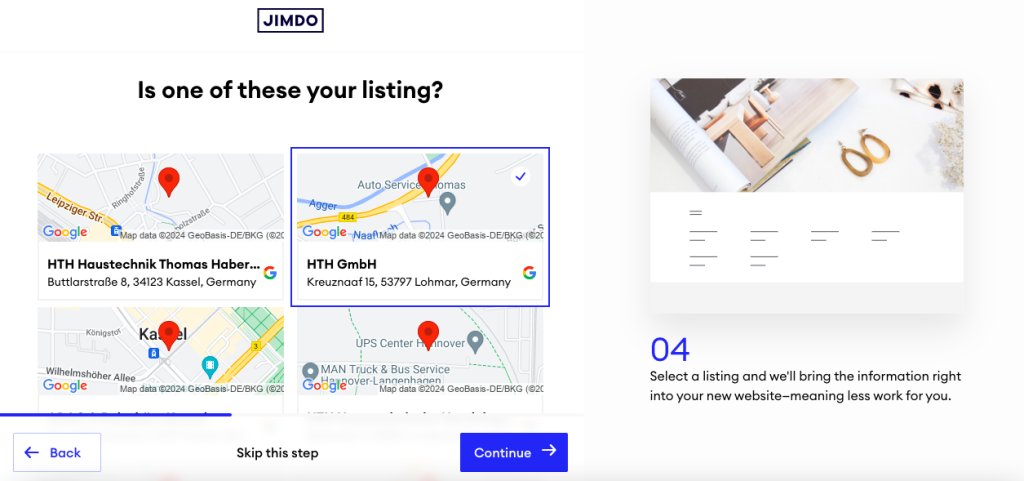
Propietarios de sitios primerizos que no quieren aprender WordPress: El constructor de IA hace el trabajo pesado. No eliges plantillas, configurar complementos, o depurar el almacenamiento en caché. esa compensación, Menos control para menos curva de aprendizaje., es todo el campo.
Lo agradecerás si
- Su sitio está bajo 10 páginas y en su mayoría informativas, porque los niveles Start y Grow de Jimdo tienen el tamaño exacto para eso.
- Quieres una factura que cubra el hosting, dominio, y constructor, porque Jimdo empaqueta limpiamente.
- Vendes un puñado de productos localmente., porque el plan de tienda Básico cubre catálogos pequeños sin herramientas adicionales.
- No planeas migrar más tarde, porque si lo haces, te espera dolor.
Cuándo NO usar Jimdo
Ningún constructor se adapta a todos. Jimdo tiene lagunas específicas que perjudicarán gravemente a algunos usuarios.
Mira en otra parte si
Quieres marketing de contenidos impulsado por SEO: Funciones de blogs débiles, cargas de página lentas, y control de esquema limitado. Si el tráfico orgánico es tu estrategia, WordPress o Wix te servirán mejor.
Estás construyendo una tienda de comercio electrónico en crecimiento: Las funciones de la tienda Jimdo alcanzan sus límites rápidamente. Una vez que necesite reglas de envío complejas, multidivisa, gestión de inventario seria, o SEO fuerte, lo superarás. Shopify o WooCommerce manejan esto mejor.
Necesitas una profunda personalización del diseño: La estructura de bloques de Dolphin es rígida.. Si tienes un diseño específico en mente, O lucharás contra el editor o te rendirás.. Squarespace y Webflow dan a los diseñadores mucho más espacio.
Planeas migrar más tarde: Jimdo no tiene un camino claro para exportar. Tu contenido está efectivamente estancado. Si existe alguna posibilidad de que muevas plataformas 2-3 años, Comience en algún lugar con mejor portabilidad.
Banderas rojas para su situación
- La asistencia telefónica es esencial: Jimdo no lo ofrece para usuarios generales.. Solo correo electrónico y ticket.
- No te gusta la facturación de renovación automática: Los informes de la comunidad sugieren que la cancelación puede generar mucha fricción. Si quieres flexibilidad mes a mes, esta no es tu plataforma.
- Necesita análisis detallados o pruebas A/B: No es el punto fuerte de Jimdo. Terminarás utilizando herramientas de terceros.
- Quieres un blog con funciones CMS reales: Planificación, etiquetas, categorías, comentarios. Los blogs de Jimdo son débiles en todas estas áreas.
Si alguno de estos se aplica, Consulte la sección Alternativas a continuación para obtener recomendaciones específicas..
- Reseñas de Jimdo de Alemania
| Puntuación media | 4.05 |
| Número de reseñas | 4183 comentarios |
- Reseñas de Jimdo de Suiza
| Puntuación media | 4.04 |
| Número de reseñas | 957 comentarios |
- Reseñas de Jimdo de Austria
| Puntuación media | 4.36 |
| Número de reseñas | 808 comentarios |
- Reseñas de Jimdo de España
| Puntuación media | 4.35 |
| Número de reseñas | 294 comentarios |
- Reseñas de Jimdo de Italia
| Puntuación media | 3.87 |
| Número de reseñas | 236 comentarios |
- Reseñas de Jimdo de Francia
| Puntuación media | 3.78 |
| Número de reseñas | 139 comentarios |
- Reseñas de Jimdo de Holanda
| Puntuación media | 3.43 |
| Número de reseñas | 99 comentarios |
- Reseñas de Jimdo de Mexico
| Puntuación media | 4.74 |
| Número de reseñas | 72 comentarios |
- Reseñas de Jimdo de los Estados Unidos
| Puntuación media | 3.81 |
| Número de reseñas | 67 comentarios |
- Reseñas de Jimdo Del Reino Unido
| Puntuación media | 2.52 |
| Número de reseñas | 61 comentarios |
- Reseñas de Jimdo de Bélgica
| Puntuación media | 3.94 |
| Número de reseñas | 34 comentarios |
- Reseñas de Jimdo de Argentina
| Puntuación media | 4.86 |
| Número de reseñas | 29 comentarios |
- Reseñas de Jimdo de Chile
| Puntuación media | 4.95 |
| Número de reseñas | 22 comentarios |
- Reseñas de Jimdo de Colombia
| Puntuación media | 4.67 |
| Número de reseñas | 18 comentarios |
- Reseñas de Jimdo de Canadá
| Puntuación media | 3.47 |
| Número de reseñas | 17 comentarios |
- Reseñas de Jimdo desde Rusia
| Puntuación media | 4.93 |
| Número de reseñas | 15 comentarios |
- Reseñas de Jimdo de luxemburgo
| Puntuación media | 4.93 |
| Número de reseñas | 14 comentarios |
- Reseñas de Jimdo de Australia
| Puntuación media | 3.46 |
| Número de reseñas | 13 comentarios |
- Reseñas de Jimdo de Costa Rica
| Puntuación media | 4.85 |
| Número de reseñas | 13 comentarios |
- Reseñas de Jimdo de la India
| Puntuación media | 5.00 |
| Número de reseñas | 9 comentarios |
- Reseñas de Jimdo de Portugal
| Puntuación media | 4.78 |
| Número de reseñas | 9 comentarios |
- Reseñas de Jimdo de Turquía
| Puntuación media | 3.88 |
| Número de reseñas | 8 comentarios |
- Reseñas de Jimdo de Hungaria
| Puntuación media | 5.00 |
| Número de reseñas | 6 comentarios |
- Reseñas de Jimdo de Liechtenstein
| Puntuación media | 3.17 |
| Número de reseñas | 6 comentarios |
- Reseñas de Jimdo desde Tailandia
| Puntuación media | 4.67 |
| Número de reseñas | 6 comentarios |
- Reseñas de Jimdo de Grecia
| Puntuación media | 4.20 |
| Número de reseñas | 5 comentarios |
- Reseñas de Jimdo de namibia
| Puntuación media | 3.40 |
| Número de reseñas | 5 comentarios |
- Reseñas de Jimdo De Polonia
| Puntuación media | 3.40 |
| Número de reseñas | 5 comentarios |
- Reseñas de Jimdo de Suecia
| Puntuación media | 3.40 |
| Número de reseñas | 5 comentarios |
- Reseñas de Jimdo de Rumania
| Puntuación media | 4.00 |
| Número de reseñas | 4 comentarios |
Planes y precios de Jimdo
El precio de Jimdo es inusual para un creador de sitios web. No hay dramatismo “precio promocional ahora, 3x en la renovación” truco. En lugar, pagas por mes o te comprometes a 12 o 24 meses por una tarifa mensual más económica. Eso es refrescante en comparación con los anfitriones que ofrecen promociones de USD 2,99/mes y renuevan a USD 10,99/mes..
⚠️ Advertencia de facturación: El verdadero riesgo de facturación de Jimdo es la renovación automática. Múltiples reseñas de clientes e hilos de Reddit informan que las suscripciones se renuevan a pesar de los intentos de cancelación., y algunos usuarios describen avisos de cobro de deudas por cancelaciones perdidas. Lea los términos antes de comprometerse, y establecer un recordatorio en el calendario mucho antes de la renovación.
Planes de creación de sitios web
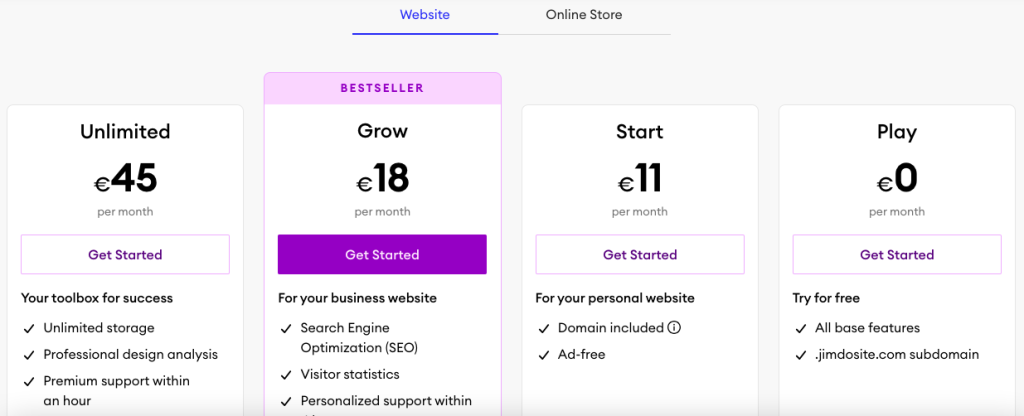
DESEMPEÑAR (Gratis): USD 0/mes – 500 MB de almacenamiento, 5 paginas, 2 GB de ancho de banda. La marca Jimdo y los anuncios aparecen en su sitio.. Sin dominio personalizado. Bien por probar el editor., no para negocios reales.
COMIENZO: USD 11/mes – 5 GB de almacenamiento, 10 paginas, 10 GB de ancho de banda. Dominio gratis por primer año, sin publicidad, características básicas de SEO. Este es el nivel mínimo que necesitarán la mayoría de los sitios pequeños..
CRECER: USD 17/mes – 15 GB de almacenamiento, 50 paginas, 20 GB de ancho de banda. Dominio gratuito el primer año, respuesta de soporte más rápida. El punto ideal si planeas contenido profundo.
ILIMITADO: USD 45/mes – Almacenamiento ilimitado, paginas, y ancho de banda. Cola de soporte prioritario. La mayoría de las pequeñas empresas no necesitarán este nivel.
Planes de tienda en línea
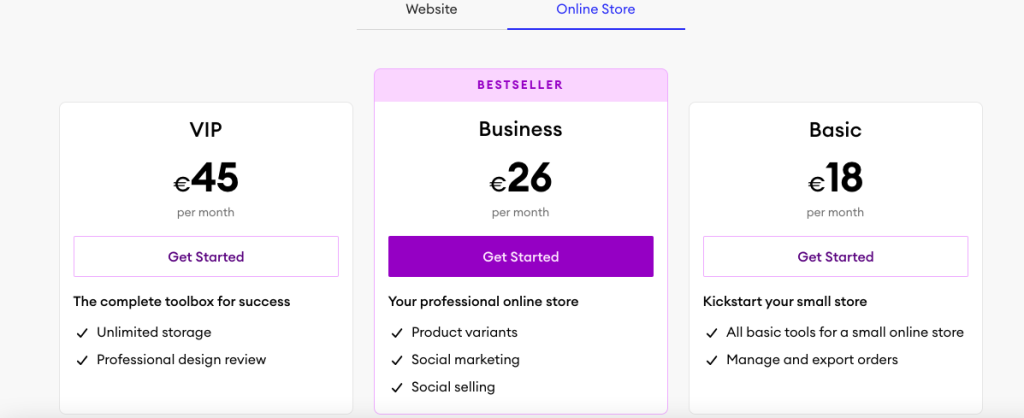
BÁSICO: USD 18/mes – 10 GB de almacenamiento, productos ilimitados, diseño de una tienda. Adecuado para probar el comercio electrónico con un catálogo pequeño..
NEGOCIO: USD 26/mes – 15 GB, variantes del producto, códigos de descuento, herramientas de marketing avanzadas.
VIP: USD 45/mes – Almacenamiento ilimitado, 1-respuesta de soporte prioritario en horas, análisis de diseño profesional. Posicionado para pequeñas tiendas serias.
Costos ocultos a tener en cuenta
- Renovación de dominio tras año 1: Aproximadamente 20 USD al año para dominios .com. No incluido después del primer año..
- Tarifas de transacción: Los detalles varían según el proveedor de pago y la región. Consulte los términos actuales antes de comprometerse con el comercio electrónico.
- Momento de cancelación: Pagas hasta el final de tu plazo comprometido. No hay reembolso prorrateado si sale temprano fuera del período de retiro de la UE.
- Multa de facturación mensual: El pago por uso mensual cuesta notablemente más que el 12 o tarifa prepago 24 meses.
Veredicto de precios
¿Tiene una buena relación calidad-precio?? En papel, El precio de Jimdo es justo y transparente en comparación con el modelo de renovación de impacto que utilizan muchos anfitriones.. Empezar en USD 11/mes es competitivo. Ilimitado a USD 45/mes es caro para lo que obtienes, aunque. Con dinero similar puedes comprar el plan Básico de Shopify o una configuración sólida de WordPress administrada con mucha más flexibilidad.. La debilidad de los precios no es la pegatina. Es la inflexibilidad en torno a la cancelación..
- Ancho de banda ilimitado
- Ancho de banda ilimitado
- Ancho de banda ilimitado
- Ancho de banda ilimitado
Puntuación de transparencia de Jimdo
Evaluamos qué tan directo es Jimdo con información importante:
- Información de la empresa: Bueno – año de fundación, Sede de Hamburgo, fundadores, y las ubicaciones de las oficinas están todas disponibles públicamente. La propiedad es sencilla.
- Transparencia de precios: Bueno: sin impacto de renovación oculto. Los niveles y características del plan están claros en la página de precios. Se establecen los términos de facturación., aunque los valores predeterminados de renovación automática merecen más importancia.
- Documentación técnica: Limitado: las ubicaciones de los centros de datos están confirmadas, pero SLA de tiempo de actividad (Acuerdo de Nivel de Servicio, un compromiso de tiempo de actividad garantizado), CDN (Red de entrega de contenidos, que acelera la carga al almacenar en caché su sitio a nivel mundial), y los compromisos de desempeño específicos no se publican claramente.
- Condiciones & Políticas: Limitado: se hace referencia al derecho de retiro legal de la UE de 14 días, pero no se comercializa ninguna garantía de devolución de dinero. El proceso de cancelación es menos visible que el registro.

Transparencia general: Mejor que la mayoría de los creadores de sitios web en cuanto a claridad de precios, más débil en especificaciones técnicas y ergonomía de cancelación. La falta de un SLA de tiempo de actividad claro es una brecha notable para cualquier plataforma alojada..
Alternativas a Jimdo
Si Jimdo no se ajusta a tus necesidades, estas alternativas abordan las brechas más comunes:
Para un mejor SEO y blogs: WordPress (autohospedado o WordPress.com)
WordPress supera a Jimdo en profundidad de blogs, control SEO, y escalabilidad del contenido. La contrapartida es una curva de aprendizaje más pronunciada. Para obtener más información sobre cuándo un creador supera a WordPress y viceversa, vea nuestra comparación de WordPress frente a creadores de sitios web.
Para una mejor flexibilidad de diseño: Espacio cuadrado o Wix
Ambos ofrecen más libertad de diseño que Dolphin. Squarespace brilla para portafolios y profesionales creativos. Wix tiene un ecosistema de aplicaciones más profundo y herramientas de SEO más potentes. Los comentarios de la comunidad los sitúan constantemente por encima de Jimdo en personalización. Vea cómo se comparan los dos en nuestro Desglose de Wix vs Squarespace.
Para un comercio electrónico serio: Shopify
La tienda online de Jimdo está bien para algunos productos.. Pasado eso, Inventario de Shopify, Envío, y las herramientas de marketing están en una liga diferente. Si el comercio electrónico es su negocio principal, no empieces con Jimdo.
Para una comparación directa con la competencia: Weebly
Weebly se encuentra en la misma categoría de constructores simples que Jimdo. Es el enfrentamiento más cercano si desea un enfoque similar con diferentes compensaciones.. Vea nuestro detallado Comparación entre Weebly y Jimdo.
Para una visión más amplia de opciones económicas, consulta nuestra guía de creadores de sitios web más baratos.
Conclusión
Jimdo es un competente, constructor de poca utilidad. Se anota alrededor 4.3/5 porque ofrece exactamente lo que promete a su usuario objetivo, y nada mas.
La línea de fondo
Con 4.3/5 a través de 7,200+ comentarios, Jimdo funciona para operadores solitarios, empresas de servicios locales, y propietarios de sitios nuevos que necesitan algo en vivo esta semana. No funciona si quieres profundidad de SEO, libertad de diseño, comercio electrónico serio, o una plataforma en la que puedas crecer durante cinco años.
Elige Jimdo si estás creando un sitio de folletos de 5 a 10 páginas y quieres dejar de pensar en ello. Evítelo si está creando algo que llamaría contenido real o una operación de comercio electrónico.. Para más opciones en la misma categoría, nuestro guía de creación de sitios web más barata es una buena próxima lectura.
Preguntas frecuentes
¿Jimdo es bueno para principiantes??
si, Probablemente el argumento más sólido a favor de Jimdo.. El constructor Dolphin AI hace algunas preguntas y genera un sitio de trabajo en minutos. No hay nada que instalar, configurar, o anfitrión. Los niveles Start pagados a USD 11/mes brindan a los principiantes una limpieza, sitio sin publicidad sin aprender WordPress ni administrar complementos.
¿Vale la pena el precio de Jimdo??
Al inicio (USD 11/mes) y crecer (USD 17/mes), si, para el usuario adecuado. Estás pagando por la simplicidad y un paquete todo en uno. En ilimitado (USD 45/mes), las matemáticas se vuelven más difíciles. por ese dinero, puedes ejecutar un sitio de WordPress bien configurado o una tienda Shopify con mucho más espacio para crecer. Jimdo tiene un valor razonable en el extremo inferior, valor débil en el extremo superior.
¿De qué se quejan más los clientes??
Tres cuestiones dominan. primero, estrictos límites de personalización, especialmente en delfín. Segundo, Problemas de facturación y renovación automática., y algunos usuarios informan avisos de cobro de deudas por cancelaciones perdidas. Tercero, cargas de página lentas, aproximadamente el doble del umbral de velocidad recomendado por Google en pruebas independientes.
¿Cómo se compara Jimdo con Wix o Squarespace??
Wix gana en flexibilidad de diseño y herramientas de SEO. Squarespace gana en variedad y pulido de plantillas. Jimdo gana en simplicidad y velocidad de configuración. Si sabes exactamente cómo quieres que se vea tu sitio, elige Wix o Squarespace. Si solo necesitas algo vive rápido, Jimdo es competitivo.
¿Puedo sacar mi sitio de Jimdo más tarde??
Con dificultad. Jimdo no tiene una exportación limpia a WordPress ni a un formato estático. Los informes de la comunidad describen consistentemente las migraciones manuales de copiar y pegar. Si existe alguna posibilidad de que cambie de plataforma dentro de unos años, Comience en algún lugar con mejor portabilidad. Esta es una de las cosas más importantes que debes saber antes de registrarte..
¿Jimdo ofrece reembolsos??
Jimdo respeta el derecho legal de desistimiento de 14 días exigido por la legislación del consumidor de la UE. Ese es un requisito legal., no es una garantía comercializada. No existe una garantía de devolución de dinero de 30 días estándar de la industria como anuncian muchos competidores.. Fuera de la ventana de retiro, normalmente paga hasta el final de su plazo comprometido, así que comprométete con cuidado.
